Wstęp
Thank you for choosing the aigo CA05 Open Ear Earbuds. These wireless Bluetooth 5.4 headphones are designed for comfort, stability, and high-quality audio, making them ideal for various activities including sports and workouts. This manual provides detailed instructions on how to set up, operate, and maintain your new earbuds to ensure optimal performance and longevity.
Co jest w pudełku
- 2x Open Ear Earbuds
- Etui ładujące
- Kabel ładujący typu C
- Instrukcja obsługi

Image: The contents of the aigo CA05 earbud package, showing the two open-ear earbuds, their charging case, a USB-C charging cable, and the user manual.
Produkt ponadview
The aigo CA05 earbuds feature an innovative open-ear clip design for comfort and situational awareness. They utilize Bluetooth 5.4 for stable connectivity and boast a powerful acoustic unit for clear, immersive sound.

Image: The aigo CA05 open-ear earbuds and their compact charging case, all in white.
Główne cechy:
- Bluetooth wersja 5.4: Ensures faster, stabler connections, lower power consumption, broader compatibility, extended range, and enhanced audio quality.
- Open-Ear Clip Design: Offers comfort, safety, hygiene, portability, and style, suitable for various activities.
- Acoustic Unit: Features a high-sensitivity driver for clear sound, a dual-unit design for broad range and deep bass, and supports spatial audio.
- Długa żywotność baterii: 8 hours of standalone usage, up to 50 hours with the 400mAh charging case.
- Kompaktowy i lekki: Easy to carry and comfortable for extended wear.
- IPX4 Wodoodporny: Resistant to sweat and splashing, suitable for sports and outdoor use.
Organizować coś
1. Ładowanie słuchawek i etui
Before first use, fully charge the earbuds and the charging case. Connect the provided Type-C USB cable to the charging port on the case and a power source. The indicator light on the case will show charging status.

Image: The aigo CA05 earbuds and charging case, illustrating the impressive battery life: 8 hours on a single charge for the earbuds, and up to 50 hours total with the 400mAh charging case.
2. Parowanie Bluetooth
- Otwórz etui ładujące. Słuchawki automatycznie przejdą w tryb parowania.
- Włącz Bluetooth na swoim urządzeniu (smartfonie, tablecie, laptopie).
- Szukaj "aigo CA05" in the list of available Bluetooth devices.
- Select "aigo CA05" to connect. Once connected, you will hear a confirmation tone.

Image: A smartphone displaying its Bluetooth settings, with "aigo CA05" visible in the device list, demonstrating the earbuds' Bluetooth 5.4 connectivity with iOS, Android, and computer devices.
Instrukcja obsługi
Sterowanie dotykowe:
The aigo CA05 earbuds feature touch-sensitive controls for easy operation. The specific functions may vary slightly depending on your device and application.
| Działanie | Funkcjonować |
|---|---|
| Pojedyncze dotknięcie | Odtwarzaj/wstrzymuj muzykę, odbieraj/kończ połączenia |
| Podwójne dotknięcie (lewa słuchawka) | Poprzedni utwór |
| Podwójne dotknięcie (prawa słuchawka) | Następny utwór |
| Długie naciśnięcie (2 sekund) | Aktywuj asystenta głosowego / Odrzuć połączenie |
| Długie naciśnięcie (5 sekund) | Włączanie/wyłączanie zasilania |
Uwaga: Regulacja głośności odbywa się zazwyczaj za pośrednictwem podłączonego urządzenia.
Instrukcje noszenia
The aigo CA05 earbuds are designed for an open-ear fit, resting comfortably on your ear without entering the ear canal. This design allows you to stay aware of your surroundings while enjoying audio.
- Pick up each earbud (Left for left ear, Right for right ear).
- Gently clip the earbud onto your ear, positioning the speaker part just outside your ear canal.
- Adjust the earbud for a secure and comfortable fit. Ensure the sound is clear and balanced.

Image: A diagram illustrating the correct method for wearing the aigo CA05 open-ear earbuds, showing how to pick up the earbud and place it above the ear, then adjust for optimal audio performance.
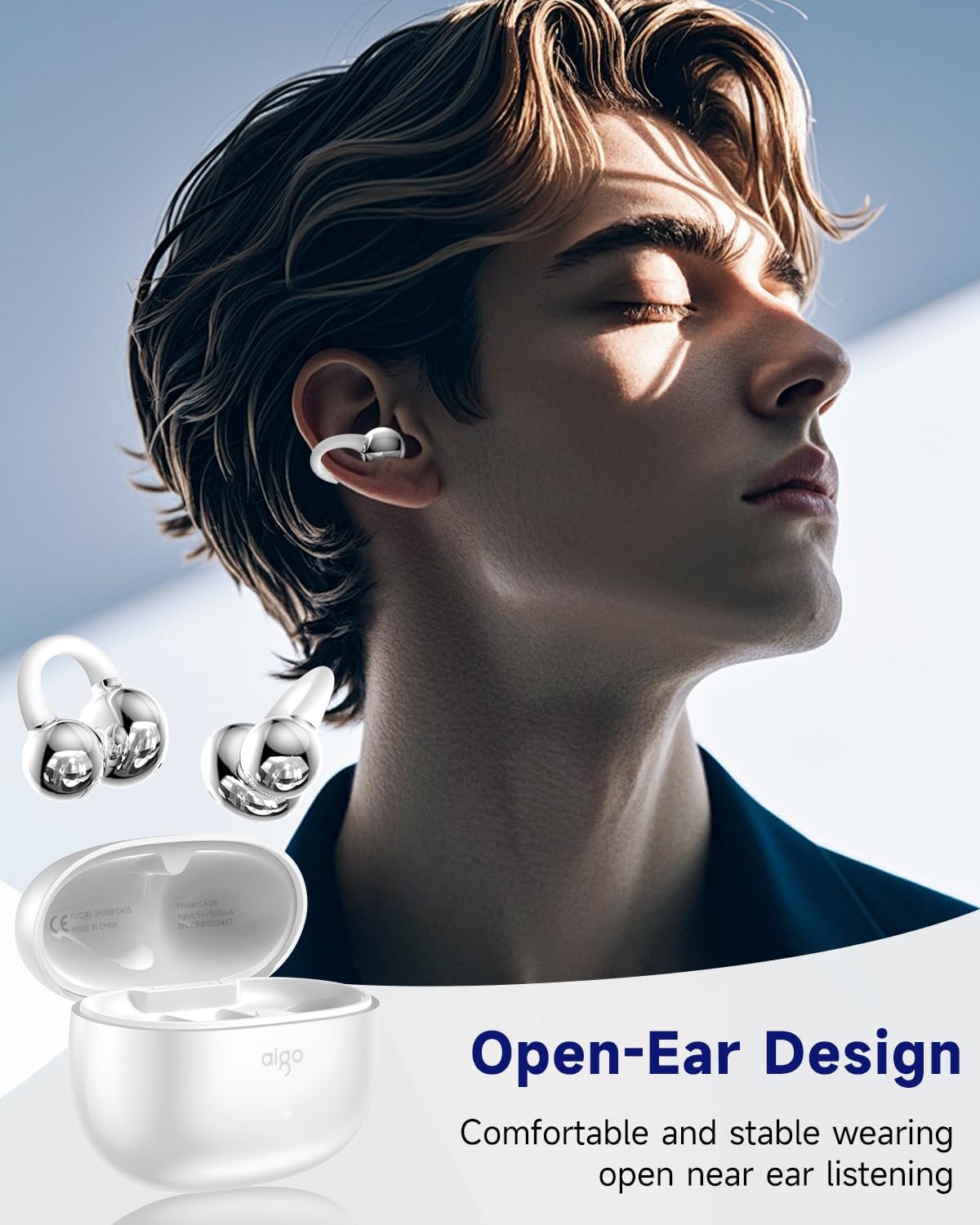
Image: A person wearing the aigo CA05 open-ear earbuds, demonstrating their comfortable and stable fit for open-ear listening.
Konserwacja
- Czyszczenie: Do czyszczenia słuchawek i etui ładującego używaj miękkiej, suchej i niepozostawiającej włókien ściereczki. Nie używaj silnych środków chemicznych ani materiałów ściernych.
- Składowanie: Gdy nie używasz słuchawek, przechowuj je w etui ładującym, aby je chronić i utrzymać naładowanie.
- Wodoodporność: The earbuds are IPX4 waterproof, meaning they are resistant to splashing water from any direction. Do not submerge them in water or expose them to strong jets of water. Dry them thoroughly if they get wet.

Image: The aigo CA05 earbuds with water droplets on them, highlighting their IPX4 waterproof rating, indicating resistance to sweat and splashing during exercise.
Rozwiązywanie problemów
| Problem | Możliwe rozwiązanie |
|---|---|
| Słuchawki douszne nie parują się | Upewnij się, że słuchawki są naładowane. Wyłącz i włącz Bluetooth w urządzeniu. Umieść słuchawki z powrotem w etui, zamknij je, a następnie otwórz ponownie, aby ponownie przejść do trybu parowania. |
| Brak dźwięku z jednej słuchawki | Sprawdź poziom naładowania baterii w obu słuchawkach. Spróbuj ponownie sparować. Upewnij się, że obie słuchawki są prawidłowo umieszczone w etui ładującym. |
| Niska głośność | Increase volume on your connected device. Ensure earbuds are clean and free of debris. |
| Słuchawki nie ładują się | Upewnij się, że kabel ładujący jest prawidłowo podłączony. Spróbuj użyć innego portu USB lub ładowarki. Wyczyść styki ładowania w słuchawkach i etui. |
| Połączenie niestabilne | Upewnij się, że między słuchawkami a urządzeniem nie ma żadnych przeszkód. Zbliż się do urządzenia. Unikaj silnych zakłóceń elektromagnetycznych. |
Specyfikacje
| Funkcja | Szczegół |
|---|---|
| Nazwa modelu | CA05 |
| Technologia łączności | Bezprzewodowy (Bluetooth) |
| Wersja Bluetooth | 5.4 |
| Zasięg Bluetooth | 32.8 stóp (ok. 10 metrów) |
| Umieszczenie ucha | Otwarte ucho |
| Współczynnik kształtu | Na ucho |
| Kontrola hałasu | Adaptacyjna redukcja szumów |
| Typ sterownika audio | Dynamiczny sterownik |
| Rozmiar sterownika audio | 12 milimetrów |
| Zakres częstotliwości | 20 Hz do 20,000 Hz |
| Impedancja | 16 omy |
| Metoda kontroli | Dotykać |
| Czas pracy baterii (słuchawki douszne) | 8 godzin |
| Pojemność akumulatora w torbie transportowej | 400 mlnamp Godziny |
| Etui transportowe Bateria Średnia żywotność | 50 godzin (z etui ładującym) |
| Czas ładowania etui | 2 godzin |
| Poziom wodoodporności | Wodoodporność IPX4 |
| Waga przedmiotu | 9.07 g (0.32 uncji) |
| Tworzywo | Silicone (earpiece), Plastic (case) |
| UPC | 198715164251 |

Image: A visual representation of the product dimensions for both the aigo CA05 charging case and the earbuds themselves, showing measurements in inches.

Image: The aigo CA05 earbuds floating, emphasizing their lightweight design at 0.17 ounces, making them fashionable and comfortable to wear.
Oficjalny film o produkcie
Wideo: Oficjalny film prezentujący produktasing the aigo CA05 Open Ear Earbuds, highlighting their design, features, and usage. This video demonstrates the comfortable open-ear fit, Bluetooth 5.4 connectivity, and overall user experience.
Gwarancja i wsparcie
Your aigo CA05 Open Ear Earbuds come with a standard manufacturer's warranty. For detailed warranty information, technical support, or service inquiries, please refer to the contact information provided on the product packaging or visit the official aigo webstrona. Zachowaj dowód zakupu na potrzeby roszczeń gwarancyjnych.
For further assistance, you may also contact the seller, Topline Power USA, through the Amazon platform.


