1. Wprowadzenie
Welcome to your new Amazon Fire TV 55-inch 4-Series 4K UHD Smart TV. This manual provides essential information for setting up, operating, maintaining, and troubleshooting your television. Your Fire TV combines stunning 4K Ultra HD visuals with the intelligence of Alexa, offering a seamless entertainment experience.

Obraz: Przód view of the Amazon Fire TV 4-Series 55-inch TV, showcasindzięki smukłej ramce i podstawce.

Image: A graphic highlighting key features of the Fire TV 4-Series: 4K Resolution, HDR10+ display, Ambient Experience, and Alexa integration.
2. Konfiguracja
2.1 Rozpakowanie i kontrola
Carefully remove all components from the packaging. Inspect the TV and accessories for any signs of damage. Retain the packaging for future transport or service needs.
2.2 Montaż stojaka (opcjonalnie)
If you are not wall-mounting your TV, attach the included TV stand legs:
- Aby zapobiec porysowaniu telewizora, należy go położyć ekranem do dołu na miękkiej i czystej powierzchni.
- Dopasuj każdą nogę stojaka do odpowiednich otworów na spodzie telewizora.
- Secure each leg using the provided screws (4 screws total).
The distance between the TV legs is approximately 43.3 inches.
2.3 Montaż na ścianie (opcjonalnie)
For wall mounting, use a VESA-compatible mount that supports a 300 mm x 300 mm standard. Consult a professional for installation if you are unsure.
2.4 Podłączanie urządzeń peryferyjnych
Podłącz swoje urządzenia do telewizora za pomocą dostępnych portów:
- Porty HDMI: 3 HDMI 2.0 ports and 1 HDMI 2.1 port with eARC for high-definition audio and video devices (e.g., gaming consoles, Blu-ray players, soundbars).
- Port USB: 1 USB 3.0 port for connecting external storage devices.
- Digital Optical Audio Port: 1 port do podłączania zewnętrznych systemów audio.
- Port Ethernet: 1 port for a wired internet connection.
Upewnij się, że wszystkie kable są bezpiecznie podłączone.
2.5 Połączenie zasilania
Podłącz przewód zasilający do gniazda zasilania telewizora, a następnie do gniazdka ściennego.
2.6 Konfiguracja zdalnego sterowania
Insert the two included AAA batteries into the Alexa Voice Remote Enhanced. The remote will automatically pair with your TV upon initial setup.
2.7 Pierwsze włączenie zasilania i konfiguracja sieci
Press the power button on the remote. Follow the on-screen instructions to:
- Wybierz swój język.
- Connect to your Wi-Fi network (supports Wi-Fi 6) or use the Ethernet connection.
- Zaloguj się na swoje konto Amazon.
- Complete the guided setup for your Fire TV experience.
3. Obsługa
3.1 Włączanie/wyłączanie zasilania
Press the power button on the Alexa Voice Remote Enhanced to turn the TV on or off. The TV may enter a sleep mode rather than fully powering down, allowing for quick startup and Ambient Experience features.
3.2 Alexa Voice Remote Enhanced
Your TV comes with an Alexa Voice Remote Enhanced, designed for intuitive control:
- Sterowanie głosowe: Press and hold the Alexa button and speak naturally to find content, manage smart home devices, or ask questions.
- Zaprogramowane przyciski: Use the dedicated app buttons for quick access to your favorite streaming services.
- Nawigacja: Use the directional pad and select button to navigate the Fire OS interface.
Alternatively, you can use the free Fire TV app on your smartphone (available for Fire OS, Android, and iOS) for voice control and navigation.

Image: The Fire TV interface showing the Alexa search bar and icons for popular streaming applications, demonstrating voice control capabilities.
3.3 Fire OS Interface and Content Access
The Fire OS provides a personalized home screen where you can easily find and launch apps, movies, TV shows, and live TV. Navigate through categories and recommendations to discover new content. You can access over 1.8 million movies and TV episodes, including over 400,000 episodes of free content. Subscription fees may apply for certain services.
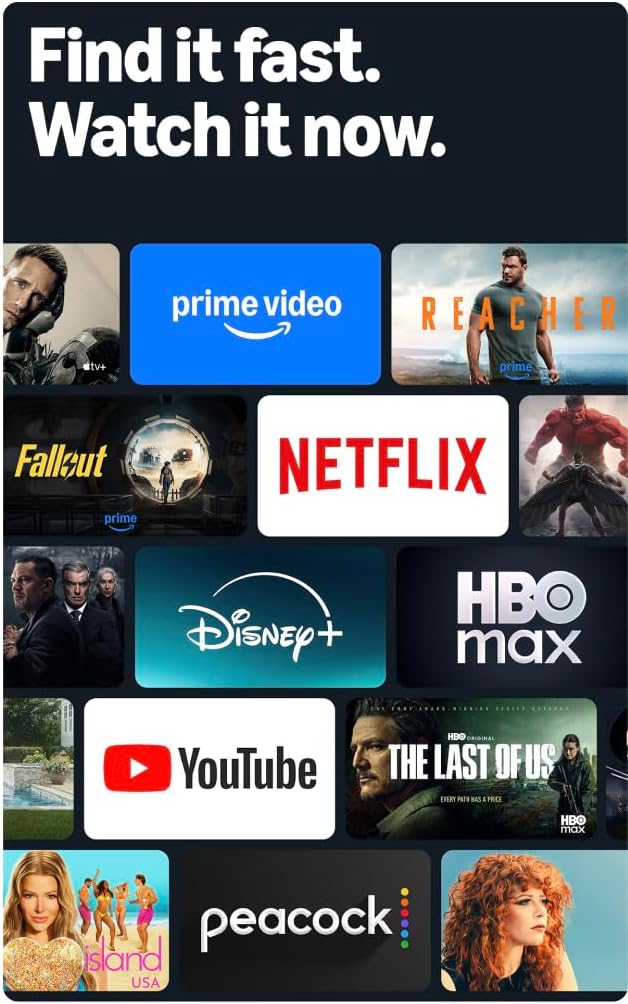
Image: A collage of streaming service logos and content thumbnails on the Fire TV screen, illustrating the wide range of available entertainment.
3.4 Jakość obrazu
Experience vivid visuals with 4K Ultra HD resolution and HDR10+ support. This technology delivers bright, crisp images with enhanced contrast, ensuring details are visible even in dark scenes.

Image: A visual comparison demonstrating the superior detail and clarity of 4K resolution compared to HD, using a close-up of a chameleon.
Dźwięk 3.5
The TV features Dolby Digital Plus audio support with passthrough of Dolby-encoded audio, providing clear and immersive sound. The integrated speakers offer 10W + 10W audio power.
3.6 Ambient Experience
Utilize the custom Omnisense technology. Built-in sensors wake the display when you enter the room, allowing it to show your favorite artwork or quickly resume watching content.

Image: The Fire TV screen displaying vibrant abstract art, illustrating the Ambient Experience feature that activates when motion is detected.
3.7 Gry
Download free games from the Appstore or stream games from the cloud with Amazon Luna, offering a versatile gaming experience directly on your TV.
4. Konserwacja
4.1 Czyszczenie telewizora
- Ekran: Delikatnie przetrzyj ekran miękką, suchą, niepozostawiającą włókien ściereczką. W przypadku uporczywych zabrudzeń delikatnie przetrzyj.ampPrzetrzyj ściereczkę wodą lub specjalnym płynem do czyszczenia ekranów przeznaczonym do urządzeń elektronicznych. Nie rozpylaj płynu bezpośrednio na ekran.
- Casing: Do czyszczenia telewizora należy używać miękkiej, suchej ściereczki.asing. Unikaj środków czyszczących o właściwościach ściernych i rozpuszczalników.
Przed czyszczeniem zawsze odłączaj telewizor od gniazdka elektrycznego.
4.2 Aktualizacje oprogramowania
Your Fire TV receives automatic software security updates. Ensure your TV is connected to the internet to receive these updates, which improve performance and security. This device receives guaranteed software security updates until at least four years after the device is last available for purchase as a new unit on our webwitryny.
5. Rozwiązywanie Problemów
If you encounter issues with your Amazon Fire TV, refer to the following common troubleshooting steps:
- Brak zasilania: Upewnij się, że przewód zasilający jest prawidłowo podłączony zarówno do telewizora, jak i do sprawnego gniazdka ściennego. Spróbuj użyć innego gniazdka.
- Brak obrazu/dźwięku: Verify that all HDMI cables are correctly connected to both the TV and your external devices. Check the input source on your TV.
- Pilot nie odpowiada: Replace the AAA batteries in the Alexa Voice Remote Enhanced. Ensure there are no obstructions between the remote and the TV.
- Problemy z połączeniem sieciowym: Check your Wi-Fi router and ensure it is functioning correctly. Restart your router and the TV. If using a wired connection, ensure the Ethernet cable is securely connected.
- Niska wydajność: Restart your TV by unplugging it from the power outlet for 30 seconds and then plugging it back in. Clear cache for apps if necessary.
For more detailed troubleshooting or persistent issues, visit the Amazon Fire TV support webodwiedź witrynę lub skontaktuj się z obsługą klienta.
6. Specyfikacje
| Funkcja | Szczegół |
|---|---|
| Rozmiar ekranu | 55 cali (54.6 cala) viewzdolny) |
| Rezolucja | 4K UHD (3840 x 2160) |
| High Dynamic Range (HDR) | HDR10+, HDR10, HLG |
| Typ podświetlenia | Bezpośrednia dioda LED |
| Częstotliwość odświeżania | 60 Hz |
| Porty HDMI | 3 HDMI 2.0 + 1 HDMI 2.1 z eARC |
| Port USB | 1 USB 3.0 |
| Cyfrowe optyczne wyjście audio | 1 Port |
| Łączność | Wi-Fi 6 + 1 Ethernet port |
| Wsparcie głosowe | Alexa Voice Remote Enhanced (included) or Fire TV app |
| Wsparcie audio | Dolby Digital Plus |
| Moc dźwięku | 10W + 10W |
| System operacyjny | Fire OS |
| Product Size with Stand | 48.3” x 31.3” x 11.3” |
| Waga ze stojakiem | 22.0 funtów |
| Product Size without Stand | 48.3” x 28.2” x 3.2” |
| Waga bez podstawy | 21.5 funtów |
| Distance between TV legs | 43.3” |
| Numer SKU | 4K43N402 |
| Standardowy uchwyt ścienny VESA | Wymiary 300mm x 300mm |
| Baterie do pilota zdalnego sterowania | 2 AAA (w zestawie) |
| Technologia zdalnego sterowania | Bluetooth 5.0 |
7. Gwarancja i wsparcie
7.1 Gwarancja na produkt
Your Amazon Fire TV 4-Series includes a 1-year limited warranty and service. Optional 3-Year and 4-Year Extended Warranties are available for U.S. customers and are sold separately.
The Alexa Voice Remote Enhanced included with your TV has a 90-day limited warranty and service.
Use of Fire TV is subject to the terms found on the Amazon webstrona.
7.2 Obsługa klienta
For technical assistance, warranty claims, or additional support, please visit the official Amazon support webodwiedź witrynę lub skontaktuj się z obsługą klienta Amazon.
8. Funkcje ułatwień dostępu
The Amazon Fire TV 4-Series includes several accessibility features to enhance the user experience:
- GłosView Czytnik ekranu: Provides spoken feedback for navigation and on-screen text, assisting users who are blind or visually impaired.
- Lupa ekranowa: Allows users to zoom in and out, and pan around the screen for better visibility of content.
- Baner tekstowy: Konsoliduje tekst wyświetlany na ekranie w postaci konfigurowalnego baneru.
- Napisy dla niesłyszących: Displays text captions for dialogue and sounds in supported videos and TV shows.
- Opis audio: Provides verbal descriptions of visual elements on the screen, such as actions, facial expressions, and scene changes, for supported content.
- Aparaty słuchowe Bluetooth: Supports audio streaming for select compatible Bluetooth hearing aids and devices for a private listening experience. Compatible Bluetooth headphones can also be used.
Note: Captions and audio descriptions are not available for all content. "Hearing aids" refers to compatible Bluetooth hearing devices such as traditional hearing aids, cochlear implants, and bone conduction hearing devices.


