Wstęp
This manual provides instructions for the setup, operation, and maintenance of your RadioShack Wireless Gaming Mouse. Please read this manual thoroughly before using the product to ensure proper function and longevity.
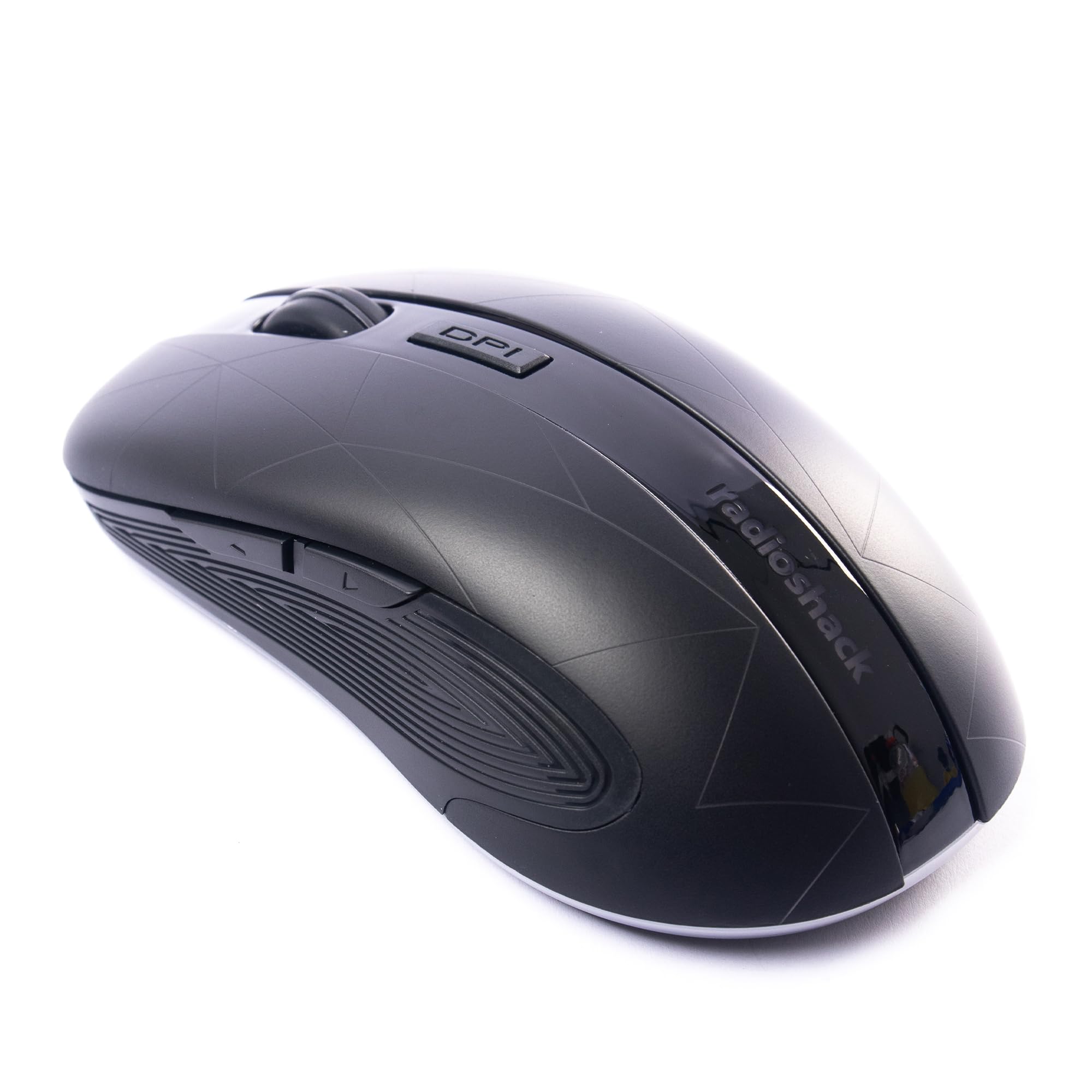
Image: The RadioShack Wireless Gaming Mouse, showcasinze względu na ergonomiczną konstrukcję i układ przycisków.
Zawartość opakowania
Sprawdź, czy w opakowaniu znajdują się wszystkie elementy:
- 1 x RadioShack Wireless Gaming Mouse
- 1 x nanoodbiornik USB
- 1 x kabel ładujący

Image: An infographic detailing the contents of the product package, including the wireless gaming mouse.
Organizować coś
- Naładuj mysz: Before first use, connect the mouse to a USB power source using the provided charging cable. The LED indicator will show charging status.
- Locate the USB Nano Receiver: The USB nano receiver is typically stored in a compartment on the underside of the mouse for convenience.
- Podłącz odbiornik: Insert the USB nano receiver into an available USB port on your computer (laptop or desktop).
- Włącz mysz: Znajdź przełącznik zasilania na spodzie myszy i przesuń go do pozycji „ON”.
- Instalacja sterownika: The mouse is plug-and-play. Your operating system (Windows, Mac, Linux, Chrome OS) should automatically detect and install the necessary drivers.

Image: The wireless gaming mouse shown alongside its compact USB nano receiver, ready for connection.
Instrukcja obsługi
Podstawowa funkcjonalność
The mouse operates like a standard wireless mouse. Move the mouse to control the cursor on your screen. Use the left and right click buttons for primary and secondary actions, respectively. The scroll wheel allows for vertical scrolling.
Regulacja DPI (czułości)
The mouse features an adjustable DPI setting, allowing you to change cursor sensitivity. Press the Przycisk DPI located behind the scroll wheel to cycle through available DPI settings (800, 1200, 1600, 2400). Each press will change the sensitivity, indicated by a brief LED flash.

Obraz: strona A view of the mouse, illustrating the location of the DPI button for sensitivity adjustments.
Programowalne przyciski
This mouse is equipped with 6 programmable buttons, including customizable side buttons. For advanced customization and macro assignments, you may need to download specific software from the RadioShack support website (if available). Refer to the software's instructions for detailed programming steps.

Image: The wireless gaming mouse from an angle, clearly showing the side buttons which can be programmed for various functions.
Ładowanie myszy
The mouse uses a built-in rechargeable Lithium Ion battery. When the battery is low, the LED indicator may flash or change color. Connect the provided charging cable to the mouse's charging port and to a USB power source (e.g., computer USB port, USB wall adapter). The LED will indicate charging status and turn off or change color when fully charged.
A full charge typically provides several hours of use, depending on usage patterns.
Konserwacja
- Czyszczenie: Do czyszczenia myszy używaj miękkiej, suchej ściereczki. W przypadku uporczywych zabrudzeń, delikatnie przetrzyjamp Można użyć ściereczki, aby upewnić się, że do urządzenia nie dostanie się wilgoć.
- Składowanie: When not in use for extended periods, turn off the mouse to conserve battery life. Store the USB nano receiver inside the mouse's compartment to prevent loss.
- Unikaj ekstremalnych warunków: Nie wystawiaj myszy na działanie ekstremalnych temperatur, bezpośredniego światła słonecznego i wysokiej wilgotności.
Rozwiązywanie problemów
| Problem | Rozwiązanie |
|---|---|
| Mysz nie reaguje |
|
| Opóźnienie lub przerywane połączenie |
|
| Ruch kursora jest nieregularny lub niedokładny |
|
Specyfikacje
- Numer modelu: 2604789
- Łączność: Sieć bezprzewodowa 2.4 GHz
- Pikolak: 6 (Programowalne)
- Ustawienia DPI: 800, 1200, 1600, 2400 (regulowane)
- Wykrywanie ruchu: Optyczny
- Bateria: 1 Lithium Ion (Rechargeable, included)
- Zasięg działania: Do 10 metrów
- Zgodność: Windows, Mac, Linux, Chrome OS
- Wymiary: 4.9" x 2.6" x 1.5"
- Waga: 6.2 uncji
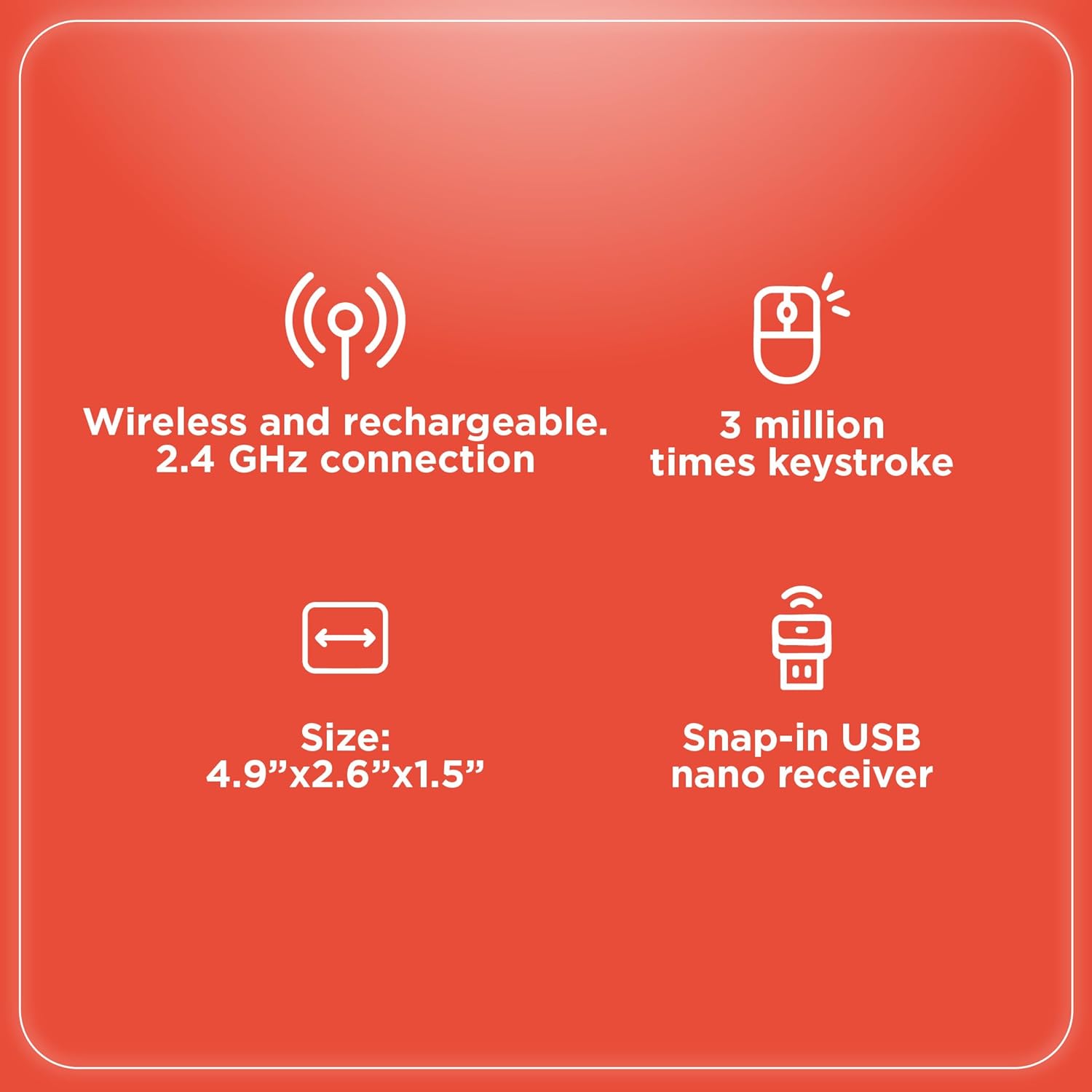
Image: An infographic summarizing key specifications of the wireless gaming mouse, including connectivity, battery, and dimensions.
Gwarancja i wsparcie
For warranty information and technical support, please refer to the official RadioShack webOdwiedź witrynę lub skontaktuj się z działem obsługi klienta. Zachowaj paragon jako dowód zakupu na wypadek reklamacji.
Producent: RadioShack
Data pierwszej dostępności: 28 sierpnia 2024 r.


