1. Wprowadzenie
Dziękujemy za zakupasing the Salange HY300Pro Mini Projector. This manual provides essential information for setting up, operating, and maintaining your projector. Please read it thoroughly before use to ensure optimal performance and longevity of your device.
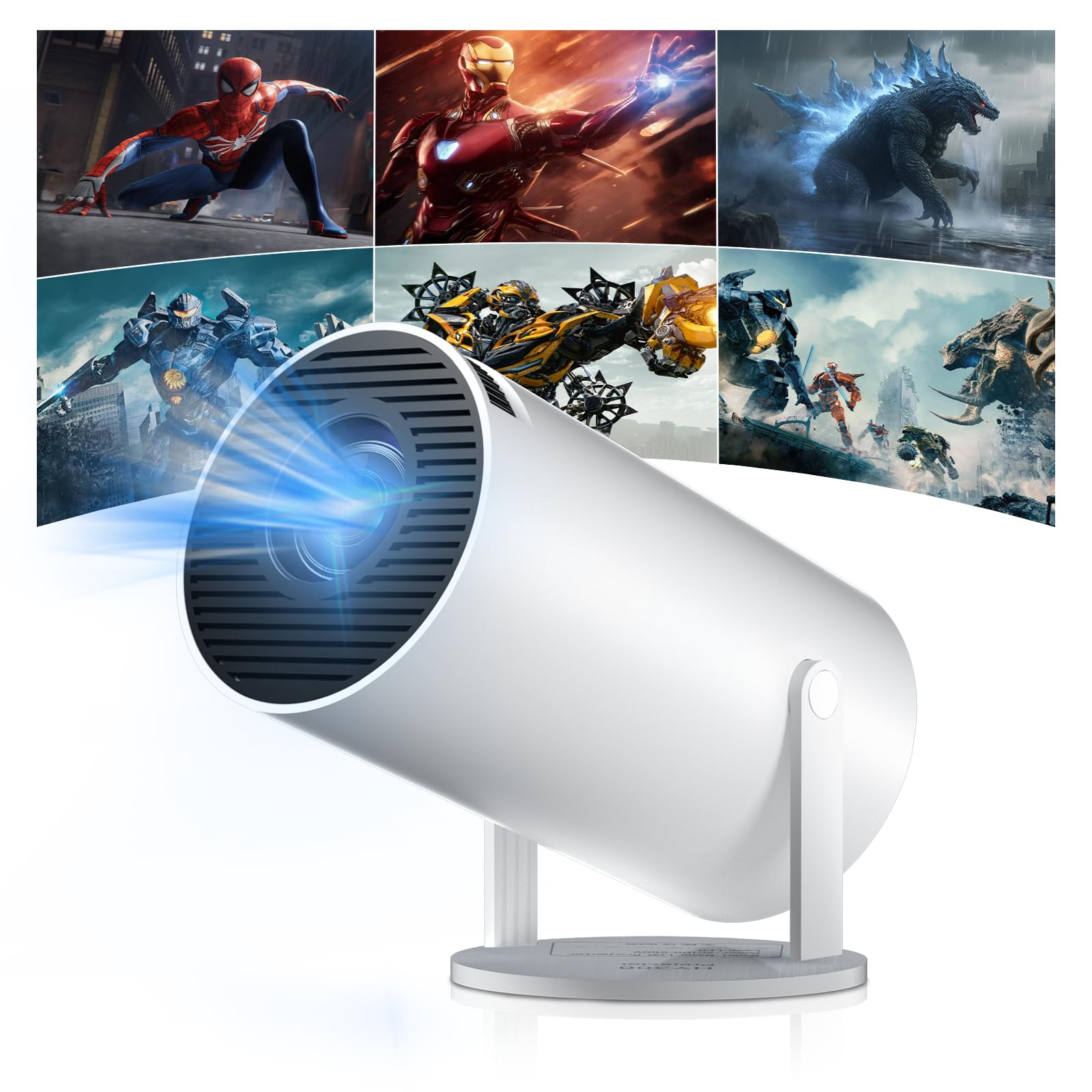
Figure 1: Salange HY300Pro Mini Projector
2. Koniec produktuview
Główne cechy
- Dual-Band WiFi 6 & Bluetooth 5.4: Ensures fast and stable network connectivity and seamless audio pairing with external speakers or headphones.
- System operacyjny Android 11.0: Supports installation of various applications directly on the projector for versatile entertainment and productivity.
- 4K Support & Native 720P Resolution: Delivers clear and vibrant images, supporting 1080P and 4K video playback.
- Obrót o 180°: Flexible projection angles for various setups, including ceiling, wall, or angled surfaces.
- Automatic Keystone Correction & Manual Focus: Intelligently corrects image distortion and allows for fine-tuning clarity.
- Kompaktowa i przenośna konstrukcja: Weighs only 700g, making it easy to transport for outdoor activities or different rooms.

Rysunek 2: Koniecview of Salange HY300Pro features including 8K support, WiFi 6, Bluetooth 5.4, 180° rotation, and auto keystone correction.
Co jest w pudełku
- 1 x Salange HY300Pro Projector
- 1 x Instrukcja obsługi
- 1 x kabel zasilający
- 1 x Pilot zdalnego sterowania

Figure 3: Contents of the Salange HY300Pro package.
3. Konfiguracja
3.1 Rozpakowywanie i umieszczanie
- Ostrożnie wyjąć wszystkie elementy z opakowania.
- Ustaw projektor na stabilnej, płaskiej powierzchni. Zapewnij odpowiednią wentylację wokół urządzenia.
- The projector's 180° rotation feature allows flexible placement. Adjust the projector's angle to project onto a wall, ceiling, or screen as desired.

Figure 4: Projector demonstrating 180-degree rotation for various projection surfaces.
3.2 Połączenie zasilania
Connect the provided power cable to the projector's power input and then to a power outlet.
3.3 Pierwsze włączenie i regulacja ostrości
- Naciśnij przycisk zasilania na projektorze lub pilocie, aby włączyć urządzenie.
- The projector features automatic keystone correction. It will intelligently detect and correct image distortion to ensure a square image.
- For fine-tuning the image clarity, use the manual focus adjustment ring on the projector.

Figure 5: Illustration of automatic keystone correction and manual focus adjustment.
3.4 Połączenie sieciowe (WiFi)
- Przejdź do menu „Ustawienia” na ekranie głównym projektora.
- Select 'Network & Internet' and enable Wi-Fi.
- Choose your desired Wi-Fi network from the list and enter the password if prompted. The projector supports dual-band 2.4G + 5G WiFi 6 for fast and stable connections.

Figure 6: Visual representation of the projector's WiFi 6 capabilities for ultra-fast streaming.
3.5 parowanie Bluetooth
- From the 'Settings' menu, select 'Connected Devices' or 'Bluetooth'.
- Włącz Bluetooth i wyszukaj dostępne urządzenia.
- Wybierz głośnik lub słuchawki Bluetooth z listy, aby je sparować.

Figure 7: Projector connected to various Bluetooth audio devices.
3.6 Podłączanie urządzeń zewnętrznych
The projector supports HDMI and USB connections.
- HDMI: Connect your laptop, game console, Blu-ray player, or TV stick using an HDMI cable. Select the corresponding HDMI input source from the projector's input menu.
- USB: Włóż dysk USB, aby odtworzyć multimedia files directly. Access the files through the media player application on the Android OS.
4. Instrukcja obsługi
4.1 Nawigacja po systemie operacyjnym Android
The Salange HY300Pro runs on Android 11.0, providing a smart TV experience.
- Use the remote control to navigate through the home screen, applications, and settings.
- The interface is intuitive, similar to an Android smartphone or tablet.

Figure 8: Projector displaying the Android OS home screen with various streaming apps.
4.2 Zarządzanie aplikacjami
You can install and manage applications directly on the projector.
- Access the app store (e.g., Google Play Store) to download streaming services, games, and productivity tools.
- To uninstall an app, go to 'Settings' > 'Apps' and select the desired app.
4.3 Kopiowanie ekranu
Mirror your smartphone or tablet screen to the projector wirelessly.
- Upewnij się, że zarówno urządzenie, jak i projektor są podłączone do tej samej sieci Wi-Fi.
- On the projector, select the screen mirroring function (e.g., 'Miracast', 'AirPlay', or 'Screen Share').
- On your smartphone/tablet, enable screen mirroring and select the projector from the list of available devices.
4.4 Ustawienia obrazu i dźwięku
Adjust various settings to optimize your viewzdobywania doświadczenia.
- Ustawienia obrazu: Access 'Settings' > 'Display' to adjust brightness, contrast, color, and aspect ratio.
- Ustawienia dźwięku: Access 'Settings' > 'Sound' to adjust volume, sound mode, and output device.

Figure 9: Projector displaying a large image, illustrating its ability to create a home cinema experience.
5. Konserwacja
5.1 Czyszczenie obiektywu
Do delikatnego przecierania soczewki projektora należy używać miękkiej, niepozostawiającej włókien ściereczki przeznaczonej specjalnie do soczewek optycznych. Nie należy stosować środków ściernych ani nadmiernej siły.
5.2 Wentylacja
Ensure the projector's ventilation vents are clear of dust and obstructions. Blocked vents can lead to overheating and reduced performance. Periodically clean the vents with a soft brush or compressed air.
5.3 Przechowywanie
Jeśli projektor nie jest używany przez dłuższy czas, należy go przechowywać w chłodnym, suchym miejscu, z dala od bezpośredniego światła słonecznego i ekstremalnych temperatur. Należy używać oryginalnego opakowania lub etui ochronnego, aby zapobiec gromadzeniu się kurzu i uszkodzeniom.
6. Rozwiązywanie Problemów
| Problem | Możliwa przyczyna | Rozwiązanie |
|---|---|---|
| Obraz nie jest wyświetlany | Power cable disconnected; Incorrect input source; Projector in standby mode. | Check power connection; Select correct HDMI/USB input; Press power button to wake up. |
| Obraz jest rozmazany | Nie ustawiono ostrości; projektor znajduje się za daleko/za blisko ekranu. | Adjust manual focus ring; Ensure projector is within optimal projection distance. |
| Brak dźwięku | Volume too low; Muted; Incorrect audio output selected; Bluetooth device not paired. | Increase volume; Unmute; Check audio settings; Re-pair Bluetooth device. |
| Problemy z połączeniem Wi-Fi/Bluetooth | Incorrect password; Out of range; Interference. | Verify password; Move closer to router/device; Reduce interference from other electronics. |
| Pilot nie działa | Dead batteries; Obstruction; Not paired. | Wymień baterie; Usuń przeszkody; W razie potrzeby ponownie sparuj pilota. |
7. Specyfikacje
| Funkcja | Szczegół |
|---|---|
| Marka | salange |
| Numer modelu | X-HY300PRO |
| Szereg | Salange Mini Beamer |
| Kolor | Biały |
| Typ wyświetlacza | LCD |
| Rozdzielczość natywna | 1280x720P |
| Maksymalna rozdzielczość wyświetlacza | 3840 x 2160 (obsługa 4K) |
| Technologia łączności | Bluetooth, Wi-Fi (WiFi 6) |
| Interfejs sprzętowy | Bluetooth, HDMI, USB |
| Kompatybilne urządzenia | Smartphones, Laptops, Game Consoles, Blu-ray Players, Media Players |
| Pozycja Wymiary (dł. x szer. x wys.) | 9.5 x 9.5 x 15.7 centymetra |
| Cechy specjalne | Wi-Fi Compatible, Digital Keystone Correction, Lightweight, Portable, 180° Rotation |
| Zalecane zastosowania | Biznes, Kino domowe, Gry, Edukacja |
| Współczynnik kształtu | Przenośny |
| Typ montażu | Mocowanie na stole |
8. Gwarancja i wsparcie
For warranty information and technical support, please refer to the documentation included with your purchase or visit the official Salange webZachowaj dowód zakupu na wypadek roszczeń gwarancyjnych.


