1. Wprowadzenie
Welcome to the Headwolf FPad6 Android Tablet. This manual provides comprehensive instructions for setting up, operating, and maintaining your device. The FPad6 is an 8-inch tablet featuring the latest Android 15 operating system, a powerful Helio G99 processor, a high-resolution 2.5K display, and 4G LTE connectivity, designed for a versatile and efficient user experience.

Figure 1.1: Headwolf FPad6 Tablet with key specifications highlighted.
Wideo 1.1: Overview of the Headwolf FPad6 tablet's features and design. This video demonstrates the tablet's sleek profile, display quality, and general usage scenarios.
2. Konfiguracja
2.1 Zawartość opakowania
Sprawdź, czy w opakowaniu znajdują się wszystkie elementy:
- Headwolf FPad6 Tablet
- Kabel USB typu C.
- Zasilacz
- Kod PIN karty SIM
- Instrukcja obsługi (po japońsku)

Figure 2.1: Contents of the Headwolf FPad6 package and device port layout.
2.2 Pierwsze włączenie i ładowanie
To power on your tablet for the first time, press and hold the Power button located on the side of the device until the Headwolf logo appears. If the battery is low, connect the tablet to the power adapter using the provided Type-C cable and charge it fully before first use.

Figure 2.2: Charging the Headwolf FPad6 tablet with the Type-C cable.
2.3 Karta SIM i rozszerzenie pamięci
The FPad6 supports dual SIM cards or one SIM card and one microSD card for expanded storage up to 2TB. Use the provided SIM card pin to open the SIM tray. Insert your nano-SIM card(s) and/or microSD card into the appropriate slots as indicated on the tray.

Figure 2.3: Inserting SIM cards and understanding 4G LTE capabilities.
3. Korzystanie z tabletu
3.1 Funkcje Androida 15
The FPad6 runs on the latest Android 15, offering enhanced privacy, productivity, and AI capabilities. Key features include:
- Przestrzeń prywatna: Secure sensitive apps and data with dual authentication.
- Single App Recording: Record specific app screens without capturing the entire display.
- App Pair: Pin app combinations to your home screen for quick split-screen multitasking.
- Gemini AI: Google's advanced AI assists with text input, search, and translation.

Figure 3.1: New features available with Android 15 on the FPad6.
3.2 Wyświetlacz i wizualizacje
Experience stunning visuals on the 8.4-inch 2.5K (2560x1600) In-Cell IPS display. With 500 Nits brightness, images are vibrant and clear from any angle. The tablet also supports Widevine L1, allowing you to stream 1080P HD content from major platforms like Netflix, Amazon Prime Video, and Disney+.

Figure 3.2: The FPad6's 2.5K In-Cell IPS display with Widevine L1 support.
3.3 Wydajność i przechowywanie
Powered by the MTK Helio G99 octa-core processor and Mali G57 GPU, the FPad6 delivers smooth performance for gaming and graphic-intensive applications. It comes with 16GB (8GB physical + 8GB virtual) RAM and 128GB UFS 2.1 ROM, expandable up to 2TB via microSD card, providing ample space for all your apps, videos, and files.
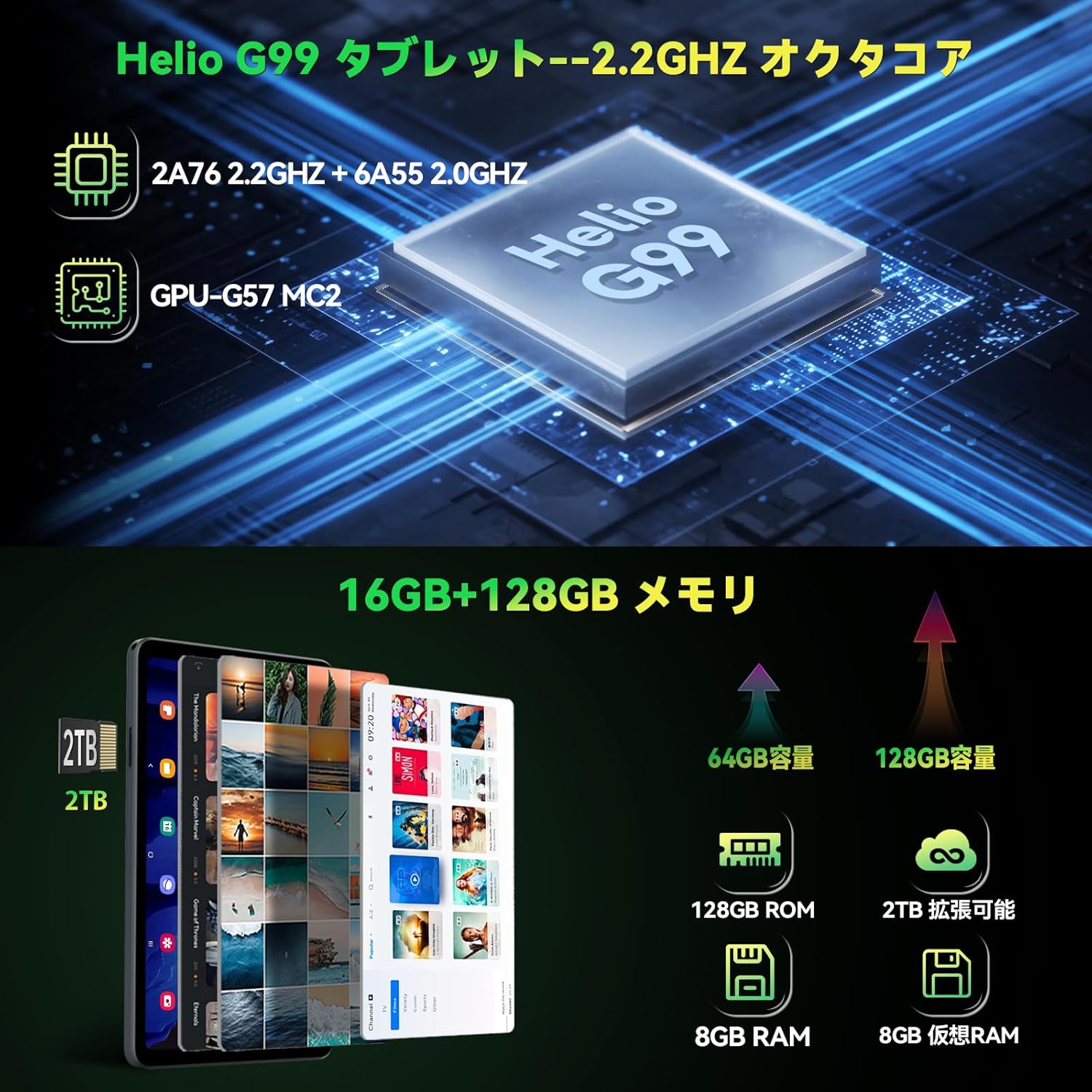
Figure 3.3: Helio G99 processor and memory specifications.
3.4 Funkcje aparatu
The FPad6 is equipped with an 8MP front camera for video calls and face recognition, and a 16MP rear camera with autofocus and background blur support for capturing clear photos and videos.

Figure 3.4: Front and rear camera capabilities.
3.5 Łączność
Stay connected with 4G LTE communication, 2.4/5G WiFi, and Bluetooth 5.2. The tablet also features a quad-satellite positioning system (GPS) for accurate navigation.

Figure 3.5: GPS navigation on the FPad6 tablet.
3.6 Zarządzanie baterią
The 6500mAh cobalt acid lithium battery provides extended usage time. Charge your device using the Type-C port. The tablet also includes a 3.5mm headphone jack for audio connectivity.

Figure 3.6: Battery capacity and charging interface.
3.7 Gaming and Sensors
Enhance your gaming experience with the 6-axis gyroscope and geomagnetic sensor, providing precise control and improved immersion. These sensors also contribute to accurate navigation and orientation.

Figure 3.7: Gaming with the 6-axis gyroscope.
3.8 Basic Operations and Accessibility
The FPad6 offers convenient features such as screen splitting for multitasking, lift-to-wake functionality, and a three-finger screenshot gesture. Its lightweight (385g) and thin (8.5mm) metal body make it comfortable for one-handed use and highly portable.
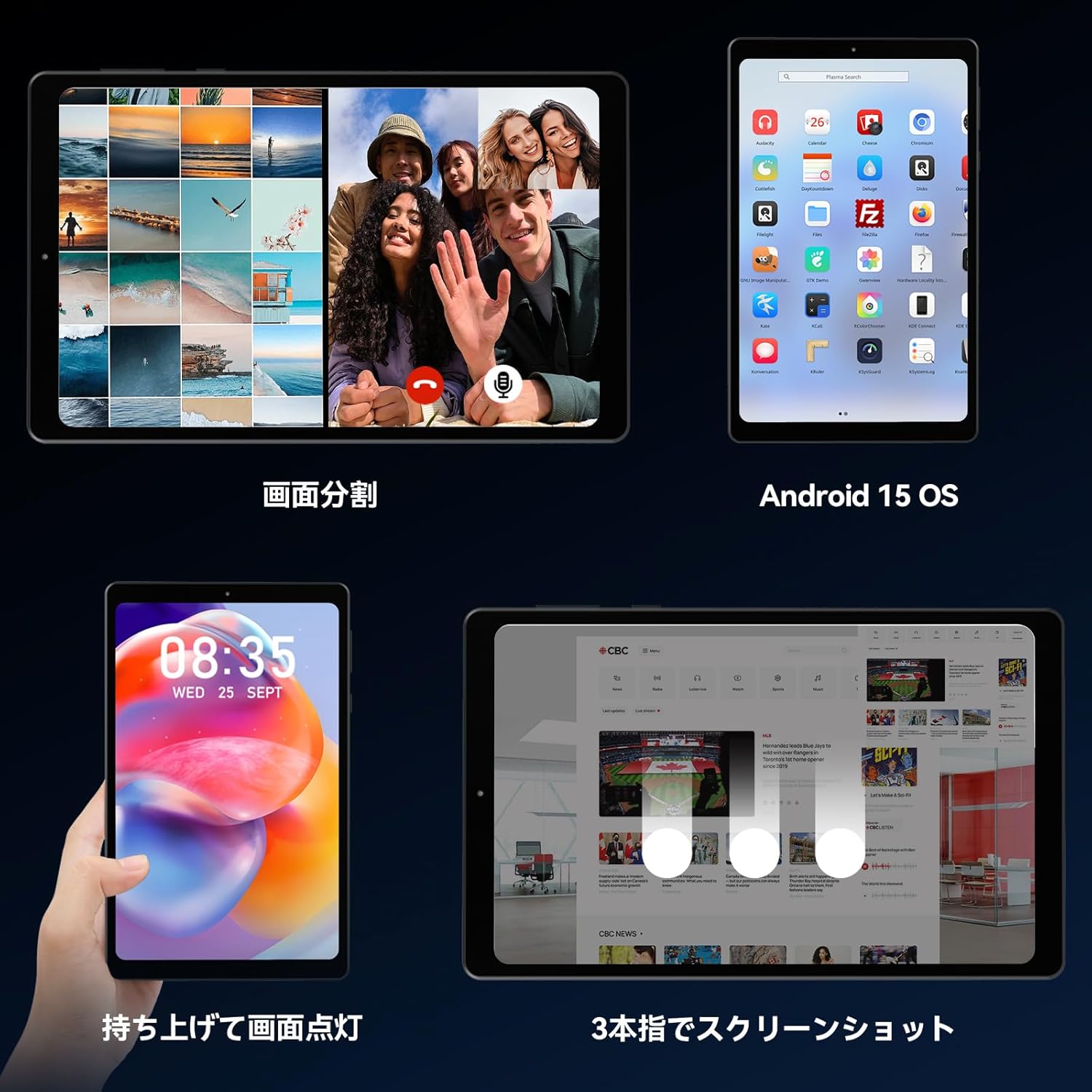
Figure 3.8: Various operational features of the FPad6.

Figure 3.9: Physical design and portability of the FPad6.
4. Konserwacja
To ensure the longevity of your Headwolf FPad6 tablet, follow these maintenance guidelines:
- Czyszczenie: Do czyszczenia ekranu i obudowy używaj miękkiej, niepozostawiającej włókien ściereczki. Unikaj materiałów ściernych i silnych środków chemicznych.
- Składowanie: Przechowywać tablet w chłodnym, suchym miejscu, z dala od bezpośredniego światła słonecznego i ekstremalnych temperatur.
- Pielęgnacja baterii: Avoid fully discharging the battery frequently. For long-term storage, charge the battery to about 50% to prevent deep discharge.
- Aktualizacje oprogramowania: Regularnie sprawdzaj dostępność aktualizacji systemu i instaluj je, aby zapewnić optymalną wydajność i bezpieczeństwo.
5. Rozwiązywanie Problemów
This section addresses common issues you might encounter with your Headwolf FPad6 tablet. If you experience problems not listed here, please refer to the support section.
| Problem | Możliwa przyczyna | Rozwiązanie |
|---|---|---|
| Tablet się nie włącza. | Niski poziom naładowania baterii; awaria systemu. | Ładuj tablet przez co najmniej 30 minut. Naciśnij i przytrzymaj przycisk zasilania przez 10–15 sekund, aby wymusić ponowne uruchomienie. |
| Ekran nie reaguje. | Błąd oprogramowania; zakłócenia ze strony osłony ekranu. | Uruchom ponownie tablet. Upewnij się, że folia ochronna na ekran jest prawidłowo założona i nieuszkodzona. |
| Nie można połączyć się z siecią Wi-Fi. | Nieprawidłowe hasło; problem z routerem; wyłączona sieć Wi-Fi. | Verify Wi-Fi password. Restart router. Ensure Wi-Fi is enabled in settings. |
| Aplikacje ulegają awarii lub zawieszają się. | Insufficient memory; app bug; outdated app. | Close background apps. Clear app cache. Update the app or reinstall it. |
| Niska wydajność. | Zbyt wiele uruchomionych aplikacji, mało pamięci, nieaktualne oprogramowanie. | Zamknij nieużywane aplikacje. Zwolnij miejsce w pamięci. Sprawdź dostępność aktualizacji systemu. |
6. Specyfikacje
| Funkcja | Szczegół |
|---|---|
| Marka | Wilkołak |
| Nazwa modelu | FPad6 |
| System operacyjny | Android 15 |
| Rozmiar ekranu | 8.4 cali |
| Rozdzielczość wyświetlacza | 2560x1600 pikseli (2.5K) |
| Edytor | Helio G99 |
| BARAN | 16 GB (8 GB + rozszerzenie 8 GB) |
| Pamięć wewnętrzna | 128 GB UFS 2.1 |
| Możliwość rozbudowy pamięci masowej | Do 2 TB (microSD) |
| Pojemność baterii | 6500mAh |
| Przednia kamera | 8MP |
| Kamera tylna | 16MP |
| Łączność | 4G LTE, 2.4/5G WiFi (802.11n), Bluetooth 5.2 |
| Czujniki | 6-axis Gyroscope, Geomagnetic Sensor, GPS |
| Wymiary | Wymiary 21.8 x 13.8 x 4.9 cm |
| Waga | 320 gramów |
7. Gwarancja i wsparcie
Headwolf provides customer support for its products. For warranty information, technical assistance, or service inquiries, please visit the official Headwolf store on Amazon or contact their customer service directly.
Official Headwolf Store: Headwolf Japan Official Store
Proszę zachować dowód zakupu na potrzeby roszczeń gwarancyjnych.


