Wstęp
This manual provides detailed instructions for the setup, operation, and maintenance of your SABLUTE Wireless Keyboard and Mouse Combo, Model KC213D. This 2.4G wireless combo is designed for comfortable and efficient use with computers, laptops, and PCs running Windows, macOS, or Chrome OS. It features an ergonomic design with a wrist rest, a built-in phone/tablet holder, silent keys, and a responsive mouse.
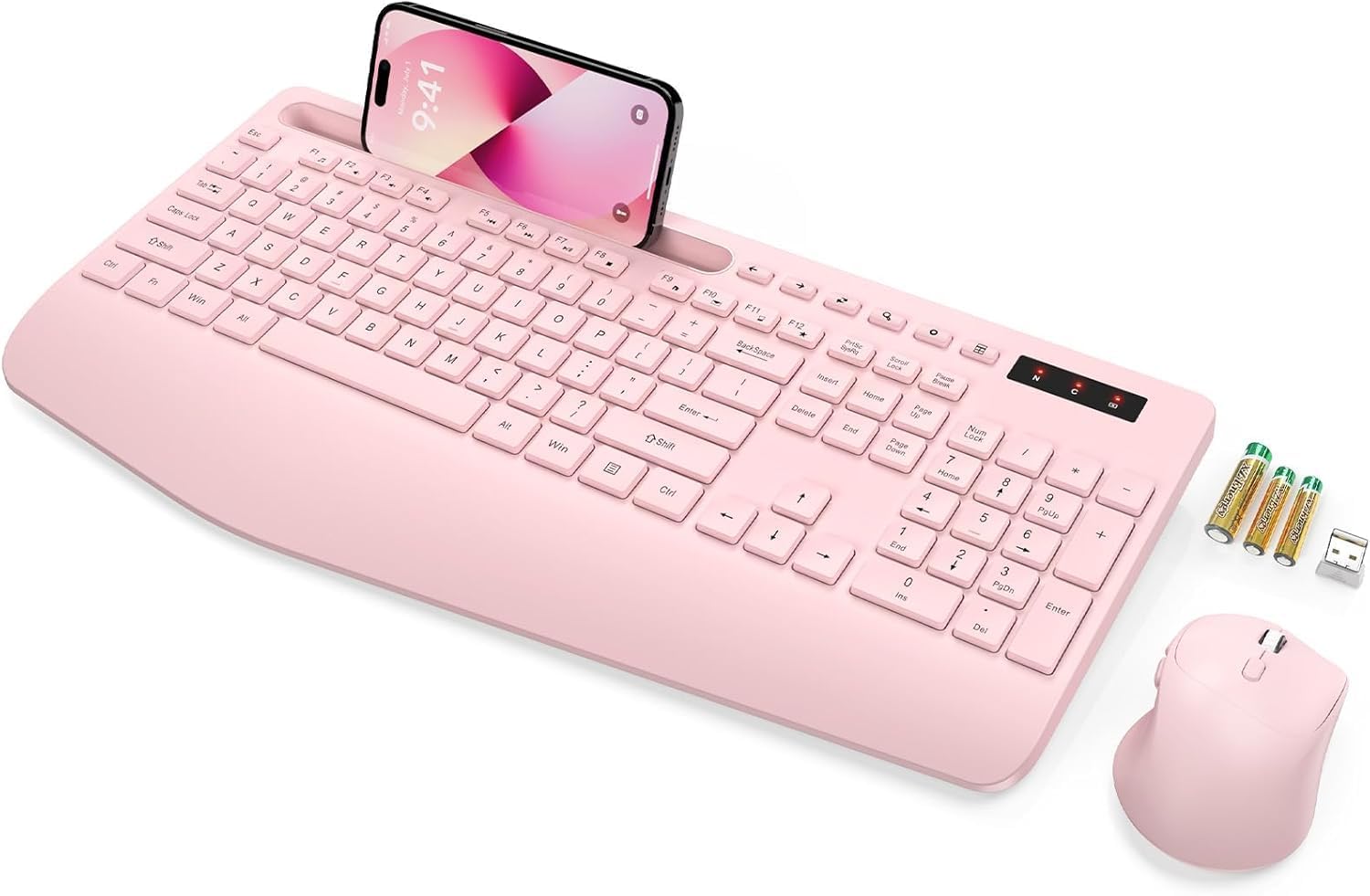
Image: The SABLUTE wireless keyboard and mouse combo in rose pink, with a phone in the integrated holder and batteries next to it.
Zawartość opakowania
Sprawdź, czy w przesyłce znajdują się wszystkie elementy:
- Wireless Keyboard (Model KC213D)
- Mysz bezprzewodowa
- Odbiornik USB 2.4G
- 2 baterie AAA (do klawiatury)
- 1 bateria AA (do myszy)
- Instrukcja obsługi (ten dokument)
Instrukcje konfiguracji
1. Instalacja baterii
Install the included batteries into the keyboard and mouse:
- Locate the battery compartments on the underside of the keyboard and mouse.
- Otwórz pokrywy komory baterii.
- Insert 2 AAA batteries into the keyboard, ensuring correct polarity (+/-).
- Insert 1 AA battery into the mouse, ensuring correct polarity (+/-).
- Dokładnie zamknij pokrywy komory baterii.

Image: Illustration showing the battery compartments on the underside of the keyboard and mouse, with AAA and AA batteries ready for insertion.
2. Podłączanie odbiornika USB
The keyboard and mouse connect wirelessly via a single 2.4G USB receiver:
- Locate the USB 2.4G receiver. It is typically found in a sealed bag within the packaging or stored in the mouse's battery compartment.
- Plug the USB receiver into an available USB port on your computer, laptop, or PC.
- The system should automatically detect and install the necessary drivers. This is a plug-and-play device.
- The wireless connection range is up to 33 feet (10 meters).
Note: This keyboard and mouse combo uses a 2.4G USB receiver and cannot connect directly to tablets or phones via USB-C or Bluetooth.

Image: A diagram illustrating the 2.4G USB receiver plugged into a laptop, showing the wireless signal connecting to the keyboard and mouse.
Instrukcja obsługi
Funkcje klawiatury
- Ergonomiczna podpórka pod nadgarstki: The keyboard features a 2.8-inch wide wrist rest and a 10° tilt angle to promote a comfortable typing posture and reduce wrist strain.
- Zintegrowany uchwyt na telefon i tablet: A built-in slot at the top of the keyboard can securely hold phones and tablets up to 11.9 inches, allowing for convenient multitasking.
- Skróty multimedialne: The keyboard includes 6 dedicated multimedia hotkeys for quick access to functions such as previous page, next page, refresh, search, stop loading, and calculator.
- Ciche pisanie: The soft membrane keys are designed to reduce typing noise by up to 95%, providing a quiet working environment.

Obraz: widok z góry view of the ergonomic wireless keyboard, highlighting the large phone holder, wrist rest, and the location of the 6 one-click shortcut keys.

Obraz: Zbliżenie view of the keyboard's multimedia shortcut keys, with labels explaining their functions: Previous Page, Next Page, Refresh, Search, Stop Loading, and Calculator.
Funkcje myszy
- Projekt z 6 przyciskami: The mouse features a standard left/right click, scroll wheel, DPI adjustment button, and dedicated forward/backward buttons for enhanced navigation.
- Adjustable Tracking Speed (DPI): Cycle through 3 levels of tracking speed to adjust cursor sensitivity to your preference.
- Ciche kliknięcia: Equipped with Silent Micro Motion technology, the mouse buttons produce minimal noise during clicks.

Obraz: szczegółowy view of the wireless mouse, highlighting its 6-button layout including forward and backward buttons, and illustrating the silent click feature.

Image: A graphic detailing the mouse's ergonomic design, 2.4G wireless connectivity, and three adjustable tracking speed levels.
Tryb oszczędzania energii
To conserve battery life, the keyboard and mouse feature an automatic sleep mode:
- The devices will enter sleep mode after 10 minutes of inactivity.
- To wake the keyboard, press any key.
- To wake the mouse, click any button.
- The keyboard offers up to 365 days of standby time, and the mouse provides up to 400 hours of working time.

Image: A visual representation of the power-saving features, showing quick wake-up (1s), auto sleep mode (10 min), and extended standby time (365 days).
Konserwacja
Proper maintenance ensures the longevity and optimal performance of your SABLUTE Wireless Keyboard and Mouse:
- Czyszczenie: Do czyszczenia powierzchni klawiatury i myszy użyj miękkiej, suchej ściereczki. Do dokładniejszego czyszczenia użyj lekkoamp cloth with mild soap can be used, ensuring no liquid enters the internal components. Avoid harsh chemicals or abrasive materials.
- Wymiana baterii: When the devices become unresponsive or exhibit delayed input, it is likely time to replace the batteries. Follow the battery installation steps outlined in the Setup section. Dispose of old batteries responsibly according to local regulations.
- Składowanie: When not in use for extended periods, remove the batteries to prevent potential leakage. Store the devices in a cool, dry place away from direct sunlight and extreme temperatures.
Rozwiązywanie problemów
If you encounter issues with your SABLUTE Wireless Keyboard and Mouse, please refer to the following common solutions:
- Brak reakcji klawiatury/myszy:
- Upewnij się, że baterie są prawidłowo zainstalowane i nie są rozładowane. W razie potrzeby wymień je.
- Sprawdź, czy odbiornik USB jest prawidłowo podłączony do działającego portu USB w komputerze. Spróbuj użyć innego portu USB.
- Przesuń klawiaturę i mysz bliżej odbiornika USB, aby wykluczyć problemy z zasięgiem.
- Uruchom ponownie komputer.
- Opóźnienia lub przerywane połączenie:
- Ensure there are no large metal objects or other wireless devices (like Wi-Fi routers, cordless phones) operating too close to the receiver, which could cause interference.
- Sprawdź poziom naładowania baterii i wymień ją, jeśli jest bliska rozładowania.
- Kursor myszy skacze lub działa nieprawidłowo:
- Clean the mouse sensor on the underside.
- Używaj myszki na czystej, nieodbijającej światła powierzchni. Zalecana jest podkładka pod myszkę.
- Adjust the DPI setting using the button on the mouse to find a suitable tracking speed.
- Missing USB Dongle:
- The USB dongle is typically stored in a sealed bag within the product packaging or in the battery compartment of the mouse. Please inspect all packaging materials carefully.
If these steps do not resolve the issue, please contact SABLUTE customer support.
Specyfikacje
| Wymiary produktu | 16.54 x 8.27 x 1.38 cala |
| Waga przedmiotu | 2 funta |
| Numer modelu przedmiotu | KC213D |
| Wymagane baterie | 2 AAA (keyboard), 1 AA (mouse) - included |
| Technologia łączności | Bezprzewodowy port USB 2.4G |
| Cechy specjalne | Ergonomic Wrist Rest, Phone Holder, Full Size, Shortcut Keys, Low-profile keycap, Water Repellent |
| Kompatybilne urządzenia | Chromebook, Dell Inspiron, HP ENVY, HUAWEI MateBook, Laptop, Notebook, Macbook Air, iMac, Personal Computer, Television (Windows, macOS, Chrome OS) |

Image: A diagram illustrating the precise dimensions of the SABLUTE wireless keyboard and mouse.
Gwarancja i wsparcie
SABLUTE is committed to providing quality products and customer satisfaction. Your product is covered by the following:
- Wymiana w ciągu 90 dni: Eligible for replacement within 90 days of purchase.
- 360-dniowa gwarancja producenta: Obejmuje wady produkcyjne przez okres 360 dni od daty zakupu.
- Pielęgnacja marki: Dedicated customer support for product assistance.
For any inquiries, technical support, or warranty claims, please contact us:
- E-mail: Usługi sabluteservices@outlook.com
- W sieci: Refer to your platform order or store link for direct support options.

Image: A customer service representative wearing a headset, smiling, representing SABLUTE support.


