1. Wprowadzenie
The TERRAMASTER F6-424 is a high-performance 6-bay Network Attached Storage (NAS) device designed for efficient data management and storage. It features an N95 quad-core 4-thread CPU, 8GB DDR5 RAM, dual 2.5GbE ports, and dual M.2 NVMe slots for SSD caching. This manual provides detailed instructions for setting up, operating, and maintaining your F6-424 NAS.

Figure 1: TERRAMASTER F6-424 6-Bay Hybrid NAS with its core specifications including N95 4-core CPU, 16 execution units GPU, 8GB DDR5 RAM, dual 2.5GbE ports, dual M.2 interfaces, and 140% performance boost.
Wideo 1: Overview of the TERRAMASTER F6-424 Hybrid NAS, highlighting its N95 4-core CPU and 8GB RAM, along with its high-performance capabilities and features.
2. Konfiguracja
2.1 Zawartość opakowania
Przed przystąpieniem do instalacji należy upewnić się, że wszystkie komponenty są obecne:
- TERRAMASTER F6-424 NAS Unit
- Zasilacz i przewód
- Kabel Ethernet
- Accessory Kit (screws, etc.)
- Szybki przewodnik instalacji
2.2 Instalacja dysku twardego
The F6-424 supports up to six 3.5-inch or 2.5-inch SATA hard drives or SSDs. The tool-free design simplifies installation.
- Gently pull out an empty drive tray from the NAS unit.
- For 3.5-inch HDDs, attach the drive to the tray by bending the sides of the tray and aligning the drive with the mounting holes. The Push-Lock design will secure the drive without screws.
- For 2.5-inch SSDs/HDDs, use the provided screws to secure the drive to the tray.
- Wsuń tackę z napędem z powrotem do urządzenia NAS, aż zatrzaśnie się na swoim miejscu.
- Repeat for all desired drives.

Figure 2: The Push-Lock HDD Tray design allows for easy, tool-free hard drive installation by simply inserting the drive into the tray.
Video 2: Demonstrates the process of installing hard drives into the TERRAMASTER F6-424 NAS, showcasing the tool-free tray mechanism.
Instalacja dysku SSD 2.3 M.2
The F6-424 includes dual M.2 NVMe slots for SSD caching, enhancing performance. These slots are easily accessible via a side-sliding cover.
- Locate the side-sliding cover on the NAS unit.
- Remove the hand-tightened screws and slide open the cover.
- Insert the M.2 NVMe SSD into the designated slot on the motherboard.
- Secure the M.2 SSD with the provided screw.
- Close the side-sliding cover and tighten the screws.

Figure 3: Illustration of the tool-free M.2 SSD installation process and RAM expansion within the TERRAMASTER F6-424 NAS.
2.4 Connecting the NAS
Connect the NAS to your network and power source.
- Connect one end of the Ethernet cable to one of the 2.5GbE ports on the back of the NAS and the other end to your router or switch.
- Connect the power adapter to the NAS power input and plug the power cord into an electrical outlet.
- Press the power button to turn on the NAS.

Figure 4: Rear panel of the F6-424 NAS, highlighting the dual 2.5GbE LAN ports, USB 3.2 10Gbps ports, HDMI output, and power connection.
3. Obsługa NAS-a
3.1 Initializing the System
After connecting the NAS, you will need to initialize the system and install the operating system (TOS).
- Use the TerraMaster TNAS PC client or a web browser to discover your NAS on the network.
- Follow the on-screen instructions to install the latest TOS 6 operating system.
- Configure your storage pool, including RAID type (e.g., TRAID, RAID 0/1/5/6/10/JBOD/Single).
Video 3: Demonstrates the user interface and features of the TERRAMASTER F6-424 NAS, including its TOS 6 operating system, mobile app integration, and 4K video decoding capabilities.
3.2 Data Management and Applications
The F6-424 offers various applications and features for data management.
- Terra Photos: Intelligent photo management for organizing and accessing your photo library.
- TNAS Mobile 3: Mobile application for remote access, photo backup, and file management on your smartphone.
- Dekodowanie wideo 4K: Supports media servers like Plex, Emby, and Jellyfin for seamless 4K video streaming.
- Surveillance Manager: Connect and manage IP cameras for real-time monitoring and video recording.

Figure 5: Terra Photos application logo, indicating intelligent photo management capabilities on the NAS.
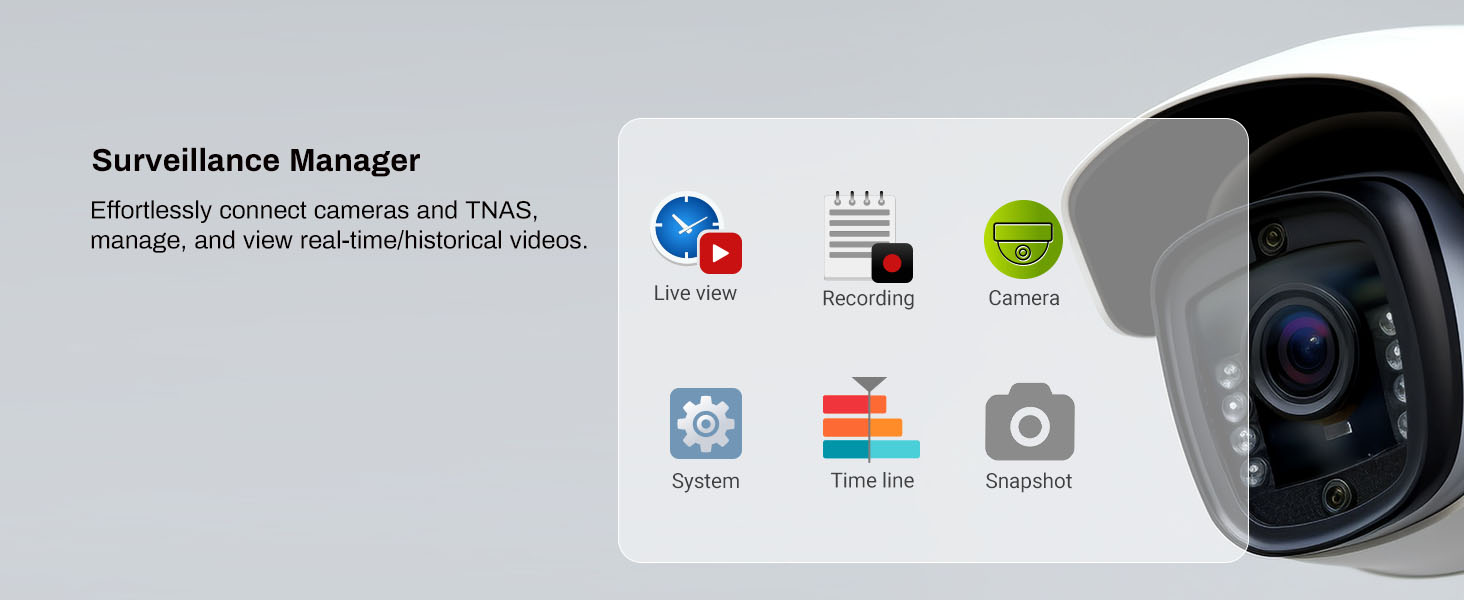
Figure 6: The TNAS mobile 3 application interface on a smartphone, showing a photo gallery for easy access and management of media.

Figure 7: The F6-424 supports 4K video decoding and is compatible with popular media servers like Plex, Emby, and Jellyfin.
3.3 Business Backup Solutions (BBS)
The TerraMaster Business Backup Suite (BBS) provides comprehensive data protection.
- Centralne tworzenie kopii zapasowych: Consolidate data from various sources (Windows, physical servers, file servers).
- TerraSync: Synchronize data between servers and PCs.
- Duple Backup: Create off-site backups for disaster recovery.
- CloudSync: Synchronize data with various cloud storage services.
- Migawka: Protect against ransomware with point-in-time recovery.

Figure 8: Diagram showing the comprehensive features of the Business Backup Suite (BBS), including centralized backup, Duple Backup, TerraSync, and CloudSync for robust data protection.
3.4 RAID Configuration (TRAID/TRAID+)
The F6-424 supports various RAID types, including TerraMaster's flexible TRAID and TRAID+ for optimized storage and data protection.

Figure 9: Comparison of TRAID and TRAID+ with traditional RAID 5 and RAID 6, illustrating how TerraMaster's flexible RAID arrays optimize storage space and redundancy.
4. Konserwacja
4.1 Układ chłodzenia
The F6-424 is equipped with two smart fans and vents to ensure optimal airflow and heat dissipation, extending the lifespan of the device and its components.

Rysunek 10: Wewnętrzne view highlighting the two smart fans and vents designed for efficient heat dissipation and extended device lifespan.
4.2 Czyszczenie
Regularne czyszczenie pomaga zachować wydajność i długowieczność.
- Use a soft, dry cloth to wipe the exterior of the NAS.
- Periodically use compressed air to clear dust from the fan vents.
- Ensure the NAS is powered off and unplugged before cleaning.
5. Rozwiązywanie Problemów
5.1 Typowe problemy i rozwiązania
- NAS się nie włącza: Check power cable connections and power outlet. Ensure the power button is fully pressed.
- NAS not detected on network: Verify Ethernet cable connection to both the NAS and router/switch. Ensure your network's DHCP server is functioning. Try restarting the NAS and your router.
- Niska wydajność: Check network cable quality (ensure 2.5GbE compatibility). Verify drive health and RAID status. Consider enabling M.2 SSD caching if not already in use.
- Drive errors/failures: Check the status indicator lights for specific drive bays. Replace faulty drives as soon as possible to maintain data integrity, especially in RAID configurations.
- Access issues: Verify user permissions and network share configurations within the TOS operating system.
6. Specyfikacje
| Funkcja | Szczegół |
|---|---|
| Marka | TERRAMASTER |
| Numer modelu | F6-424 |
| Procesor | N95 Quad-Core 4-thread CPU 3.4GHz (turbo) |
| BARAN | 8GB DDR5 4800MHz (upgradable up to 32GB) |
| Zatoki napędowe | 6 |
| M.2 NVMe Slots | 2 |
| Porty Ethernet | Dual 2.5GbE |
| Porty USB | Dual USB 3.2 10Gbps |
| Obsługa RAID | TRAID, TRAID+, RAID 0/1/5/6/10/JBOD/Single |
| Wymiary (gł. x szer. x wys.) | 8.74" gł. x 9.45" szer. x 6.06" wys. |
| Waga | 4.6 funtów |
| Kompatybilne urządzenia | Android, Linux, Mac, Windows, iOS |
7. Gwarancja i pomoc techniczna
7.1 Informacje o gwarancji
The TERRAMASTER F6-424 NAS Storage comes with a 2-letnia gwarancja from the date of purchase. This warranty covers defects in materials and workmanship under normal use. For detailed terms and conditions, please refer to the warranty card included with your product or visit the official TERRAMASTER webstrona.
7.2 Wsparcie techniczne
If you encounter any issues or have questions regarding your TERRAMASTER F6-424 NAS, please utilize the following resources:
- Baza wiedzy online: Visit the TERRAMASTER official website for FAQs, tutorials, and troubleshooting guides.
- Fora społecznościowe: Engage with other TERRAMASTER users and experts for shared solutions and advice.
- Obsługa klienta: Contact TERRAMASTER technical support directly via their website's support portal for personalized assistance.