Wstęp
Dziękujemy za zakupasing the InBody InGrip Digital Hand Dynamometer. This device is designed to accurately measure grip strength using a high-precision load cell sensor, providing reliable and reproducible results. This manual provides essential information for the safe and effective use of your InGrip device.
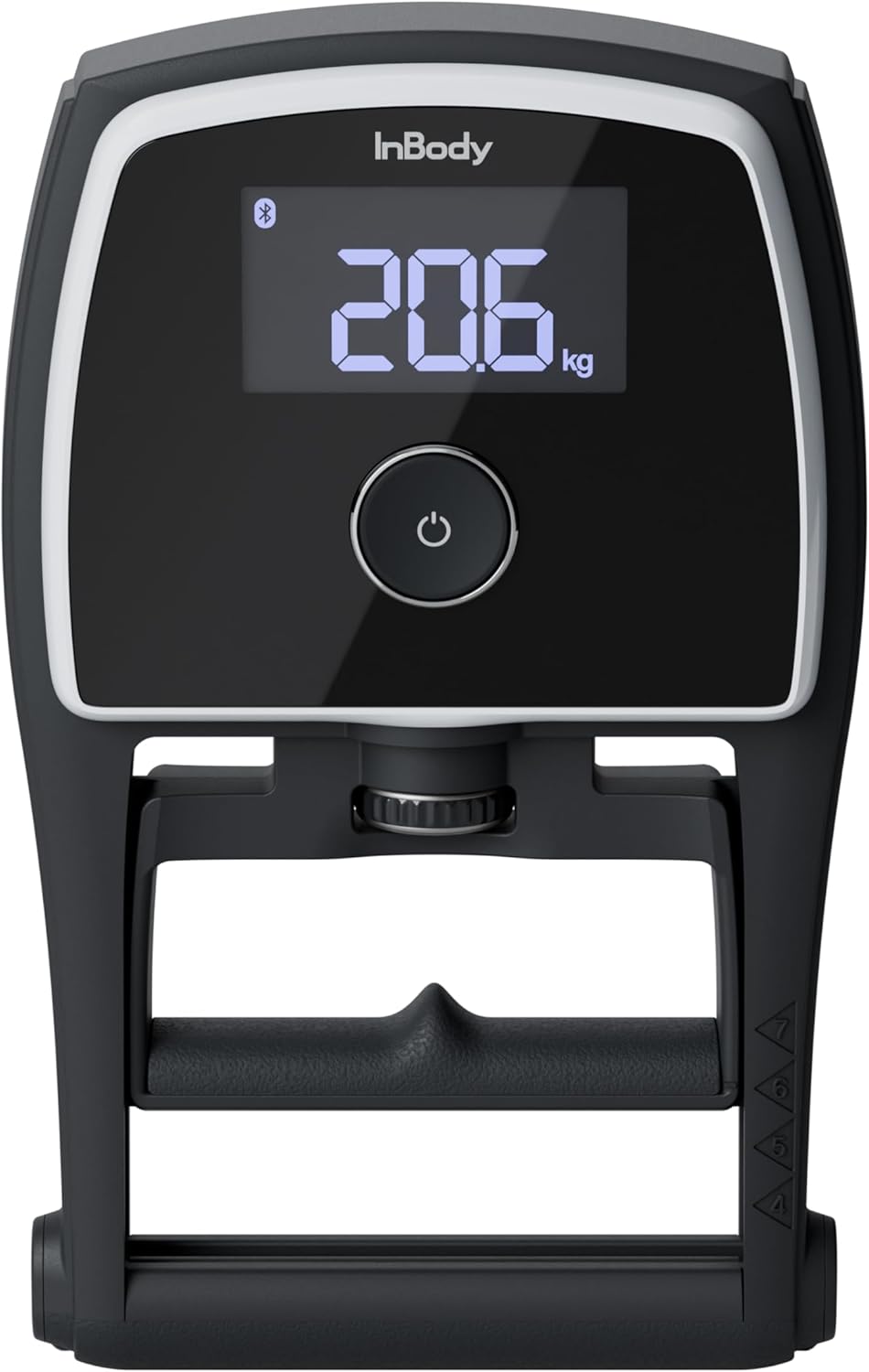
Image: The InBody InGrip Digital Hand Dynamometer, showing its main display and ergonomic design.
Informacje dotyczące bezpieczeństwa
Please read all safety instructions before using the device to prevent injury or damage.
- Nie rozmontowuj i nie modyfikuj urządzenia.
- Trzymaj urządzenie z dala od wody i nadmiernej wilgoci.
- Unikaj upuszczania urządzenia i narażania go na silne uderzenia.
- Use only the specified battery type (AAA batteries).
- Przechowuj baterie w miejscu niedostępnym dla dzieci.
- If the device malfunctions, discontinue use immediately and contact customer support.
Zawartość opakowania
Sprawdź, czy w przesyłce znajdują się wszystkie elementy:
- InBody InGrip Digital Hand Dynamometer
- Baterie AAA (2 sztuki)
- Instrukcja obsługi (ten dokument)
Cechy produktu
The InBody InGrip is equipped with advanced features for accurate and reliable grip strength measurement:
- High-Precision Load Cell Sensor: Unlike traditional spring-based dynamometers, the InGrip utilizes a load cell sensor for superior accuracy and reproducibility, minimizing hysteresis issues. This ensures consistent and reliable measurements over time.
- Szeroki zakres pomiarowy: Capable of measuring grip strength from 1 kg to 100 kg, displayed in 0.1 kg increments.
- Czytelny wyświetlacz VA LCD: A 3-inch VA LCD with backlight provides clear and easy-to-read measurement results.
- Handle Guide for Reproducibility: Features a unique handle guide that helps users consistently position their hand, reducing variability in measurements caused by inconsistent grip.
- Łączność Bluetooth: Allows wireless communication with other programs and can link with professional InBody devices (e.g., InBody970, 770, 580, 570, 470, 380, 380N, 270, BWA) to display grip strength results alongside other body composition data.

Obraz: Zbliżenie view of the durable load cell sensor, highlighting its precision and resistance to hysteresis.

Image: Illustration of the handle guide, demonstrating how it assists in achieving a consistent hand position for reproducible measurements.

Image: The InGrip display showing the Bluetooth icon, indicating wireless connectivity with other InBody devices for integrated data display.
Organizować coś
1. Instalacja baterii
- Locate the battery compartment on the back of the InGrip device.
- Otwórz pokrywę baterii.
- Włóż dwie baterie AAA, zwracając uwagę na prawidłową biegunowość (+/-).
- Dokładnie zamknij pokrywę baterii.
Instrukcja obsługi
1. Wykonywanie pomiaru
- Press the power button to turn on the device. The display will show "0.0 kg".
- Adjust the handle to a comfortable position using the adjustment knob. Ensure your fingers fit naturally around the handle.
- Position your hand using the integrated handle guide for consistent grip.
- Grip the handle firmly and squeeze with maximum effort. Hold the squeeze for a few seconds.
- The peak grip strength will be displayed on the screen.
- Urządzenie wyłączy się automatycznie po pewnym okresie bezczynności w celu oszczędzania baterii.
2. Łączność Bluetooth
The InGrip can connect wirelessly via Bluetooth to compatible devices, including professional InBody body composition analyzers. For specific instructions on linking with InBody devices, please refer to the user manual of your InBody unit or contact InBody Japan customer support.
- Ensure Bluetooth is enabled on your InBody device or other compatible program.
- Follow the pairing instructions provided by the InBody software or application.
- Once paired, grip strength measurements from the InGrip can be transmitted and displayed within the InBody system.
Konserwacja
- Czyszczenie: Przetrzyj urządzenie miękką, suchą ściereczką. Nie używaj środków czyszczących o właściwościach ściernych ani nie zanurzaj urządzenia w wodzie.
- Składowanie: Store the InGrip in a cool, dry place away from direct sunlight and extreme temperatures. If storing for an extended period, remove the batteries to prevent leakage.
- Wymiana baterii: Wymień baterie, gdy na wyświetlaczu pojawi się wskaźnik niskiego poziomu naładowania baterii.
Rozwiązywanie problemów
| Problem | Możliwa przyczyna | Rozwiązanie |
|---|---|---|
| Urządzenie się nie włącza. | Baterie są rozładowane lub nieprawidłowo zainstalowane. | Sprawdź biegunowość baterii lub wymień je na nowe baterie AAA. |
| Niedokładne odczyty. | Inconsistent hand positioning; device malfunction. | Ensure consistent hand placement using the handle guide. If problem persists, contact support. |
| Problemy z połączeniem Bluetooth. | Bluetooth not enabled; device out of range; compatibility issue. | Ensure Bluetooth is on for both devices. Move devices closer. Verify compatibility with InBody Japan. |
| Na wyświetlaczu pojawia się komunikat „Błąd”. | Pomiar poza zakresem; błąd wewnętrzny. | Ensure measurement is within 1-100kg. Restart device. If error persists, contact support. |
Specyfikacje
| Funkcja | Szczegół |
|---|---|
| Nazwa produktu | W uchwycie |
| Zakres pomiaru | 1 ~ 100 kg |
| Błąd pomiaru | ±0.5 kg |
| Jednostka miary | 0.1 kilogramów |
| Ekran wyświetlacza | 3-inch VA LCD (with backlight) |
| Baterie | Baterie AAA × 2 |
| Interfejs zewnętrzny | Bluetooth |
| Device Dimensions (W×L×H) | Wymiary: 140 × 226 × 50 mm |
| Waga urządzenia | Około 650 g |
| Środowisko operacyjne | 10 ~ 40°C, 30 ~ 75% RH, 70 ~ 106 kPa |
| Środowisko przechowywania | -10 ~ 70°C, 10 ~ 85% RH (non-condensing), 50 ~ 106 kPa |

Image: Diagram illustrating the dimensions and key specifications of the InBody InGrip.
Wsparcie
For technical support, inquiries about product compatibility, or any other assistance, please contact InBody Japan customer service:
InBody Japan Co., Ltd.
(Contact information not provided in source data, please refer to official InBody Japan web(Aktualne dane kontaktowe znajdują się na stronie.)
When contacting support, please have your product model (InGrip) and any relevant details about your issue ready.


