1. Wprowadzenie
Welcome to the GOBOULT x Mustang Derby Truly Wireless Earbuds user manual. This guide provides essential information for setting up, operating, maintaining, and troubleshooting your new earbuds. Please read this manual thoroughly to ensure optimal performance and longevity of your device.
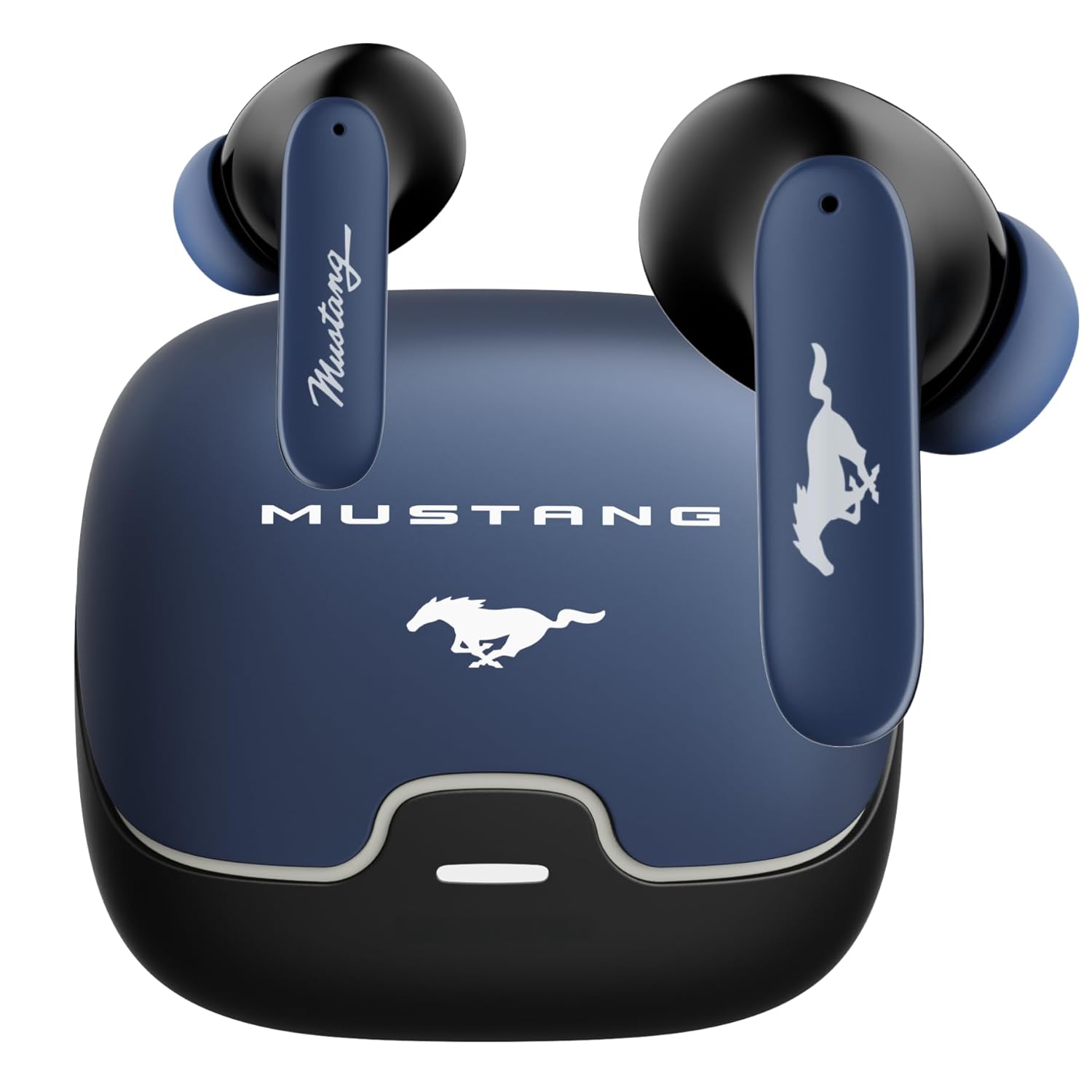
Image: The GOBOULT x Mustang Derby Truly Wireless Earbuds in their charging case.
2. Co znajduje się w pudełku
Sprawdź, czy w opakowaniu produktu znajdują się wszystkie poniższe elementy:
- GOBOULT x Mustang Derby Truly Wireless Earbuds
- Mustang Derby Charging Case
- Kabel do szybkiego ładowania typu C
- Extra Pair of Eartips (various sizes)
- Instrukcja obsługi (ten dokument)
- Karta gwarancyjna

Image: All components included in the GOBOULT x Mustang Derby Earbuds package.
3. Koniec produktuview
The GOBOULT x Mustang Derby Earbuds are designed for a premium audio experience, featuring 13mm bass drivers for rich sound and Bluetooth 5.4 for stable connectivity. The earbuds are IPX5 water-resistant, making them suitable for various activities. The charging case and earbuds feature a distinctive Mustang Derby design.

Obraz: Szczegółowy view of the earbud's 13mm massive drivers for enhanced audio.
4. Konfiguracja
4.1 Ładowanie słuchawek dousznych i etui
Before first use, fully charge the earbuds and the charging case. Connect the provided Type-C charging cable to the charging port on the case and a compatible USB power source. The charging time for a full charge is approximately 90 minutes. A fully charged case provides up to 100 hours of total playtime with the earbuds.
4.2 Początkowe parowanie
- Otwórz etui ładujące. Słuchawki automatycznie przejdą w tryb parowania.
- Włącz Bluetooth na swoim urządzeniu (smartfonie, tablecie, laptopie).
- Szukaj available Bluetooth devices and select "GOBOULT Mustang Derby" from the list.
- Po nawiązaniu połączenia usłyszysz dźwięk potwierdzenia.

Image: The earbuds and charging case, illustrating Bluetooth 5.4 connectivity for fast pairing.
4.3 Parowanie dwóch urządzeń
The earbuds support simultaneous connection to two devices. This allows for seamless switching between audio sources without manual re-pairing.
- Pair the earbuds with your first device as described in section 4.2.
- Odłącz słuchawki od ustawień Bluetooth pierwszego urządzenia.
- Sparuj słuchawki z drugim urządzeniem.
- Reconnect the earbuds to the first device. The earbuds will now be connected to both devices.
- Audio will automatically switch to the device currently playing sound.

Image: The earbuds and charging case, illustrating the dual-device pairing feature.
4.4 Wsparcie aplikacji
Enhance your experience by downloading the dedicated GOBOULT app. The app allows you to:
- Custom-tune your audio with multi-EQ modes.
- Assign custom gestures to your earbuds.
- Utilize the Quick Cleanup feature for optimal performance.
- Rename your earbuds and personalize audio settings.

Image: A smartphone displaying the GOBOULT app, highlighting features like EQ modes and custom gestures.
5. Obsługa słuchawek dousznych
5.1 Sterowanie dotykowe
The earbuds feature intuitive touch controls for managing various functions. Specific gestures can be customized via the GOBOULT app.
| Działanie | Funkcjonować |
|---|---|
| Pojedyncze dotknięcie | Odtwarzaj/wstrzymuj muzykę, odbieraj/kończ połączenia |
| Podwójne dotknięcie (lewa słuchawka) | Poprzedni utwór |
| Podwójne dotknięcie (prawa słuchawka) | Następny utwór |
| Potrójne dotknięcie (lewa słuchawka) | Zmniejsz głośność |
| Potrójne dotknięcie (prawa słuchawka) | Zwiększ głośność |
| Długie naciśnięcie (2 sekund) | Aktywuj asystenta głosowego / Odrzuć połączenie |
5.2 Zarządzanie połączeniami
The earbuds are equipped with 4 Environmental Noise Cancellation (ENC) microphones to ensure clear calls even in noisy environments.
- Odbieranie / kończenie połączeń: Pojedyncze dotknięcie dowolnej słuchawki.
- Odrzucanie połączeń: Naciśnij i przytrzymaj dowolną słuchawkę przez 2 sekundy.

Image: Close-up of an earbud showing the Zen™ Quad Mic ENC technology for crystal clear calling.
5.3 Tryb gry
Activate the 45ms Low Latency Gaming Mode for a synchronized audio-visual experience during gaming. This mode minimizes audio delay, providing a competitive edge.
- Aktywacja: Refer to the GOBOULT app for specific gesture customization or check the user manual for default activation.

Image: The earbuds and charging case, illustrating the Combat™ Gaming Mode with 45ms low latency.
5.4 Asystent głosowy
Access your device's voice assistant (Amazon Alexa, Google Assistant, Siri) by long-pressing either earbud for 2 seconds.
6. Konserwacja
6.1 Czyszczenie
Regular cleaning helps maintain optimal sound quality and hygiene.
- Delikatnie przetrzyj słuchawki douszne i etui ładujące miękką, suchą i niepozostawiającą włókien ściereczką.
- W przypadku uporczywych zabrudzeń, delikatnieampPrzetrzyj szmatkę wodą. Unikaj stosowania silnych środków chemicznych i materiałów ściernych.
- Clean the ear tips regularly. They can be removed and rinsed with water, then dried completely before reattaching.
- Sprawdź, czy styki ładowania w słuchawkach i etui są czyste i suche.
The earbuds have an IPX5 water resistance rating, meaning they are protected against low-pressure water jets from any direction. However, the charging case is not water-resistant. Do not submerge the earbuds or expose them to strong water streams.

Image: The earbuds and charging case, illustrating IPX5 water resistance.
6.2 Przechowywanie
Gdy nie używasz słuchawek, przechowuj je w etui ładującym, aby chronić je przed kurzem, uszkodzeniami i utrzymać je w stanie naładowania. Przechowuj etui w chłodnym, suchym miejscu, z dala od bezpośredniego światła słonecznego i ekstremalnych temperatur.
7. Rozwiązywanie Problemów
If you encounter any issues with your GOBOULT x Mustang Derby Earbuds, refer to the following common solutions:
| Problem | Rozwiązanie |
|---|---|
| Słuchawki douszne nie parują się | Upewnij się, że słuchawki są naładowane. Wyłącz i włącz Bluetooth w urządzeniu. Umieść słuchawki z powrotem w etui, zamknij je, a następnie otwórz ponownie, aby ponownie przejść do trybu parowania. |
| Działa tylko jedna wkładka douszna | Place both earbuds back in the charging case, close the lid, wait a few seconds, then open again. Ensure both earbuds are charged. |
| Niska głośność lub słaba jakość dźwięku | Clean the ear tips and speaker mesh. Adjust volume on both your device and the earbuds. Ensure ear tips provide a good seal in your ear canal. |
| Słuchawki nie ładują się | Ensure the charging cable is securely connected. Check if the charging case has power. Clean the charging contacts on both earbuds and case. |
| Połączenie Bluetooth niestabilne | Ensure you are within the 10-meter Bluetooth range. Avoid obstacles between your device and earbuds. Disconnect and reconnect the earbuds. |
Jeśli problem nadal występuje, zapoznaj się z sekcją Gwarancja i wsparcie, aby uzyskać dalszą pomoc.
8. Specyfikacje
| Funkcja | Szczegół |
|---|---|
| Nazwa modelu | Airbass Earbuds |
| Technologia łączności | Bluetooth 5.4, bezprzewodowy |
| Zasięg Bluetooth | 10 metrów |
| Rozmiar sterownika audio | 13 milimetrów |
| Typ sterownika audio | Dynamiczny sterownik |
| Impedancja | 32 omy |
| Odpowiedź częstotliwościowa | 20 Hz |
| Wrażliwość | 115dB |
| Opóźnienie dźwięku | 45 milisekund (tryb gier) |
| Kontrola hałasu | Passive Noise Cancellation, Environmental Noise Cancellation (ENC) Mics |
| Format mikrofonu | Built-In (4 Mics) |
| Czas pracy baterii (łącznie) | Do 100 godzin (z etui ładującym) |
| Czas ładowania | Około. 90 minut |
| Port ładowania | Type-C Fast Charging Jack |
| Poziom wodoodporności | IPX5 (tylko słuchawki douszne) |
| Typ sterowania | Sterowanie dotykowe, sterowanie głosowe |
| Kompatybilne urządzenia | Android, Cellphones, Desktops, Gaming Consoles, Laptops, Tablets, iPhone |
| Waga przedmiotu | 50 gram |
| Wymiary produktu | Wymiary 4.7 x 8.9 x 9.6 cm |
| Tworzywo | Guma |
| Kraj pochodzenia | Indie |
9. Gwarancja i wsparcie
9.1 Gwarancja producenta
Your GOBOULT x Mustang Derby Truly Wireless Earbuds come with a 1 rok gwarancji producenta od daty zakupu. Niniejsza gwarancja obejmuje wady produkcyjne i zapewnia, że produkt jest wolny od wad materiałowych i wykonawczych przy normalnym użytkowaniu.
Please retain your proof of purchase for warranty claims. The warranty does not cover damage caused by misuse, accidents, unauthorized modifications, or normal wear and tear.
9.2 Obsługa klienta
W celu uzyskania pomocy technicznej, złożenia reklamacji lub w przypadku innych pytań prosimy o kontakt z działem obsługi klienta firmy GOBOULT za pośrednictwem jej oficjalnego biura obsługi klienta. webwitryny lub danych kontaktowych podanych na karcie gwarancyjnej.
Możesz również odwiedzić Sklep GOBOULT na Amazonie Aby uzyskać dodatkowe informacje o produkcie i zasoby pomocy technicznej.


