1. Wprowadzenie
The Phomemo M832 is a portable, inkless thermal printer designed for convenience and efficiency. This device utilizes advanced thermal technology to print documents, images, and various other content without the need for ink cartridges, toner, or ribbons. Its compact design makes it suitable for travel, business trips, and use in various environments such as small offices, vehicles, and educational settings. This manual provides detailed instructions for setting up, operating, maintaining, and troubleshooting your Phomemo M832 printer.
The Phomemo M832 printer supports multiple paper sizes and types, including 8.5" x 11" US Letter, A4, 2.08" (53mm), 3.15" (80mm), and 4.33" (110mm) thermal paper. It is compatible with thermal roll paper, folded thermal paper, and ordinary thermal paper.

Image: The Phomemo M832 printer demonstrating its ability to print on various paper sizes, including US Letter, A4, 110mm, 80mm, and 53mm, with a smartphone wirelessly connected.
2. Zawartość opakowania
Po rozpakowaniu należy sprawdzić zawartość opakowania, aby upewnić się, że znajdują się w nim wszystkie elementy:
- Phomemo M832 przenośna drukarka termiczna
- 3 Rolls of 110mm Thermal Printer Paper
- Kabel USB
- Instrukcja obsługi (ten dokument)
3. Funkcje produktu
The Phomemo M832 printer offers several key features:
- Przenośna konstrukcja: Weighing approximately 1.5 lbs, the M832 is compact and easily fits into a backpack or briefcase, making it ideal for mobile use.
- Drukowanie bez atramentu: Utilizes advanced thermal technology, eliminating the need for ink, toner, or ribbons, which reduces operational costs and maintenance.
- Integrated Paper Bin: Features a built-in roll paper bin, allowing for convenient paper storage and transport.
- Wszechstronne wsparcie papieru: Compatible with 8.5" x 11" US Letter, A4, 2.08" (53mm), 3.15" (80mm), and 4.33" (110mm) thermal paper. Supports thermal roll paper, folded thermal paper, and ordinary thermal paper.
- Szeroka kompatybilność: Connects via Bluetooth to iPhone, Android phones, and iPad. Can also connect via USB cable to laptops and computers running Windows, macOS, Chrome OS, and Linux.
- Multi-purpose Printing: Suitable for printing office documents, receipts, contracts, resumes, invoices, drawings, school notes, shopping lists, labels, boarding passes, and DIY projects.

Image: The Phomemo M832 printer's compact dimensions (10.39in x 3.07in x 1.77in) are highlighted, demonstrating its portability for use anytime, anywhere.
4. Przewodnik konfiguracji
4.1. Ładowanie drukarki
Before initial use, fully charge the printer using the provided USB cable. Connect the USB cable to the printer's charging port and a compatible USB power adapter (not included) or computer USB port. The indicator light will show charging status.
4.2. Ładowanie papieru termicznego
The Phomemo M832 supports various thermal paper types and sizes. Follow these steps to load paper:
- Otwórz pokrywę komory papieru.
- Insert the thermal paper roll or folded paper stack into the compartment, ensuring the printable side faces the print head. For roll paper, ensure the paper feeds smoothly from the bottom of the roll.
- Adjust the paper guides to fit the width of your paper snugly.
- Close the paper compartment cover. Ensure a small portion of paper extends from the output slot.

Image: The Phomemo M832 printer demonstrating its flexibility with various paper types, including thermal roll paper, continuous thermal paper, and ordinary thermal paper, with an adjustable baffle for different widths.
4.3. App Installation (for Mobile Devices)
To use the printer with your smartphone or tablet, download the official "Phomemo" app:
- Szukaj "Phomemo" in the Apple App Store (for iOS devices) or Google Play Store (for Android devices).
- Pobierz i zainstaluj aplikację.
4.4. Driver Installation (for Computers)
For printing from a laptop or desktop computer via USB, you may need to install the appropriate driver:
- Odwiedź oficjalną stronę Phomemo webstrona: M832.phomemo.com
- Download the driver compatible with your operating system (Windows, macOS, Chrome OS, Linux).
- Aby dokończyć instalację sterownika, postępuj zgodnie z instrukcjami wyświetlanymi na ekranie.
5. Działanie
5.1. Connecting via Bluetooth (Mobile Devices)
- Sprawdź, czy drukarka Phomemo M832 jest włączona.
- Włącz Bluetooth w swoim urządzeniu mobilnym.
- Otwórz aplikację „Phomemo”.
- Within the app, navigate to the device connection section and select your M832 printer from the list of available devices. The app will guide you through the pairing process.

Image: The Phomemo M832 printer demonstrating both Bluetooth connectivity with a mobile device (iOS, Android, iPad) and USB connectivity with a laptop (Windows, Mac OS, Chrome OS, Linux).
5.2. Connecting via USB (Computers)
- Sprawdź, czy drukarka Phomemo M832 jest włączona.
- Podłącz drukarkę do komputera za pomocą dostarczonego kabla USB.
- After driver installation (if required), your computer should recognize the printer.
- You can now print directly from your computer's applications.
5.3. Drukowanie dokumentów
Once connected, you can print various types of content:
- Z aplikacji mobilnej: Use the Phomemo app to select documents (PDF, Word), images, web pages, or create custom content for printing. The app provides options for editing and previewing before printing.
- Z komputera: Open the document or image you wish to print in your preferred application (e.g., Microsoft Word, Adobe Reader, web browser). Select the Phomemo M832 as your printer from the print dialog box and adjust settings as needed before initiating the print job.

Obraz: Byłyamples of practical applications for the Phomemo M832 printer, including printing photos, creating scrapbook elements, organizing study notes, and generating to-do lists.
6. Konserwacja
6.1. Czyszczenie głowicy drukującej
To ensure optimal print quality, periodically clean the print head:
- Wyłącz drukarkę i odłącz ją od źródła zasilania.
- Otwórz pokrywę komory papieru.
- Delikatnie przetrzyj głowicę drukującą miękką, niepozostawiającą włókien ściereczką.ampCzyścić alkoholem izopropylowym. Nie używać wody ani środków czyszczących o działaniu ściernym.
- Przed zamknięciem pokrywy i włączeniem drukarki należy odczekać, aż głowica drukująca całkowicie wyschnie.
6.2. Przechowywanie papieru termicznego
Thermal paper is sensitive to heat, light, and certain chemicals. Store thermal paper in a cool, dry place away from direct sunlight and heat sources to preserve its printability and image duration. The included 110mm thermal paper is designed for an image duration of up to 10 years under proper storage conditions.
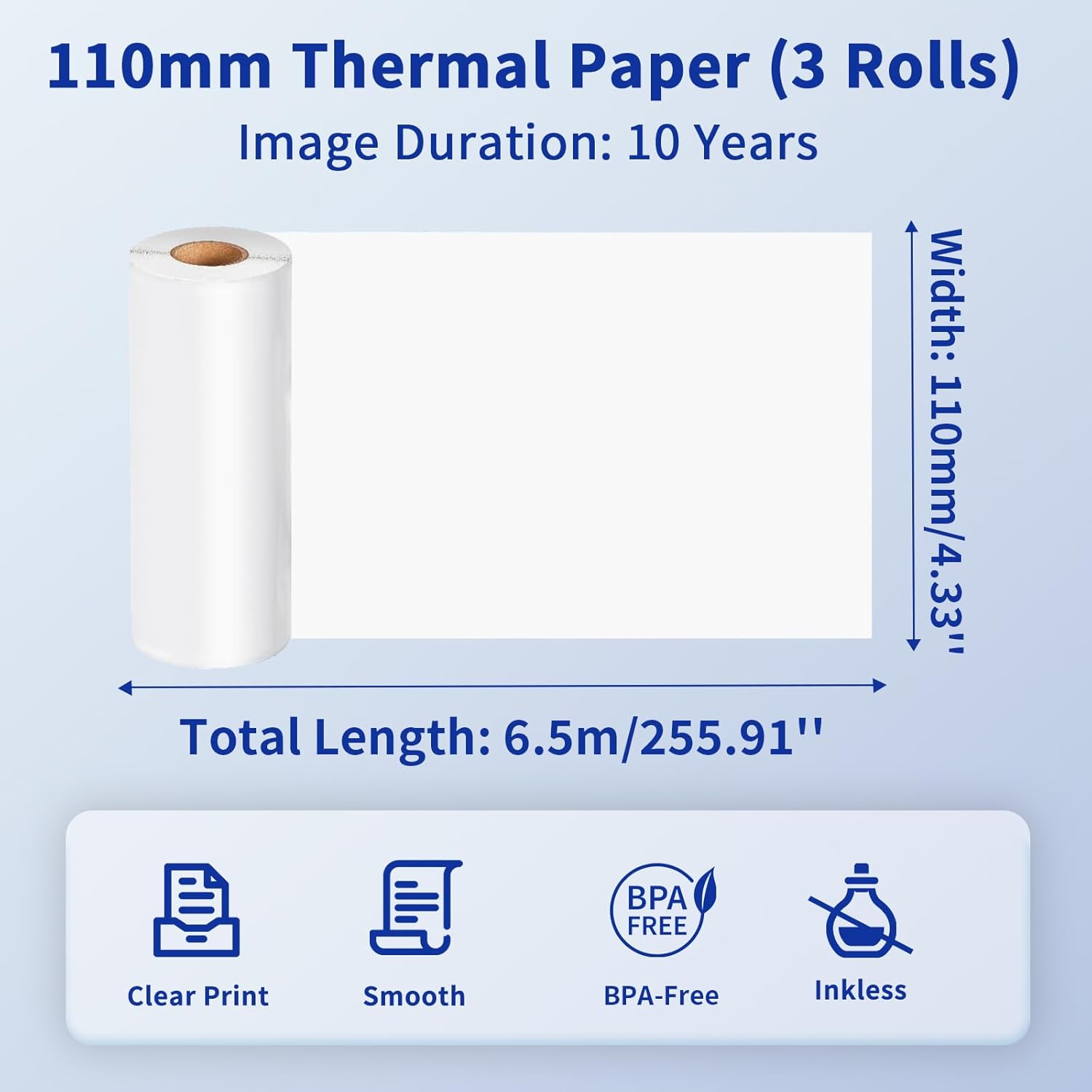
Image: Details of the 110mm thermal paper, including its dimensions (110mm width, 6.5m length) and key attributes such as clear print, smooth texture, BPA-free composition, and inkless operation, with an image duration of 10 years.
7. Rozwiązywanie Problemów
Jeśli napotkasz problemy z drukarką Phomemo M832, zapoznaj się z poniższymi typowymi problemami i ich rozwiązaniami:
| Problem | Możliwa przyczyna | Rozwiązanie |
|---|---|---|
| Drukarka się nie włącza | Niski poziom naładowania baterii lub problem z zasilaniem | Naładuj drukarkę do pełna. Upewnij się, że przycisk zasilania jest prawidłowo wciśnięty. |
| Nie można połączyć się przez Bluetooth | Bluetooth is off, printer not discoverable, or app issue | Ensure Bluetooth is enabled on your device. Restart the printer and the app. Try re-pairing the device within the Phomemo app. |
| Słaba jakość wydruku / Puste wydruki | Incorrect paper loading, dirty print head, or low battery | Ensure thermal paper is loaded correctly with the printable side facing up. Clean the print head as described in Section 6.1. Charge the printer. |
| Zacięcie papieru | Nieprawidłowe załadowanie papieru lub obcy przedmiot | Turn off the printer. Carefully open the paper compartment and remove any jammed paper or obstructions. Reload paper correctly. |
| Drukarka nie jest rozpoznawana przez komputer | Sterownik nie został zainstalowany lub wystąpił problem z kablem USB | Zainstaluj właściwy sterownik z M832.phomemo.com. Try a different USB port or cable. |
8. Specyfikacje
Below are the technical specifications for the Phomemo M832 Portable Thermal Printer:
- Model: M832
- Technologia druku: Termiczny
- Łączność: Bluetooth, USB
- Wyjście drukarki: Monochromia
- Metoda sterowania: App (Phomemo App)
- Zgodne urządzenia: Laptops, PCs, iPhone, Android Phone, iPad
- Obsługiwane systemy operacyjne: iOS, Android, iPadOS, Windows, macOS, Chrome OS, Linux
- Supported Print Media: Thermal Roll Paper, Folded Thermal Paper, Ordinary Thermal Paper
- Supported Sheet Sizes: 8.5" x 11" (format amerykański Letter), A4, 2.08" (53 mm), 3.15" (80 mm), 4.33" (110 mm)
- Dodatek specjalny: Portable, Inkless
- Waga: Około 1.5 funta
- Pierwsza dostępna: 31 maja 2024 r.

Image: The Phomemo M832 printer's broad compatibility across multiple operating systems, including iOS, Android, iPad, Mac OS, Windows, Chrome OS, and Linux.
9. Gwarancja i wsparcie
Phomemo products are designed for reliability and performance. For warranty information and customer support, please refer to the official Phomemo webOdwiedź stronę internetową lub skontaktuj się bezpośrednio z działem obsługi klienta. Zachowaj paragon jako dowód zakupu na wypadek reklamacji.
For additional resources and product information, visit the official Phomemo Store on Amazon: Sklep Phomemo


