Wstęp
Thank you for choosing the Syncwire Bluetooth 5.4 FM Transmitter Car Adapter. This device allows you to stream audio from your Bluetooth-enabled devices to your car's FM radio, make hands-free calls, and fast charge your mobile devices. Featuring advanced Bluetooth 5.4 technology, dual microphones for clear calls, and powerful charging capabilities, this adapter enhances your in-car experience.
Informacje dotyczące bezpieczeństwa
Avoid overcharging and overheating. Follow charging instructions to ensure safe use. Do not disassemble or modify the device. Keep out of reach of children. Ensure the device is securely plugged into the car's cigarette lighter socket before driving.
Produkt ponadview
Familiarize yourself with the components of your Syncwire FM Transmitter:

Image: The Syncwire Bluetooth FM Transmitter, showing its compact design and various ports and buttons.

Image: A detailed diagram labeling the key components of the FM Transmitter, including the QC 3.0 Port, PD 36W Port, CH Button, Deep Bass/Light Switch, Dual Mics, FM Display, Multifunction Button, and LED Light.
- Port QC 3.0: Quick Charge 3.0 USB port for fast charging compatible devices (18W).
- Port PD 36W: Power Delivery USB-C port for ultra-fast charging compatible devices (36W).
- Przycisk CH: Used to change the FM frequency.
- Deep Bass/Light Switch: Activates deep bass mode with a short press, or turns the LED light on/off with a long press.
- Podwójne mikrofony: Integrated microphones for clear hands-free calling.
- FM Display: Pokazuje aktualną częstotliwość FM.
- Przycisk wielofunkcyjny: Controls calls (answer/end/reject), music playback (play/pause/next/previous), and volume.
- Światło LED: Provides ambient lighting and indicates device status.
Przewodnik po konfiguracji
Wykonaj poniższe kroki w celu wstępnej konfiguracji:

Image: A four-panel image illustrating the setup process: 1. Setting car radio to FM mode. 2. Selecting a blank unused FM frequency. 3. Adjusting the FM Transmitter to the same frequency. 4. Pairing the phone via Bluetooth.
- Włączać do kontaktu: Insert the Syncwire FM Transmitter into your car's 12V/24V cigarette lighter socket. The LED display will light up.
- Set Car Radio to FM Mode: On your car's radio, switch to FM mode (not AM mode).
- Znajdź pustą częstotliwość FM: Tune your car radio to a blank, unused FM frequency. This is crucial for clear audio. Avoid frequencies with strong existing radio stations.
- Dopasuj częstotliwość nadajnika: Press the 'CH' button on the FM Transmitter. Then, use the multifunction button (joystick) to adjust the transmitter's frequency to match the empty frequency you found on your car radio.
- Sparuj Bluetooth: On your smartphone or Bluetooth-enabled device, enable Bluetooth and search for available devices. Select 'SW-XC971' from the list to pair. Once paired, you will hear a confirmation tone.
Instrukcja obsługi
Odtwarzanie muzyki
Once paired, you can stream music from your device to your car's speakers.
- Odtwórz/Pauza: Krótko naciśnij przycisk wielofunkcyjny.
- Następny utwór: Push the multifunction button right.
- Poprzedni utwór: Push the multifunction button left.
- Zwiększenie głośności: Push the multifunction button up.
- Ściszanie: Push the multifunction button down.

Image: An illustration highlighting the Deep Bass & HiFi Stereo feature, showing the 'b' button for activation and a visual representation of enhanced sound waves.
HiFi Deep Bass: Short press the 'b' button (Deep Bass/Light Switch) to activate the deep bass mode for enhanced audio quality. Press again to return to standard mode.
Rozmowy bez użycia rąk
The dual microphones and CVC 8.0 noise reduction technology ensure clear calls.

Image: A diagram showing the various functions for hands-free calling using the multifunction button: Answer (short press), Handset/Hands-free (long press), Hang up (short press), Reject (long press), Redial last number (short press twice).
- Odbierz połączenie: Krótko naciśnij przycisk wielofunkcyjny.
- Zakończ połączenie: Naciśnij krótko przycisk wielofunkcyjny podczas połączenia.
- Odrzuć połączenie: Long press the multifunction button when a call comes in.
- Ponowne wybieranie ostatniego numeru: Short press the multifunction button twice.
- Switch Call to Handset/Hands-free: Long press the multifunction button during a call to switch audio between the phone and the transmitter.
Urządzenia ładujące
The transmitter features two fast-charging ports:

Image: The Syncwire FM Transmitter with cables plugged into its PD 36W and QC3.0 18W USB ports, illustrating its ability to super-fast charge devices simultaneously.
- PD 36W Port (USB-C): For Power Delivery compatible devices, offering up to 36W output.
- QC 3.0 18W Port (USB-A): For Quick Charge 3.0 compatible devices, offering up to 18W output.
You can charge two devices simultaneously. The intelligent safety features protect against overcharging, voltage spikes, overheating, and short circuits.
Sterowanie oświetleniem otoczenia
The transmitter features a captivating rainbow light.
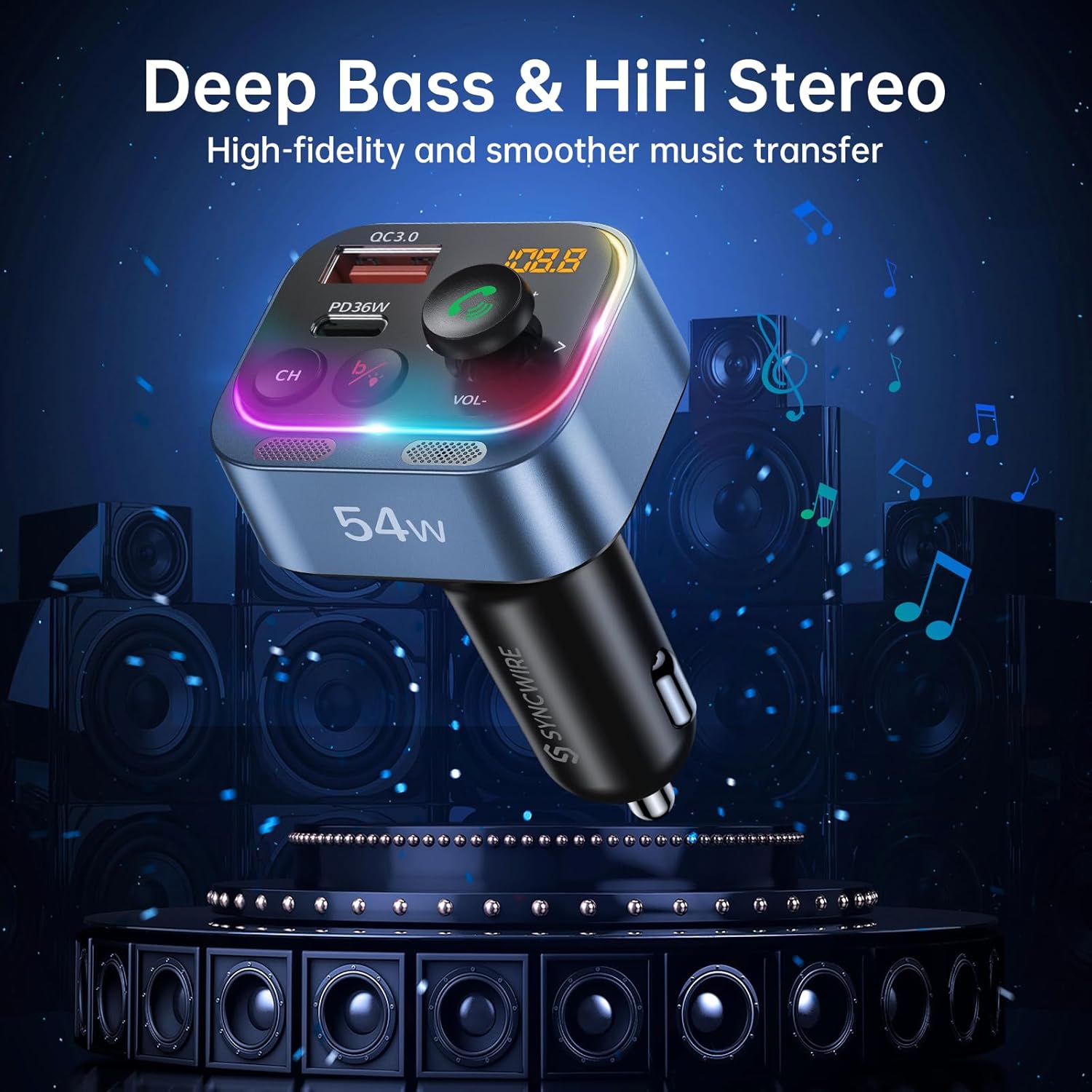
Image: Two panels demonstrating the Ambient Light Switch: one showing a long press to turn off the light, and the other showing a long press to turn on the light, with the device's rainbow LED illuminated.
- Włącz/wyłącz światło: Long press the 'b' button (Deep Bass/Light Switch) to toggle the rainbow light on or off.
Konserwacja
To ensure the longevity and optimal performance of your Syncwire FM Transmitter:
- Czyszczenie: Do czyszczenia urządzenia należy używać miękkiej, suchej ściereczki. Nie należy używać płynów czyszczących ani aerozoli.
- Składowanie: Jeśli urządzenie nie będzie używane przez dłuższy czas, należy je przechowywać w chłodnym i suchym miejscu, z dala od bezpośredniego światła słonecznego i ekstremalnych temperatur.
- Obsługiwanie: Unikaj upuszczania urządzenia i narażania go na silne uderzenia.
Rozwiązywanie problemów
Jeśli napotkasz problemy, zapoznaj się z poniższymi typowymi problemami i rozwiązaniami:
| Problem | Rozwiązanie |
|---|---|
| Szum lub słaba jakość dźwięku |
|
| Urządzenie nie włącza się |
|
| Bluetooth nie łączy się |
|
| Call clarity issues (other party cannot hear me well) |
|
| Ładowanie jest powolne lub nie działa |
|
Specyfikacje
| Funkcja | Szczegół |
|---|---|
| Numer modelu | SW-XC971 |
| Wersja Bluetooth | 5.4 |
| Wejście Voltage | 12 V-24 V |
| Wyjście USB-C (PD) | 36W Max |
| Wyjście USB-A (QC3.0) | 18W Max |
| Całkowita wydajność | 54 W |
| Zakres częstotliwości FM | 87.5-108.0MHz |
| Mikrofon | Podwójne mikrofony z redukcją szumów CVC 8.0 |
| Cechy specjalne | HiFi Deep Bass, Rainbow Light, Hands-Free Calling |
| Wymiary | 3.43 x 2.4 x 1.73 cala |
| Waga przedmiotu | 2.82 uncji |
| Tworzywo | Materiał Premium |
Gwarancja i wsparcie
Syncwire provides a 36-month warranty and lifetime support for this product. If your car radio Bluetooth adapter does not fit your car or does not work as expected, please feel free to contact us to find a satisfying solution. Our customer service team is dedicated to assisting you with any inquiries or issues you may have.


