1. Wprowadzenie
This manual provides detailed instructions for the Headwolf WPad5 Android 14 Tablet. Please read this guide thoroughly before using your device to ensure proper operation and to maximize its features. Keep this manual for future reference.
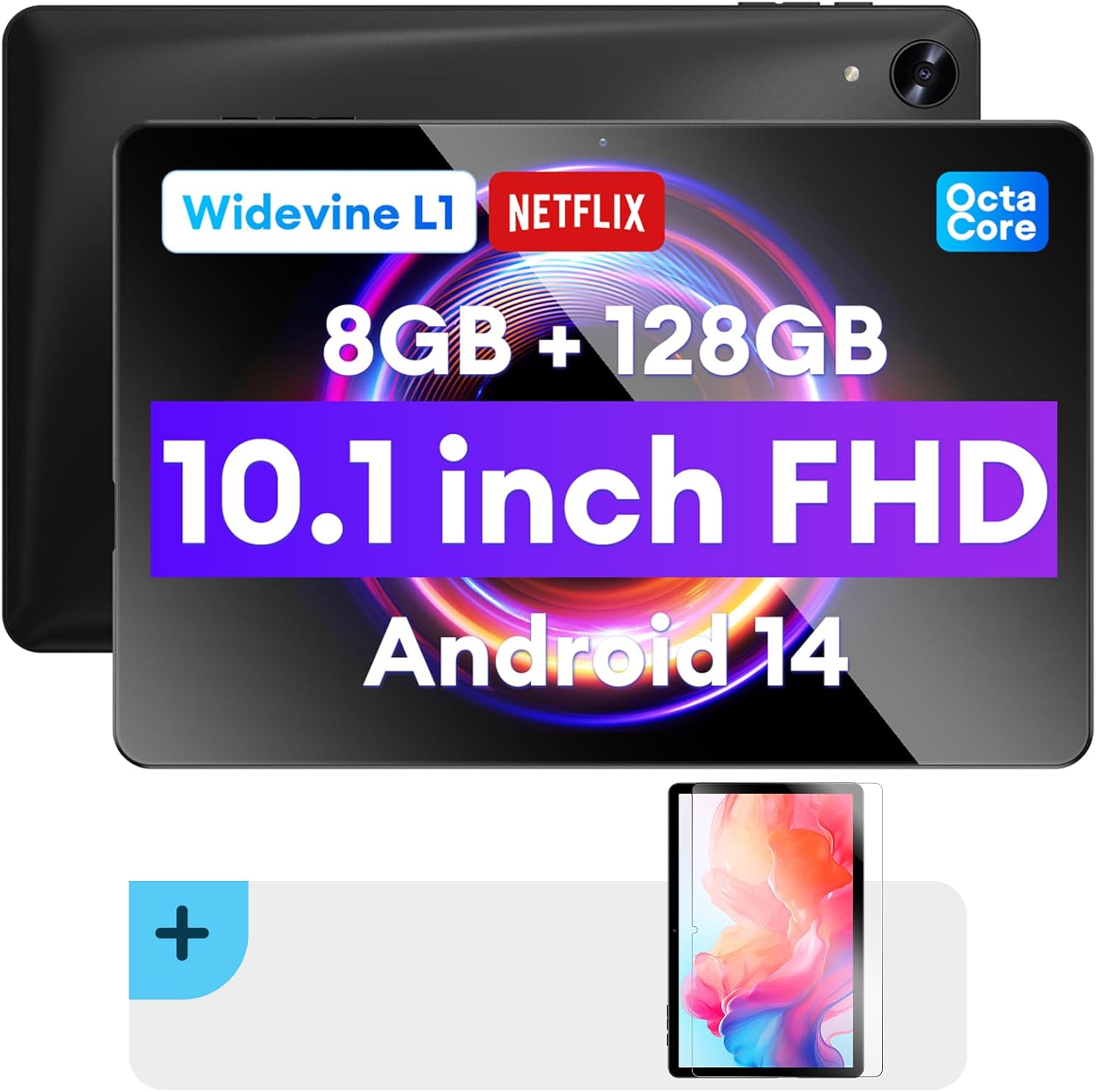
Obraz: przód i tył view of the Headwolf WPad5 tablet, showcasing its 10.1-inch FHD display, 8GB RAM + 128GB ROM, Widevine L1 support, Octa-Core processor, and Android 14 operating system.

Obraz: Ponadview of the Headwolf WPad5 tablet's main features, including its 10.1-inch 1920x1200 IPS FHD display, Unisoc T606 Octa-Core CPU, 8GB RAM + 128GB ROM, 5500mAh battery, 2.4G/5G WiFi, Android 14, dual stereo speakers, dual camera, and Widevine L1 support for Netflix.
2. Konfiguracja
2.1 Zawartość pudełka
Upon unboxing your Headwolf WPad5 tablet, please verify that all the following items are included:
- Headwolf WPad5 Tablet
- Kabel typu C
- Zasilacz sieciowy
- Instrukcja obsługi
- 2-pack Screen Protector

Image: A visual representation of the Headwolf WPad5 tablet and its accessories (manual, Type-C cable, AC adapter). It also highlights the tablet's physical features such as the 3.5mm headphone jack, rear camera, power button, volume buttons, TF card slot, and Type-C port.
2.2 Ładowanie tabletu
Before initial use, fully charge your tablet. Connect the Type-C cable to the tablet's Type-C port and the other end to the AC adapter. Plug the AC adapter into a power outlet. The battery indicator on the screen will show charging status.
2.3 Włączanie/wyłączanie
- Włączanie: Press and hold the Power button located on the side of the tablet until the Headwolf logo appears on the screen.
- Aby wyłączyć: Naciśnij i przytrzymaj przycisk zasilania, aż pojawi się menu zasilania. Z dostępnych opcji wybierz opcję „Wyłącz”.
- Zrestartować: Z menu zasilania wybierz opcję „Uruchom ponownie”.
2.4 Instalacja folii ochronnej ekranu
Your tablet comes with two screen protectors. Follow these steps for installation:
- Clean the tablet screen thoroughly with a microfiber cloth to remove dust and smudges.
- Zdejmij folię ochronną z klejącej strony folii ochronnej na ekranie.
- Carefully align the screen protector with the tablet's screen, ensuring the cutouts for the camera and sensors match.
- Gently lay the protector onto the screen, starting from one edge and slowly lowering it.
- Use a soft card (e.g., a credit card wrapped in cloth) to smooth out any air bubbles, pushing them towards the edges.
- Remove the top protective film (if present).

Image: The Headwolf WPad5 tablet with an "Ultra Clear" advanced HD clarity tempered glass screen protector being shown, indicating its protective function and clear display.
3. Korzystanie z tabletu
3.1 System operacyjny Android 14
The Headwolf WPad5 runs on the latest Android 14 operating system, offering enhanced performance, improved privacy features, and a customizable user interface.
- GMS Free App Download: Access millions of applications through the Google Play Store.
- Funkcja podzielonego ekranu: Enhance productivity by using two apps simultaneously.
- Dostosowywanie interfejsu użytkownika: Personalize your interface with various themes, widgets, and settings.
- Ochrona prywatności: Advanced features to ensure your personal data remains secure and confidential.
- Personalized Screen Settings: Empower all users with enhanced usability options.

Image: A graphic illustrating the key features of the Android 14 system on the Headwolf WPad5, such as GMS free app download, UI customization, personalized screen settings, and privacy protection, enhancing user experience.
3.2 Display and Widevine L1 Certification
The tablet features a 10.1-inch FHD 1920x1200 IPS display, providing clear and vibrant visuals. With Widevine L1 certification, you can stream high-definition content from popular platforms like Netflix, Amazon Prime Video, Disney+, and YouTube without interruptions or quality degradation.

Image: A visual demonstrating the Widevine L1 certification on the Headwolf WPad5 tablet, showing high-quality streaming from services like YouTube, Netflix, Amazon Prime Video, Disney+, and Hulu, ensuring a premium viewzdobywania doświadczenia.
3.3 Wydajność i przechowywanie
Powered by an octa-core Unisoc T606 CPU, the WPad5 ensures smooth multitasking and gaming. It comes with 8GB RAM (achieved via 4GB physical RAM + 4GB expansion) and 128GB of internal storage. The storage can be expanded up to 2TB using a microSD card (not included).

Image: A diagram detailing the Unisoc T606 Octa-Core CPU with 2.0 GHz peak frequency and Mali-G57 GPU, highlighting its high performance, efficient processing, and low heat generation for gaming and high-quality display.

Image: A graphic illustrating the generous storage capacity of the Headwolf WPad5, featuring 8GB RAM (4+4GB) and 128GB ROM, expandable up to 2TB via TF card, suitable for storing software, photos, music, videos, and e-books.
3.4 Łączność
The WPad5 offers versatile connectivity options:
- Wi-Fi: Dual-band (2.4GHz/5GHz) 802.11ac for fast and stable internet connection.
- Bluetooth: Wersja 5.0 do podłączania akcesoriów bezprzewodowych.
- Gniazdo słuchawkowe 3.5 mm: Do przewodowego wyjścia audio.
- GPS: 4-mode satellite positioning for precise location services. For offline navigation, download maps via Wi-Fi before traveling to areas without internet access.

Image: The Headwolf WPad5 tablet displaying a navigation map, illustrating its 4-mode satellite positioning capability for precise location services and route guidance.
3.5 kamer
Tablet wyposażony jest w dwa aparaty:
- Kamera tylna: 8 MP do robienia zdjęć i nagrywania filmów.
- Przednia kamera: 5MP, ideal for video calls and online meetings.

Obraz: Pokaz kolażuasing the capabilities of the Headwolf WPad5's 8MP rear camera for capturing landscapes and moments, and the 5MP front camera for video conferencing and meetings, demonstrating its versatility.
3.6 Żywotność baterii
The WPad5 is powered by a 5500mAh battery, providing approximately 6-8 hours of playtime per charge, depending on usage.
3.7 dodatkowych funkcji
- Podzielony ekran: Run two applications side-by-side for enhanced productivity.
- Odblokowanie twarzą: Bezpieczne odblokowywanie tabletu za pomocą rozpoznawania twarzy.
- Dublowanie ekranu: Cast your tablet's display to a larger screen wirelessly.
- Dual Box Stereo Speakers: Enjoy immersive audio with enhanced sound quality.
Obraz: Pokaz graficznyasing various features of the Headwolf WPad5 tablet, including Split Screen functionality for multitasking, 2.4G/5G Dual Band WiFi for connectivity, Face Unlock for security, and Screen Mirroring for casting content to external displays.
4. Konserwacja
4.1 Pielęgnacja baterii
- Unikaj częstego całkowitego rozładowywania baterii.
- Nie wystawiaj tabletu na działanie ekstremalnych temperatur.
- Należy używać wyłącznie dołączonej ładowarki lub certyfikowanej, kompatybilnej ładowarki.
- The 5500mAh battery includes overcurrent, short circuit, over-discharge, and output protection for safety.

Image: A visual highlighting the 5500mAh battery of the Headwolf WPad5 and its built-in protection features: overcurrent protection, short circuit protection, over-discharge protection, and output protection, ensuring safe and reliable power.
4.2 Czyszczenie tabletu
- Do czyszczenia ekranu i obudowy tabletu należy używać miękkiej, niepozostawiającej włókien ściereczki.
- W przypadku uporczywych plam delikatnieampPrzetrzyj ściereczkę wodą lub specjalnym środkiem do czyszczenia ekranów przeznaczonym do urządzeń elektronicznych.
- Unikaj stosowania silnych środków chemicznych, materiałów ściernych i aerozoli.
4.3 Aktualizacje oprogramowania
Regularly check for and install software updates to ensure your tablet has the latest features, security patches, and performance improvements. You can usually find this option in the tablet's Settings menu under "System" or "About tablet".
5. Rozwiązywanie Problemów
5.1 Typowe problemy i rozwiązania
| Wydanie | Możliwe rozwiązanie |
|---|---|
| Tablet się nie włącza | Upewnij się, że bateria jest naładowana. Podłącz ładowarkę i odczekaj kilka minut przed ponowną próbą uruchomienia. Jeśli urządzenie nie reaguje, naciśnij i przytrzymaj przycisk zasilania przez 10–15 sekund, aby wymusić ponowne uruchomienie. |
| Problemy z połączeniem Wi-Fi | Restart your Wi-Fi router and the tablet. Forget the Wi-Fi network on your tablet and reconnect. Ensure you are within range of the Wi-Fi signal. |
| Aplikacje ulegają awarii lub zawieszają się | Clear the app's cache and data in Settings > Apps. Update the app to its latest version. If the issue persists, uninstall and reinstall the app. |
| Niska wydajność | Close unnecessary background apps. Clear cache data regularly. Consider uninstalling unused apps. Ensure sufficient free storage space. |
| Ekran nie reaguje | Uruchom ponownie tablet. Jeśli problem będzie się powtarzał, przywróć ustawienia fabryczne (dane zostaną utracone). |
5.2 Przywracanie ustawień fabrycznych
A factory reset will erase all data from your tablet and restore it to its original factory settings. Przed kontynuacją wykonaj kopię zapasową wszystkich ważnych danych.
- Idź do Ustawienia.
- Przejdź do System > Resetuj opcje.
- Wybierać Wymaż wszystkie dane (przywróć ustawienia fabryczne).
- Potwierdź swój wybór i postępuj zgodnie z instrukcjami wyświetlanymi na ekranie.
6. Specyfikacje
| Funkcja | Szczegół |
|---|---|
| Nazwa modelu | WPad5 |
| System operacyjny | Android 14 |
| Rozmiar ekranu | 10.1 cali |
| Rozdzielczość ekranu | 1920 x 1200 (FHD) |
| Edytor | Unisoc T606 Octa-Core |
| BARAN | 8 GB (4 GB + rozszerzenie 4 GB) |
| Pamięć wewnętrzna | 128 GB |
| Możliwość rozbudowy pamięci masowej | Do 2TB za pomocą karty microSD |
| Kamera tylna | 8 MP |
| Przednia kamera | 5 MP |
| Pojemność baterii | 5500mAh |
| Łączność bezprzewodowa | 802.11ac (dwuzakresowy 2.4 GHz/5 GHz) |
| Bluetooth | Bluetooth 5.0 |
| Porty | Gniazdo słuchawkowe typu C 3.5 mm |
| Kolor | Czarny |
| Cechy specjalne | Widevine L1, GPS, Face Unlock, Dual Stereo Speakers, Split Screen, Screen Mirroring |
7. Gwarancja i wsparcie
Headwolf provides a one-year repair and replacement warranty for your WPad5 tablet. For any technical assistance, product inquiries, or warranty claims, please contact our dedicated customer service and technical support team.
- Obsługa klienta: Available 24 hours. Please refer to the contact information provided with your purchase or on the official Headwolf webstrona.
- Wsparcie techniczne: Available for assistance with setup, troubleshooting, and feature usage.
- Zasoby internetowe: Odwiedź Headwolf Store on Amazon Aby uzyskać dodatkowe informacje o produkcie i pomoc.


