1. Wprowadzenie
This manual provides essential information for the safe and effective use of the Aoleaby JK BMS Smart Active Balancer B2A24S. This device is designed to actively balance the voltage differences between battery cells in LiFePo4 and Li-ion battery systems, enhancing battery life and efficiency. Please read this manual thoroughly before installation and operation.
2. Informacje dotyczące bezpieczeństwa
- Podczas pracy z akumulatorami należy zawsze nosić odpowiedni sprzęt ochrony osobistej (PPE).
- Ensure all connections are correct and secure before applying power. Incorrect wiring can cause damage to the balancer, battery, or pose a fire hazard.
- Do not short-circuit battery terminals or balancer connections.
- Trzymaj wyważarkę z dala od wody, wilgoci i materiałów łatwopalnych.
- Do not attempt to disassemble or modify the balancer. Refer all servicing to qualified personnel.
- Ensure adequate ventilation around the battery system and balancer during operation.
- Observe proper polarity when connecting the balancer to the battery pack.
3. Koniec produktuview
The JK BMS Smart Active Balancer is an advanced battery management system component designed to optimize battery performance and longevity. It features active balancing capabilities and Bluetooth connectivity for monitoring and configuration via a dedicated mobile application.
Główne cechy:
- Aktywne saldo: Balances voltage differences between battery cells, improving battery usage efficiency up to 99% and extending battery life.
- Bluetooth (BT) APP: Provides real-time battery status monitoring and allows for various BMS settings adjustments via a smartphone application.
- Szeroka kompatybilność: Supports 2S to 24S LiFePo4 and Li-ion battery systems.
- Bilans prądu: Features an active balance current of 0.1A to 2A, depending on the model variant.
Składniki:
The package typically includes the JK BMS Smart Active Balancer unit and a wiring harness for connecting to battery cells.
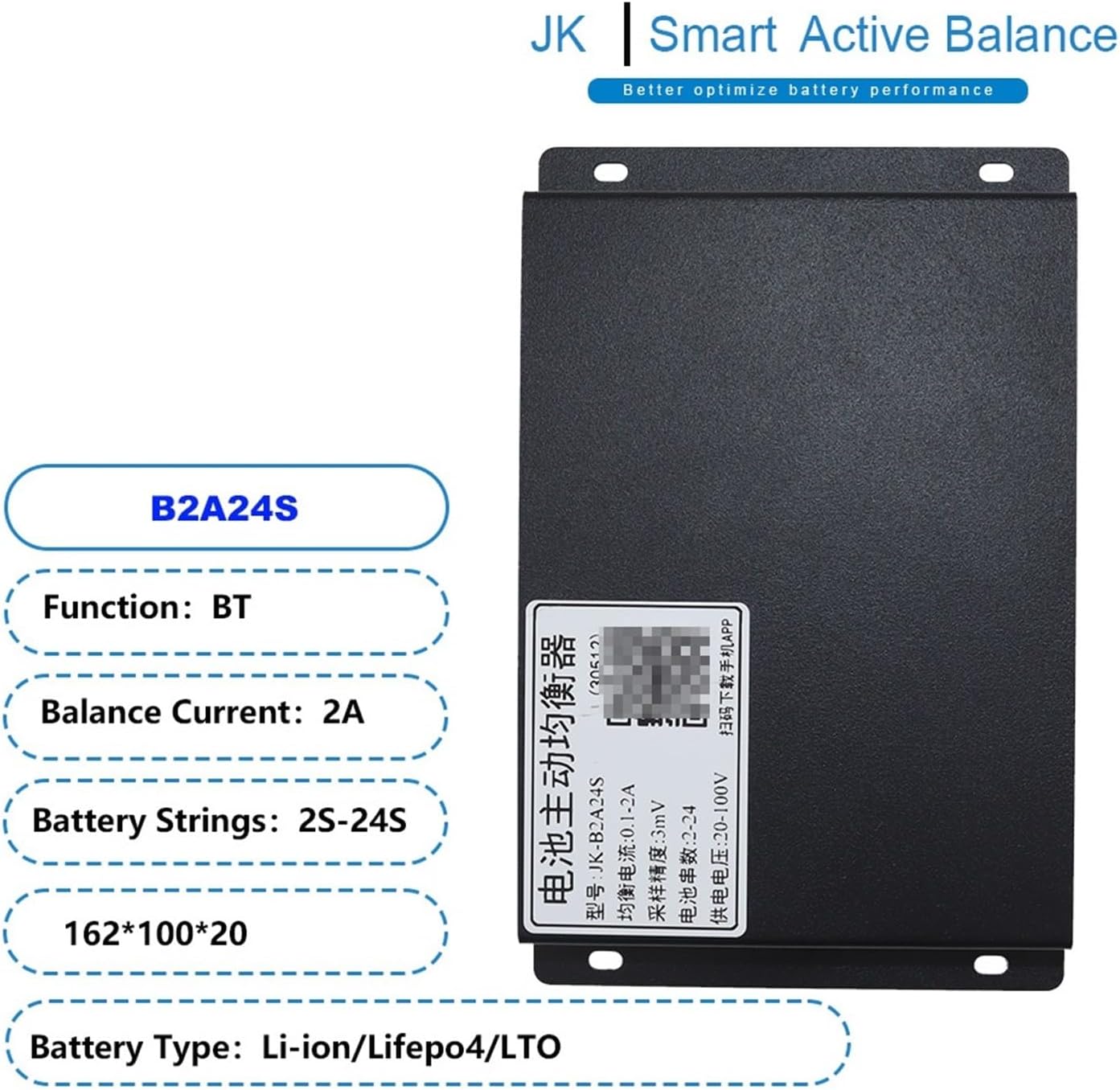
Figure 1: JK BMS Smart Active Balancer B2A24S unit. This image displays the main balancer unit with labels indicating its function (BT), balance current (2A), battery strings (2S-24S), dimensions (162*100*20), and supported battery types (Li-ion/LiFePo4/LTO).

Figure 2: Multiple JK BMS Smart Active Balancer units. This image illustrates three different balancer units, highlighting their compatibility with 2S-24S battery configurations and active balance currents ranging from 0.1A to 2A.

Figure 3: Application scenarios. This image shows various applications where the JK BMS Smart Active Balancer can be used, including E-bikes, electric tricycles, low-speed quads, forklifts, cleaning cars, tourist cars, industrial drones, scooters, RV energy storage, energy storage cabinets, power banks, and power tools.
4. Konfiguracja i instalacja
Proper installation is crucial for the safe and efficient operation of the balancer. Always ensure the battery pack is disconnected from any load or charging source before beginning installation.
Instrukcje okablowania:
- Identify the positive (+) and negative (-) terminals of each battery cell in your pack.
- Connect the provided wiring harness to the corresponding cell voltage detection ports on the balancer. Ensure each wire from the harness is connected to the correct cell terminal, starting from the negative terminal of the first cell (B-) and progressing sequentially to the positive terminal of the last cell (B+).
- Double-check all connections for correct polarity and secure fit. Loose connections can lead to poor performance or damage.
- Once all cell wires are connected, connect the main power wires (P+ and P-) from the battery pack to the designated power input terminals on the balancer, if applicable. Refer to the specific wiring diagram provided with your balancer model for exact connections.
- After installation, verify the voltage readings via the Bluetooth APP to confirm correct cell detection.

Figure 4: JK BMS Smart Active Balancer with wiring harness. This image shows the balancer unit alongside its red wiring harness, which is used for connecting to individual battery cells for voltage detection and balancing.
5. Działanie
Once installed, the JK BMS Smart Active Balancer continuously monitors the voltage of each cell in the battery pack. When voltage differences are detected, the balancer automatically initiates an active balancing process to equalize the cell voltages. This process occurs without user intervention, ensuring optimal battery health.
6. Połączenie aplikacji Bluetooth
The JK BMS features a proprietary Bluetooth APP for enhanced monitoring and control. This application allows users to view real-time battery cell voltages, balance current, and other critical parameters. It also provides access to various settings for customizing the balancer's operation.
Łączenie z aplikacją:
- Download the official JK BMS APP from your smartphone's app store.
- Upewnij się, że Bluetooth jest włączony w Twoim smartfonie.
- Open the JK BMS APP and search for available devices.
- Select your balancer from the list to establish a connection.
- Once connected, you can access real-time data and adjust settings as needed.

Figure 5: Bluetooth APP screenshots. This image displays two screenshots of the JK BMS mobile application interface. The left screen shows real-time cell voltage readings and wire resistance, while the right screen shows basic and advanced settings such as balance trigger voltage, calibrating voltage, start balance voltage, and maximum balance current.
7. Konserwacja
The JK BMS Smart Active Balancer is designed for minimal maintenance. However, periodic checks are recommended:
- Regularnie sprawdzaj wszystkie połączenia przewodów pod kątem szczelności i oznak korozji lub uszkodzeń.
- Keep the balancer unit clean and free from dust and debris.
- Monitoruj pojemność ogniwa akumulatoratages via the APP to ensure proper balancing is occurring.
- Ensure the operating environment remains within the specified temperature range.
8. Rozwiązywanie Problemów
If you encounter issues with your JK BMS Smart Active Balancer, consider the following:
- Balancer not detected by APP: Ensure Bluetooth is enabled on your phone, the balancer is powered on, and you are within range. Restart the APP or your phone if necessary.
- Incorrect cell voltage odczyty: Check all wiring harness connections to the battery cells for correct polarity and secure contact. A loose or incorrect connection can lead to inaccurate readings.
- No balancing activity: Verify that cell voltage differences are sufficient to trigger balancing (refer to APP settings for balance trigger voltage). Ensure the balancer is receiving power.
- Over-temperature warnings: Check for adequate ventilation around the balancer and battery pack. Reduce load if necessary.
For persistent issues, contact Aoleaby customer support.
9. Specyfikacje
The following table provides detailed specifications for various JK Smart Active Balancer models, including the B2A24S.

Figure 6: Detailed specifications table. This image presents a comprehensive table outlining specifications for various JK Smart Active Balancer models, including battery string support, battery type, single cell voltage range, balance accuracy, voltage difference after balancing, balance current range, cascade connecting, cable resistance indicator, power supply range, low voltage auto turn off, working temperature, self-consumption (balancing and not balancing), interface, temperature sensor, dimension, and weight.
| Funkcja | Specyfikacja |
|---|---|
| Model | JK-B2A24S |
| Battery String Support | 2-24S |
| Battery Type Supporting | Li-ion LFP (All Kinds of Battery Voltage Between 1-5V) |
| Single Cells Voltage Zakres | 1 V-5 V |
| Dokładność równowagi | ±3mV |
| Tomtage Differ After Balancing | ≤3mV |
| Balance Current Range | 0.1A-2A |
| Cascade Connecting | TAK |
| Cable Resistance Indicator | TAK |
| Zakres zasilania | 40 V-100 V |
| Niska objętośćtage Auto Turn Off | TAK |
| Temperatura pracy | -20°C~70°C |
| Self-consumption (Balancing) | 10mA @ 100V |
| Self-consumption (NOT Balancing) | 6mA @ 100V |
| Interfejs | RS485 |
| Czujnik temperatury | TAK |
| Wymiar (MM) | 162*100*20 |
| Waga (g) | 595 |
10. Gwarancja i wsparcie
For warranty information and technical support, please refer to the documentation included with your purchase or contact Aoleaby customer service directly. Keep your purchase receipt as proof of purchase for warranty claims.


