1. Wprowadzenie
This manual provides comprehensive instructions for the setup, operation, maintenance, and troubleshooting of your HP 24-inch FHD IPS Monitor, Model 94C21AA#ABA. Please read this manual thoroughly before using your monitor to ensure proper functionality and to maximize your user experience. This monitor features a 24-inch Full HD (1920x1080) IPS display with a 100Hz refresh rate, 300 nits brightness, and includes a Docztorm Hub USB Port Expander.
2. Zawartość opakowania
Sprawdź, czy w przesyłce znajdują się wszystkie elementy:
- HP 24-inch FHD IPS Monitor
- Stojak na monitor (podstawa i szyjka)
- Docztorm Hub USB Port Expander
- Zasilacz
- Przewód zasilający AC
- Kabel HDMI
- Document Kit (includes this user manual and warranty information)
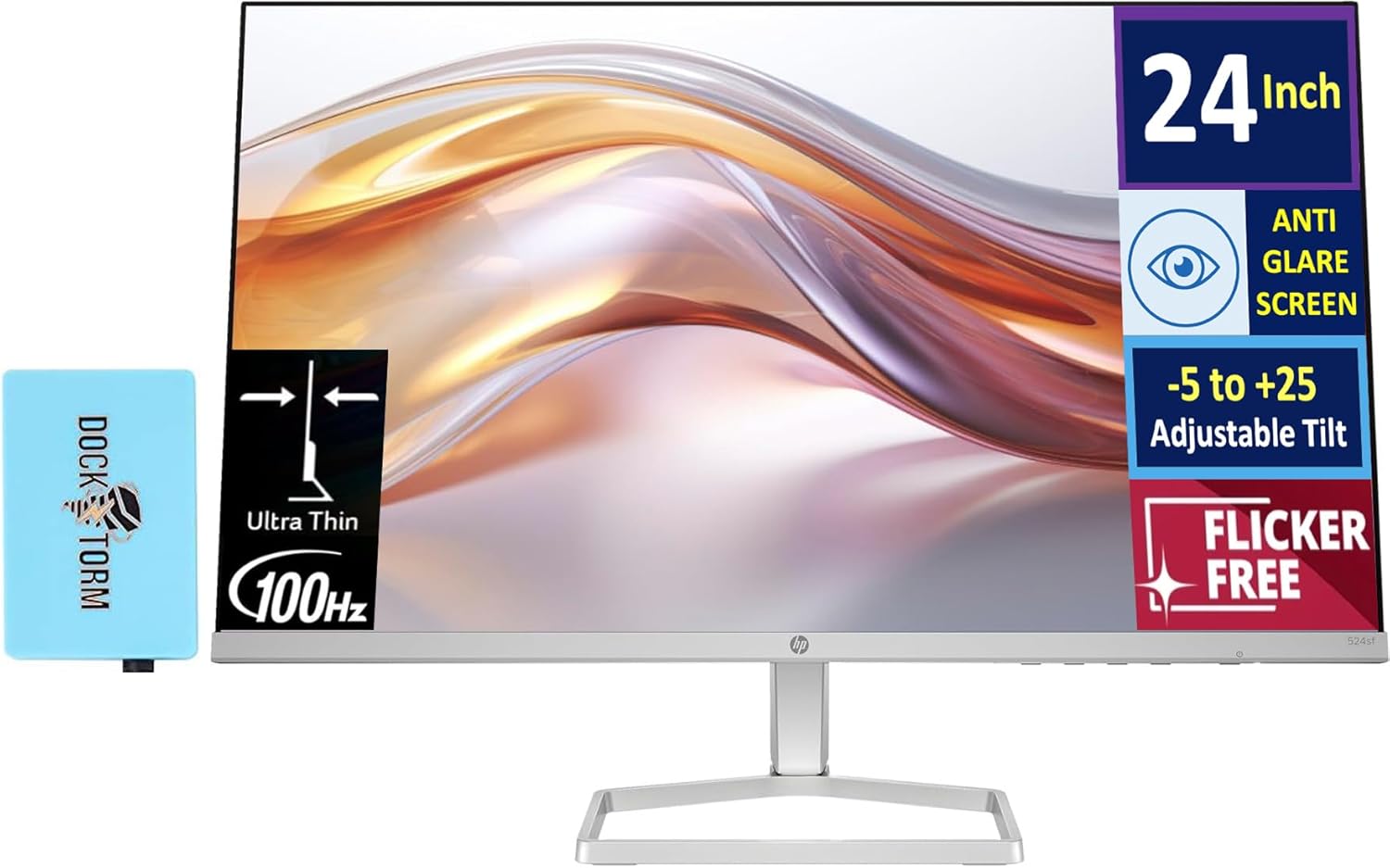
Image: The HP 24-inch FHD IPS Monitor shown with the included Docztorm Hub USB Port Expander.
3. Instrukcje konfiguracji
3.1 Montaż podstawy monitora
- Aby zapobiec porysowaniu, ostrożnie połóż monitor ekranem do dołu na miękkiej i czystej powierzchni.
- Przymocuj podstawę do tylnej części monitora. Upewnij się, że zatrzasnęła się pewnie.
- Attach the stand base to the stand neck. Tighten any screws if provided, usually by hand or with a coin.
- Gently lift the assembled monitor and place it upright on a stable desk or surface.

Obraz: Bok view of the HP 24-inch monitor, illustrating its slim profile and stand attachment.
3.2 Kable połączeniowe
- Podłączenie zasilania: Connect the power adapter to the monitor's power input, then plug the AC power cord into the adapter and a wall outlet.
- Połączenie wideo:
- For optimal display quality, connect the included HDMI cable from your computer's HDMI output to the monitor's HDMI input.
- Alternatively, if your computer has a VGA port, connect a VGA cable (not included) from your computer to the monitor's VGA input.
- Docztorm Hub Connection: Connect the Docztorm Hub USB Port Expander to an available USB port on your computer. This hub provides additional USB connectivity.

Obraz: Tył view of the HP 24-inch monitor, highlighting the HDMI, VGA, and power input ports.
4. Instrukcja obsługi
4.1 Włączanie/wyłączanie
Naciśnij przycisk zasilania znajdujący się w prawym dolnym rogu monitora, aby go włączyć lub wyłączyć. Kontrolka zasilania zaświeci się, gdy monitor jest włączony.
4.2 Adjusting Tilt
The monitor supports an adjustable tilt range of -5 to +25 degrees. Gently hold the top and bottom edges of the monitor and tilt it to your desired viewing angle. Avoid applying excessive force.

Image: The HP 24-inch monitor tilted to demonstrate its adjustable viewkąt.
4.3 Menu ekranowe (OSD)
Use the buttons on the bottom right bezel of the monitor to navigate the OSD menu. The OSD menu allows you to adjust various display settings such as brightness, contrast, color temperature, input source, and more.
- Press any OSD button to activate the menu.
- Use the navigation buttons to move through menu options.
- Press the 'Select' or 'OK' button to confirm a selection.
- Press the 'Exit' or 'Back' button to return to the previous menu or exit the OSD.
5. Główne cechy
- 24-inch FHD IPS Display: Enjoy vibrant colors and wide viewing angles with the Full High Definition (1920x1080) In-Plane Switching panel.
- Częstotliwość odświeżania 100 Hz: Experience smoother visuals, especially during fast-paced content or general use.
- Jasność 300 nitów: Provides a bright and clear display suitable for various lighting conditions.
- Technologia bez migotania: Redukuje migotanie ekranu, minimalizując zmęczenie oczu podczas dłuższego korzystania.
- HP Eye Ease (Low-Blue Light Filter): An always-on hardware solution that reduces blue light emissions without impacting color accuracy, enhancing eye comfort.
- Ekran antyodblaskowy: Minimizes reflections for better visibility in brightly lit environments.
- Docztorm Hub USB Port Expander: A portable USB hub included to expand your device's connectivity with super speedy data sync rates up to 5Gbps.
- Łączność: Features 1x HDMI 1.4 and 1x VGA port for versatile connection options.

Image: A visual comparison demonstrating the effect of HP Eye Ease, showing reduced yellow color shift for improved eye comfort.

Image: Two HP 24-inch monitors set up side-by-side, demonstrating the thin bezels ideal for a seamless dual-screen experience.
6. Konserwacja
6.1 Czyszczenie monitora
- Przed czyszczeniem należy zawsze wyłączyć monitor i odłączyć przewód zasilający.
- Delikatnie użyj miękkiej, niestrzępiącej się szmatki dampCzyścić wodą lub nieściernym środkiem do czyszczenia ekranów.
- Wipe the screen gently. Avoid pressing hard or using harsh chemicals, which can damage the display.
- Wyczyść monitor casinmiękką, suchą szmatką.
6.2 Przechowywanie
W przypadku przechowywania monitora przez dłuższy czas, należy upewnić się, że jest on wyłączony, odłączony od zasilania i przechowywany w chłodnym, suchym miejscu, z dala od bezpośredniego światła słonecznego i ekstremalnych temperatur. Zaleca się używanie oryginalnego opakowania w celu ochrony.
7. Rozwiązywanie Problemów
- Brak zasilania:
- Ensure the power cord is securely connected to the monitor and the power outlet.
- Sprawdź, czy gniazdko elektryczne działa prawidłowo, podłączając do niego inne urządzenie.
- Check the power adapter for any damage.
- Brak sygnału / pusty ekran:
- Confirm the video cable (HDMI or VGA) is securely connected to both the monitor and your computer.
- Upewnij się, że komputer jest włączony i nie znajduje się w trybie uśpienia.
- Use the OSD menu to manually select the correct input source (HDMI or VGA).
- Spróbuj podłączyć monitor do innego komputera lub użyć innego kabla wideo, aby wykluczyć problemy z kablem lub komputerem.
- Słaba jakość obrazu:
- Adjust brightness, contrast, and color settings via the OSD menu.
- Ensure your computer's display resolution is set to the monitor's native resolution (1920 x 1080).
- Check for any physical damage to the screen or cable.
8. Specyfikacje
| Funkcja | Szczegół |
|---|---|
| Rozmiar ekranu | 24 cali |
| Typ panelu | IPS |
| Rezolucja | FHD 1080p (1920 x 1080 pikseli) |
| Częstotliwość odświeżania | 100 Hz |
| Jasność | 300 nits (300 Lux) |
| Proporcje obrazu | 16:9 |
| Powierzchnia ekranu | Flat, Anti-glare |
| Łączność | 1x HDMI 1.4, 1x VGA |
| Dostosowania | Adjustable Tilt (-5 to +25 degrees) |
| Cechy specjalne | Flicker-Free, HP Eye Ease (Low-Blue Light Filter), Docztorm Hub USB Port Expander |
| Wymiary produktu | 1.33 x 21.09 x 12.42 cala |
| Waga przedmiotu | 5.51 funta |
| Numer modelu | 94C21AA#ABA |
| Producent | HP |
9. Gwarancja i wsparcie
Your HP 24-inch FHD IPS Monitor is covered by a manufacturer's warranty. Please refer to the warranty card included in your document kit for detailed terms and conditions, including warranty period and coverage. For technical support, product registration, or further assistance, please visit the official HP support webodwiedź witrynę lub skontaktuj się z działem obsługi klienta HP.
Wsparcie HP Webstrona: www.hp.com/support