1. Wprowadzenie
This user manual provides comprehensive instructions for the VTech ES2051 DECT Cordless Phone system. It covers setup, operation, maintenance, and troubleshooting for your twin handset phone, featuring an integrated answering machine, nuisance call blocker, and handsfree speakerphone capabilities. Please read this manual thoroughly to ensure proper use and to take full advantage wszystkich funkcji.
2. Co znajduje się w pudełku
Sprawdź, czy w przesyłce znajdują się następujące elementy:
- 2 Base Units
- 2 bezprzewodowych słuchawek
- 2 ładowarki
- 2 akumulatorów
- Przewód telefoniczny
- Szybki przewodnik
3. Konfiguracja
3.1 Instalowanie baterii
Each handset requires 2 AAA rechargeable batteries (included). Open the battery compartment cover on the back of the handset and insert the batteries, observing the correct polarity (+ and -). Close the cover securely.
3.2 Podłączanie jednostki bazowej
Connect one end of the telephone line cord to the LINE socket on the base unit and the other end to your telephone wall socket. Connect the small end of the power adapter to the POWER socket on the base unit and plug the large end into a mains power outlet. For the second handset, connect its charger to a mains power outlet.
3.3 Ładowanie słuchawek
Place each handset on its respective base unit or charger. The charging indicator on the handset will illuminate. For optimal battery performance, charge the handsets for at least 16 hours before initial use.

Image: The VTech ES2051 DECT Cordless Phone system, showing the main base unit with one handset docked, and a second handset with its charging cradle. This illustrates the twin handset setup.
4. Instrukcja obsługi
4.1 Podstawowe funkcje wywołań
- Nawiązywanie połączenia: Wybierz numer i naciśnij Dzwonić przycisk.
- Odbieranie połączenia: Gdy zadzwoni telefon, naciśnij Dzwonić przycisk.
- Zakończenie połączenia: Naciśnij Koniec naciśnij przycisk lub odłóż słuchawkę na bazę/ładowarkę.

Image: Two VTech ES2051 DECT cordless handsets and the main base unit are displayed in a modern living room setting, highlighting the twin handset feature.
4.2 Handsfree Speakerphone
Podczas połączenia naciśnij Głośnik button to activate handsfree mode. Press it again to switch back to handset mode.
4.3 Blokowanie połączeń
The nuisance call blocker allows you to stop unwanted calls. You can save up to 100 names and numbers in the call block list. Refer to the quick start guide for specific steps on how to add numbers to the block list.

Image: The VTech ES2051 DECT Cordless Phone base unit and handset are shown with a graphic indicating the 'Call Blocker' feature, emphasizing its ability to block nuisance and unwanted calls.
Cyfrowy system zgłoszeniowy 4.4
The integrated digital answering system can record up to 30 minutes of messages. You can set up your outgoing message, play back messages, and delete them directly from the base unit or a handset. The base unit features a digital message counter.

Image: The VTech ES2051 DECT Cordless Phone base unit and handset are displayed, with a speech bubble suggesting a message, illustrating the digital answering system's function.
4.5 Easy, One-touch Features
The phone includes features like Mute/Alarm, adjustable ring volume and melodies, and a high-quality handsfree speakerphone, all accessible with ease.

Image: The VTech ES2051 DECT Cordless Phone is shown with icons representing its easy, one-touch features, including Mute/Alarm, adjustable ring volume, and handsfree speakerphone.
4.6 Volume Booster
Activate the Volume Booster function to amplify incoming sound, enhancing clarity and loudness, particularly useful for those with weakened hearing.

Image: A VTech ES2051 DECT Cordless Handset is shown with a graphic illustrating sound waves, indicating the Volume Booster feature that amplifies incoming audio.
4.7 Podświetlany wyświetlacz i klawiatura
The handset features a backlit LCD screen and keypad, illuminating the entire keypad for easier viewing and operation in dim light conditions.

Image: The VTech ES2051 DECT Cordless Phone base unit and handset are displayed, highlighting the illuminated LCD screen and keypad for improved visibility in low light.
4.8 Intercom Between Base and Handset
Utilize the handset-to-handset intercom function to communicate between the two handsets without using the telephone line. This is useful for internal communication within your home.
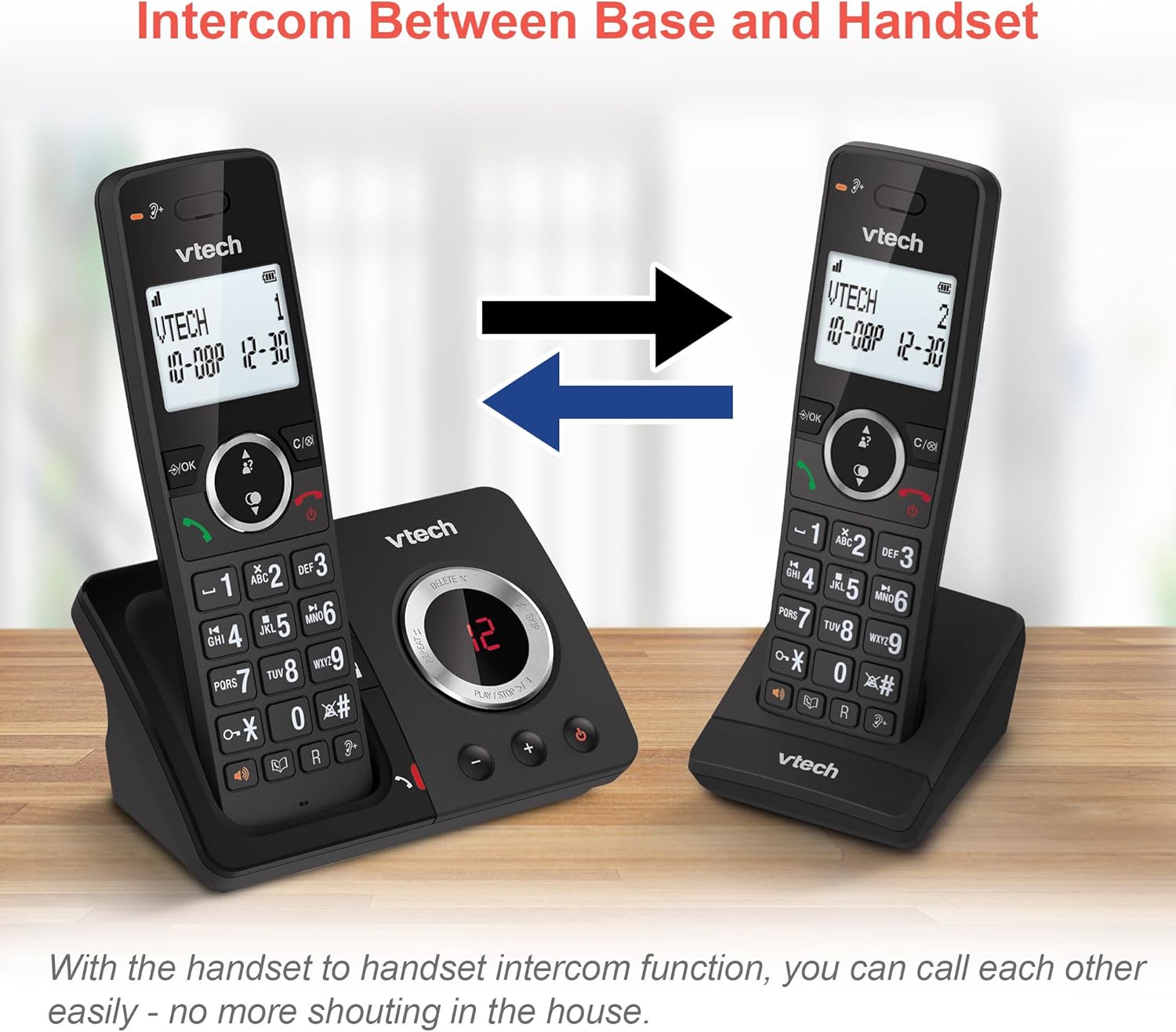
Image: Two VTech ES2051 DECT Cordless Handsets are shown with arrows indicating communication between them, illustrating the intercom function.
4.9 Konferencja 3-stronna
The 3-way calling feature allows you to conference a call with two internal callers (handsets) and one external caller into a single conversation.

Image: Three individuals are depicted using phones, visually representing the 3-way conference call capability of the VTech ES2051 system.
5. Konserwacja
5.1 Czyszczenie
Clean the phone and base unit with a soft, slightly damp Ściereczką. Nie używaj środków czyszczących o działaniu ściernym ani rozpuszczalników. Upewnij się, że do urządzenia nie dostanie się żaden płyn.
5.2 Pielęgnacja baterii
To prolong battery life, avoid overcharging by not leaving the handsets on the charger for extended periods once fully charged. If the phone will not be used for a long time, remove the batteries.
6. Rozwiązywanie Problemów
Jeśli masz problemy z urządzeniem VTech ES2051, zapoznaj się z poniższymi typowymi problemami i ich rozwiązaniami:
- Brak sygnału wybierania: Ensure the telephone line cord is securely connected to both the base unit and the wall socket. Check that the power adapter is plugged in correctly.
- Nie można wykonywać/odbierać połączeń: Verify that the phone line is active. Check battery charge level on the handset.
- Słaba jakość dźwięku/Statyczne zakłócenia: Move the handset closer to the base unit. Avoid placing the base unit near other electrical appliances that may cause interference.
- Słuchawka nie ładuje się: Ensure the handset is correctly seated in the charging cradle and that the charging contacts are clean.
- Sekretarka nie nagrywa: Check if the answering machine memory is full. Ensure the answering machine is turned on.
7. Specyfikacje
| Funkcja | Szczegół |
|---|---|
| Marka | VTech |
| Model | ES2051 |
| Typ telefonu | Bezprzewodowy DECT |
| Typ systemu odbierającego | Cyfrowy |
| Identyfikacja dzwoniącego | Tak |
| Wymagane baterie | 4 AAA (w zestawie) |
| Waga przedmiotu | 0.78 kilograma |
| Wymiary opakowania | Wymiary 18.5 x 14 x 11 cm |
| Kolor | Czarny |
| UPC | 796575179615 |
8. Gwarancja i wsparcie
Aby uzyskać informacje dotyczące gwarancji i pomocy technicznej, zapoznaj się z dokumentacją dołączoną do zakupionego produktu lub odwiedź oficjalną stronę internetową VTech webZachowaj dowód zakupu na wypadek roszczeń gwarancyjnych.


