Wstęp
The BUGANI Open Ear Headphones are designed to provide a comfortable and immersive audio experience while allowing you to remain aware of your surroundings. Featuring a true open-ear design, these headphones rest gently on your ears without entering the ear canal, reducing stress and potential hearing loss from extended wear. Equipped with advanced Bluetooth 5.3 technology and powerful 16mm vibrating diaphragm speaker drivers, they deliver clear stereo sound and stable connectivity. With a long battery life and crystal-clear call quality thanks to built-in dual microphones and Environmental Noise Cancellation (ENC), these waterproof sport earbuds are ideal for various activities, including running, cycling, and daily use.
Co jest w pudełku
- BUGANI Open Ear Headphones
- 1 x kabel ładujący typu C
- 1 x Instrukcja obsługi

Image: The BUGANI Open Ear Headphones and their transparent charging case. The earbuds are white with silver accents, showcasing their unique open-ear design.
Organizować coś
Ładowanie słuchawek
Before first use, fully charge your BUGANI Open Ear Headphones. The charging case provides extended battery life for the earbuds.
- Umieść słuchawki w etui ładującym i upewnij się, że są prawidłowo osadzone.
- Connect the provided Type-C charging cable to the charging port on the case and plug the other end into a USB power source.
- The charging case will indicate charging status. A full charge for the charging box typically takes 1-2 hours.
- Słuchawki zapewniają do 6 godzin odtwarzania muzyki na jednym ładowaniu, a etui ładujące wydłuża całkowity czas odtwarzania do 30 godzin.

Image: The BUGANI Open Ear Headphones are shown inside their charging case, next to a smartphone displaying music. The image highlights the 30-hour total playtime with the charging case and 6 hours on a single charge.
Parowanie z urządzeniem
The BUGANI Open Ear Headphones feature one-step auto-pairing for stable and faster connection.
- Otwórz etui ładujące. Słuchawki automatycznie przejdą w tryb parowania.
- Włącz Bluetooth na swoim urządzeniu (smartfonie, tablecie, komputerze itp.).
- Szukaj "BUGANI OpenFit" in the list of available Bluetooth devices.
- Select "BUGANI OpenFit" to connect. Once connected, you will hear a confirmation sound, and the device will show "Connected".
- The headphones are compatible with any Bluetooth-enabled device.

Image: The BUGANI Open Ear Headphones are shown next to a smartphone displaying its Bluetooth settings, with "BUGANI OpenFit" listed as a connected device. This illustrates the one-step auto-pairing process.
Instrukcja obsługi
The BUGANI Open Ear Headphones feature intuitive touch controls for managing audio playback and calls.
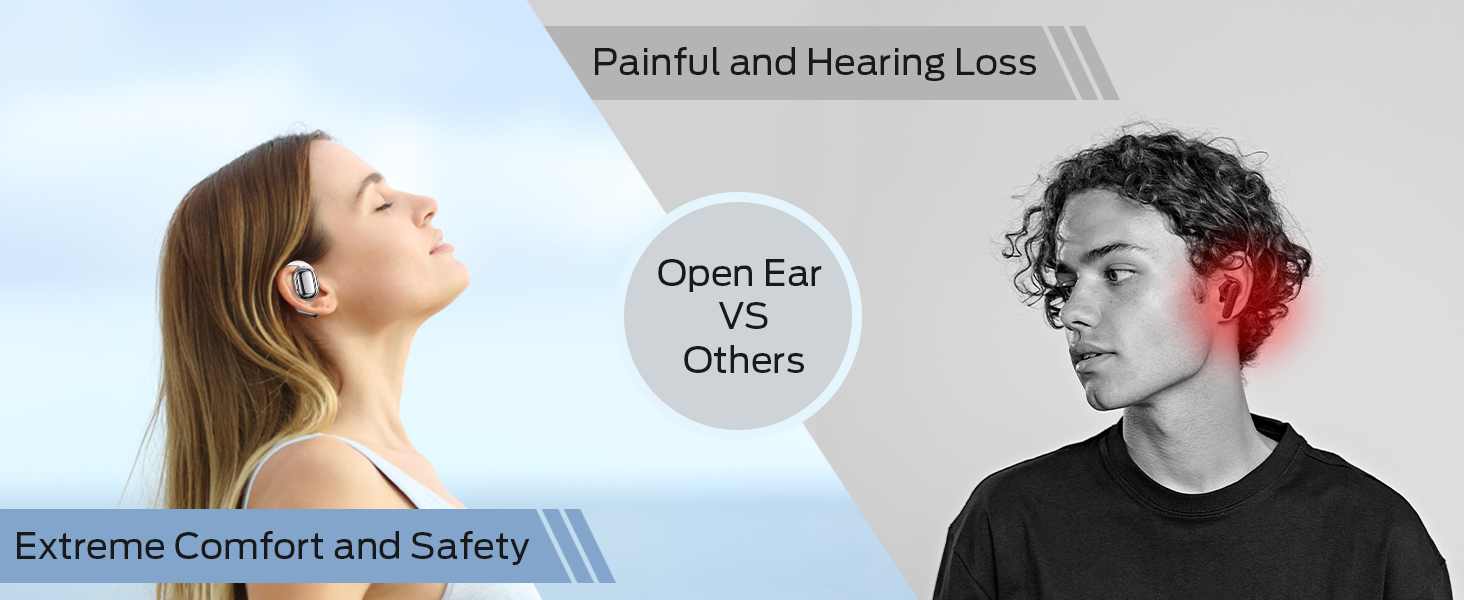
Image: A detailed diagram illustrating the touch control functions on the BUGANI Open Ear Headphones, showing gestures for volume, track control, call management, and voice assistant activation.
Funkcje sterowania dotykowego
| Funkcjonować | Działanie | Earbud (R/L) |
|---|---|---|
| Zwiększ głośność | Podwójne dotknięcie | Prawo (R) |
| Zmniejsz głośność | Podwójne dotknięcie | Lewy (L) |
| Poprzedni utwór | Potrójne dotknięcie | Lewy (L) |
| Następny utwór | Potrójne dotknięcie | Prawo (R) |
| Odtwórz/Pauza | Pojedyncze dotknięcie | Prawo (R) lub Lewo (L) |
| Odbierz/Zakończ połączenie | Pojedyncze dotknięcie | Prawo (R) lub Lewo (L) |
| Odrzuć połączenie | Naciśnij i przytrzymaj przez 2 sekund | Prawo (R) lub Lewo (L) |
| Aktywuj Asystenta Głosowego | Naciśnij i przytrzymaj przez 2 sekund | Lewy (L) |
Funkcje wywoławcze
The built-in dual microphones with ENC technology ensure clear communication during calls.

Image: A person is shown smiling while using the BUGANI Open Ear Headphones to make a call, emphasizing the clear call quality feature.
- Odbieranie / kończenie połączeń: Stuknij raz dowolną słuchawkę.
- Odrzucanie połączeń: Naciśnij i przytrzymaj dowolną słuchawkę przez 2 sekund.
Odtwarzanie dźwięku
Experience immersive stereo sound with the 16mm vibrating diaphragm speaker drivers.

Image: A person is shown relaxing and enjoying music while wearing the BUGANI Open Ear Headphones, with visual effects indicating immersive stereo sound.
- Odtwórz/Pauza: Stuknij raz dowolną słuchawkę.
- Następny utwór: Triple tap the Right (R) earbud.
- Poprzedni utwór: Triple tap the Left (L) earbud.
- Zwiększenie głośności: Double tap the Right (R) earbud.
- Ściszanie: Double tap the Left (L) earbud.
Konserwacja
Właściwa konserwacja zapewnia długowieczność i optymalną wydajność słuchawek.
Odporność na wodę
The BUGANI Open Ear Headphones are rated IPX5 waterproof, providing protection against sweat, splashes, and light rain. They are suitable for exercise and sports activities.

Image: A man is shown running and sweating, with water droplets splashing, illustrating the IPX5 waterproof rating of the headphones, protecting them from sweat and light rain.
Opieka ogólna
- Regularnie czyść słuchawki douszne i etui ładujące miękką, suchą ściereczką.
- Unikaj stosowania ściernych środków czyszczących i rozpuszczalników.
- Gdy nie używasz słuchawek, przechowuj je w etui ładującym, aby je chronić i utrzymać naładowanie.
- Unikaj wystawiania słuchawek na działanie ekstremalnych temperatur lub bezpośredniego światła słonecznego przez dłuższy czas.
Rozwiązywanie problemów
If you encounter any issues with your BUGANI Open Ear Headphones, please refer to the following common solutions:
| Problem | Możliwa przyczyna | Rozwiązanie |
|---|---|---|
| Słuchawki nie włączają się. | Niski poziom naładowania baterii. | Place earbuds in the charging case and charge the case fully. |
| Nie można sparować z urządzeniem. | Bluetooth w urządzeniu jest wyłączony; słuchawki nie są w trybie parowania; urządzenie znajduje się za daleko. | Ensure Bluetooth is enabled on your device. Open the charging case to enter pairing mode. Keep headphones within 10 meters of your device. |
| Brak dźwięku lub niski poziom głośności. | Volume too low; not properly connected; earbud placement. | Adjust volume on both headphones and connected device. Re-pair the headphones. Ensure earbuds are correctly positioned on your ears. |
| Przerywane połączenie/przerwy w dźwięku. | Zakłócenia; urządzenie znajduje się za daleko; słaba bateria. | Move closer to your device. Avoid areas with strong Wi-Fi or other Bluetooth interference. Charge the headphones. |
| Mikrofon nie działa podczas rozmów. | Zablokowany mikrofon; problem z oprogramowaniem. | Ensure nothing is obstructing the microphone. Restart your device and reconnect the headphones. |
Specyfikacje
| Funkcja | Szczegół |
|---|---|
| Nazwa modelu | BUGANI OpenFit |
| Numer modelu | B06 |
| Technologia łączności | Bezprzewodowy (Bluetooth) |
| Wersja Bluetooth | 5.3 |
| Typ sterownika audio | Przetwornik dynamiczny 16 mm |
| Zakres częstotliwości | 20 Hz do 20,000 Hz |
| Czas pracy baterii (słuchawki douszne) | Do 6 godzin |
| Całkowity czas odtwarzania (z etui ładującym) | Do 30 godzin |
| Port ładowania | Typ C |
| Poziom wodoodporności | Wodoodporność IPX5 |
| Metoda kontroli | Dotykać |
| Waga produktu (słuchawki douszne) | 10 gram |
| Tworzywo | Plastikowy |
| Wymiary produktu | 5 x 3 x 3 cala |
| Kompatybilne urządzenia | Smartphones, computers, tablets, MP3 players, TVs, Laptops, Desktops |
| Zalecane zastosowania | Cycling, Calling, Running, Snowboarding, Skateboarding, Exercising, Gaming |
Oficjalny film o produkcie
Wideo: Oficjalny film prezentujący produktasing the key features and design of the BUGANI Open Ear Headphones, including their open-ear comfort, sound quality, and battery life.
Gwarancja i wsparcie
For warranty information and customer support, please refer to the contact details provided on the product packaging or visit the official BUGANI webstrona. Zachowaj dowód zakupu na potrzeby roszczeń gwarancyjnych.
If you require further assistance or have questions not covered in this manual, please contact BUGANI customer service.


