1. Wprowadzenie
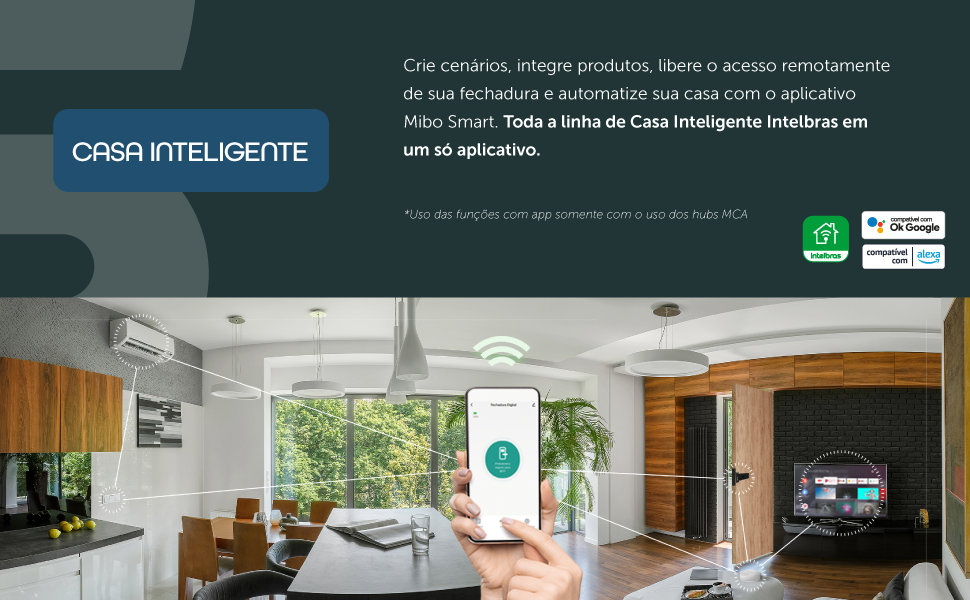
The Intelbras MFR 1001 Smart Overlay Lock is an integral component of the Intelbras Mibo smart home ecosystem. This smart lock enables various smart home commands, such as controlling curtains, lights, viewing camera images, and managing other connected equipment. The MFR 1001 supports up to 100 user passwords and offers remote access via the Mibo application. It is powered by 4 AA batteries, providing an average battery life of 10 months (based on 10 daily accesses). Key features of the MFR 1001 include automatic locking, a 'Do Not Disturb' function, and comprehensive remote management of access and users.

Rycina 1: Przód view of the Intelbras MFR 1001 Smart Overlay Lock.
Główne cechy:
- Password Access: Supports up to 100 user passwords.
- Zarządzanie zdalne: Control the lock and manage access via the Mibo Smart App (requires Mibo automation hub, sold separately).
- Automatyczne blokowanie: Ensures the door is securely locked after closing.
- Do Not Disturb Function: Prevents notifications during specified periods.
- Zasilany bateryjnie: Operates on 4 AA alkaline batteries with a low battery alert.
- Integracja inteligentnego domu: Compatible with Alexa and Google Assistant when connected to a Mibo automation hub.
2. Zawartość opakowania
Sprawdź, czy w opakowaniu znajdują się wszystkie komponenty:
- 1 x Intelbras MFR 1001 Digital Lock Unit
- 4 x baterie alkaliczne AA
- 1 x szablon instalacyjny
3. Specyfikacje
| Funkcja | Szczegół |
|---|---|
| Model | Numer katalogowy 1001 |
| Marka | Inteligentny |
| Kolor | Czarny |
| Tworzywo | Metal |
| Typ zamka | Keypad/Combination Lock |
| Zasilacz | 4 x baterie alkaliczne AA |
| Czas pracy baterii (średni) | Up to 10 months (10 accesses/day) |
| Wymiary produktu (dł. x szer. x wys.) | Wymiary 18 x 7.2 x 17.8 cm |
| Waga produktu | 1.25 kilogramów |
| Zgodność grubości drzwi | 25mm to 50mm (wooden pivot doors) |
| Max Passwords | 100 (with Mibo hub) |
| Cechy specjalne | Low battery alert, Automatic locking, Do Not Disturb function |
4. Instalacja
The MFR 1001 is an overlay lock designed for wooden pivot doors with a thickness between 25mm and 50mm. Proper installation is crucial for the lock's functionality and security. It is recommended to consult a qualified professional for installation, as it may involve drilling into the door.
Kroki instalacji zakończoneview:
- Przygotuj drzwi: Ensure the door is clean and within the compatible thickness range (25mm to 50mm).
- Użyj szablonu: Position the provided installation template on the door to mark drilling points accurately.
- Wiercenie otworów: Carefully drill the necessary holes as indicated by the template.
- Zamontuj zamek: Secure the internal and external units of the lock to the door using the provided screws.
- Połącz komponenty: Ensure all cables and mechanical parts are correctly connected according to the detailed installation guide (not provided in this summary).
- Funkcjonalność testu: After installation, test the lock's basic functions before proceeding with setup.
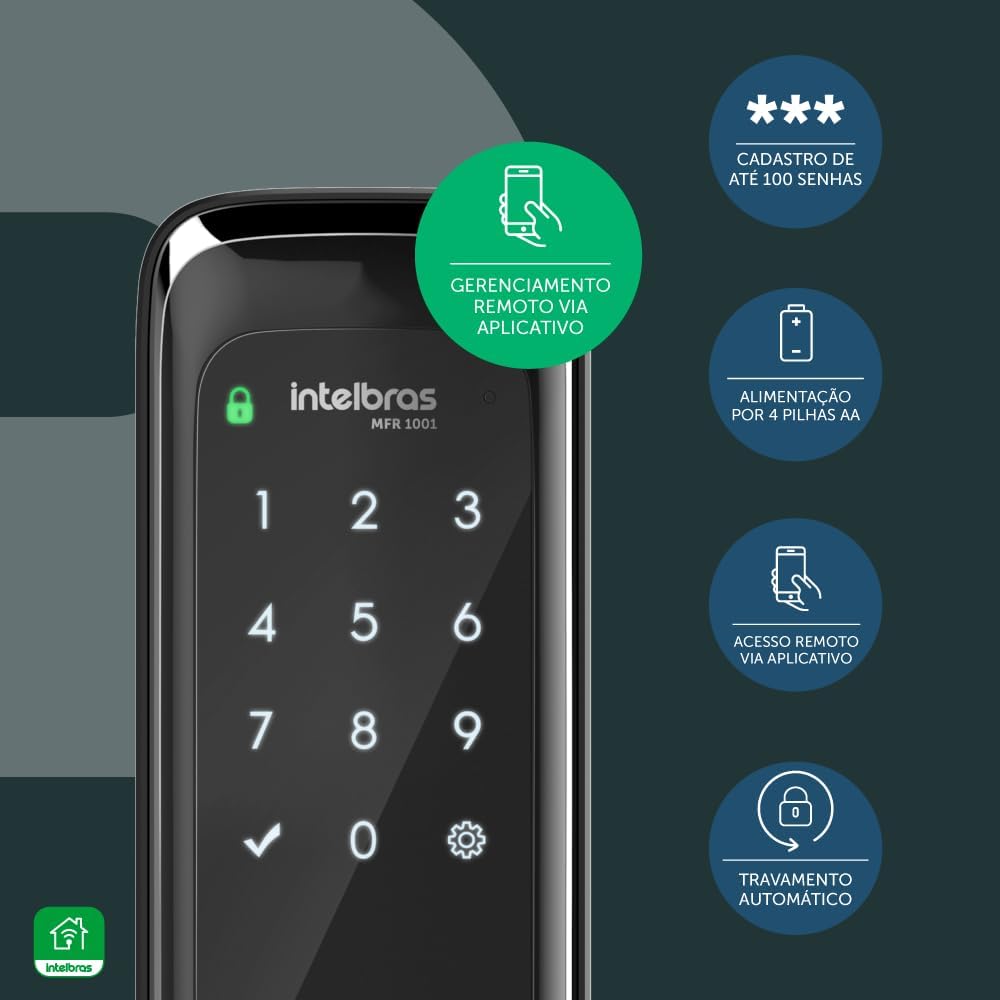
Figure 2: The MFR 1001 lock installed on a door, illustrating compatibility with door thicknesses between 25mm and 50mm.

Figure 3: Diagram showing the use of the installation template for the MFR 1001 lock.
5. Konfiguracja
5.1. Instalacja baterii
- Znajdź komorę baterii we wnętrzu zamka.
- Włóż 4 baterie alkaliczne AA, zwracając uwagę na prawidłową biegunowość.
- Dokładnie zamknij pokrywę komory baterii.
5.2. Initial Password Setup
Upon first use, you will need to set an initial master password. Refer to the detailed product manual for specific key sequences. Ważny: Without the Mibo automation hub, the lock supports only a single user password. To register multiple passwords (up to 100) and enable advanced smart features, the Mibo automation hub (MCA 1001 or MCA 1002) is required and sold separately.
5.3. Mibo Smart App Integration (Optional)
To unlock the full smart capabilities of your MFR 1001 lock, including remote management, access logs, and integration with other smart home devices, you must connect it to an Intelbras Mibo automation hub (MCA 1001 or MCA 1002), which is sold separately.
- Ensure your Mibo automation hub is set up and connected to your home network.
- Download the Mibo Smart App from your device's app store.
- Follow the in-app instructions to add your MFR 1001 lock to your Mibo smart home ecosystem.
- Once connected, you can manage passwords, view access history, and control the lock remotely.

Figure 4: The MFR 1001 lock demonstrating integration with the Mibo Hub and smartphone app for enhanced smart home features.
6. Instrukcja obsługi
6.1. Unlocking with a Password
- Aby aktywować, dotknij klawiatury.
- Wprowadź zarejestrowane hasło.
- Press the confirmation key (usually '✓' or '#'). The lock will unlock.
6.2. Automatyczne blokowanie
The MFR 1001 features automatic locking. After the door is closed, the lock will automatically engage after a short delay (default setting, configurable via app if hub is connected).
6.3. Do Not Disturb Function
Activate the 'Do Not Disturb' function from the interior unit or via the Mibo Smart App (with hub) to temporarily disable external access or notifications. This is useful for privacy or during periods of rest.
6.4. Remote Access and Management (with Mibo Hub)
When connected to a Mibo automation hub, you can:
- Grant Remote Access: Unlock the door for visitors even when you are away.
- Manage Passwords: Add, delete, or modify up to 100 user passwords.
- View Dzienniki dostępu: Monitor entry and exit times through the app.
- Integrate with Smart Home: Connect with Alexa or Google Assistant for voice control and create automation routines with other Mibo devices.
Rysunek 5: Koniecview of key operational features of the MFR 1001 lock.
7. Konserwacja
7.1. Wymiana baterii
The MFR 1001 is powered by 4 AA alkaline batteries. The lock will emit an audible alert when the battery level reaches approximately 80% usage, indicating that replacement is needed soon. Replace all four batteries simultaneously with new alkaline batteries to ensure optimal performance.
7.2. Czyszczenie
To clean the lock's exterior, use a soft, dry cloth. Avoid using abrasive cleaners, solvents, or harsh chemicals, as these can damage the finish or electronic components.
8. Rozwiązywanie Problemów
- Zamek nie odpowiada: Check battery levels. If the batteries are low or depleted, replace them. Ensure the keypad is clean and free from obstructions.
- Hasło nie działa: Verify that the correct password is being entered. If multiple passwords are used, ensure the lock is connected to the Mibo hub for proper management.
- Problemy z łącznością aplikacji: Ensure your Mibo automation hub is powered on and connected to your home Wi-Fi network. Check the Mibo Smart App for any error messages or connection status.
- Automatic Locking Malfunction: Ensure the door sensor (if applicable) is correctly aligned and not obstructed. Check for any physical obstructions preventing the bolt from extending fully.
For more detailed troubleshooting or persistent issues, refer to the comprehensive product manual available on the Intelbras webodwiedź witrynę lub skontaktuj się z działem obsługi klienta.
9. Gwarancja i wsparcie
The Intelbras MFR 1001 Smart Overlay Lock comes with a 2-letnia gwarancja na Intelbras, covering manufacturing defects and malfunctions under normal use. For warranty claims or technical assistance, please contact Intelbras customer support.
Intelbras oferuje Obsługa klienta 24/7 to assist with any questions or issues you may encounter with your MFR 1001 lock.

Figure 6: The MFR 1001 lock highlighting the 2-year warranty and 24/7 support.
For further information, visit the official Intelbras website or refer to the complete product documentation.


