Wstęp
The Sharp GX-BT290 Crystal Clear Series Portable Bluetooth Speaker is designed to deliver high-quality audio with enhanced bass, offering a robust and portable listening experience. Featuring IP67 waterproof and dustproof capabilities, a long-lasting 14-hour battery, and versatile connectivity options including True Wireless Stereo (TWS) pairing, this speaker is suitable for various environments. It also includes a built-in microphone for hands-free calling and two distinct LED light modes to enhance your audio experience.
Zawartość opakowania
- Sharp GX-BT290 Bluetooth Speaker
- USB Charging Cable (not explicitly listed but implied for battery charging)
- Instrukcja obsługi (ten dokument)
Organizować coś
1. Ładowanie głośnika
Before first use, fully charge the speaker. Connect the provided USB charging cable to the speaker's charging port and the other end to a compatible USB power adapter (not included) or a computer's USB port. The charging indicator light will illuminate during charging and turn off once fully charged. A full charge provides approximately 14 hours of playtime.
2. Włączanie/wyłączanie zasilania
Naciśnij i przytrzymaj Przycisk zasilania located on the control panel until you hear an audible prompt or see the indicator lights activate. To power off, press and hold the Przycisk zasilania Ponownie.

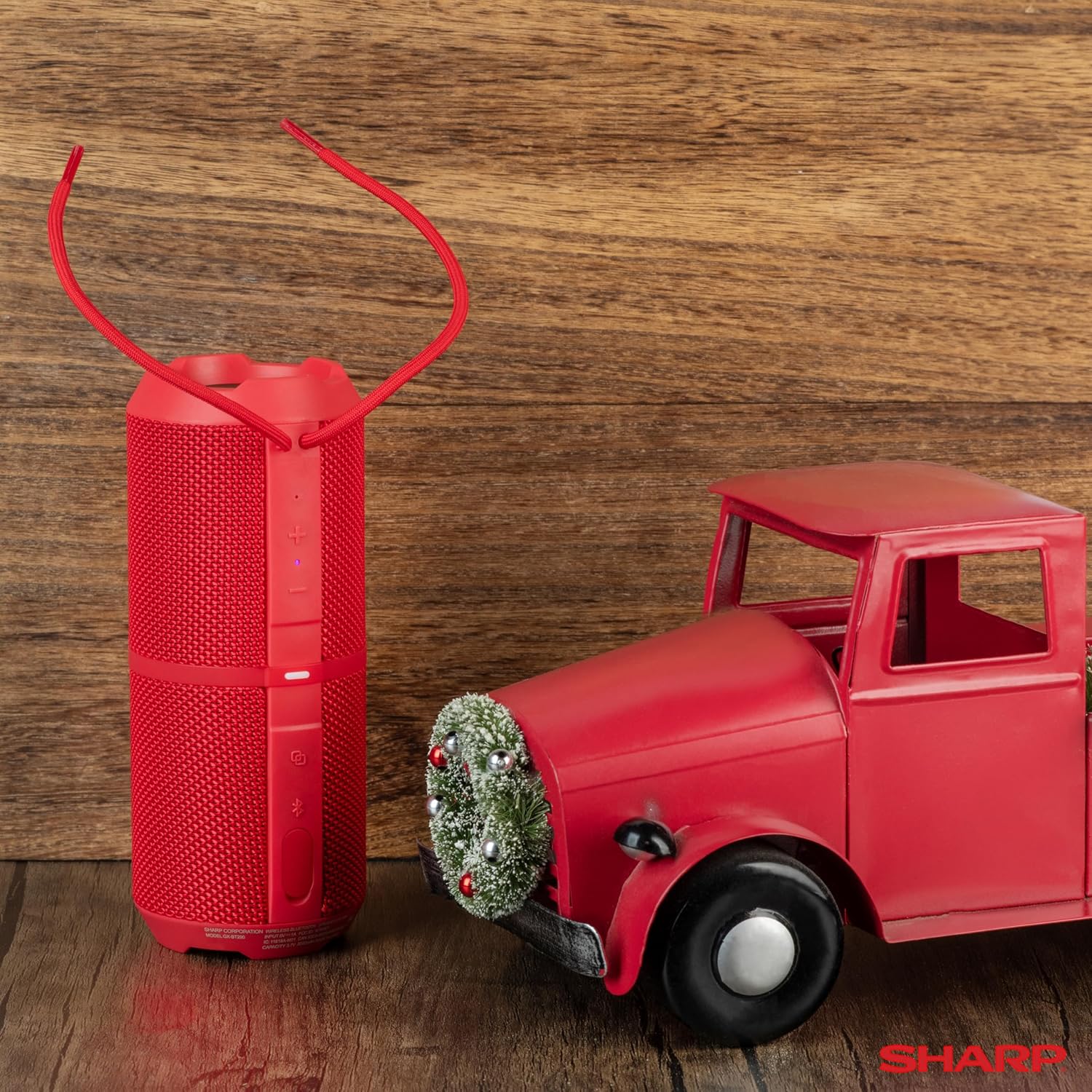
Image: The Sharp GX-BT290 speaker in red, displaying its vertical control panel with power, volume, light mode, and Bluetooth buttons. This view highlights the speaker's cylindrical design and integrated strap.
Instrukcja obsługi
1. Parowanie Bluetooth
- Ensure the speaker is powered on and in Bluetooth pairing mode (indicated by a flashing blue LED). If not, briefly press the Przycisk Bluetooth.
- Na swoim urządzeniu (smartfonie, tablecie, laptopie) włącz Bluetooth i wyszukaj dostępne urządzenia.
- Select "GX-BT290" from the list of found devices.
- Once connected, the speaker will provide an audible confirmation, and the Bluetooth LED will become solid blue.
2. Prawdziwe bezprzewodowe parowanie stereo (TWS)
To achieve a stereo sound experience, you can pair two GX-BT290 speakers together:
- Ensure both GX-BT290 speakers are powered on and not connected to any other Bluetooth device.
- Na jednym głośniku (będzie to główny głośnik) naciśnij i przytrzymaj Przycisk TWS (often integrated with the Bluetooth button or a dedicated button).
- Główny głośnik wyszuka dodatkowego głośnika. Po połączeniu oba głośniki potwierdzą połączenie dźwiękiem.
- Teraz połącz urządzenie z głównym głośnikiem przez Bluetooth, zgodnie z opisem w sekcji „Parowanie Bluetooth”. Dźwięk będzie odtwarzany w stereo przez oba głośniki.
3. Odtwarzanie dźwięku i regulacja głośności
- Użyj Zwiększanie głośności (+) I Ściszanie (-) buttons on the speaker to adjust the playback volume.
- Naciśnij Przycisk Odtwórz/Pauza (often integrated with the Power button or a dedicated button) to play or pause audio.
- For track navigation, refer to your connected device's controls.
4. Dzwonienie bez użycia rąk
When connected to a smartphone, the speaker's built-in microphone allows for hands-free calls:
- To answer an incoming call, briefly press the Przycisk połączenia (often integrated with the Play/Pause button).
- To end a call, briefly press the Przycisk połączenia Ponownie.
- Aby odrzucić połączenie przychodzące, naciśnij i przytrzymaj Przycisk połączenia.
5. Tryby oświetlenia LED
The speaker features two LED light modes. Briefly press the Przycisk trybu światła (often indicated by a lightbulb icon) to cycle through the available light effects or to turn them off.
Obraz: Wybuch view of the Sharp GX-BT290 speaker, illustrating its unique cylinder design, DSP technology, and the precision dual drivers responsible for exceptional depth and clarity in sound.
Konserwacja
Czyszczenie
Przetrzyj głośnik miękką, suchą lub lekko wilgotną szmatką.amp ściereczką. Nie używaj środków czyszczących zawierających substancje ścierne, alkoholu ani rozpuszczalników chemicznych, ponieważ mogą one uszkodzić powierzchnię.
Wodoodporny i pyłoszczelny (IP67)
The GX-BT290 is rated IP67, meaning it is protected from dust ingress and can withstand immersion in water up to 1 meter for 30 minutes. Ensure the charging port cover is securely closed before exposing the speaker to water or dust. After exposure to water, dry the speaker thoroughly before charging.

Image: The Sharp GX-BT290 speaker being splashed with water, visually demonstrating its IP67 water and dustproof capabilities. This image emphasizes the speaker's durability for outdoor use.
Składowanie
Store the speaker in a cool, dry place away from direct sunlight and extreme temperatures when not in use for extended periods. Avoid storing in environments with high humidity.
Rozwiązywanie problemów
| Problem | Możliwa przyczyna | Rozwiązanie |
|---|---|---|
| Głośnik się nie włącza | Niski poziom naładowania baterii; przycisk zasilania nie został prawidłowo naciśnięty | Naładuj głośnik; naciśnij i przytrzymaj przycisk zasilania przez kilka sekund |
| Brak dźwięku | Volume too low; Not paired; Device volume low | Increase speaker volume; Ensure successful Bluetooth pairing; Increase volume on connected device |
| Nie można sparować z urządzeniem | Głośnik nie jest w trybie parowania; Bluetooth urządzenia jest wyłączony; Zbyt duża odległość od głośnika | Ensure speaker is flashing blue LED; Turn on device Bluetooth; Move device closer to speaker (within 33 feet) |
| Parowanie TWS nie powiodło się | Speakers already paired to other devices; Too far apart | Disconnect speakers from other devices; Ensure speakers are close to each other during TWS pairing |
| Słaba jakość dźwięku | Interference; Device too far; Low battery | Move away from other wireless devices; Move device closer; Charge the speaker |
Specyfikacje
| Funkcja | Specyfikacja |
|---|---|
| Nazwa modelu | GX-BT290(R) |
| Typ głośnika | Plenerowy |
| Cechy specjalne | Bass Boost, Built-in Microphone, Dustproof, LED Light, Lightweight |
| Technologia łączności | Bluetooth |
| Zasięg bezprzewodowej | Do 33 stóp (10 metrów) |
| Moc wyjściowa | 32W Max Power (16W RMS) |
| Poziom wodoodporności | IP67 (wodoodporność i pyłoszczelność) |
| Żywotność baterii | Do 14 godzin |
| Źródło zasilania | Zasilanie bateryjne (w zestawie 1 bateria litowo-jonowa) |
| Wymiary produktu | 3" gł. x 7.5" szer. x 3" wys. (ok. 7.6 cm gł. x 19 cm szer. x 7.6 cm wys.) |
| Waga przedmiotu | 16 uncji (ok. 0.45 kg) |
| Zawarte komponenty | Głośnik Bluetooth |
| Kolor | Czerwony |

Image: A hand holding the Sharp GX-BT290 speaker, demonstrating its compact size and portability. This image provides a sense of scale for the device.
Gwarancja i wsparcie
For warranty information, technical support, or customer service inquiries, please refer to the documentation included with your purchase or visit the official Sharp webZachowaj dowód zakupu na wypadek roszczeń gwarancyjnych.
Aby uzyskać dalszą pomoc, możesz również skontaktować się ze sprzedawcą, u którego kupiłeś produkt.


