1. Wprowadzenie
The VTech VG131-11 DECT 6.0 Cordless Phone offers reliable and clear communication with advanced features. Enjoy hands-free conversations with Bluetooth connectivity, superior range with DECT 6.0 technology, and enhanced visibility with its backlit display and large buttons. This manual provides comprehensive instructions for setting up, operating, and maintaining your new cordless phone.

Image: The VTech VG131-11 DECT 6.0 Cordless Phone handset resting in its black base unit. The handset features a blue-white display and large, green-backlit buttons.
2. Co znajduje się w pudełku
Upewnij się, że w przesyłce znajdują się wszystkie elementy:
- Jednostka bazowa
- Bezprzewodowa słuchawka
- Zasilacz sieciowy
- Zestaw baterii
- Przewód telefoniczny
3. Konfiguracja
3.1. Pierwsza instalacja
- Podłącz zasilacz sieciowy do jednostki bazowej i podłącz go do gniazdka elektrycznego.
- Connect the telephone line cord to the base unit and plug the other end into a telephone wall jack.
3.2. Instalacja baterii
- Otwórz pokrywę komory baterii z tyłu słuchawki.
- Podłącz wtyczkę akumulatora do gniazda wewnątrz komory.
- Umieść akumulator etykietą do góry i starannie ułóż przewody wewnątrz komory.
- Zamknij pokrywę komory baterii.
3.3. Ładowanie słuchawki
Place the handset face forward in the base unit. The CHARGE light on the base unit will illuminate, indicating proper charging. Allow the handset to charge for at least 16 hours before initial use for optimal battery performance.
4. Instrukcja obsługi
4.1. Wykonywanie i odbieranie połączeń
- Aby wykonać połączenie: Naciśnij ROZMAWIAĆ, a następnie wybierz numer telefonu.
- To receive a call: Press ROZMAWIAĆ or any dialing key (0-9, #, *).
- Aby zakończyć połączenie: Naciśnij WYŁĄCZONY.
4.2. Korzystanie z głośnika
The phone features a full-duplex speakerphone, allowing both parties to speak and be heard simultaneously for more natural conversations.
- Podczas połączenia naciśnij GŁOŚNIK przycisk, aby włączyć głośnik.
- Naciśnij GŁOŚNIK button again to switch back to handset mode.
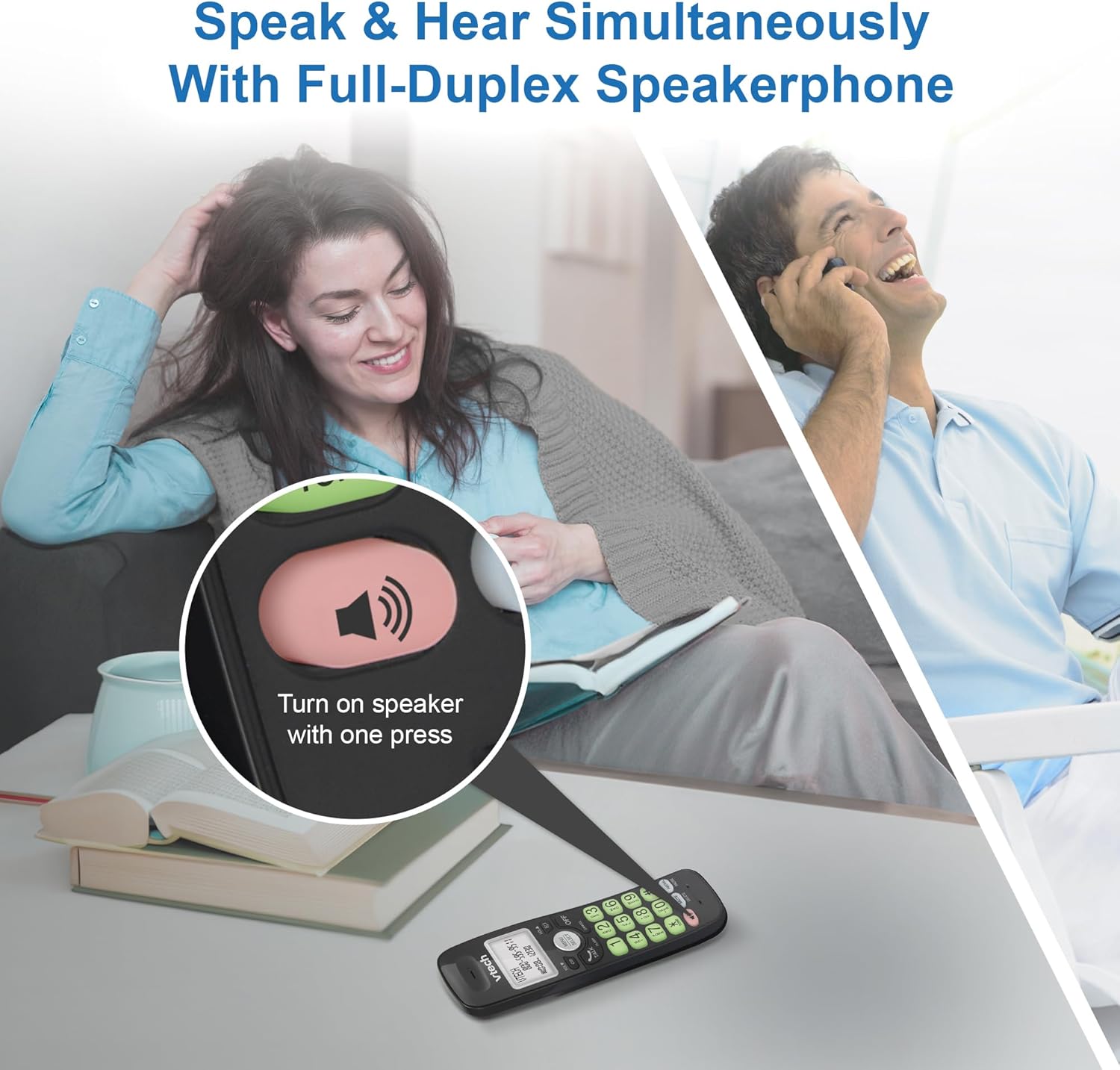
Image: A close-up of the VTech cordless phone handset showing the speakerphone button highlighted, with a person talking on the phone in the background, demonstrating the full-duplex speakerphone feature.
4.3. Regulacja głośności i wyciszenie
- To adjust earpiece or speakerphone volume during a call, press Tom ▼ or TOM ▲.
- To mute the microphone during a call, press NIEMY. The other party cannot hear you, but you can still hear them. Press NIEMY ponownie, aby wyłączyć wyciszenie.

Obraz: szczegółowy view of the VTech cordless phone handset, highlighting the 'MUTE' button, indicating its function for silencing the microphone during a call.
4.4. Caller ID and Phonebook
The handset displays the name, number, time, and date of incoming calls. The phone also includes a 30-name and number phonebook directory.
- Aby ponownieview Caller ID history, press CID.
- To access the phonebook, press MENU/WYBIERZ, then navigate to the Phonebook option.

Image: A person smiling while holding the VTech cordless phone, with an overlay showing a digital phonebook display with contact names and icons, illustrating the Caller ID and phonebook features.
5. Funkcje
5.1. Połączenie Bluetooth
By pairing a Bluetooth headset, earbuds, or conference speakerphone to the system, you can enjoy a wireless calling experience. This feature is perfect for multitasking around your home or office.

Image: A woman in a kitchen pouring a drink while wearing wireless earbuds, with the VTech cordless phone and its base unit visible on the counter, demonstrating hands-free calling via Bluetooth connection.
Parowanie urządzenia Bluetooth:
- Ensure your Bluetooth headset/earbuds are in pairing mode (refer to your device's manual).
- On the VTech phone, navigate to the Bluetooth menu (usually via MENU/WYBIERZ).
- Select 'Pair Device' or similar option.
- The phone will search for available Bluetooth devices. Select your device from the list.
- Postępuj zgodnie ze wskazówkami wyświetlanymi na ekranie, aby dokończyć proces parowania.
5.2. DECT 6.0 Technology
Trusted by families worldwide for decades, VTech's cordless telephone transmits secure signals via the DECT 6.0 channel. This ensures crystal clear sounds, interference-free communication, and a stable operation range of up to 1000 ft outdoors, allowing you to move freely while on a call.

Image: A woman working on a laptop at a table, with the VTech cordless phone and its base unit nearby, and a graphic indicating DECT 6.0 digital technology, highlighting its superior range and clarity.
5.3. Backlit Display and Big Buttons
The phone features a blue-white backlit display and green backlit keypad for easier viewing and dialing in dim light conditions. The large buttons enhance usability, especially for those with visual impairments.

Obraz: Zbliżenie view of the VTech cordless phone handset, emphasizing its backlit LCD screen and large, clearly visible buttons, designed for better visibility and ease of use.
5.4. Easy Wall Mount
The base unit is designed for easy wall mounting, fitting all standard wall mount plates without the need for additional brackets. Simply slide the base unit into the mounting plate using the built-in mounting holes for convenient placement.

Image: The VTech cordless phone base unit shown mounted on a wall, highlighting its built-in mounting holes on the back of the base for easy installation.
5.5. Hearing Aid Compatible
This phone is designed to be compatible with hearing aids, providing a clearer audio experience for users with hearing devices.

Image: A woman with a hearing aid talking on the VTech cordless phone, illustrating the phone's hearing aid compatibility feature.
5.6. Koniec produktuview Wideo
Wideo: Krótki opis produktuview of the VTech VG131-11 DECT 6.0 Cordless Phone, showcasing its key features and ease of use.
6. Konserwacja
To ensure the longevity and optimal performance of your VTech cordless phone, follow these maintenance guidelines:
- Czyszczenie: Przetrzyj telefon i jednostkę bazową miękką szmatką.amp ściereczką. Nie używaj sprayów czyszczących ani silnych środków chemicznych.
- Pielęgnacja baterii: Avoid exposing the battery to extreme temperatures. If the phone will not be used for an extended period, remove the battery from the handset.
- Umieszczenie: Trzymaj telefon z dala od źródeł ciepła, bezpośredniego światła słonecznego i wilgoci.
7. Rozwiązywanie Problemów
If you experience any issues with your VTech cordless phone, please refer to the following common problems and solutions:
| Problem | Rozwiązanie |
|---|---|
| Brak sygnału wybierania. | Ensure the telephone line cord is securely plugged into both the base unit and the wall jack. Check if the AC adapter is properly connected to the base unit and a working power outlet. |
| Słuchawka się nie ładuje. | Make sure the handset is correctly placed in the base unit. Clean the charging contacts on both the handset and the base unit with a dry cloth. Verify the AC adapter is plugged in. |
| Słaba jakość dźwięku lub szumy. | Move closer to the base unit. Other electronic devices (Wi-Fi routers, microwaves) may cause interference; try relocating the base unit. Ensure the handset battery is fully charged. |
| Cannot connect to Bluetooth headset. | Ensure both the phone and the Bluetooth headset are in pairing mode. Make sure the headset is within range of the phone's base unit. Try restarting both devices and attempting the pairing process again. Confirm the headset is compatible with the phone's Bluetooth version. |
| Wyświetlacz jest pusty lub nieczytelny. | Ensure the handset battery is charged. If the display is dim, check if the backlight setting is enabled or adjust the contrast if available. |
8. Specyfikacje
| Funkcja | Szczegół |
|---|---|
| Numer modelu | VG131-11 |
| Wymiary produktu | 3.8 x 4.09 x 7.17 cala |
| Waga przedmiotu | 14.9 uncji (0.42 kilograma) |
| Baterie | 1 bateria specyficzna dla produktu (w zestawie) |
| Typ telefonu | Bezprzewodowy |
| Tworzywo | Plastikowy |
| Źródło zasilania | Elektryczny przewodowy |
| Technologia DECT | DECT 6.0 |
| Bluetooth | Tak |
| Identyfikator dzwoniącego / Połączenie oczekujące | Tak |
| Głośnik pełnodupleksowy | Tak |
| Backlit Display & Keypad | Yes (Blue-white display, green keypad) |
| Możliwość montażu na ścianie | Tak |
| Pojemność książki telefonicznej | 30 nazwisk i numerów |
| Zakres | Up to 1000 ft outdoor |
9. Gwarancja i wsparcie
Aby uzyskać informacje o gwarancji, pomocy technicznej lub zakupić akcesoria, odwiedź oficjalną stronę internetową VTech webOdwiedź witrynę lub skontaktuj się z działem obsługi klienta. Zachowaj paragon jako dowód zakupu na wypadek reklamacji.
VTech Customer Service: www.vtechphones.com/support


