1. Wprowadzenie
This manual provides detailed instructions for the installation, operation, and maintenance of your ABSOSO Single Din Car Radio Receiver. Please read this manual thoroughly before using the product to ensure proper function and to prevent damage. Keep this manual for future reference.
2. Co znajduje się w pudełku
- Single Din Car Audio Unit
- Bezprzewodowy pilot na podczerwień
- Mounting Kits & Harness
- Instrukcja obsługi (ten dokument)
3. Funkcje produktu
The ABSOSO Single Din Car Radio Receiver offers a range of features designed to enhance your in-car audio experience:
- Bluetooth Audio & Calling: Connect your smartphone for hands-free calls and music streaming from apps like Spotify and Pandora.
- Radio AM/FM: Tune into 30 preset AM/FM radio stations with automatic and manual search options for news, weather, and music.
- Wysoka moc wyjściowa: Delivers 4 channels x 75 watts (300W total) built-in power audio amplifier for robust sound.
- LCD Display & Physical Buttons: Features an HD digital LCD screen and illuminated buttons/knob for comfortable viewing and easy control.
- Multiple Music Modes Input: Supports 3.5mm AUX-input, SD card, and dual USB ports (one for up to 64GB flash drive, the other for 2.1A quick charge).
- Obsługa formatu audio: Compatible with MP3, WAV, and WMA music formats.
- ID3 Tag Wyświetlacz: Shows additional data like title and artist for audio files.
- Preset EQ Configuration: Access various music styles such as Rock, POP, and Jazz for high-quality sound.
4. Konfiguracja i instalacja
Prawidłowa instalacja jest kluczowa dla optymalnej wydajności. Zaleca się, aby montaż urządzenia wykonał wykwalifikowany specjalista.
4.1. Schemat połączeń
Refer to the diagram below for correct power and speaker connections. Ensure all connections are secure to prevent short circuits or damage to the unit and vehicle's electrical system.

Figure 4.1: Wire Connection Diagram. This diagram illustrates the power cable connections (A) including +12V Constant Power Supply, Ground Wire, +12V Ignition Switch, and Antenna. It also shows the speaker cable connections (B) for 4-channel speaker output, including Rear Right, Front Right, Front Left, and Rear Left speakers. The rear panel of the unit is shown with Radio Antenna, SUB, Audio RCA, External Mic, Fuse (15A), and Power port.
4.2. Montaż
The unit is designed for a standard single DIN opening. Secure the unit using the provided mounting kits. Ensure adequate ventilation around the unit to prevent overheating.

Figure 4.2: Rear Panel with RCA Outputs. This image displays the rear of the car radio, showing the various ports including RCA outputs for subwoofer (SUB-1, SUB-2), rear left (R-L), rear right (R-R), front left (F-L), and front right (F-R) channels, indicating its 300W high power and pre-amp możliwości.
5. Instrukcja obsługi
5.1. Sterowanie ogólne
The front panel features an LCD display, a rotary knob, and various buttons for control. The rotary knob typically controls volume and can be pressed for menu selections. Buttons are illuminated for visibility.

Figure 5.1: LCD Display and Rotary Knob. This image highlights the digital LCD screen and the central rotary knob, which features dynamic color-changing illumination, providing a comfortable viewing experience and matching various car interior styles.
5.2. Parowanie Bluetooth
Aby połączyć urządzenie mobilne przez Bluetooth:
- Upewnij się, że Bluetooth jest włączony w Twoim urządzeniu mobilnym.
- Select the Bluetooth source on the car radio. The display will show 'BT'.
- Szukaj available devices on your mobile phone and select 'ABSOSO Car Audio' (or similar name).
- Po sparowaniu możesz wykonywać połączenia bez użycia rąk i przesyłać strumieniowo dźwięk.

Figure 5.2: Hands-Free Calling & Wireless Streaming. This image shows the car radio installed in a dashboard, with a smartphone displaying music playback, illustrating the seamless Bluetooth connectivity for hands-free calls and wireless music streaming.
5.3. Obsługa radia AM/FM
Press the 'BAND' button to switch between AM and FM bands. Use the seek buttons to automatically search for stations or manually tune using the rotary knob.
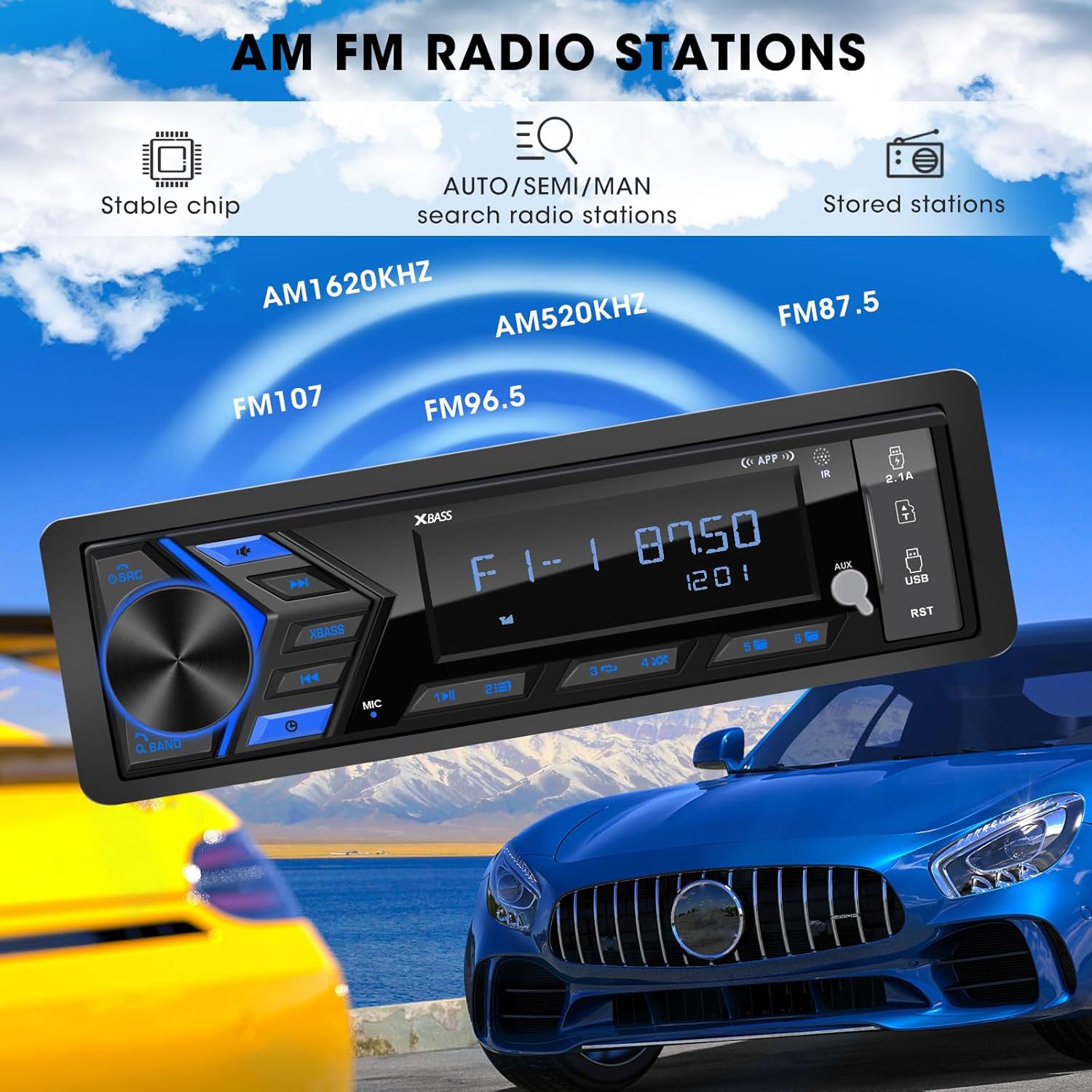
Figure 5.3: AM/FM Radio Stations. This image shows the car radio displaying a radio frequency (FM 87.50), with visual cues indicating its capability to receive AM (520KHz, 1620KHz) and FM (96.5, 107) radio stations, supported by a stable chip for auto/semi/manual search and stored stations.
5.4. Odtwarzanie multimediów (USB, SD, AUX)
Insert a USB flash drive or SD card into the respective ports. The unit will automatically switch to the corresponding mode and begin playback. Connect external audio devices via the 3.5mm AUX-input.

Figure 5.4: SD USB AUX-IN for Media Play. This image focuses on the front panel of the car radio, clearly labeling the 3.5mm Aux-in, 32GB SD Port, 64GB USB Flash Drive port, and a 2.1A Fast Charge USB port, indicating support for MP3/WAV/WMA music formats.
5.5. Sound Settings (EQ)
Access the equalizer settings through the menu to adjust audio output. Choose from preset EQ modes (Rock, POP, Jazz) or customize bass and treble levels to your preference.

Figure 5.5: Customizable EQ. This image shows the car radio's display with 'X-BASS ON' and 'BASS' settings, accompanied by a vibrant graphic of equalizer bars, illustrating the customizable sound settings available.
6. Konserwacja
Aby zapewnić długowieczność i optymalną pracę radia samochodowego, należy przestrzegać poniższych wskazówek dotyczących konserwacji:
- Czyszczenie: Use a soft, dry cloth to clean the unit's surface. For stubborn dirt, slightly dampPrzetrzyj szmatkę wodą. Unikaj stosowania silnych środków chemicznych, rozpuszczalników i ściernych środków czyszczących.
- Zapobieganie pyleniu: Utrzymuj urządzenie w czystości, bez kurzu i zanieczyszczeń, zwłaszcza wokół portów i obszarów wentylacyjnych.
- Temperatura: Unikaj wystawiania urządzenia na działanie ekstremalnych temperatur, długotrwałego bezpośredniego światła słonecznego i wysokiej wilgotności.
- Znajomości: Okresowo sprawdzaj wszystkie połączenia przewodów, aby mieć pewność, że są solidne i nie są skorodowane.
7. Rozwiązywanie Problemów
If you encounter issues with your ABSOSO Car Radio Receiver, refer to the table below for common problems and their solutions:
| Problem | Możliwa przyczyna | Rozwiązanie |
|---|---|---|
| Brak zasilania | Przepalony bezpiecznik; Nieprawidłowe okablowanie; Luźne połączenie zasilania. | Check and replace fuse (15A); Verify wiring according to diagram; Secure power connections. |
| Brak dźwięku | Volume too low; Mute function active; Incorrect speaker wiring; Faulty speakers. | Zwiększ głośność; Wyłącz wyciszenie; Sprawdź połączenia głośników; Przetestuj z różnymi głośnikami. |
| Bluetooth nie łączy się | Bluetooth nie jest włączony w urządzeniu; Urządzenie nie jest w trybie parowania; Zakłócenia. | Ensure Bluetooth is on; Put unit in pairing mode; Move closer to unit; Restart both devices. |
| Słaby odbiór radia | Antena nie jest podłączona; Obszar o słabym sygnale; Zakłócenia. | Check antenna connection; Try in a different location; Avoid strong electromagnetic fields. |
| USB/SD nie odtwarza się | Nieobsługiwane file format; Nośnik uszkodzony; Nieprawidłowo włożony. | Zapewnić files are MP3/WAV/WMA; Try different media; Reinsert or reformat media. |
8. Specyfikacje
| Funkcja | Specyfikacja |
|---|---|
| Wymiary produktu | 1.9" gł. x 7.4" szer. x 4.5" wys. (4.8 x 18.8 x 11.4 cm) |
| Waga przedmiotu | 1.28 funtów (0.58 kg) |
| Moc wyjściowa | 300 watów (maks.) |
| Konfiguracja kanału dźwięku przestrzennego | 4 kanały |
| Tryb wyjścia audio | Stereofoniczny |
| Technologia łączności | Pomocniczy, Bluetooth, USB |
| Kompatybilne urządzenia | Amplifier, MP3, Smartphone, Speaker |
| Numer modelu przedmiotu | Single Din Car Radio Receiver |
| Producent | ABSOSO |
9. Gwarancja i wsparcie
For warranty information and technical support, please refer to the documentation included with your purchase or contact ABSOSO customer service through the retailer where the product was purchased. Keep your proof of purchase for warranty claims.


