1. Wprowadzenie
Thank you for choosing the VIMTAG Light Bulb Security Camera Model 847. This device is designed to provide reliable surveillance for your home, offering 2.5K/4MP high-definition video, pan/tilt functionality, night vision, two-way audio, and smart detection features. This manual will guide you through the setup, operation, and maintenance of your camera to ensure optimal performance.
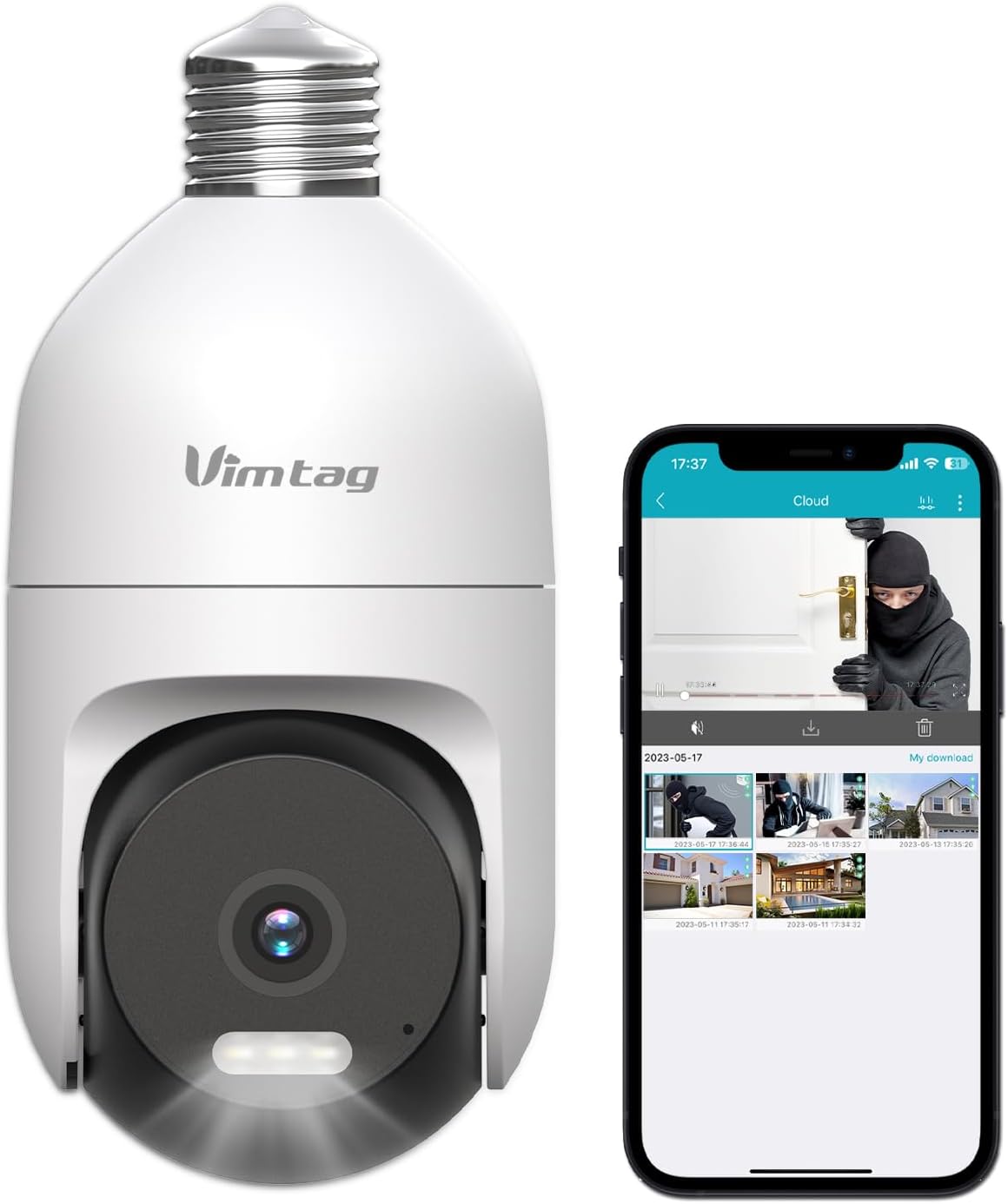
Image: The VIMTAG Light Bulb Security Camera Model 847, shown alongside a smartphone displaying its live feed.
2. Informacje dotyczące bezpieczeństwa
- Ensure the power is off before installing or removing the camera from a light socket.
- Install the camera in a standard E27/E26 light bulb socket.
- Nie wystawiaj aparatu na działanie ekstremalnych temperatur i wilgoci wykraczających poza zakres jego działania.
- Trzymaj aparat z dala od silnych pól magnetycznych.
- Nie próbuj samodzielnie demontować ani naprawiać aparatu. Skontaktuj się z obsługą klienta, aby uzyskać pomoc.
- This camera is rated IP66 for weather resistance, suitable for outdoor use, but avoid submerging it in water.
3. Zawartość opakowania
The VIMTAG Light Bulb Security Camera package includes:
- KRZEPATAG Light Bulb Security Camera (Model 847)
- Instrukcja obsługi (ten dokument)
Note: An SD card for local storage is not included and must be purchased separately if desired.
4. Koniec produktuview
The VIMTAG Light Bulb Security Camera features a compact design that fits into a standard light bulb socket. Key components include:
- Obiektyw aparatu: Captures 2.5K/4MP video.
- Diody LED podczerwieni (IR): Do widzenia w nocy w czerni i bieli.
- Reflektor: Zapewnia widzenie nocne w kolorze i działa odstraszająco.
- Mikrofon: Do wprowadzania danych audio podczas rozmów dwukierunkowych i wykrywania dźwięku.
- Głośnik: For audio output during two-way talk and siren alarms.
- Gniazdo kart Micro SD: Do lokalnego przechowywania plików wideo (obsługuje do 512 GB).
- Przycisk resetowania: Used for factory reset (usually a small pinhole).
- E27/E26 Base: Standard light bulb screw-in base for power and mounting.
5. Konfiguracja
5.1 Fizyczna instalacja
- Wyłączone: Ensure the power to the light socket is turned off at the circuit breaker before installation.
- Wkręcać: Carefully screw the VIMTAG Light Bulb Camera into a standard E27/E26 light bulb socket. Ensure it is securely fastened.
- Włączanie: Przywróć zasilanie do gniazda lampy. Kamera włączy się i rozpocznie sekwencję startową.

Image: Illustration of screwing the camera into a light bulb socket.
5.2 Pobieranie aplikacji i tworzenie konta
- Pobierz aplikację: Szukaj "Vimtag" in your smartphone's app store (iOS App Store or Google Play Store) and download the official VIMTAG aplikacja.
- Zarejestruj Konto: Open the app and follow the on-screen instructions to register a new account using your email address or phone number.

Image: A smartphone screen showing the VIMTAG app icon, indicating the app download step.
5.3 Parowanie kamery i połączenie Wi-Fi
- Dodaj urządzenie: In the VIMTAG app, tap the "+" icon (usually in the top right or center) to add a new device.
- Wybierz typ kamery: Choose "Light Bulb Camera" from the list of device types.
- Follow In-App Prompts: The app will guide you through connecting the camera to your 2.4GHz Wi-Fi network. This typically involves scanning a QR code generated by the app with the camera lens or listening for an audio prompt.
- Potwierdzenie połączenia: Once connected, the camera will indicate successful pairing (e.g., a voice prompt or LED indicator change), and its live feed will appear in the app.

Image: A smartphone screen showing the process of adding a new device, specifically selecting the light bulb camera.

Image: A smartphone displaying the live video feed from the VIMTAG camera after successful setup.
6. Obsługa aparatu
6.1 Na żywo View i sterowanie obrotem/pochyleniem
Once connected, open the VIMTAG app and select your camera to view the live feed. Use the on-screen controls to pan (horizontal 355°) and tilt (vertical 100°) the camera lens to adjust the viewing angle. The camera offers 8x digital zoom for closer inspection.

Image: Multiple devices (phone, tablet, laptop, desktop) displaying the live feed from the VIMTAG camera, illustrating multi-terminal viewing.
6.2 Dźwięk dwukierunkowy
The camera features a built-in microphone and speaker. Tap the microphone icon in the app to speak through the camera, and listen to audio from the camera's location. This allows for real-time communication with visitors or to deter intruders.

Image: A person speaking into a phone to communicate with a delivery person at the door via the VIMTAG camera's two-way audio.
6.3 Tryby widzenia nocnego
Kamera obsługuje dwa tryby widzenia nocnego:
- IR Night Vision: Defaults to black and white infrared vision in low light conditions.
- Color Night Vision with Spotlight: When the spotlight mode is activated (manually or via motion detection settings), the camera will switch to full-color night vision.
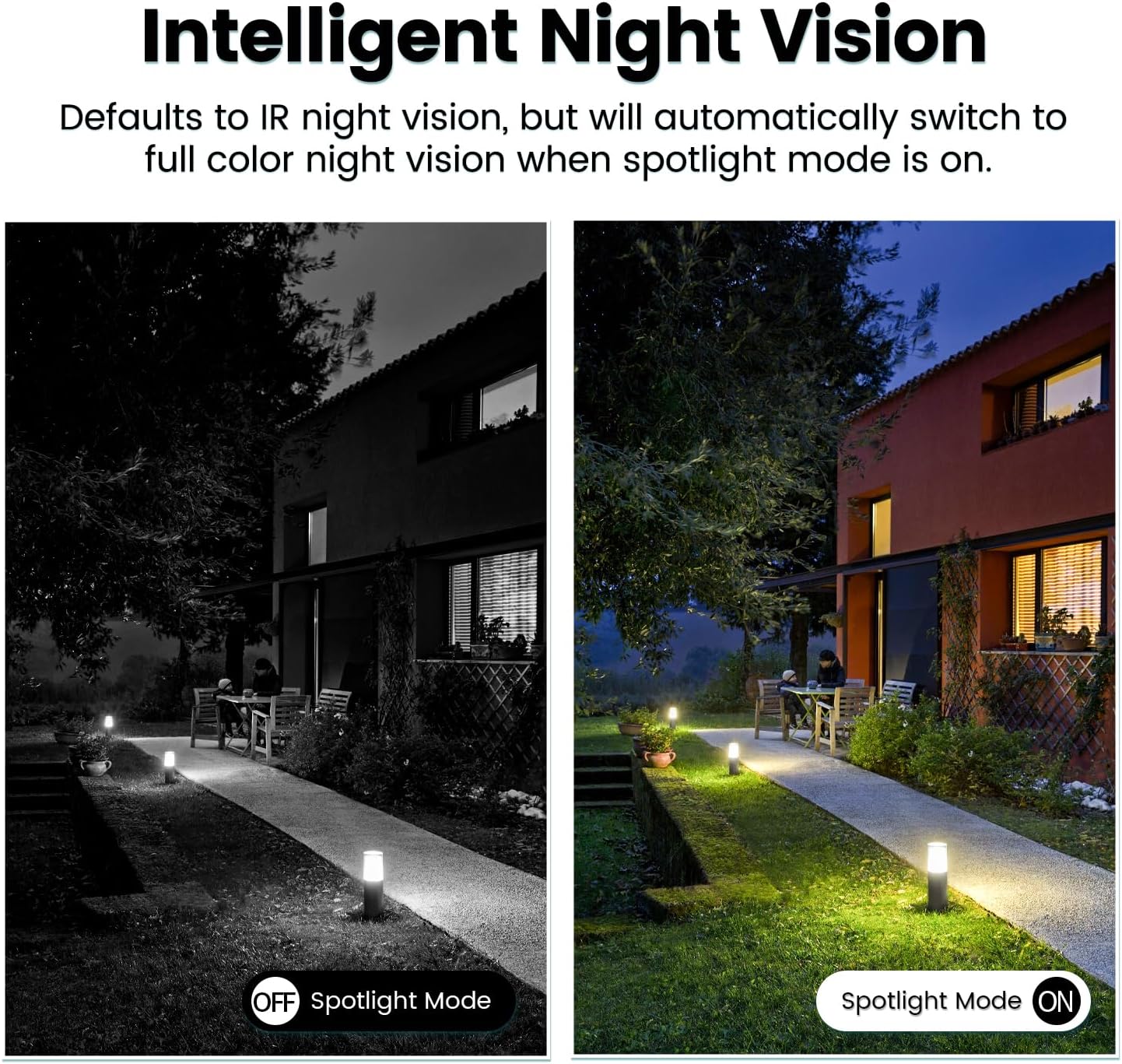
Image: Comparison of IR night vision (black and white, spotlight off) and color night vision (full color, spotlight on) from the VIMTAG kamera.
6.4 AI Human/Motion/Sound Detection and Alarms
Configure detection settings in the VIMTAG app. The camera can detect human shapes, general motion, and sounds. Upon detection, you will receive notifications on your phone, and the camera can trigger a siren alarm or activate its spotlight to deter unwanted activity.

Image: An illustration of the VIMTAG camera detecting an intruder, triggering a spotlight and sending an alert to a smartphone.

Image: A smartphone displaying a "Motion Detection Alert" notification from the VIMTAG aplikacja.
6.5 Nagrywanie i przechowywanie wideo
Kamera obsługuje dwie opcje przechowywania danych:
- Pamięć lokalna: Insert a Micro SD card (up to 512GB, not included) into the camera's SD card slot for continuous 24/7 recording. Recorded footage can be accessed and managed through the VIMTAG aplikacja.
- Przechowywanie w chmurze: An optional cloud storage service is available through the VIMTAG app for secure, encrypted video storage. Subscription details can be found within the app.
6.6 Integracja z Alexą
The VIMTAG camera is compatible with Amazon Alexa. To integrate:
- Enable the VIMTAG skill in the Alexa app.
- Link your VIMTAG konto.
- Odkryj urządzenia.
You can then use voice commands such as, "Alexa, show me the [camera name]" to view the live feed on compatible Alexa-enabled devices with screens (e.g., Echo Show).

Image: A person interacting with an Amazon Echo Show to view the VIMTAG camera feed using voice commands.
7. Konserwacja
- Czyszczenie: Delikatnie przetrzyj obiektyw i korpus aparatu miękką, suchą ściereczką. Nie używaj silnych środków chemicznych ani ściernych środków czyszczących.
- Aktualizacje oprogramowania układowego: Regularly check the VIMTAG app for available firmware updates. Keeping your camera's firmware updated ensures optimal performance, security, and access to new features.
- Zarządzanie kartami SD: W przypadku korzystania z karty SD należy okresowo ją aktualizować.view i wykonaj kopię zapasową ważnych informacjitage. Format the SD card through the app if you experience recording issues or to clear old data.
8. Rozwiązywanie Problemów
| Problem | Możliwa przyczyna | Rozwiązanie |
|---|---|---|
| Aparat nie włącza się. | No power to the light socket; camera not screwed in properly. | Check the light socket's power supply; ensure the camera is securely screwed in. |
| Nie można połączyć się z siecią Wi-Fi. | Incorrect Wi-Fi password; camera too far from router; 5GHz Wi-Fi network used. | Verify Wi-Fi password; move camera closer to router; ensure you are connecting to a 2.4GHz Wi-Fi network. |
| Słaba jakość wideo. | Weak Wi-Fi signal; dirty lens. | Improve Wi-Fi signal strength; clean the camera lens. |
| Wykrywanie ruchu nie działa. | Detection settings disabled or sensitivity too low; camera positioned incorrectly. | Check and adjust motion detection settings in the app; ensure camera has a clear view obszaru. |
| Karta SD nie nagrywa. | Karta SD jest pełna lub uszkodzona; nieprawidłowe ustawienia nagrywania. | Format the SD card via the app; check recording schedule and settings. Replace SD card if necessary. |
9. Specyfikacje
| Funkcja | Szczegół |
|---|---|
| Nazwa modelu | 847 |
| Rozdzielczość wideo | 2.5K / 4MP (1440p) |
| Zakres obrotu/pochylenia | 355° w poziomie, 100° w pionie |
| Zoom cyfrowy | 8x |
| Wizja nocna | IR Night Vision & Color Night Vision with LED Spotlight |
| Dwukierunkowy dźwięk | Yes (Built-in Microphone & Speaker) |
| Wykrywanie | AI Human, Motion, Sound Detection |
| Łączność | Wi-Fi 2.4 GHz (IEEE 802.11b/g/n) |
| Opcje przechowywania | Micro SD Card (up to 512GB), Cloud Storage (optional subscription) |
| Źródło zasilania | Corded Electric (E27/E26 Light Bulb Socket) |
| Do użytku wewnątrz/na zewnątrz | Tak (odporność na warunki atmosferyczne IP66) |
| Kompatybilne urządzenia | iOS, Android, Mac, iPad, Windows, Amazon Alexa |
| Wymiary (dł. x szer. x wys.) | 3.07 x 3.07 x 5.31 cala |
| Waga przedmiotu | 9.1 uncji |
| Szybkość klatek | 25 klatek na sekundę |
| Kodowanie wideo | H.264/H.265 |
10. Gwarancja i wsparcie
KRZEPATAG products come with a standard manufacturer's warranty. For specific warranty terms and conditions, please refer to the warranty card included with your product or visit the official VIMTAG website. For technical support, troubleshooting assistance, or any product-related inquiries, please contact VIMTAG customer service through the VIMTAG app or their official webstrona.
Zasoby internetowe:
- KRZEPATAG Urzędnik Webstrona: Visit the VIMTAG Sklep na Amazonie
- In-App Support: Access support features directly within the VIMTAG aplikacja mobilna.


