1. Wprowadzenie
This manual provides essential information for the safe and efficient operation of your GOBOULT Drift+ Smart Watch. Please read it thoroughly before using the device to ensure proper functionality and to understand all features. The GOBOULT Drift+ Smart Watch features a 1.85-inch HD display, Bluetooth calling capabilities, comprehensive health monitoring, and multiple sports modes.

Image 1.1: GOBOULT Drift+ Smart Watch overview.

Image 1.2: Key features of the GOBOULT Drift+ Smart Watch.
2. Co znajduje się w pudełku
Upon opening your GOBOULT Drift+ Smart Watch package, please verify that all the following items are included:
- GOBOULT Drift+ Smart Watch
- Kabel ładujący
- Instrukcja obsługi (ten dokument)
- Karta gwarancyjna
3. Konfiguracja
3.1. Ładowanie urządzenia
Before initial use, fully charge your GOBOULT Drift+ Smart Watch. Connect the provided charging cable to the charging port on the back of the watch and a standard USB power adapter (not included). The watch typically takes approximately 2.5 hours to fully charge.
3.2. Instalacja i parowanie aplikacji
To unlock the full potential of your smart watch, download and install the companion application on your smartphone. The app is compatible with both iOS and Android operating systems.
- Scan the QR code in the quick start guide or search for the official GOBOULT app in your smartphone's app store (Google Play Store for Android, Apple App Store for iOS).
- Zainstaluj aplikację i załóż konto lub zaloguj się.
- Upewnij się, że Bluetooth jest włączony w Twoim smartfonie.
- Open the GOBOULT app, navigate to the device pairing section, and select your Drift+ Smart Watch from the list of available devices.
- Follow the on-screen prompts on both your watch and smartphone to complete the pairing process.
4. Korzystanie z inteligentnego zegarka
4.1. Wyświetlacz i nawigacja
The GOBOULT Drift+ features a 1.85-inch HD display with 500 nits brightness, ensuring clear visibility even in bright outdoor conditions. Navigate through menus and functions by swiping across the touchscreen and using the physical button on the side.
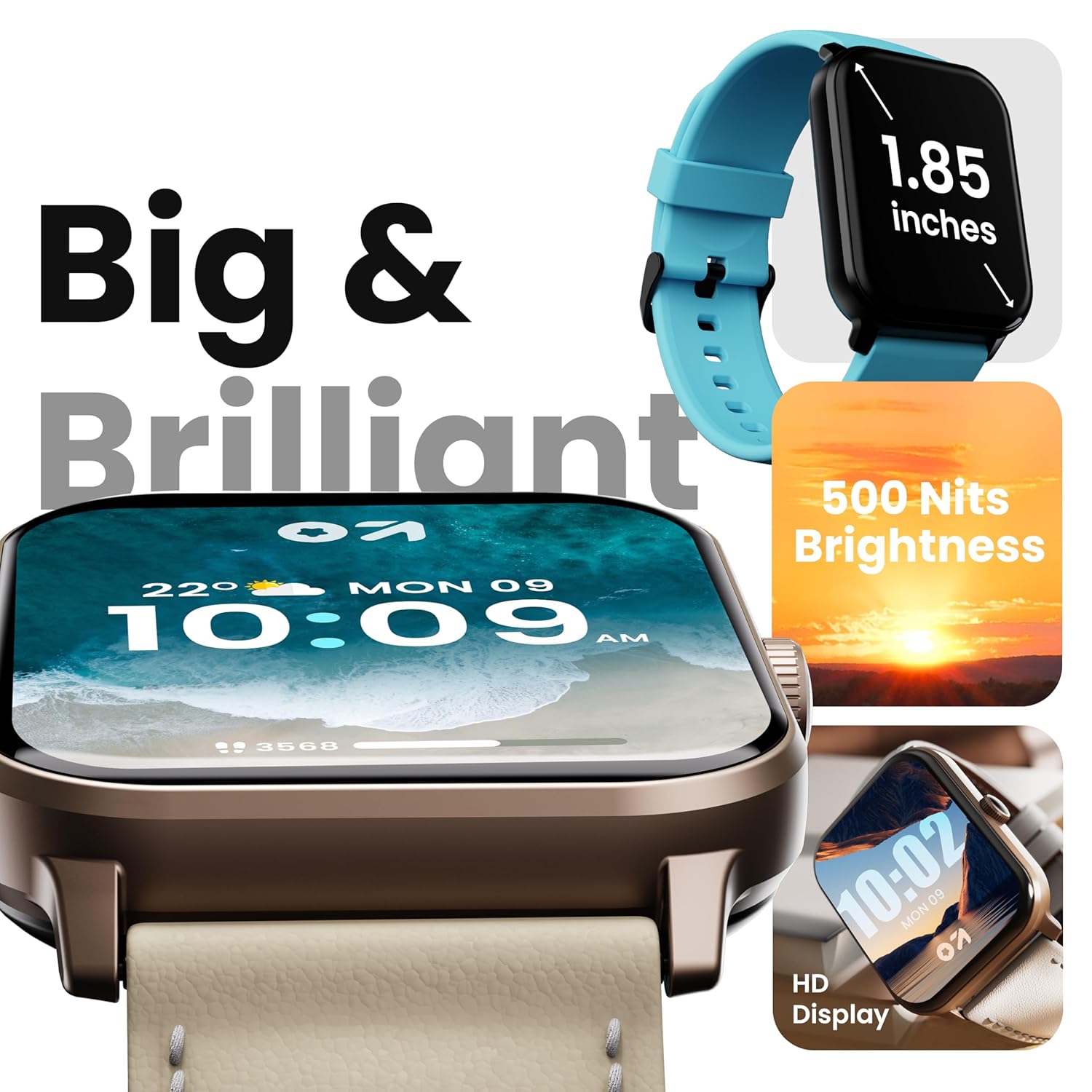
Image 4.1: High-definition display of the Drift+ Smart Watch.
4.2. Połączenia Bluetooth
The smart watch supports seamless Bluetooth calling with a built-in speaker and microphone. Once paired with your smartphone, you can answer, reject, or make calls directly from your wrist.
- Odbieranie połączeń: When an incoming call is received, tap the green icon on the watch screen.
- Dzwonić: Access the dial pad or contact list through the watch interface to initiate a call.

Image 4.2: Bluetooth calling feature in action.
4.3. Monitorowanie stanu zdrowia
The Drift+ Smart Watch provides comprehensive health insights through various sensors:
- Monitorowanie tętna 24/7: Stale monitoruje tętno przez cały dzień.
- SpO2 Blood Oxygen Tracking: Mierzy poziom saturacji krwi tlenem.
- Monitorowanie ciśnienia krwi: Provides estimates of blood pressure.
- Śledzenie cyklu menstruacyjnego u kobiet: Pomaga śledzić i przewidywać cykle menstruacyjne.
- Drink Water Reminders: Zachęca do nawadniania organizmu.
- Przypomnienia o siedzącym trybie życia: Encourages movement after periods of inactivity.
Note: Health monitoring data is for reference only and should not be used for medical diagnosis or treatment. Consult a medical professional for health-related concerns.

Image 4.3: Health monitoring features.
4.4. Tryby sportowe
The watch offers over 100 sports modes to track various physical activities. Select your desired sport from the watch menu to record data such as steps, distance, calories burned, and duration.

Image 4.4: Tracking activity with sports modes.
4.5. Watch Faces and Customization
Personalize your watch with over 150 cloud-based watch faces. You can also create custom watch faces through the companion app to match your style.

Image 4.5: Watch face customization options.
4.6. Smart Notifications and AI Voice Assistant
Receive notifications from your favorite social applications and messages directly on your watch. The integrated AI voice assistant provides hands-free assistance for various tasks.
5. Konserwacja
5.1. Wodoodporność (IP68)
The GOBOULT Drift+ Smart Watch is IP68 water-resistant, meaning it is protected against dust and can withstand immersion in water up to 1.5 meters for up to 30 minutes. It is suitable for daily use, such as hand washing or light rain exposure. Avoid using it during swimming, diving, or in hot water/steam environments.

Image 5.1: IP68 water resistance.
5.2. Czyszczenie i pielęgnacja
Aby zachować wygląd i funkcjonalność zegarka:
- Regularnie przecieraj zegarek i pasek miękką, suchą ściereczką.
- Jeśli to konieczne, użyj lekko damp ściereczkę do czyszczenia, a następnie dokładnie wysuszyć.
- Unikaj stosowania silnych środków chemicznych, ściernych środków czyszczących i rozpuszczalników.
- Utrzymuj styki ładowania w czystości i suchości.
5.3. Zarządzanie baterią
The GOBOULT Drift+ offers extended battery life:
- Up to 7 days in regular usage mode.
- Up to 2-3 days with heavy Bluetooth calling.
- Do 25 dni w trybie czuwania.
To optimize battery life, consider adjusting screen brightness, limiting background app refresh, and disabling unnecessary notifications.

Image 5.2: Battery life details.
6. Rozwiązywanie Problemów
If you encounter issues with your GOBOULT Drift+ Smart Watch, refer to the following common solutions:
| Problem | Możliwe rozwiązanie |
|---|---|
| Zegarek się nie włącza | Upewnij się, że zegarek jest w pełni naładowany. Podłącz go do ładowarki na co najmniej 30 minut. |
| Nie można sparować ze smartfonem | Ensure Bluetooth is enabled on your phone and watch. Restart both devices. Make sure the watch is within range of your phone. Check if the app is updated. |
| Niedokładne dane dotyczące zdrowia | Upewnij się, że zegarek ściśle przylega do nadgarstka, nie jest za ciasny ani za luźny. Wyczyść czujnik z tyłu zegarka. Unikaj nadmiernego ruchu podczas pomiarów. |
| Powiadomienia nie odebrane | Check app permissions on your phone to ensure notifications are allowed. Verify that notifications are enabled within the GOBOULT app settings. Ensure the watch is connected via Bluetooth. |
| Problemy z połączeniami Bluetooth | Ensure the watch is properly connected for calls (sometimes a separate Bluetooth connection is needed for audio). Check volume settings on both watch and phone. |
7. Specyfikacje
| Funkcja | Szczegół |
|---|---|
| Marka | GOBOULT |
| Nazwa modelu | Drift+ |
| Numer modelu przedmiotu | 8906133851347 |
| Rozmiar wyświetlacza | 1.85 cali |
| Jasność | X NUMX Nits |
| Odporność na wodę | IP68 |
| Łączność | Bluetooth 5.1 |
| Zgodność z systemem operacyjnym | iOS, Android |
| Typ baterii | Polimer litowy |
| Czas ładowania akumulatora | 2.5 godzin |
| Średnia żywotność baterii | 7 Days (normal usage) |
| Waga przedmiotu | 38 gramów |
| Zawarte komponenty | Smart Watch, Charging Cable, User Manual, Warranty Card |
8. Gwarancja i wsparcie
Your GOBOULT Drift+ Smart Watch comes with a standard manufacturer's warranty. Please refer to the included Warranty Card for specific terms, conditions, and duration of coverage. For technical support, service, or warranty claims, please contact GOBOULT customer service through the contact information provided on the warranty card or the official GOBOULT webstrona.
Manufacturer: Exotic Mile Private Limited, Boult Audio, B-67 Wazirpur Industrial Area, New Delhi 110052


