Wstęp
Thank you for choosing the Bontempi PlayKeys Toy Keyboard 37 Keys. This manual provides essential information for the safe and proper use, setup, operation, and maintenance of your new musical instrument. Please read this manual thoroughly before use and retain it for future reference.
The Bontempi PlayKeys Toy Keyboard is designed to introduce children to the world of music, fostering creativity and cognitive development through interactive play. It features 37 keys and includes a microphone for singing along.
Informacje dotyczące bezpieczeństwa
Należy przestrzegać następujących środków ostrożności:
- Produkt przeznaczony jest dla dzieci, pod nadzorem osoby dorosłej.
- Nie wystawiaj klawiatury na działanie wody ani nadmiernej wilgoci.
- Use only the specified 5V power adapter provided or recommended by Bontempi.
- Keep small parts, such as the microphone, away from very young children to prevent choking hazards.
- Do not attempt to disassemble or modify the keyboard.
- Podczas użytkowania urządzenia należy zapewnić odpowiednią wentylację wokół niego.
Zawartość opakowania
Sprawdź, czy w opakowaniu znajdują się wszystkie elementy:
- Bontempi PlayKeys Toy Keyboard 37 Keys
- Mikrofon
- 5V Power Adapter (compatible with models 16 6110, 16 5415, 16 5425, 154909, 15 3790, 15 3785, 15 3220, 15 3780)
- Instrukcja obsługi (ten dokument)
Organizować coś
-
Podłączenie zasilania:
Locate the DC 5V input port on the back or side of the keyboard. Insert the small plug of the 5V power adapter into this port. Plug the other end of the power adapter into a standard electrical outlet.
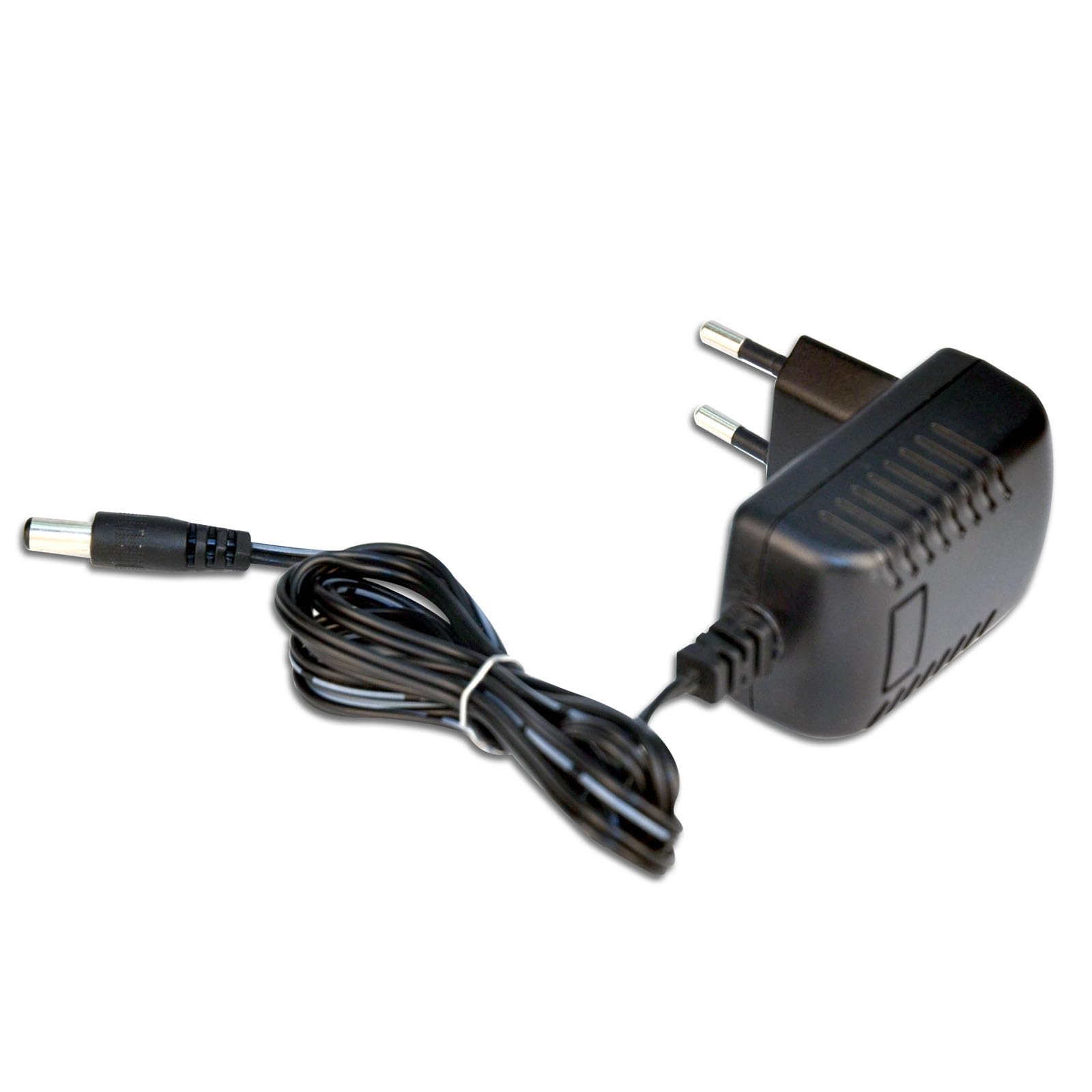
Image: The Bontempi PlayKeys Toy Keyboard, showing the power adapter connected to the appropriate port. The keyboard is multicolored with 37 keys and a microphone input.
-
Podłączenie mikrofonu:
Identify the microphone input jack, typically located near the power input. Insert the microphone's plug firmly into this jack.
-
Włączanie:
Press the Power button, usually located on the front panel of the keyboard, to turn on the device. An indicator light may illuminate.
Instrukcja obsługi
Once the keyboard is powered on, you can begin playing:
-
Granie na klawiszach:
Press the 37 keys to produce musical notes. Experiment with different keys to create melodies.
-
Korzystanie z mikrofonu:
Speak or sing into the connected microphone. Your voice will be amplified through the keyboard's speakers, allowing you to sing along with your music.
-
Regulacja głośności:
Adjust the volume using the dedicated volume controls (if present) on the keyboard's control panel. Start with a low volume and increase it gradually.
-
Inne funkcje:
Depending on the specific model, your keyboard may include additional features such as different instrument sounds, rhythm patterns, or recording functions. Refer to the labels on the control panel for these options.
Konserwacja
Proper care will extend the life of your Bontempi PlayKeys Toy Keyboard:
-
Czyszczenie:
Wipe the surface of the keyboard with a soft, dry cloth. Do not use abrasive cleaners, solvents, or chemical sprays, as these can damage the finish.
-
Składowanie:
When not in use, store the keyboard in a cool, dry place, away from direct sunlight and extreme temperatures. Disconnect the power adapter when storing for extended periods.
-
Obsługiwanie:
Obchodź się z klawiaturą ostrożnie. Unikaj jej upuszczania i narażania na silne uderzenia.
Rozwiązywanie problemów
Jeśli masz problemy z klawiaturą, zapoznaj się z poniższymi typowymi problemami i ich rozwiązaniami:
| Problem | Możliwa przyczyna | Rozwiązanie |
|---|---|---|
| Klawiatura się nie włącza. | Zasilacz nie jest podłączony lub jest uszkodzony. | Ensure the power adapter is securely plugged into both the keyboard and the electrical outlet. Check if the outlet is functional. |
| Brak dźwięku z klawiatury. | Głośność jest zbyt niska lub wyciszona. | Increase the volume using the volume controls. |
| Mikrofon nie działa. | Mikrofon nie jest prawidłowo podłączony. | Ensure the microphone is fully inserted into its jack. |
| Zniekształcony dźwięk. | Volume too high or faulty connection. | Reduce the volume. Check all connections. |
If the problem persists after trying these solutions, please contact Bontempi customer support or your retailer for assistance.
Specyfikacje
| Funkcja | Szczegół |
|---|---|
| Marka | Bontempi |
| Numer modelu | 65 0505 |
| Product Dimensions (Power Adapter) | 1.65 x 2.68 x 2.76 cala |
| Item Weight (Power Adapter) | 2.46 uncji |
| Wymiary klawiatury | Wymiary: 425 x 160 x 50 mm |
| Kompatybilne urządzenia | Musical Instruments (Bontempi) |
| Zawarte komponenty | Power adapter 5V mains (16 6110, 16 5415, 16 5425, 154909, 15 3790, 15 3785, 15 3220, 15 3780) |
| Funkcja specjalna | Podróż |
| Kolor | Wielobarwny |
| Wejście Voltage | 230 Volts (for power adapter) |
| Cotage | 20 watts (for power adapter) |
| Prąd wyjściowy | 0.5 Amps (for power adapter) |
| Tworzywo | Plastikowy |
Note: Some specifications listed pertain specifically to the included 5V power adapter.
Gwarancja i wsparcie
For warranty information and customer support, please refer to the documentation provided with your purchase or contact your retailer. You may also visit the official Bontempi webAby uzyskać dalszą pomoc, odwiedź naszą witrynę.