1. Wprowadzenie
This user manual provides detailed instructions for the Phomemo WiFi Thermal Label Printer PM-344-WF. This printer is designed for efficient and high-quality label printing, featuring WiFi and USB connectivity, 300DPI resolution, and compatibility with various operating systems and label sizes.
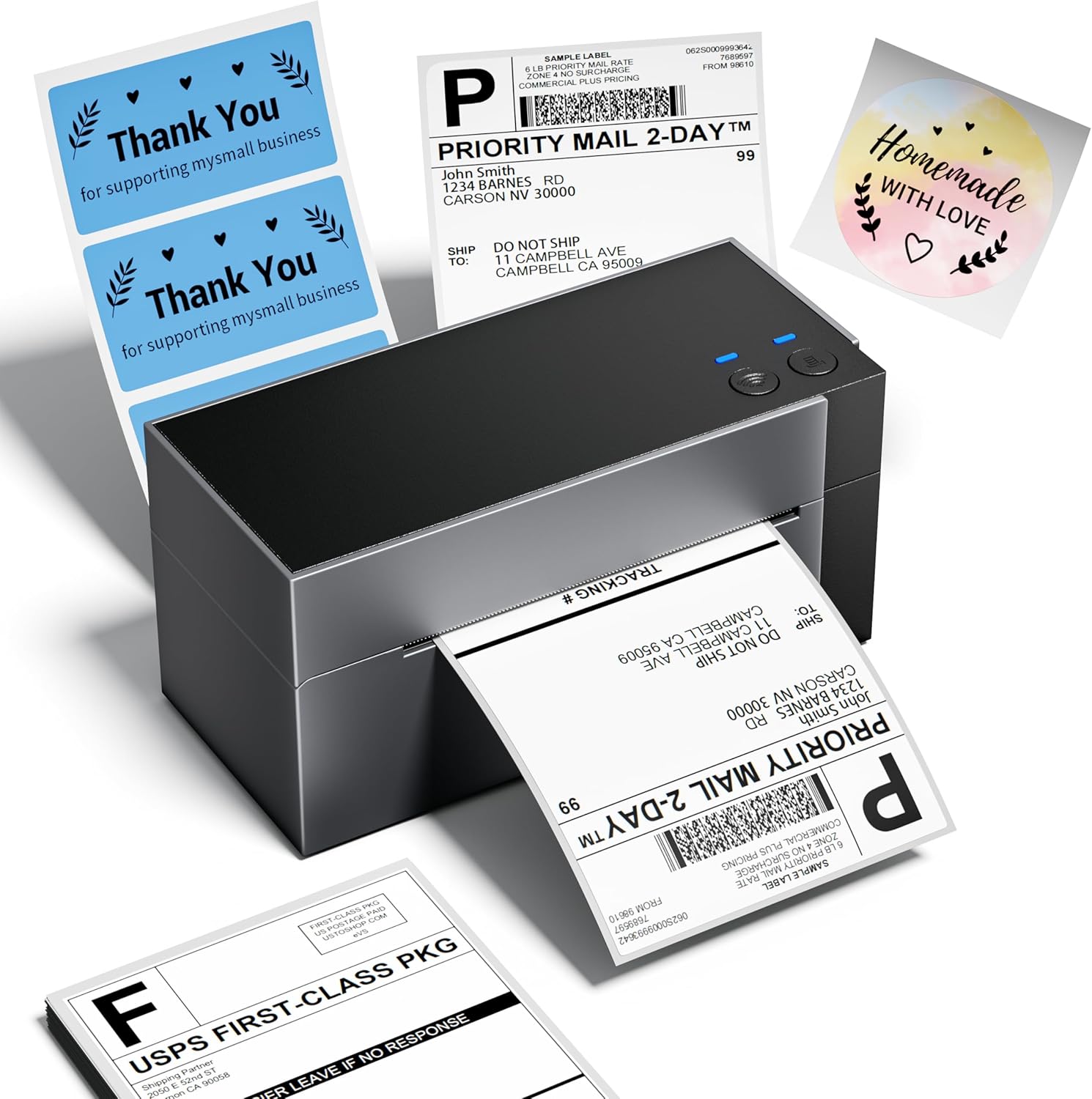
2. Co znajduje się w pudełku
Po rozpakowaniu sprawdź, czy wszystkie elementy są obecne:
- Phomemo WiFi Thermal Label Printer (PM-344-WF)
- Zasilacz
- Kabel USB-A do USB-C
- Mac USB Adapter
- Sample 4x6 Labels
- Instrukcja obsługi (ten dokument)
3. Przewodnik konfiguracji
3.1 Połączenie sprzętowe
- Drukarkę należy ustawić na stabilnej, płaskiej powierzchni.
- Connect the power adapter to the printer's power port and then to a power outlet.
- If using USB, connect the USB-A to USB-C cable from your computer to the printer. Use the Mac USB adapter if necessary.
- Load thermal labels into the rear slot of the printer. The printer will automatically feed and calibrate the label.
3.2 Instalacja oprogramowania i sterowników
For full functionality, install the appropriate drivers and the Labelife application.
- Windows/macOS: Download drivers and the Labelife application from the official Phomemo webwitrynę. Postępuj zgodnie z instrukcjami wyświetlanymi na ekranie, aby przeprowadzić instalację.
- iOS/Android: Download the "Labelife" app from the App Store (iOS) or Google Play Store (Android).
- ChromeOS/Linux: USB connectivity is supported. Ensure your system has generic printer drivers or install specific drivers if available from the Phomemo webstrona.
3.3 Połączenie Wi-Fi
The PM-344-WF supports 5GHz WiFi for stable and fast wireless printing.
- Ensure your printer is powered on.
- Open the Labelife application on your device (smartphone, tablet, computer).
- Follow the in-app instructions to connect the printer to your WiFi network. This typically involves selecting your WiFi network and entering the password.
- Once connected, the WiFi indicator light on the printer will illuminate steadily.


4. Instrukcja obsługi
4.1 Ładowanie etykiet
The printer supports thermal labels with widths ranging from 1 inch to 4.6 inches.
- Upewnij się, że drukarka jest włączona.
- Gently insert the stack of thermal labels into the rear feed slot, print-side up.
- The printer will automatically detect the label and feed it to the correct starting position.

4.2 Drukowanie etykiet
Use the Labelife application or your computer's printing dialogue to send print jobs.
- From Labelife App:
- Open the Labelife app and select the document or image you wish to print.
- Adjust print settings such as label size, orientation, and quantity.
- Tap the print button.
- From Computer (Windows/macOS):
- Open the document (e.g., PDF shipping label) in your preferred application.
- Select "Print" and choose the Phomemo PM-344-WF as your printer.
- Adjust printer preferences (e.g., paper size, quality) to match your label.
- Kliknij „Drukuj”.


4.3 Oficjalny film o produkcie
5. Konserwacja
Regularna konserwacja zapewnia optymalną wydajność i wydłuża żywotność drukarki.
- Czyszczenie głowicy drukującej: Delikatnie przetrzyj szmatką niepozostawiającą włókienampDelikatnie przetrzyj głowicę drukującą alkoholem izopropylowym. Przed czyszczeniem upewnij się, że drukarka jest wyłączona i ostygła.
- Czyszczenie wałka dociskowego: Obróć wałek dociskowy i wytrzyj goamp szmatką, aby usunąć resztki kleju i kurz.
- Czyszczenie zewnętrzne: Wipe the exterior of the printer with a soft, dry cloth. Avoid abrasive cleaners.
- Składowanie: Store the printer in a cool, dry place away from direct sunlight and excessive dust.
6. Rozwiązywanie Problemów
| Problem | Możliwa przyczyna | Rozwiązanie |
|---|---|---|
| Printer not responding / Red light blinking | Paper jam, out of labels, or connection issue. |
|
| Słaba jakość wydruku (blady, rozmazany) | Dirty print head, low quality labels, or incorrect settings. |
|
| Cannot connect via WiFi | Incorrect WiFi password, printer too far from router, or 2.4GHz/5GHz band issue. |
|
| Labels not aligning correctly | Improper label loading or calibration issue. |
|
Aby uzyskać dalszą pomoc, zapoznaj się z sekcją Pomoc.
7. Specyfikacje
| Funkcja | Szczegół |
|---|---|
| Nazwa modelu | PM-344-WF |
| Technologia druku | Termiczny |
| Technologia łączności | Wi-Fi, USB |
| Rozdzielczość wydruku | 300 x 300 DPI |
| Maksymalna prędkość drukowania (monochromatyczna) | 150 mm/s (approx. 72 sheets of 4x6 labels per minute) |
| Maksymalny rozmiar nośnika | 4 x 6 cali |
| Obsługiwane szerokości etykiet | od 1 do 4.6 cali |
| Kompatybilne urządzenia | Laptopy, PC, smartfony, tablety |
| Typ kontrolera | Android, iOS |
| Wymiary produktu | 7.18" gł. x 3.48" szer. x 3.52" wys. |
| Waga przedmiotu | 1.59 funta |
| Producent | Fomemo |
8. Informacje o gwarancji
The Phomemo WiFi Thermal Label Printer PM-344-WF comes with a Limited Warranty. For specific terms and conditions of your warranty, please refer to the warranty card included in your product packaging or visit the official Phomemo webZachowaj dowód zakupu na wypadek roszczeń gwarancyjnych.
Mogą być dostępne opcjonalne plany ochrony rozszerzające zakres ochrony. Aby uzyskać szczegółowe informacje, skontaktuj się ze sprzedawcą.
9. Obsługa klienta
Should you encounter any issues or have questions regarding your Phomemo printer, please contact our customer support team. Phomemo offers lifetime technical support.
- Wsparcie online: Odwiedź oficjalną stronę Phomemo website for FAQs, driver downloads, and online chat support.
- Wsparcie e-mailowe: Zapoznaj się z opakowaniem produktu lub oficjalnym webstrona zawierająca adres e-mail działu obsługi klienta.
- Wsparcie telefoniczne: Contact numbers may be available on the official Phomemo webstrona.


