1. Koniec produktuview
The Imou Ranger Dual 8MP (5MP+3MP) Indoor WiFi Security Camera offers comprehensive surveillance with its innovative dual-lens design. It combines a fixed lens for continuous monitoring of critical areas and a 360° pan-tilt lens for broader coverage. Equipped with advanced AI detection and automatic tracking, this camera provides reliable indoor security.
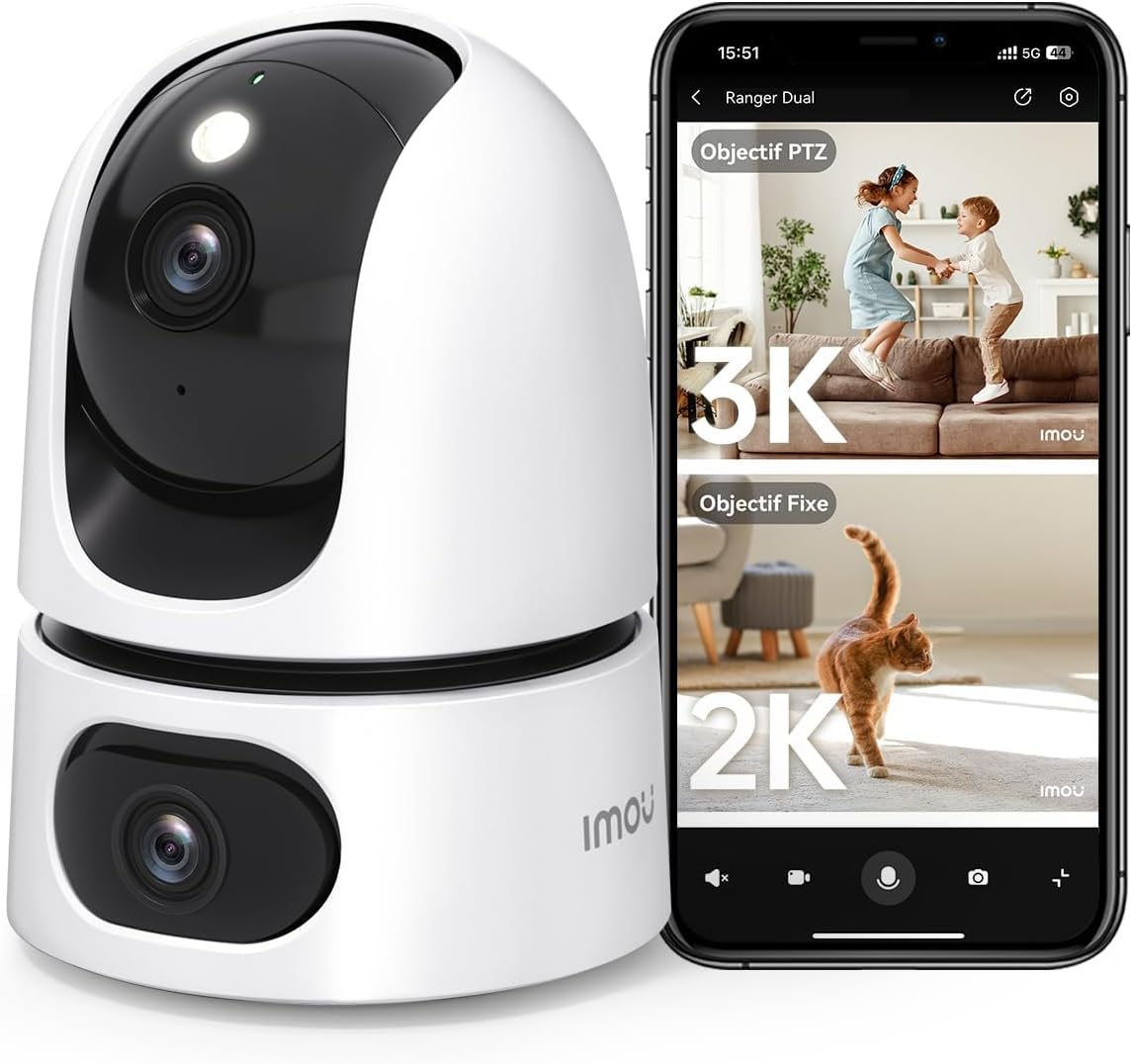
Image: The Imou Ranger Dual 8MP camera shown alongside a smartphone displaying its dual-view interface, with a 3K PTZ view and a 2K fixed view.
Główne cechy:
- System dwusoczewkowy: Features a fixed lens for static monitoring and a 360° pan-tilt lens for dynamic area coverage, eliminating blind spots.
- AI Detection & Auto Tracking: Accurately detects humans, pets, and abnormal sounds, reducing false alarms. The camera automatically tracks detected movement.
- 8MP Ultra HD & Color Night Vision: Combines a 3MP fixed lens and a 5MP pan-tilt lens for a total 8MP resolution. Offers up to 15 meters of clear color night vision.
- Two-Way Audio & Alarms: Built-in microphone and speaker enable clear two-way communication. Sound and light alarms can deter unwanted visitors.
- Tryb prywatności: Physically conceals the camera lens with a single tap in the app to ensure privacy.
- Elastyczne przechowywanie: Supports Micro SD card (up to 256GB, not included), NVR, Cloud storage, RTSP, and Onvif.
- Integracja inteligentnego domu: Kompatybilny z Amazon Alexa, umożliwiający sterowanie głosowe i transmisje na żywo view.

Image: An illustration of the Imou Ranger Dual camera highlighting its two lenses and their respective fields of view, emphasizing no blind spots.
2. Zawartość opakowania
Proszę sprawdzić, czy w paczce znajdują się następujące elementy:
- Imou Ranger Dual 8MP Camera
- Zasilacz
- Płyta montażowa
- Śruby montażowe i kołki ścienne
- Szybki przewodnik
- Mapa pozycji instalacji
3. Przewodnik konfiguracji
3.1 Konfiguracja początkowa
- Włączanie: Connect the camera to a power outlet using the provided power adapter. The camera will power on and its indicator light will flash.
- Pobierz aplikację Imou Life: Szukaj 'Imou Life' in your mobile app store (App Store for iOS or Google Play Store for Android) and download the application.
- Utwórz konto: Open the Imou Life app and follow the on-screen instructions to create a new account or log in to an existing one.
- Dodaj urządzenie: Tap the '+' icon in the top right corner of the app to add your camera. Scan the QR code located on the camera or its packaging.
- Połącz się z Wi-Fi: Follow the app's instructions to connect the camera to your 2.4GHz Wi-Fi network. Ensure your Wi-Fi password is correct.
- Umieszczenie: Position the camera in your desired indoor location. It can be placed on a flat surface or mounted to a wall/ceiling using the included mounting plate and screws.
3.2 Instrukcje montażu
For optimal performance, choose a location that provides a clear view of the area you wish to monitor and is within range of your Wi-Fi signal.
- Wybierz lokalizację: Identify a suitable indoor wall or ceiling for mounting.
- Zaznacz punkty wiercenia: Use the provided installation position map to mark the screw holes on the surface.
- Wiercenie otworów: Wywierć otwory w zaznaczonych miejscach i w razie potrzeby włóż w nie kołki rozporowe.
- Zamontuj płytę montażową: Secure the mounting plate to the wall/ceiling using the screws.
- Podłącz kamerę: Align the camera with the mounting plate and twist it to lock it into place.
4. Instrukcja obsługi
The Imou Ranger Dual camera is controlled primarily through the Imou Life mobile application.
4.1 Na żywo View & Odtwarzanie
- Open the Imou Life app and select your camera from the device list to access the live view.
- You can switch between the fixed lens view and the pan-tilt lens view.
- Use the on-screen controls to pan (horizontal) and tilt (vertical) the movable lens.
- Uzyskaj dostęp do nagranego pliku footage via the playback function, available if a Micro SD card or cloud storage is active.

Image: A smartphone screen showing four simultaneous live camera feeds, demonstrating the multi-view zdolność.
4.2 Wykrywanie i śledzenie sztucznej inteligencji
- Włącz wykrywanie: In the app settings, navigate to 'Detection Settings' to enable Human Detection, Pet Detection, and Abnormal Sound Detection.
- Dostosuj czułość: Customize detection sensitivity levels to minimize false alarms.
- Automatyczne śledzenie: When enabled, the pan-tilt lens will automatically follow detected human or pet movement within its field of view.
- Powiadomienia: Receive instant alerts on your smartphone when an event is detected.

Image: An image illustrating the camera's AI detection capabilities, showing a child and a dog with detection boxes around them, indicating auto-tracking.
4.3 Dźwięk dwukierunkowy
- Na żywo view, dotknij ikony mikrofonu w aplikacji, aby mówić przez głośnik kamery.
- The camera's built-in microphone will pick up audio from the camera's location.
4.4 Tryb prywatności
- To activate Privacy Mode, tap the designated icon in the Imou Life app. The camera lens will physically rotate downwards, blocking its view and ensuring privacy.
- Tap the icon again to deactivate Privacy Mode.

Image: The Imou Ranger Dual camera with its lens rotating downwards, indicating the activation of privacy mode.
5. Konserwacja
5.1 Czyszczenie
- Przed czyszczeniem upewnij się, że aparat jest wyłączony.
- Do czyszczenia korpusu aparatu należy używać miękkiej, suchej ściereczki.
- For the lens, use a lens cleaning cloth specifically designed for optical surfaces. Avoid abrasive materials or harsh chemicals.
5.2 aktualizacji oprogramowania sprzętowego
- Regularly check for firmware updates through the Imou Life app. Updates often include performance improvements and security enhancements.
- Follow the in-app instructions to perform firmware updates. Ensure the camera remains powered on and connected to Wi-Fi during the update process.
6. Rozwiązywanie Problemów
6.1 Kamera offline
- Sprawdź moc: Sprawdź, czy kamera jest prawidłowo podłączona do źródła zasilania i czy zasilacz działa.
- Sprawdź Wi-Fi: Verify your Wi-Fi network is active and the camera is within range. Restart your router if necessary.
- Dodaj ponownie urządzenie: If issues persist, try removing the device from the Imou Life app and re-adding it.
6.2 Słaba jakość obrazu
- Wyczyść obiektyw: Delikatnie wyczyść obiektyw aparatu miękką, suchą ściereczką.
- Sprawdź sieć: Ensure a stable internet connection for optimal streaming quality.
- Oświetlenie: Adjust camera placement to avoid direct glare or insufficient lighting.
6.3 Fałszywe alarmy
- Dostosuj czułość: In the app's detection settings, reduce the sensitivity for human, pet, or sound detection.
- Strefy wykrywania: Configure specific detection zones to monitor only relevant areas and exclude high-traffic zones.
7. Specyfikacje
| Funkcja | Szczegół |
|---|---|
| Marka | Imou |
| Nazwa modelu | Ranger Dual 8MP |
| Numer modelu | IPC-S2XP-8M0ŚR |
| Rezolucja | 8MP (3MP Fixed Lens + 5MP Pan-Tilt Lens) |
| Technologia bezprzewodowa | Wi-Fi |
| Tomtage | 5 wolty |
| Zakres noktowizora | 10 metrów |
| Cechy specjalne | Two-way audio, Dual lens, Human/pet detection, Privacy protection, Night vision |
| Stosowanie | Bezpieczeństwo w pomieszczeniach |
| Kompatybilne urządzenia | Smartfon |
| Źródło zasilania | Kabel elektryczny |
| Typ montażu | Uchwyt ścienny |
| Tworzywo | Plastikowy |
| Wymiary opakowania | Wymiary 19.6 x 10 x 10 cm |
| Waga paczki | 470 gramów |
8. Gwarancja i wsparcie
For detailed warranty information, please refer to the warranty card included with your product or visit the official Imou website. For technical support, frequently asked questions, and further assistance, please utilize the 'Help' section within the Imou Life application or visit the Imou support portal online.


