1. Wprowadzenie
Thank you for choosing the TYLT MagSafe Wireless Charger Ring Stand. This device combines powerful MagSafe wireless charging with the convenience of a built-in kickstand, designed to seamlessly power and prop up your iPhone 12, 13, 14, and 15 series devices. This manual provides essential information for the proper setup, operation, and maintenance of your new charger.
2. Koniec produktuview
The TYLT MagSafe Wireless Charger Ring Stand is a compact and versatile charging solution. It features a magnetic charging pad with an integrated ring kickstand.
2.1 Składniki
- Magnetic Wireless Charging Pad with Integrated Ring Stand
- 4-foot USB-C Cable (attached)
2.2 Produkt Views

Rysunek 2.2.1: Góra view of the TYLT MagSafe Wireless Charger Ring Stand. This image displays the circular charging pad with its black surface and the surrounding grey metallic ring. The TYLT logo and product information are visible on the black surface.

Rycina 2.2.2: Przód view of the TYLT MagSafe Wireless Charger Ring Stand. This image shows the smooth, unadorned black charging surface with a subtle TYLT logo, highlighting its sleek design.

Rysunek 2.2.3: Strona view of the TYLT MagSafe Wireless Charger Ring Stand with the kickstand extended. This angle demonstrates how the integrated ring stand props up the charger, ready to support a phone for hands-free viewing.

Rysunek 2.2.4: Kątowy view of the TYLT MagSafe Wireless Charger Ring Stand with the kickstand extended. This perspective highlights the charger's profile and the integrated USB-C cable connection point.

Figure 2.2.5: The TYLT MagSafe Wireless Charger Ring Stand magnetically attached to the back of an iPhone. This image illustrates the secure MagSafe connection and how the kickstand supports the phone in a vertical orientation.
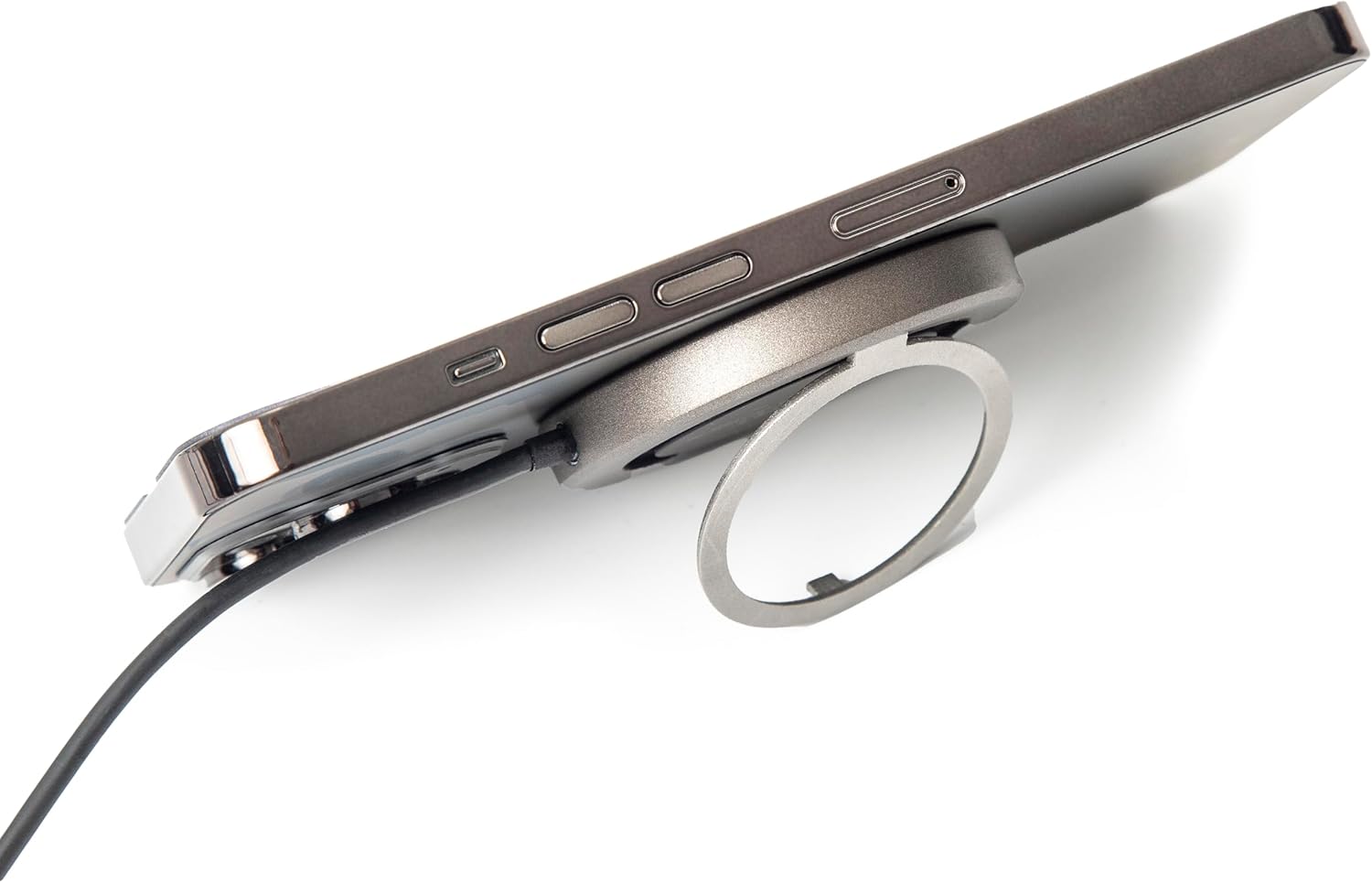
Rysunek 2.2.6: Strona view of the TYLT MagSafe Wireless Charger Ring Stand attached to an iPhone. This image emphasizes the slim profile of the charger when connected to a device, maintaining portability.

Figure 2.2.7: The TYLT MagSafe Wireless Charger Ring Stand with an iPhone attached, positioned on a desk. This image showcases the charger's functionality as a stand for hands-free viewing in a typical usage scenario.
3. Konfiguracja
- Podłącz do zasilania: Plug the USB-C connector of the attached 4-foot cable into a compatible USB-C power adapter (not included). For optimal 15W fast charging, use a power adapter that supports Power Delivery (PD) with an output of at least 9V/1.8A or 12V/1.67A.
- Włączanie: Once connected to a power source, the charger is ready for use. There is no power button.
4. Instrukcja obsługi
4.1 Bezprzewodowe ładowanie
- Align Your Device: Place your MagSafe-compatible iPhone (iPhone 12, 13, 14, or 15 series) onto the black charging surface of the TYLT charger. The charger will magnetically snap into place, ensuring proper alignment for efficient charging.
- Wskaźnik ładowania: Your iPhone's screen will indicate that charging has begun. The charger is designed to work with most MagSafe-compatible phone cases, eliminating the need for case removal.
- Optymalne ładowanie: Ensure no foreign objects (e.g., metal plates, credit cards) are between your phone and the charger, as this can interfere with wireless charging.
4.2 Korzystanie ze zintegrowanej podpórki
- Extend the Kickstand: Gently pull out the integrated ring from the back of the charger.
- Regulować Viewkąt ing: The ring can rotate and adjust to multiple viewing angles, allowing you to prop up your phone in either portrait or landscape orientation for hands-free viewing of videos, video calls, or other content.
- Retract the Kickstand: When not in use, fold the ring back into its recess on the charger for a compact and portable form factor.
5. Konserwacja
- Czyszczenie: Przed czyszczeniem odłącz ładowarkę od źródła zasilania. Do czyszczenia powierzchni ładowarki użyj miękkiej, suchej i niepozostawiającej włókien ściereczki. Nie używaj agresywnych środków chemicznych, rozpuszczalników ani silnych detergentów.
- Składowanie: Przechowuj ładowarkę w chłodnym, suchym miejscu, z dala od bezpośredniego światła słonecznego i ekstremalnych temperatur.
- Obsługiwanie: Unikaj upuszczania ładowarki i narażania jej na silne uderzenia. Nie rozmontowuj urządzenia.
6. Rozwiązywanie Problemów
| Problem | Możliwa przyczyna | Rozwiązanie |
|---|---|---|
| Urządzenie nie ładuje się lub ładuje się wolno. |
|
|
| Kickstand does not hold phone securely. |
|
|
| Ładowarka nagrzewa się podczas użytkowania. |
|
|
7. Specyfikacje
| Funkcja | Szczegół |
|---|---|
| Numer modelu | 4902P |
| Wejście | 5V–2A, 9V–1.8A, 12V–1.67A |
| Wyjście | 15 W (maks.) |
| Technologia łączności | USB-C (attached cable) |
| Kompatybilne urządzenia | iPhone 12, 13, 14, 15 Series (MagSafe compatible) |
| Wymiary produktu | 10 x 8 x 1 cala |
| Waga przedmiotu | 3.17 uncji |
| Kolor | Czarny |
8. Informacje dotyczące bezpieczeństwa
Please read all safety instructions before using this product to prevent injury or damage.
- Nie wystawiaj urządzenia na działanie płynów, wilgoci ani wilgotności.
- Nie narażaj urządzenia na działanie ekstremalnych temperatur.
- Trzymaj urządzenie z dala od silnych pól magnetycznych.
- Nie należy podejmować prób rozmontowywania, naprawiania ani modyfikowania urządzenia.
- Przechowywać w miejscu niedostępnym dla dzieci.
- Use only with compatible power adapters.
9. Gwarancja i wsparcie
For information regarding warranty coverage, returns, or technical support, please refer to the original purchase documentation or contact TYLT customer service directly.
Zasady zwrotu: This product typically has a 30-day return/replacement policy from the date of purchase. Please check with your retailer for specific details.
Producent: TYLT
For further assistance, visit the official TYLT webodwiedź witrynę lub skontaktuj się z ich kanałami wsparcia.


