Wstęp
Thank you for choosing the AIYAPLAY Electronic Kids Piano. This versatile musical instrument is designed to provide an engaging and educational experience for children aged 3 to 6 years. Featuring 32 keys, multiple instrument sounds, built-in songs, a microphone, and LED lights, it encourages musical exploration and cognitive development. Please read this manual carefully before assembly and use to ensure safe and optimal performance.
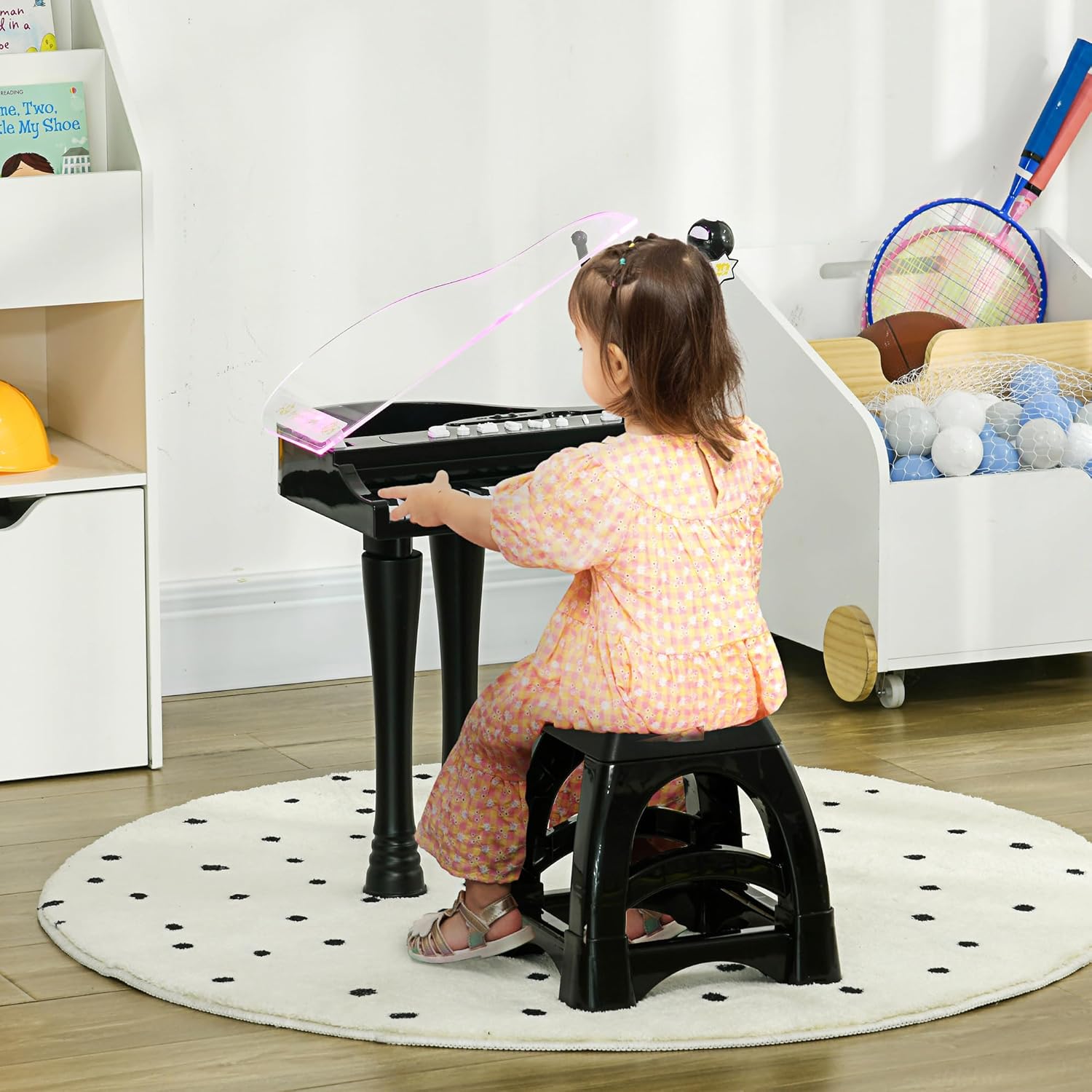
Image: A young child seated on the included stool, playing the black AIYAPLAY electronic piano. The piano features a clear, slightly tinted lid and a microphone stand.
Informacje dotyczące bezpieczeństwa
- This product is intended for children aged 3 to 6 years. Adult supervision is recommended during use.
- Ensure all parts are securely assembled before allowing a child to play.
- Używaj wyłącznie baterii określonego typu (4 baterie AA). Nie mieszaj starych i nowych baterii ani różnych typów baterii.
- Wyjmij baterie, jeśli produkt nie będzie używany przez dłuższy czas.
- Chronić produkt przed wodą i wilgocią.
- The stool has a maximum weight capacity of 50 kg. Do not exceed this limit.
- Regularnie sprawdzaj produkt pod kątem uszkodzeń lub luźnych części. W przypadku stwierdzenia jakichkolwiek uszkodzeń zaprzestań użytkowania.
Zawartość opakowania
Sprawdź, czy w opakowaniu znajdują się wszystkie elementy:
- 1 x Electronic Keyboard Organ
- 1 x Stołek
- 1 x Mikrofon
- 1 x stojak mikrofonowy

Obraz: Wybuch view diagram illustrating the electronic keyboard, stool, microphone, and microphone stand as separate components included in the package.
Instrukcje konfiguracji
- Rozpakuj komponenty: Ostrożnie wyjmij wszystkie części z opakowania.
- Zainstaluj baterie: Locate the battery compartment on the underside of the piano. Insert 4 x AA batteries (not included), ensuring correct polarity (+/-). Close the battery compartment securely.
- Zamontuj nogi (opcjonalnie): The piano comes with removable legs. To attach them, align each leg with the corresponding slot on the underside of the piano and push firmly until it clicks into place. To remove, gently pull them out.
- Złóż statyw mikrofonowy: Connect the microphone to its stand. Insert the microphone stand into the designated port on the piano.
- Position Stool: Place the stool in front of the piano.
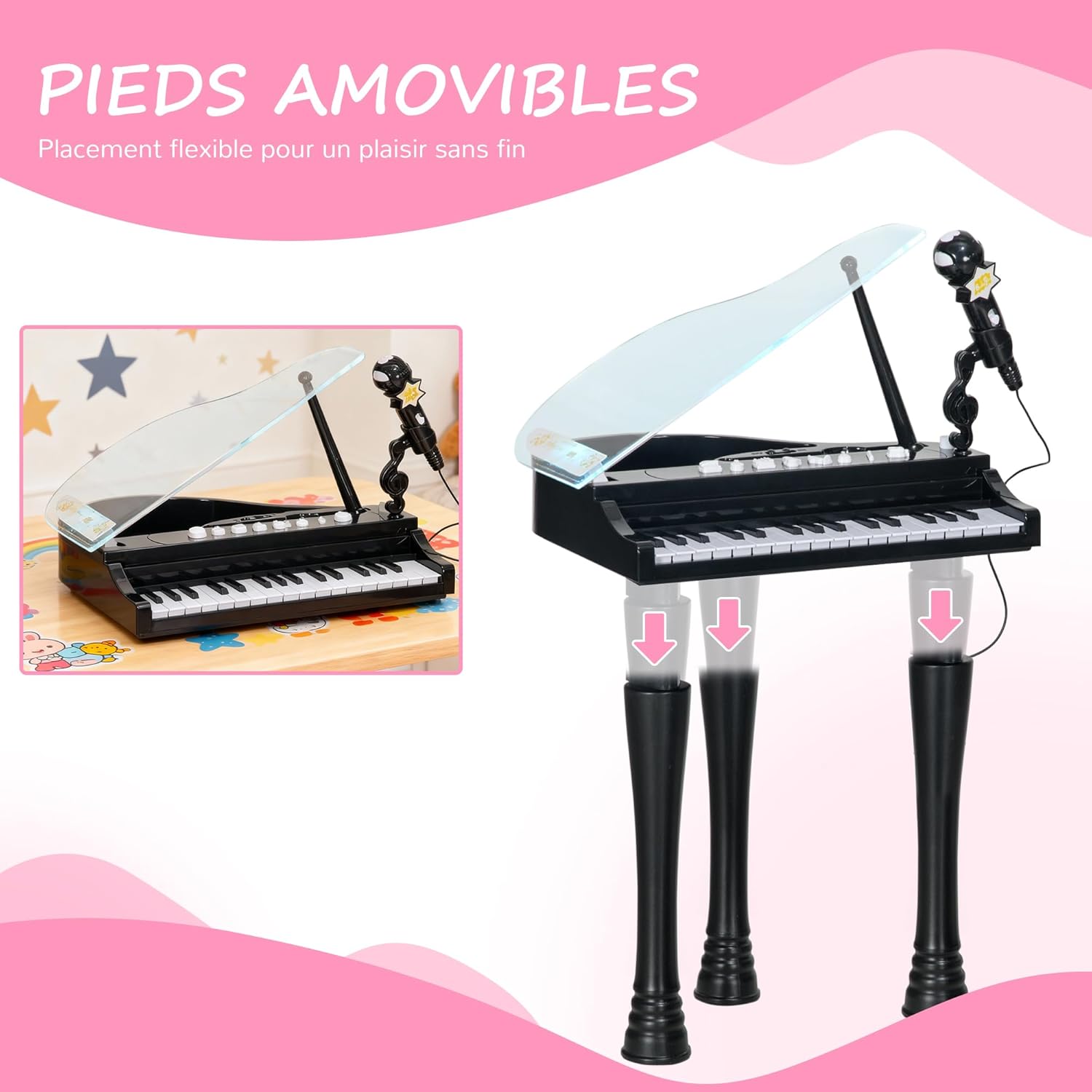
Obraz: Dwa views of the electronic piano, one with its legs attached for standing play and another showing the legs detached for tabletop use, highlighting the removable leg feature.
Instrukcja obsługi
Familiarize yourself with the control panel for various functions.

Obraz: szczegółowy view of the piano's control panel, showing buttons for volume, music, stop, and instrument sounds (Piano, Organ, Mandolin, Music Box), along with the 32 keys and microphone.
- Włączanie/wyłączanie: Locate the ON/OFF switch, usually on the back or side of the piano. Slide it to the 'ON' position to power on the device. Slide to 'OFF' to power off.
- Dostosuj głośność: Use the 'VOLUME +' and 'VOLUME -' buttons on the control panel to increase or decrease the sound level.
- Play the Keys: Press any of the 32 keys to play musical notes.
- Change Instrument Sounds: Press the dedicated buttons for 'PIANO', 'ORGAN', 'MANDOLIN', or 'MUSIC BOX' to switch between the four available instrument sounds.
- Play Demonstration Songs: Press the 'MUSIC' button to cycle through the 22 built-in demonstration songs. Press 'STOP IT' to stop the current song.
- Use the Microphone: Mów lub śpiewaj do mikrofonu. Dźwięk będzie amplified through the piano's speaker.
- Funkcja światła LED: The LED lights on the piano keys will illuminate and change color in rhythm with the music or when keys are pressed, providing a visual accompaniment to the sound.
- Automatyczny tryb uśpienia: To conserve battery life, the piano will enter sleep mode after 3 minutes of inactivity. Press any key or button to reactivate it.

Image: A close-up of the piano's top surface, highlighting the clear lid, LED lights that flash, and the volume control buttons, emphasizing the interactive light feature.
Konserwacja
- Czyszczenie: Wipe the piano and stool with a soft, dry cloth. For stubborn dirt, a slightly damp cloth can be used, followed by a dry cloth. Do not use abrasive cleaners or immerse the product in water.
- Składowanie: Store the piano in a cool, dry place away from direct sunlight and extreme temperatures. If storing for an extended period, remove the batteries.
- Wymiana baterii: Replace all 4 AA batteries when the sound becomes distorted or the lights dim.
Rozwiązywanie problemów
- Brak dźwięku/zasilania:
- Upewnij się, że przełącznik WŁ./WYŁ. jest ustawiony w pozycji „WŁ.”.
- Sprawdź, czy baterie zostały prawidłowo zainstalowane i czy ich biegunowość jest prawidłowa.
- Wymień stare lub wyczerpane baterie na nowe.
- Verify the volume is not set to minimum.
- Zniekształcony dźwięk:
- Może to oznaczać niski poziom naładowania baterii. Wymień baterie.
- Ensure the microphone is not too close to the speaker, causing feedback.
- Oświetlenie LED nie działa:
- Sprawdź stan naładowania akumulatora i wymień go w razie potrzeby.
- Sprawdź, czy pianino jest włączone.
Specyfikacje
| Marka | AIYAPLAY |
| Numer modelu | 390-023V00BK |
| Kolor | Czarny |
| Tworzywo | Plastikowy |
| Wymiary całkowite (dł. x szer. x wys.) | 37L x 30.5W x 60.4H cm (lid raised) / 38.8L x 30.5W x 42.9H cm (lid lowered) |
| Wymiary stołka (dł. x szer. x wys.) | 25.5 dł. x 25.5 szer. x 23.9 wys. cm |
| Liczba kluczy | 32 |
| Źródło zasilania | 4 baterie AA (brak w zestawie) |
| Zalecany wiek | 3-6 lat |
| Nośność stołka | 50 kilogramów |
| Waga produktu | 2.14 kilogramów |

Image: A diagram illustrating the key dimensions of the electronic piano (height 60.4 cm, width 37 cm, depth 30.5 cm) and the accompanying stool (height 23.9 cm, width 25.5 cm, depth 25.5 cm).
Gwarancja i wsparcie
Information regarding specific spare parts availability is not provided. For any issues or inquiries not covered in this manual, please refer to your purchase documentation or contact the retailer for support.


