Wstęp
This manual provides detailed instructions for the safe and efficient operation of your Phomemo M08F Portable Thermal Printer. Please read this manual thoroughly before using the device and retain it for future reference. The Phomemo M08F is designed for convenient, inkless printing of documents up to 8.5" x 11" on thermal paper, compatible with various devices via Bluetooth and USB.
Produkt ponadview
Zawartość opakowania
- M08F-Letter Portable Printer
- 10 arkuszy papieru termicznego do listów
- Kabel ładujący USB-A do USB-C (80 cm)
- Miękka torba do przechowywania
- Instrukcje, przewodnik szybkiego startu
Główne cechy
- Przenośna konstrukcja: Lightweight (1.58 lbs) and compact (12.2" x 2.6" x 1.6") for easy transport.
- Druk termiczny bez użycia atramentu: Utilizes advanced thermal technology, eliminating the need for ink cartridges, toners, or ribbons.
- Szeroka kompatybilność: Connects via Bluetooth to iOS and Android devices, and via USB to Laptops (PC, Mac, ChromeOS, Linux).
- US Letter Size Support: Prints on 8.5" x 11" thermal paper.
- Wysoka rozdzielczość: 203 DPI for clear black and white printing.
- Różnego przeznaczenia: Supports various document types including PDF, Word, Excel, TXT, images, and web stron.

Image: The Phomemo M08F printer shown with its accessories: 10 sheets of US Letter thermal paper, a USB-C charging cable, a soft storage pouch, and a quick start guide.
Organizować coś
1. Ładowanie drukarki
Before initial use, fully charge the printer. Connect the provided USB-A to USB-C charging cable to the printer's USB-C port and a compatible USB power adapter (not included). The indicator light will show charging status.
2. Ładowanie papieru termicznego
- Gently press the "PUSH" buttons on both sides of the printer to open the paper cover.
- Insert the 8.5" x 11" thermal paper with the printable side facing up. Ensure the paper is aligned straight.
- Close the paper cover until it clicks into place.

Image: The Phomemo M08F printer with US Letter thermal paper being fed into the paper slot, demonstrating the loading process.
3. App Installation (for Mobile Devices)
- Download the "Phomemo" app from the Apple App Store (for iOS) or Google Play Store (for Android).
- Zainstaluj aplikację na swoim smartfonie lub tablecie.

Image: A visual guide showing how to download the Phomemo app from app stores and connect the printer via Bluetooth for mobile printing.
4. Instalacja sterownika (dla komputera PC/laptopa)
For printing from a computer, you need to install the appropriate driver.
- Odwiedź oficjalną stronę pobierania sterowników Phomemo: m08f.phomemo.com
- Download the driver compatible with your operating system (Windows, macOS, Linux).
- Aby dokończyć instalację sterownika, postępuj zgodnie z instrukcjami wyświetlanymi na ekranie.

Image: A screenshot showing the Phomemo driver download page for the M08F printer, with options for Windows, Mac, and other operating systems.
Instrukcja obsługi
1. Włączanie/wyłączanie zasilania
- Aby włączyć urządzenie, naciśnij i przytrzymaj przycisk zasilania, aż zaświeci się kontrolka.
- Aby wyłączyć urządzenie, naciśnij i przytrzymaj przycisk zasilania, aż kontrolka zgaśnie.
2. Connecting via Bluetooth (Mobile Devices)
- Upewnij się, że drukarka jest włączona i znajduje się w zasięgu Bluetooth Twojego urządzenia mobilnego.
- Open the "Phomemo" app on your device.
- Within the app, navigate to the device connection section and select your M08F printer from the list of available devices. The app will guide you through the pairing process.
3. Connecting via USB (PC/Laptop)
- Upewnij się, że drukarka jest włączona.
- Connect the printer to your PC or laptop using the provided USB-A to USB-C cable.
- Your computer should recognize the printer after the drivers are installed.
4. Drukowanie z aplikacji Phomemo
- After connecting the printer via Bluetooth, open the document or image you wish to print within the Phomemo app.
- Adjust print settings such as density, size, and orientation as needed.
- Aby rozpocząć drukowanie, naciśnij przycisk drukowania.
5. Printing from PC/Laptop
- Ensure the printer is connected via USB and drivers are installed.
- Open the document you wish to print in your preferred application (e.g., Word, PDF vieweee).
- Wybierz „Drukuj” z menu aplikacji.
- Choose "Phomemo M08F" as your printer.
- Dostosuj wszelkie niezbędne ustawienia drukowania i kliknij „Drukuj”.
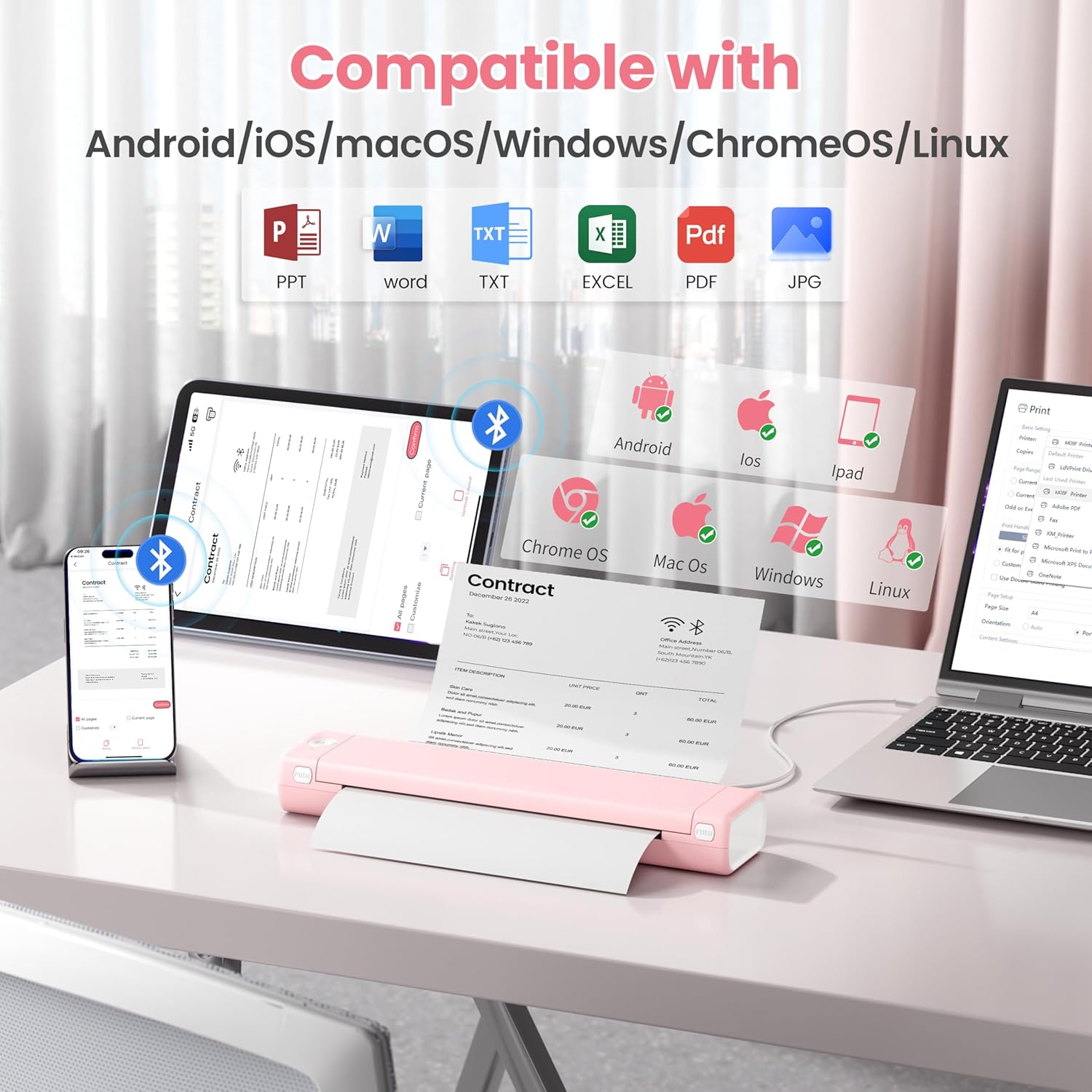
Image: An illustration showing the Phomemo M08F printer connected to various devices like smartphones, tablets, and laptops, highlighting its compatibility with Android, iOS, macOS, Windows, ChromeOS, and Linux.
Konserwacja
Czyszczenie głowicy drukującej
Aby zapewnić optymalną jakość druku, regularnie czyść głowicę drukującą. Delikatnie przetrzyj ją miękką, niepozostawiającą włókien ściereczką.ampSpryskać alkoholem izopropylowym. Delikatnie przetrzeć powierzchnię głowicy drukującej. Pozostawić do całkowitego wyschnięcia przed użyciem.
Przechowywanie papieru
Store thermal paper in a cool, dry place away from direct sunlight and heat to prevent discoloration and maintain print quality.
Rozwiązywanie problemów
| Problem | Możliwa przyczyna | Rozwiązanie |
|---|---|---|
| Drukarka się nie włącza. | Niski poziom baterii lub problem z zasilaniem. | Charge the printer using the provided USB cable. Ensure the power adapter is working. |
| Nie można nawiązać połączenia przez Bluetooth. | Bluetooth is off, printer is out of range, or not in pairing mode. | Ensure Bluetooth is enabled on your device. Move the printer closer. Restart both the printer and your device. Re-pair through the Phomemo app. |
| Poor print quality / Faded prints. | Print head is dirty, incorrect paper type, or low battery. | Clean the print head. Ensure you are using genuine thermal paper. Charge the printer. |
| Zacięcie papieru. | Nieprawidłowo załadowany papier lub obcy przedmiot. | Open the paper cover, carefully remove any jammed paper. Ensure paper is loaded straight. |
| Drukarka nie jest rozpoznawana przez komputer. | Drivers not installed or USB cable issue. | Install drivers from m08f.phomemo.com. Try a different USB port or cable. |
Specyfikacje
| Funkcja | Szczegół |
|---|---|
| Nazwa modelu | M08F-Letter Portable Printer |
| Technologia druku | Termiczny |
| Łączność | Bluetooth, USB typu C |
| Maksymalny rozmiar nośnika | 8.5 x 11 cali (format amerykański Letter) |
| Rozdzielczość wydruku | 203 dpi (Black & White) |
| Maksymalna prędkość drukowania (monochromatyczna) | 3 stron na milion |
| Kompatybilne urządzenia | Laptops, PC, Smartphones, Tablets (iOS, Android, macOS, Windows, ChromeOS, Linux) |
| Waga przedmiotu | 1.58 funta |
| Wymiary produktu | 12.2 x 2.6 x 1.6 cala |
| Bateria | 1 bateria litowo-jonowa (w zestawie) |
| Pojemność pamięci masowej | 64 MB |
Gwarancja i wsparcie
Aby uzyskać informacje o gwarancji, pomocy technicznej lub dalszej pomocy, zapoznaj się z oficjalną stroną Phomemo webOdwiedź witrynę lub skontaktuj się z obsługą klienta Phomemo. Szczegóły można zazwyczaj znaleźć w skróconej instrukcji obsługi dołączonej do produktu lub na stronie producenta. webstrona.
Official Phomemo Webstrona: www.phomemo.com


