1. Koniec produktuview
The FunFlix G1 Mini Portable Projector is a compact and powerful device designed for versatile entertainment and presentation needs. It features a fully sealed optical engine for enhanced durability and performance, along with advanced adjustment capabilities and high-quality visuals.

Figure 1.1: FunFlix G1 Mini Portable Projector
This image shows the compact, black FunFlix G1 Mini Portable Projector with a brown leather handle, highlighting its sleek design and portability.
Zawartość pudełka:
- 1 x FunFlix G1 Projector
- 1 x kabel HDMI
- 1 x Przewód zasilający
- 1 x Pilot zdalnego sterowania
- 1 x Instrukcja obsługi (ten dokument)
2. Przewodnik konfiguracji
2.1 Połączenie zasilania
- Ustaw projektor na stabilnej, płaskiej powierzchni.
- Podłącz dostarczony przewód zasilający do portu wejściowego zasilania projektora.
- Podłącz drugi koniec przewodu zasilającego do odpowiedniego gniazdka elektrycznego.
2.2 Początkowe rozmieszczenie i regulacja ekranu
Position the projector at the desired distance from your projection surface (wall or screen). The optimal projection size ranges from 30 to 300 inches.
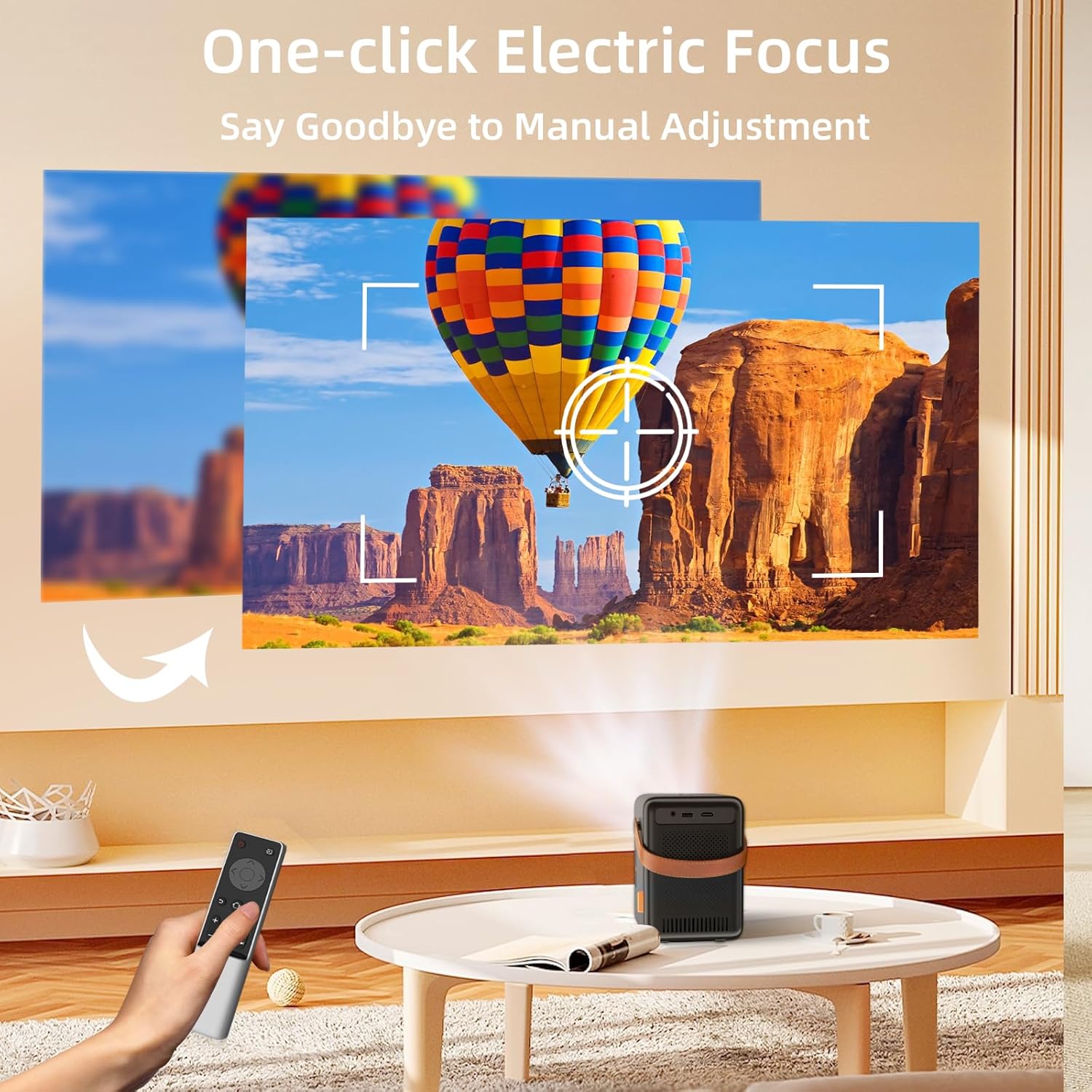
Figure 2.1: One-click Electric Focus
This image illustrates the projector's one-click electric focus feature, showing a remote control being used to adjust the image clarity on a projected screen.
2.3 Korekcja ostrości i zniekształceń trapezowych
- Skupienie elektryczne: Use the smart remote control to perform one-key electric focus. This automatically adjusts the image clarity.
- Korekcja zniekształceń trapezowych 4D/4P: If the image appears trapezoidal, use the remote control to adjust the vertical and horizontal angles for a perfectly rectangular image.
- Funkcja powiększania: Adjust the screen size without moving the projector using the ZOOM function on the remote control.

Figure 2.2: 4D Keystone Correction and Zoom
This image demonstrates the 4D keystone correction and zoom features, showing how the projected image can be adjusted from various angles and sizes (50% to 100%) without moving the projector.
3. Instrukcja obsługi
3.1 Włączanie/wyłączanie zasilania
- Aby włączyć, naciśnij przycisk zasilania na projektorze lub pilocie.
- Aby wyłączyć, naciśnij ponownie przycisk zasilania.
3.2 Wybór źródła sygnału wejściowego
The FunFlix G1 supports multiple input sources:
- HDMI: Connect devices like laptops, game consoles, or TV sticks using an HDMI cable.
- USB: Włóż dysk USB, aby odtworzyć multimedia files bezpośrednio.
- Wireless (Screen Mirroring): Connect your smartphone or tablet via 2.4G/5G WiFi.
Video 3.1: FunFlix G1 Projector - Smart Remote Adjustment
This video demonstrates the smart remote adjustment features of the FunFlix G1 projector, including focus and keystone correction, showcasing ease of use.
3.3 Łączność bezprzewodowa (WiFi i Bluetooth)
- Dublowanie ekranu 5G WiFi: Navigate to the screen mirroring option in the projector's menu. Follow the on-screen instructions to connect your smartphone (iOS/Android) or other compatible devices for wireless display. The dual 2.4G/5G WiFi ensures a stable and fast connection.
- Bluetooth 5.2: To connect external audio devices like headphones or speakers, go to the Bluetooth settings in the projector's menu. Enable Bluetooth and pair with your desired device.

Figure 3.1: 5G Ultra Fast and Bluetooth 5.2
This image highlights the projector's 5G WiFi and Bluetooth 5.2 capabilities, showing a comparison between 5G and 2.4G WiFi performance and the ability to connect to external Bluetooth speakers.
4. Konserwacja
The FunFlix G1 projector is designed with a fully sealed optical engine (IP5X dustproof) to minimize dust accumulation and maintain optimal performance over time.
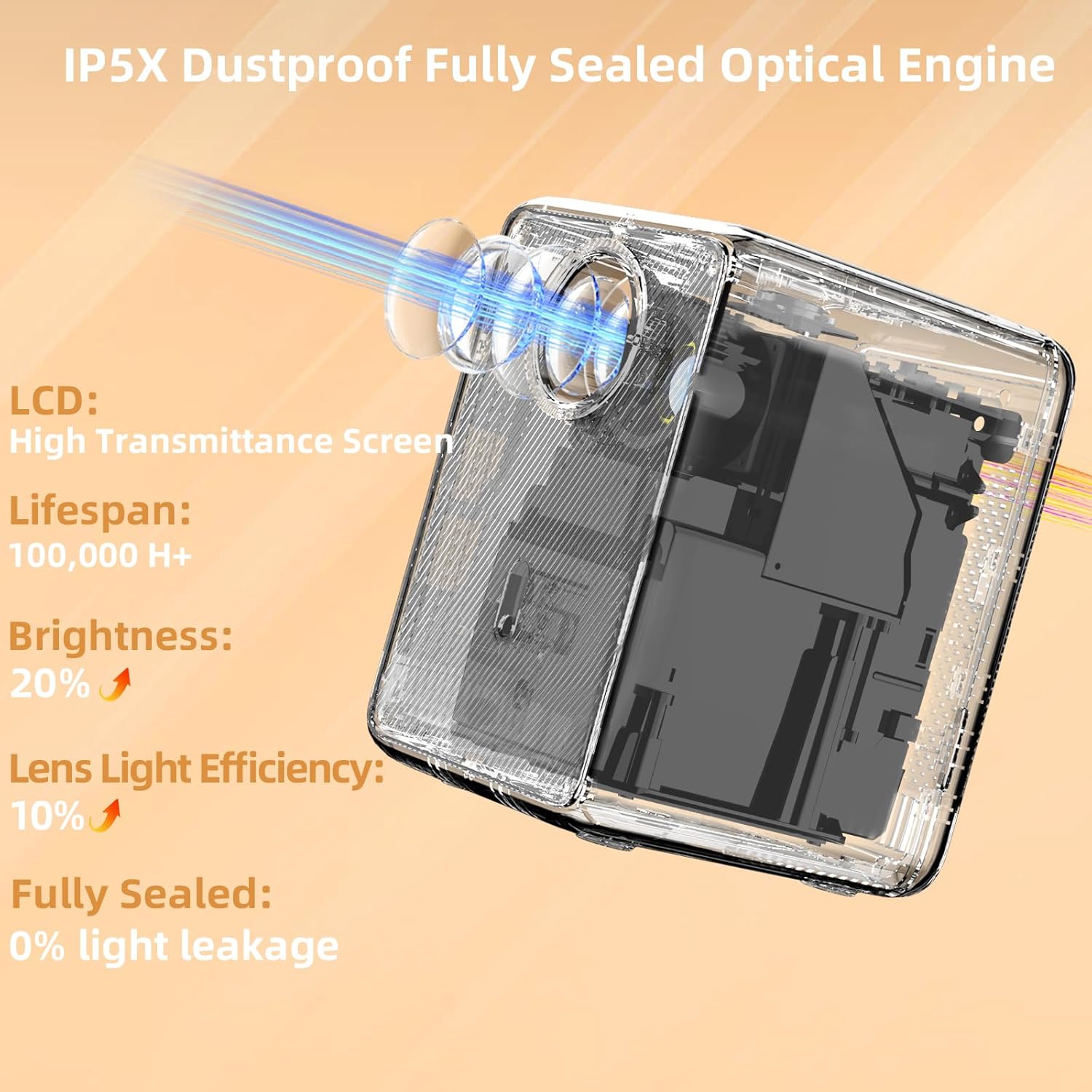
Figure 4.1: IP5X Dustproof Fully Sealed Optical Engine
This image provides an X-ray view of the projector's internal components, emphasizing the IP5X dustproof fully sealed optical engine, high transmittance screen, and improved lifespan and brightness.
Video 4.1: FunFlix G1 Latest Full Sealed Projector
This video showcases the FunFlix G1 projector's fully sealed design, highlighting its dustproof capabilities and how it maintains clear image quality over time compared to non-sealed projectors.
4.1 Czyszczenie
- Do czyszczenia zewnętrznej części projektora należy używać miękkiej, suchej ściereczki.
- Do czyszczenia soczewek należy używać ściereczki i specjalnego płynu do czyszczenia soczewek. Nie należy używać środków ściernych.
- Przed czyszczeniem upewnij się, że projektor jest odłączony od zasilania.
4.2 Przechowywanie
- Przechowuj projektor w chłodnym i suchym miejscu, z dala od bezpośredniego światła słonecznego i ekstremalnych temperatur.
- If storing for an extended period, place it back in its original packaging or a protective case.
5. Rozwiązywanie Problemów
| Problem | Możliwa przyczyna | Rozwiązanie |
|---|---|---|
| Brak obrazu na ekranie | Brak zasilania; Nieprawidłowe źródło sygnału; Luźne połączenie kablowe | Check power cord; Select correct input source (HDMI, USB, WiFi); Ensure cables are securely connected. |
| Obraz jest rozmazany | Out of focus; Incorrect keystone setting | Use electric focus via remote; Adjust 4D/4P keystone correction. |
| Brak dźwięku | Volume too low; Muted; External speaker not connected/paired | Increase volume; Unmute projector; Check Bluetooth connection for external speakers. |
| WiFi screen mirroring issues | Weak WiFi signal; Device incompatibility; Incorrect setup | Ensure strong 5G WiFi signal; Check device compatibility; Re-follow screen mirroring instructions. Try connecting to phone hotspot if no home WiFi. |
| Pilot nie działa | Dead batteries; Obstruction | Replace batteries; Ensure no obstructions between remote and projector. |
6. Specyfikacje
| Funkcja | Szczegół |
|---|---|
| Marka | FunFlix |
| Numer modelu | G1 |
| Maksymalna rozdzielczość wyświetlacza | 1920*1080 Pixels (Supported) |
| Jasność | 15000 lumenów |
| Współczynnik kontrastu | 15000:1 |
| Technologia łączności | Wired/Wireless/Bluetooth/WiFi/HDMI/USB/3.5mm Audio |
| Wi-Fi | 2.4G/5G Dual WiFi |
| Bluetooth | Bluetooth 5.2 |
| Cechy specjalne | Fully Sealed IP5X Dustproof Optical Engine, Electric Focus, 4D Keystone Correction, 50% Zoom, Built-in Hi-Fi Speaker |
| Waga przedmiotu | 2.64 funta |
| Wymiary produktu | 5.5 x 4.5 x 6.6 cala |
| Kolor | Czarny |
| Zalecane zastosowania | Edukacja, kino domowe, gry, biznes |
7. Gwarancja i wsparcie
FunFlix is committed to providing excellent customer service and product support.
7.1 Informacje o gwarancji
- 12-Month Back/Replacement: We offer a 12-month period for returns or replacements from the date of purchase.
- 3-Year Free Repair: Enjoy 3 years of free repair service for any manufacturing defects.
7.2 Wsparcie techniczne
We provide lifetime professional technical support for your FunFlix G1 projector.
- For any technical assistance or inquiries, please contact our support team via email: support@ifunflix.com.
- Nasz zespół wsparcia jest dostępny 24 godziny na dobę, 7 dni w tygodniu, aby Ci pomóc.


