1. Wprowadzenie
The Generac GB2000 Portable Power Station provides clean, emission-free power for various applications. This manual outlines the proper setup, operation, and maintenance procedures to ensure safe and efficient use of your device. Whether for home backup, camping, or outdoor activities, the GB2000 offers reliable energy.
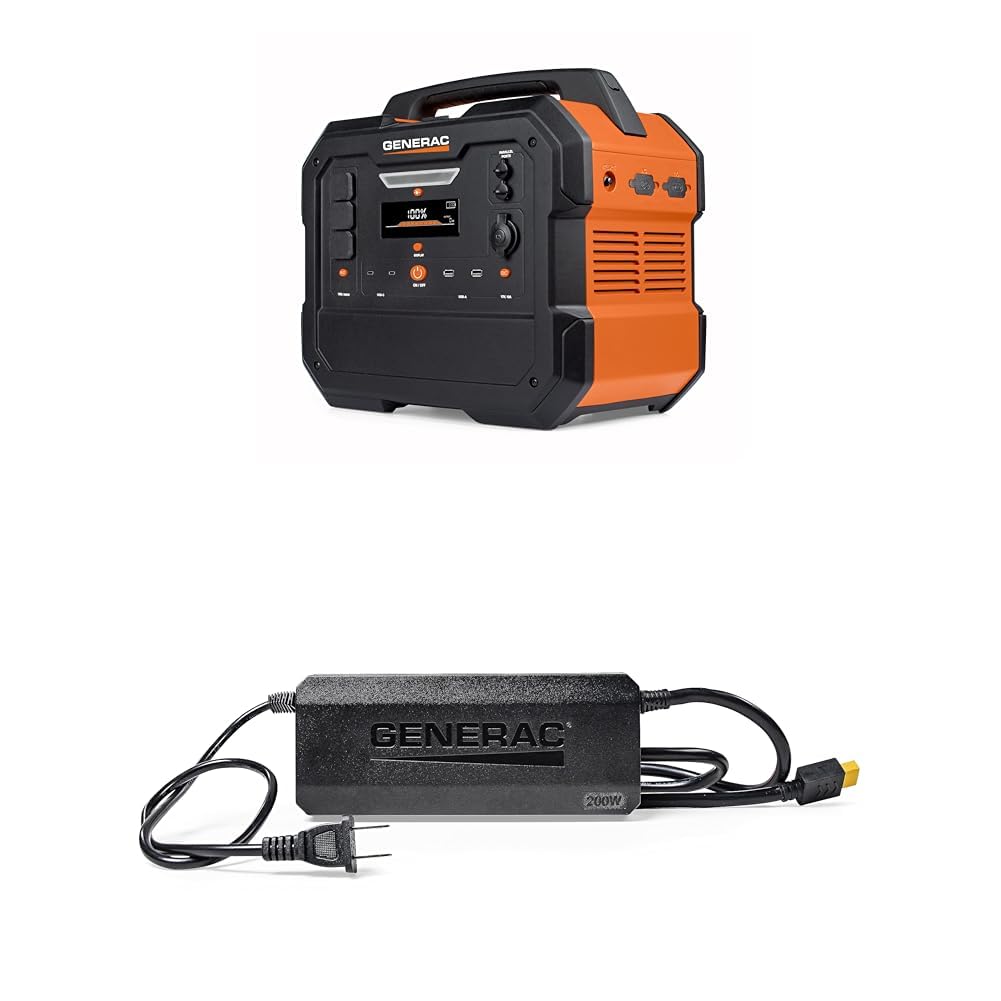
Image 1: Generac GB2000 Portable Power Station, a compact and durable unit with a handle for easy transport.
2. Informacje dotyczące bezpieczeństwa
OSTRZEŻENIE: Przed użyciem produktu należy przeczytać wszystkie ostrzeżenia i instrukcje dotyczące bezpieczeństwa. Nieprzestrzeganie ostrzeżeń i instrukcji może spowodować porażenie prądem elektrycznym, pożar i/lub poważne obrażenia.
- Zastosowanie wewnątrz / na zewnątrz: This power station is designed for both indoor and outdoor use. Ensure adequate ventilation when operating indoors.
- Unikaj wilgoci: Nie wystawiać elektrowni na działanie deszczu ani wilgoci.
- Prawidłowe połączenia: Ensure all connections are secure and correctly inserted to prevent electrical hazards.
- Zabezpieczenie przed przeciążeniem: Do not exceed the rated output of the power station. Overloading can cause damage to the unit and connected devices.
- Dzieci i zwierzęta: Trzymaj elektrownię poza zasięgiem dzieci i zwierząt domowych.
- Składowanie: Store the unit in a cool, dry place away from direct sunlight and flammable materials.
3. Zawartość opakowania
Sprawdź, czy w pakiecie znajdują się wszystkie elementy:
- Generac GB2000 Portable Power Station
- Generac 8031 Charge Enhancer 200W Charger
- Kabel ładujący
- Instrukcja obsługi (ten dokument)
4. Cechy i komponenty produktu
The Generac GB2000 is equipped with a variety of ports and features for versatile power delivery:
- Multi-Color Display: Provides real-time information on battery status, input/output wattage i pozostały czas wykonania.
- AC Receptacles (NEMA 1-15R): Standard household outlets for powering various appliances.
- USB-C Output Receptacles: Do szybkiego ładowania urządzeń zgodnych ze standardem USB-C.
- USB-A Output Receptacles: Standardowe porty USB do ładowania mniejszych urządzeń elektronicznych.
- Gniazdo samochodowe 12V: For powering 12V DC devices or charging the power station from a vehicle.
- Porty równoległe: Allows connection of two GB2000 units for increased power output (Parallel Kit sold separately).
- Bezprzewodowa podkładka ładująca: Built-in 15W wireless charging for compatible devices.
- LED ON/OFF Button & Diffused LED Light: Zapewnia oświetlenie w różnych sytuacjach.
- AC Output ON/OFF Button: Controls the AC power output.
- Przycisk włączania/wyłączania wyjścia DC: Controls the DC power output.
- Przycisk włączania/wyłączania wyświetlacza: Przełącza ekran wyświetlania.
- Main ON/OFF Button: Powers the entire unit on or off.

Rysunek 2: Szczegółowy view of the Generac GB2000 control panel, highlighting various input/output ports and control buttons.
5. Konfiguracja
- Rozpakować: Carefully remove the Generac GB2000 and all accessories from the packaging.
- Opłata początkowa: Before first use, fully charge the power station using the provided charging cable and a standard wall outlet. The display will indicate charging progress.
- Zapoznaj się: Review the control panel and port locations as detailed in Section 4.
6. Instrukcja obsługi
- Włączanie/wyłączanie: Naciśnij i przytrzymaj Main ON/OFF Button to power the unit on or off. The multi-color display will activate.
- Activate AC Output: Naciśnij Przycisk włączania/wyłączania wyjścia AC to enable the AC receptacles. The indicator light will illuminate.
- Activate DC Output: Naciśnij Przycisk włączania/wyłączania wyjścia DC to enable the DC ports (USB, 12V Car Port). The indicator light will illuminate.
- Podłącz urządzenia: Plug your devices into the appropriate AC or DC ports. Monitor the display for real-time output wattage.
- Ładowanie bezprzewodowe: Place your compatible device on the built-in 15W wireless charging pad located on top of the unit.
- Światło LED: Naciśnij Przycisk LED WŁ./WYŁ. to activate the diffused LED light. Press again to cycle through brightness settings or activate SOS mode.
- Praca równoległa: For increased power, connect two Generac GB2000 units using a Parallel Kit (sold separately) via the Parallel Ports. Refer to the Parallel Kit manual for detailed instructions.
7. Opcje doładowania
The Generac GB2000 offers flexible recharging methods:
- Gniazdo ścienne: Use the provided charging cable to connect to a standard AC wall outlet.
- Panele słoneczne: Connect compatible solar panels (sold separately) to the designated input ports for eco-friendly recharging.
- Ładowarka samochodowa: Use a car charger (sold separately) to recharge the power station from your vehicle's 12V outlet.
- Charge Enhancer: Utilize the Generac 8031 Charge Enhancer 200W Charger to recharge your GB Power Station up to 25% faster.
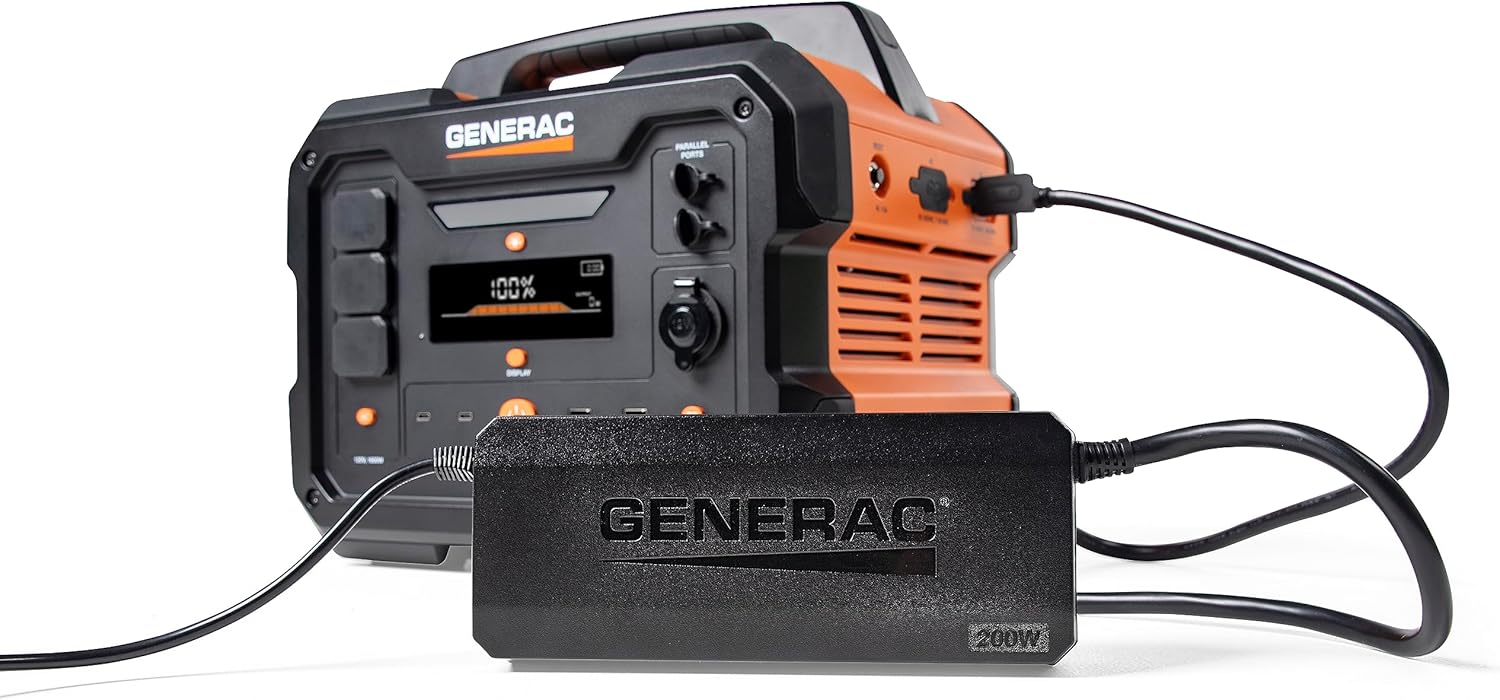
Image 3: Generac GB2000 connected to the Generac 8031 Charge Enhancer for optimized charging speed.

Image 4: Optional accessories for the Generac GB2000, including a Parallel Kit, Charge Enhancer, and Solar Panel.
8. Konserwacja
- Czyszczenie: Wipe the exterior of the power station with a soft, dry cloth. Do not use abrasive cleaners or solvents.
- Składowanie: If storing for extended periods, ensure the battery is charged to at least 50% and recharge every 3-6 months to maintain battery health. Store in a cool, dry environment.
- Kontrola: Periodically inspect the unit and cables for any signs of damage. Do not operate if damaged.
9. Rozwiązywanie Problemów
- Urządzenie nie włącza się: Upewnij się, że akumulator jest naładowany. Jeśli nie, podłącz go do źródła zasilania.
- Brak wyjścia z portów: Verify that the AC/DC output buttons are pressed and their indicator lights are on. Check device connections.
- Wskazanie przeciążenia: If the overload alarm activates, disconnect some devices to reduce the load. The unit may automatically reset or require a manual restart.
- Problemy z ładowaniem: Ensure the charging cable is securely connected and the power source is active. Check the display for charging status.
10. Specyfikacje
| Funkcja | Specyfikacja |
|---|---|
| Marka | Generac |
| Nazwa modelu | GB2000 |
| Cotage | 2106 watts (Starting), 2000 watts (Output) |
| Źródło zasilania | Solar Powered (compatible) |
| Funkcja specjalna | Lightweight, Portable, Wireless Charging |
| Zawarte komponenty | Charging Cable, Generac 8031 Charge Enhancer 200W Charger |
| Całkowita moc gniazdek | 6 (AC, USB-A, USB-C, 12V DC) |

Image 5: Estimated runtimes for common devices with the Generac GB2000 Portable Power Station.
11. Gwarancja i wsparcie
For warranty information, technical support, or service inquiries, please refer to the warranty card included in your product packaging or visit the official Generac webZachowaj paragon jako dowód zakupu.


