1. Wprowadzenie
The Aideepen 4-30V 0-5.0A USB C Tester Voltmeter is a compact and versatile device designed to measure various electrical parameters of USB-C compatible devices. It features a 0.96-inch IPS color LCD screen for clear data display and supports bidirectional testing. This manual provides essential information for the safe and effective use of your USB C Tester.

Image: The Aideepen USB C Tester Voltmeter, showcasing its compact form factor and the vibrant display.
2. Funkcje produktu
- Multifunctional Type-C Tester: Wykrywa objtage, current, capacity, power, and other real-time data.
- Wyświetlacz o wysokiej rozdzielczości: 0.96-inch IPS color LCD screen with 160-degree wide viewing angle, high brightness, and long lifespan.
- Funkcja wyłączania pamięci: Stores capacity and energy data for later viewing, suitable for mobile power measurements.
- Testowanie dwukierunkowe: Supports connection in both directions.
- Szerokie zastosowanie: Compatible with QC2.0, QC3.0, and PD fast charging protocols. Ideal for quality inspection of 3C digital peripherals.

Image: The USB C Tester highlighting its HD color screen and compatibility features.
3. Konfiguracja i połączenie
The USB C Tester is designed for simple plug-and-play operation. It can be connected in two directions, allowing for flexible use with various devices and chargers.
- Identify the USB-C port on your power source (e.g., USB charger, PD charger, power bank).
- Connect one end of the Aideepen USB C Tester to the power source's USB-C port.
- Connect your device (e.g., mobile phone, notebook) to the other end of the Aideepen USB C Tester.
- The tester's screen will automatically light up and display the measurement data.

Image: Connection diagram illustrating how to connect the USB C Tester between a charger and a device, supporting both USB and PD chargers.
4. Instrukcja obsługi
4.1 Display and Data Interpretation
The 0.96-inch IPS color screen displays multiple parameters simultaneously, including voltage (V), current (A), capacity (mAh), energy (mWh), load resistance (Ω), power (W), temperature (℃), and measurement time (T).

Obraz: Powiększony view of the tester's display, emphasizing its 4-digit precision for accurate readings.
4.2 Funkcje przycisków
- Krótkie naciśnięcie: Switches between different display pages to view various data sets.
- Double Quick Press: Rotates the display orientation by 180 degrees for convenience.
- Naciśnij i przytrzymaj (3 sekund): Clears all stored capacity and energy data.
4.3 Pamięć wyłączania zasilania
The device retains capacity and energy data even after being disconnected from power. This allows for cumulative measurements over time, particularly useful for evaluating power banks or battery capacities.
5. Konserwacja
- Utrzymuj urządzenie w czystości i suchości. Unikaj narażenia na działanie płynów i nadmiernej wilgoci.
- Nie należy podejmować prób demontażu lub modyfikacji urządzenia, gdyż spowoduje to utratę gwarancji i może spowodować uszkodzenia.
- Przechowuj tester w chłodnym i suchym miejscu, gdy nie jest używany.
- Unikaj upuszczania i narażania urządzenia na silne uderzenia.
6. Rozwiązywanie Problemów
- Brak wyświetlacza: Ensure the tester is correctly connected between a power source and a load. Check if the power source is active.
- Niedokładne odczyty: Ensure connections are secure. If issues persist, try connecting to a different power source or device to rule out external factors.
- Data not clearing: Ensure you press and hold the button for at least 3 seconds to clear stored data.
7. Specyfikacje
| Parametr | Wartość |
|---|---|
| Tomtage Zakres pomiarowy | 4-30 V |
| Zakres pomiaru prądu | 0-5 A |
| Tomtage Rozdzielczość | 0.002 A |
| Aktualna rozdzielczość | 0.002 A |
| Zakres pomiaru pojemności | 0-999999 mWh |
| Zakres rezystancji obciążenia | 1-9999.9Ω |
| Zakres pomiaru mocy | 0-150 W |
| Zakres pomiaru temperatury | 0-80 ℃ |
| Zakres pomiaru energii | 0-999999 mWh |
| Measurement Time Range | 0-99 godzin |
| Interfejs produktu | USB-C 24-pin |
| Kierunek testu | dwukierunkowa |
| Typ wyświetlacza | 0.96-calowy kolorowy ekran IPS |
| Numer modelu | A7X-JM0425A |
| Waga produktu | 20 gramów |
| Wymiary | 12 x 10.3 x 2.1 cm (opakowanie) |
8. Wide Application Examples
The Aideepen USB C Tester is suitable for a variety of applications, including:
- Testing mobile power banks
- Evaluating USB chargers and PD chargers
- Monitoring car chargers
- Checking the performance of cell phones and notebooks
- Verifying data line quality
- Interfacing with electronic loads for testing
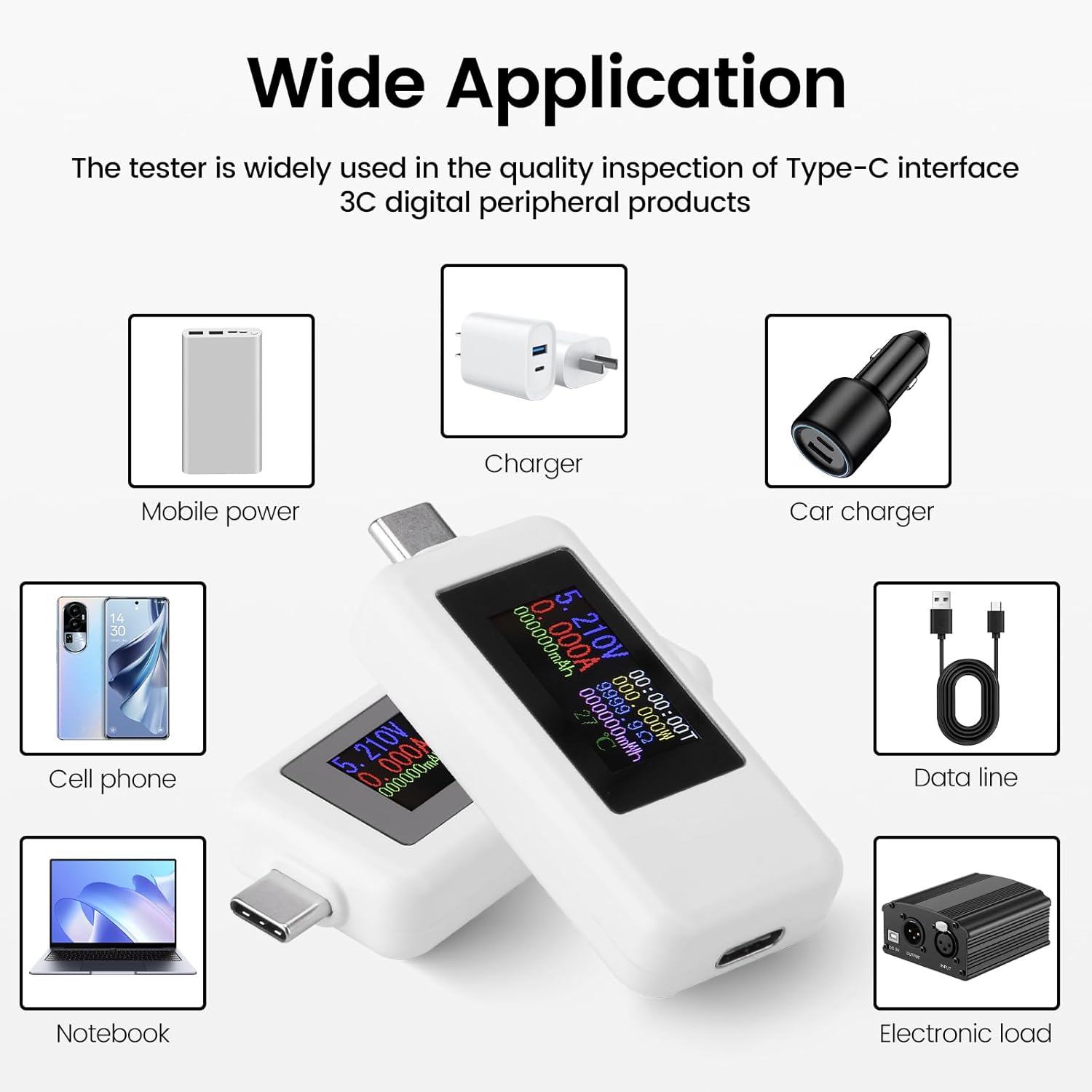
Image: An illustration demonstrating the wide range of applications for the USB C Tester with different devices and power sources.


