1. Koniec produktuview
The VTech CS1500 DECT cordless phone is designed for home use, offering essential communication features with enhanced convenience. This manual provides instructions for setting up, operating, and maintaining your phone.
Główne cechy:
- Dual-Charging Design: Innovative design allows the handset to be charged face up for easy screen viewing or face down for a compact profile.
- Blokowanie połączeń: Block up to 60 unwanted numbers to prevent nuisance calls.
- ECO DECT Mode: Automatically adjusts radio frequency power based on distance from the base station, ensuring reduced energy consumption.
- Długa żywotność baterii: Provides up to 13 hours of talk time and 200 hours of standby time.
- Podświetlany wyświetlacz: Clear, easy-to-read display for optimal visibility.
- Książka telefoniczna: Zapamiętaj do 60 nazw i numerów, aby móc szybko wybierać.
- Identyfikacja dzwoniącego/połączenie oczekujące: Stores up to 20 incoming call entries with name, number, time, and date.
- Ponowne wybieranie ostatniego numeru: Easily redial the last 10 numbers called.
- Zestaw głośnomówiący: For convenient conversations.
- Funkcje dodatkowe: Adjustable ringtone volume and melodies, alarm function, mute function, 3-way conference, call transfer, and intercom.

Figure 1: VTech CS1500 DECT Cordless Phone Handset in Charging Base.
2. Zawartość opakowania
Upewnij się, że Twoja przesyłka zawiera następujące elementy:
- Telefon komórkowy VTech CS1500
- Base Station with Power Adapter
- Przewód telefoniczny
- Rechargeable Batteries (1 product specific - included)
- Instrukcja obsługi (ten dokument)
3. Przewodnik konfiguracji
3.1 Instalacja baterii
- Otwórz pokrywę komory baterii z tyłu słuchawki.
- Włóż dołączone akumulatory, zwracając uwagę na prawidłową biegunowość (+ i -).
- Dokładnie zamknij pokrywę komory baterii.
3.2 Base Station Placement and Connection
- Place the base station on a flat, stable surface, away from heat sources and direct sunlight.
- Connect the small end of the power adapter to the power jack on the base station.
- Plug the large end of the power adapter into a wall outlet.
- Connect one end of the telephone line cord to the telephone line jack on the base station.
- Podłącz drugi koniec przewodu telefonicznego do gniazdka telefonicznego w ścianie.
3.3 Initial Charging and Handset Registration
- Place the handset in the base station to charge. The handset can be placed face up or face down.
- Przed pierwszym użyciem należy ładować słuchawkę przez co najmniej 16 godzin, aby zapewnić pełną pojemność akumulatora.
- The handset is typically pre-registered to the base station. If not, follow the on-screen prompts or refer to the full manual for manual registration steps.

Figure 2: Handset dual-charging design, allowing face-up or face-down placement in the base.

Figure 3: Illustration of the phone's reliable long-range signal within a home environment.
4. Instrukcja obsługi
4.1 Wykonywanie i odbieranie połączeń
- Zadzwonić: Naciśnij Rozmawiać button (green phone icon), then dial the number. Alternatively, dial the number first and then press Rozmawiać.
- Aby odebrać połączenie: Gdy zadzwoni telefon, naciśnij Rozmawiać przycisk.
- Aby zakończyć połączenie: Naciśnij Koniec button (red phone icon) or place the handset back in the base station.
4.2 Using the Speakerphone
Podczas połączenia naciśnij Głośnik button (speaker icon) to activate hands-free mode. Press it again to return to handset mode.
4.3 Książka telefoniczna
Książka telefoniczna umożliwia zapisanie do 60 nazw i numerów.
- Aby dodać wpis: Przejdź do menu Książki telefonicznej, wybierz opcję „Dodaj nowy”, wpisz nazwę i numer, a następnie zapisz.
- Aby wybrać numer z książki telefonicznej: Naciśnij Książka telefoniczna przycisk, przewiń do żądanego wpisu i naciśnij Rozmawiać.
4.4 Blokowanie połączeń
Blokuj niechciane połączenia, dodając numery do listy blokowanych połączeń (do 60 wpisów).
- Aby zablokować numer: During an incoming call or from the Caller ID log, press the Blokowanie połączeń button (shield icon) and confirm.

Figure 4: Close-up of the handset highlighting the call block button, used to prevent unwanted calls.
4.5 Caller ID and Call Log
The phone displays the caller's information (if available) and stores the last 20 incoming calls.
- Do View Rejestr połączeń: Naciśnij CID button or navigate to the Call Log menu. Use the navigation keys to scroll through entries.
- To Dial from Call Log: Select an entry from the Call Log and press Rozmawiać.

Figure 5: Handset display showing caller ID information and a list of stored incoming calls.
4.6 Last Number Redial
The phone stores the last 10 numbers dialed.
- Aby wybrać ponownie: Naciśnij Ponowne wybieranie przycisk, przewiń do żądanego numeru i naciśnij Rozmawiać.

Figure 6: Handset display showing a number being redialed, illustrating the last 10 number redial function.
4.7 Inne funkcje
- Niemy: Podczas połączenia naciśnij Niemy button to temporarily disable your microphone.
- Alarm: Set an alarm through the handset menu.
- Awiofon: If you have multiple handsets, you can make internal calls between them.
- Konferencja 3-stronna: Allows three parties to participate in a single call.

Figure 7: A user on a call, with an indicator showing the phone's 13-hour talk time capability.
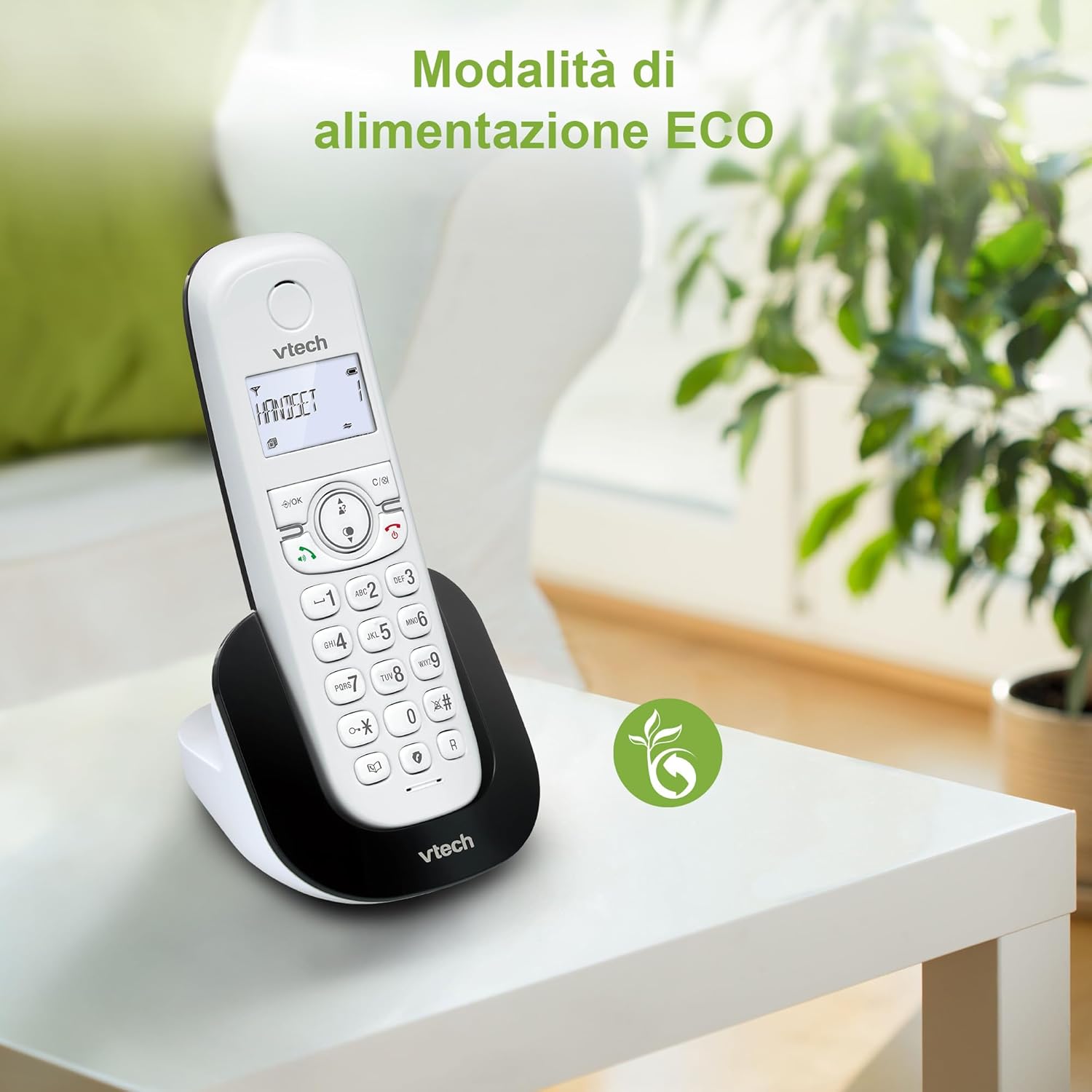
Figure 8: The phone in a home setting, indicating the energy-saving ECO power mode.
5. Konserwacja
5.1 Czyszczenie
- Przetrzyj telefon i stację bazową miękką szmatką.amp płótno.
- Do not use cleaning sprays or harsh chemicals, as these can damage the surface or internal components.
5.2 Pielęgnacja baterii
- To maintain optimal battery performance, always return the handset to the base station when not in use.
- Jeśli telefon nie będzie używany przez dłuższy czas, wyjmij baterie, aby zapobiec wyciekowi.
- Replace batteries when their performance significantly degrades. Use only VTech-approved replacement batteries.
6. Rozwiązywanie Problemów
If you experience issues with your VTech CS1500, try the following solutions:
| Problem | Rozwiązanie |
|---|---|
| Brak sygnału wybierania | Ensure the base station power adapter and telephone line cord are securely connected. Check if other phones on the same line are working. |
| Nie można wykonywać/odbierać połączeń | Check the telephone line connection. Ensure the handset batteries are charged. If multiple handsets, ensure they are registered. |
| Słaba jakość dźwięku | Move closer to the base station. Ensure there are no large metal objects or other electronic devices interfering with the signal. |
| Wyświetlacz telefonu jest pusty | Place the handset in the base station to charge. The battery may be depleted. |
| Słuchawka się nie ładuje | Ensure the power adapter is connected to the base station and a working wall outlet. Clean the charging contacts on both the handset and base station. |
7. Specyfikacje
| Funkcja | Szczegół |
|---|---|
| Marka | VTech |
| Numer modelu | CS1500 |
| Kolor | Biały |
| Typ telefonu | Bezprzewodowy |
| Cechy specjalne | Bezprzewodowy |
| Kompatybilne urządzenia | PSTN |
| Liczba baterii | 1 (konkretny produkt - w zestawie) |
| Tworzywo | Plastikowy |
| Źródło zasilania | Zasilany bateryjnie |
| Typ dialera | Pojedyncza klawiatura |
| Typ systemu odbierającego | Digital (Note: Product description does not explicitly mention an answering machine feature.) |
| Waga przedmiotu | 350 gram |
| Producent | VTECH TELECOMMUNICATIONS LTD |
| Kraj pochodzenia | Chiny |
8. Gwarancja i wsparcie
Aby uzyskać informacje dotyczące gwarancji i pomocy technicznej, zapoznaj się z kartą gwarancyjną dołączoną do produktu lub odwiedź oficjalną stronę internetową VTech website. You can typically find support contact details, FAQs, and additional resources there.
Oficjalny VTech Webstrona: www.vtechphones.com


