1. Wprowadzenie
This manual provides detailed instructions for the installation, operation, and maintenance of your Ctronics CTIPC-790C-EU 5MP PTZ Wi-Fi Security Camera. Please read this manual thoroughly before using the product to ensure proper function and safety. This camera is designed for both indoor and outdoor surveillance, offering high-resolution video, advanced detection features, and flexible connectivity.

Rycina 1: Przód view of the Ctronics 5MP PTZ Wi-Fi Security Camera. This image displays the camera's dome shape, lens, and LED illuminators.
2. Zawartość opakowania
Sprawdź, czy wszystkie wymienione poniżej elementy znajdują się w Twojej paczce. Jeśli brakuje któregokolwiek z nich lub jest on uszkodzony, skontaktuj się z obsługą klienta.
- Ctronics CTIPC-790C-EU 5MP PTZ Wi-Fi Security Camera
- Zasilacz
- Kabel ładujący
- Instrukcja obsługi
- Uchwyt montażowy
- Śruby montażowe
3. Koniec produktuview
The Ctronics CTIPC-790C-EU camera offers advanced surveillance capabilities:
- Rozdzielczość Ultra HD 5MP: Provides clear 2560x1920 pixel video and images, offering more detail than 1080P or 4MP cameras.
- Dual-Band Wi-Fi (2.4/5GHz): Supports both 2.4GHz for extended range and better penetration, and 5GHz for faster transmission and reduced interference.
- Funkcjonalność PTZ: Obrót o 355° i pochylenie o 90° zapewniają pokrycie całego obszaru.
- Wykrywanie i automatyczne śledzenie ludzi za pomocą sztucznej inteligencji: Intelligent technology reduces false alarms by up to 95% and automatically tracks detected human movement.
- Kolorowe widzenie nocne: Achieves full-color night vision up to 25 meters or infrared night vision up to 30 meters for clear visibility in low-light conditions.
- Dwukierunkowy dźwięk: Wbudowany mikrofon i głośnik umożliwiające komunikację na odległość.
- Odporność na warunki atmosferyczne IP66: Durable construction suitable for outdoor use in various weather conditions.
- Elastyczne opcje przechowywania: Supports continuous 24/7 recording to a microSD card (up to 128GB), cloud storage, or FTP.

Figure 2: This image illustrates the superior clarity of 5MP resolution compared to 2MP, highlighting finer details in a vehicle.
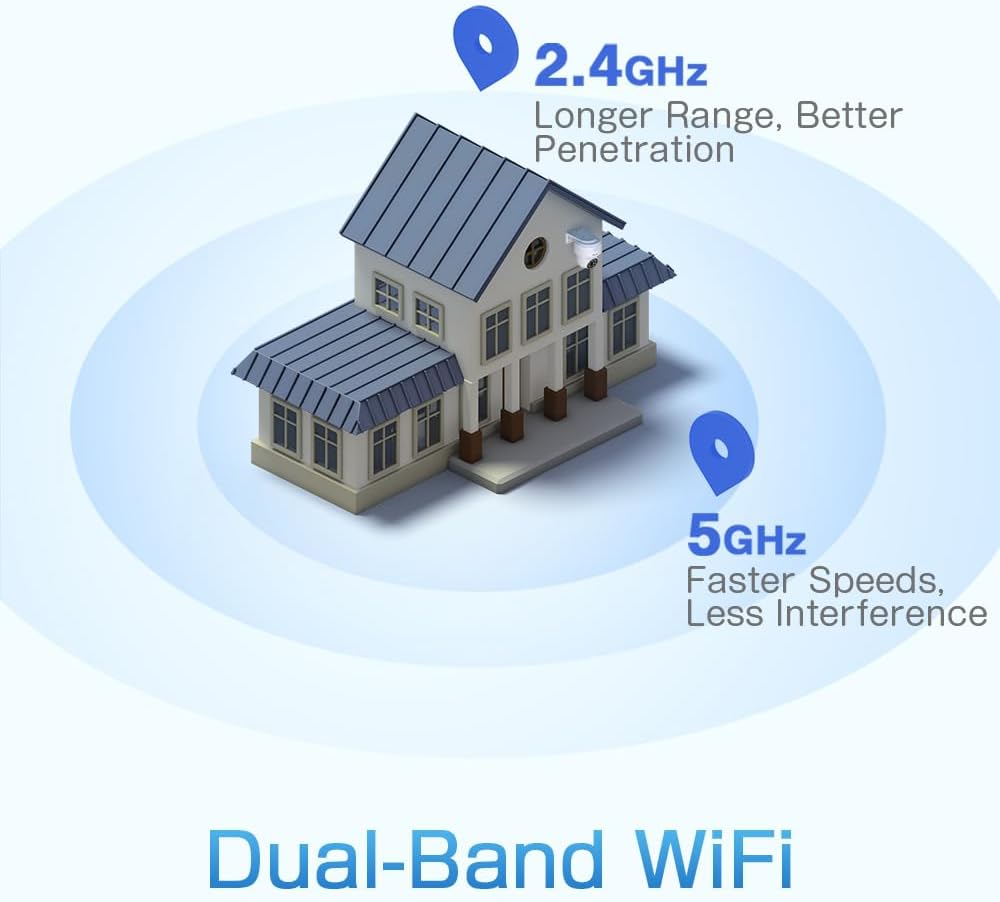
Figure 3: A diagram depicting a house with Wi-Fi signals. The 2.4GHz signal offers longer range and better penetration, while the 5GHz signal provides faster speeds and less interference.
4. Konfiguracja
4.1 Fizyczna instalacja
The camera can be mounted on a wall or ceiling. Ensure the mounting location provides a clear field of view i znajduje się w zasięgu Wi-Fi.
- Wybierz lokalizację: Select a suitable indoor or outdoor location. The camera is IP66 waterproof, making it resistant to dust and water jets.
- Montowanie:
- Mocowanie ścienne: Za pomocą dołączonego uchwytu montażowego i śrub zamocuj kamerę na ścianie.
- Montaż sufitowy: The camera can also be mounted directly to a ceiling.
- Dostosuj kąt: After mounting, adjust the camera's orientation as needed.

Figure 4: This image displays two installation methods: wall mounting using a bracket and ceiling mounting.

Figure 5: This image illustrates both ceiling and wall installation options, emphasizing the camera's IP66 waterproof rating by showing it under simulated rain.
4.2 Połączenie zasilania
Connect the provided power adapter to the camera's power input and then plug it into a standard electrical outlet. Ensure the connection is secure.
4.3 Połączenie sieciowe
The camera supports both 2.4GHz and 5GHz Wi-Fi networks. For initial setup, it is recommended to place the camera near your Wi-Fi router.
- Pobierz aplikację: Download the Ctronics Pro or CamHi Pro app from your smartphone's app store (available for iOS and Android). For PC, use HiP2P Client software.
- Zarejestruj Konto: Otwórz aplikację i zarejestruj nowe konto lub zaloguj się, jeśli już je posiadasz.
- Dodaj kamerę: Postępuj zgodnie z instrukcjami w aplikacji, aby dodać kamerę. Zazwyczaj polega to na zeskanowaniu kodu QR na kamerze lub ręcznym wpisaniu jej identyfikatora.
- Połącz się z Wi-Fi: Select your desired 2.4GHz or 5GHz Wi-Fi network and enter the password. The camera will connect to the network.
5. Instrukcja obsługi
5.1 Na żywo View i sterowanie PTZ
Once connected, you can access the live video feed through the Ctronics app or PC software.
- Przekaz na żywo: Kliknij kamerę w aplikacji, aby view strumień wideo w czasie rzeczywistym.
- Panoramowanie/pochylanie: Use the directional controls within the app to rotate the camera horizontally (pan 355°) and vertically (tilt 90°).
- Brzęczenie: Zoom cyfrowy jest dostępny poprzez aplikację.
- Zaprogramowane pozycje: Set up to 8 preset positions for quick navigation to specific areas.
5.2 Wykrywanie ludzi przez sztuczną inteligencję i automatyczne śledzenie
The camera's intelligent detection system can identify human shapes and track their movement.
- Włącz wykrywanie: In the app settings, enable AI Human Detection.
- Adjust Sensitivity & Area: Customize the detection sensitivity and define specific detection zones to minimize false alarms.
- Automatyczne śledzenie: When enabled, the camera will automatically follow detected human movement within its field of view.
- Alerty: Receive instant notifications via the app or email when motion is detected. The camera can also trigger customizable sound and light alarms.

Figure 6: This image shows the camera detecting a person at night, with an alarm notification displayed on a smartphone, illustrating the human detection and auto-tracking features.
5.3 Widzenie nocne
The camera offers enhanced night vision capabilities:
- Pełnokolorowa wizja nocna: When spotlights are activated, the camera can provide full-color video in low-light conditions up to 25 meters.
- Nocna Nocna Wizja: In complete darkness, the camera automatically switches to infrared mode, providing clear black and white video up to 30 meters.

Figure 7: An image showing the camera mounted outdoors at night, with its spotlights illuminated to provide full-color night vision. A smartphone displays the live feed.
5.4 Dźwięk dwukierunkowy
Use the two-way audio feature to communicate with individuals near the camera.
- Mówić: Press and hold the microphone icon in the app to speak through the camera's speaker.
- Słuchać: Enable the speaker icon to listen to audio from the camera's microphone.
5.5 Rejestrowanie i przechowywanie
The camera supports various recording and storage methods:
- Karta MicroSD: Insert a microSD card (up to 128GB, not included) into the designated slot for local 24/7 continuous recording.
- Przechowywanie w chmurze: Subscribe to a cloud storage service (if available) for off-site video backup.
- FTP: Configure FTP settings in the app to upload recordings to an FTP server.

Figure 8: This image illustrates the camera's 24/7 recording capability and various recording modes, including a timeline view on a smartphone and a filmstrip showing recorded events.
6. Konserwacja
6.1 Czyszczenie
Regularly clean the camera lens and housing to ensure optimal image quality and performance.
- Użyj miękkiego, damp cloth to wipe the camera's exterior.
- Do czyszczenia soczewek należy używać specjalnej ściereczki i płynu do czyszczenia soczewek, aby uniknąć zarysowań.
- Nie używaj żrących chemikaliów ani ściernych środków czyszczących.
6.2 aktualizacji oprogramowania sprzętowego
Periodically check for firmware updates through the Ctronics app. Keeping your camera's firmware updated ensures access to the latest features and security enhancements.
7. Rozwiązywanie Problemów
Jeśli masz problemy z aparatem, zapoznaj się z poniższymi, typowymi rozwiązaniami:
| Problem | Możliwe rozwiązanie |
|---|---|
| Kamera nie łączy się z siecią Wi-Fi |
|
| Niska jakość obrazu |
|
| Brak alertów o wykryciu ruchu |
|
| Karta MicroSD nie nagrywa |
|
Jeśli potrzebujesz dalszej pomocy, skontaktuj się z obsługą klienta firmy Ctronics.
8. Specyfikacje
Key technical specifications for the Ctronics CTIPC-790C-EU camera:
| Funkcja | Specyfikacja |
|---|---|
| Nazwa modelu | CTIPC-790C-EU |
| Rezolucja | 5 MP (2560x1920) |
| Technologia bezprzewodowa | Wi-Fi (2.4 GHz/5 GHz) |
| Pan Angle | 355 stopni |
| Kąt nachylenia | 90 stopni |
| Zakres noktowizora | 25 Meters (Color), 30 Meters (IR) |
| Poziom wodoodporności | IP66 (wodoodporne) |
| Opcje przechowywania | MicroSD (up to 128GB), Cloud, FTP |
| Źródło zasilania | Kabel elektryczny (12 V, 12 W) |
| Typ montażu | Wall Mount, Screw-in |
| Tworzywo | Akrylonitryl-butadien-styren (ABS) |
| Kompatybilne urządzenia | Komputer, smartfon, tablet |
| Wsparcie systemu operacyjnego | Android, iOS, Windows, Mac OS |
9. Gwarancja i wsparcie
Ctronics products are designed for reliability and performance. For warranty information and technical support, please refer to the official Ctronics webOdwiedź stronę internetową lub skontaktuj się bezpośrednio z działem obsługi klienta. Zachowaj paragon jako dowód zakupu na wypadek reklamacji.
- Wsparcie online: Odwiedź oficjalną stronę Ctronics webwitryna z odpowiedziami na często zadawane pytania, poradnikami rozwiązywania problemów i oprogramowaniem do pobrania.
- Wsparcie e-mailowe: Contact Ctronics customer service via email for technical assistance.


