1. Wprowadzenie
This manual provides essential information for the installation, operation, and maintenance of your Phillips MX7053 Digital Deadbolt PCD-360. Please read these instructions carefully before installation and use to ensure proper function and longevity of the product.
The Phillips MX7053 Digital Deadbolt is designed for interior wood or metal doors, offering secure keyless entry via a numeric keypad or traditional key access. It features a light indicator for status updates and supports up to 50 unique user codes.
2. Funkcje produktu
- Łatwa instalacja: Designed for straightforward installation using basic tools.
- Wszechstronny montaż: Features an interior mounting plate that can be screwed or welded.
- Klawiatura numeryczna: Exterior keypad supports 4 to 10-digit codes for up to 50 users.
- Wskaźnik statusu: Integrated light indicator shows lock/unlock status and alerts for incorrect code entries.
- Podwójny dostęp: Keyless entry via keypad or traditional high-security key access.
- Zasilany bateryjnie: Requires 4 AA batteries (not included), eliminating the need for electrical wiring.
3. Zawartość opakowania
Przed rozpoczęciem instalacji sprawdź, czy wszystkie komponenty są obecne:
- Phillips MX7053 Digital Deadbolt (Exterior Keypad Unit)
- Interior Thumb Turn Unit
- Płyta montażowa
- High-Security Keys (Quantity may vary)
- Śruby i osprzęt montażowy
- Instrukcja obsługi (ten dokument)

Obraz 3.1: Packaging of the Phillips MX7053 Digital Deadbolt, illustrating the included components and highlighting the 1-year warranty.
4. Specyfikacje
| Producent | Krzyżak |
| Numer modelu | MX7053 |
| Kolor | Czarny |
| Skończyć | Szczotkowane |
| Tworzywo | Metal, Plastik |
| Typ zamka | Zasuwa |
| Cechy specjalne | Touch keypad, Keyless entry |
| Źródło zasilania | 4 baterii AA (brak w zestawie) |
| Waga | 1.12 kilograma |
| Wymiary (dł. x szer. x wys.) | Wymiary 21.01 x 11 x 23.01 cm |
5. Informacje dotyczące bezpieczeństwa
- Do not expose the lock to extreme temperatures or direct moisture.
- Używaj wyłącznie określonych baterii alkalicznych AA. Nie mieszaj starych i nowych baterii ani różnych typów baterii.
- Klucze należy przechowywać w bezpiecznym miejscu, z dala od zamka.
- Regularly check battery levels and replace batteries when indicated to prevent lock-out.
- Unikaj stosowania środków czyszczących o właściwościach ściernych lub rozpuszczalników na powierzchni zamka.
6. Instalacja
The Phillips MX7053 Digital Deadbolt is designed for surface-mount installation on interior wood or metal doors. It is compatible with both left and right-opening doors.
6.1 Wymagane narzędzia
- Śrubokręt (zalecany krzyżakowy)
- Wiertło (jeśli potrzebne są nowe otwory)
- Miarka krawiecka lub linijka
- Ołówek
6.2 Kroki instalacji
- Przygotuj drzwi: Ensure the door is clean and free of obstructions. If replacing an existing lock, remove it.
- Montaż zasuwki: Insert the deadbolt latch into the door edge. Ensure the latch is oriented correctly for your door's handing (left or right).
- Mount the Exterior Keypad: Position the exterior keypad unit on the outside of the door, aligning it with the deadbolt latch.
- Zamontuj wewnętrzną płytę montażową: On the inside of the door, attach the interior mounting plate. Secure it with the provided screws. This plate can be screwed directly or welded for added security.
- Connect the Interior Unit: Connect the cable from the exterior keypad to the interior thumb turn unit. Carefully tuck any excess cable into the door cavity.
- Secure the Interior Unit: Attach the interior thumb turn unit to the mounting plate using the remaining screws. Ensure it is flush against the door.
- Operacja testowa: Before closing the door, test the deadbolt's operation using both the thumb turn and the key. Ensure the deadbolt extends and retracts smoothly.
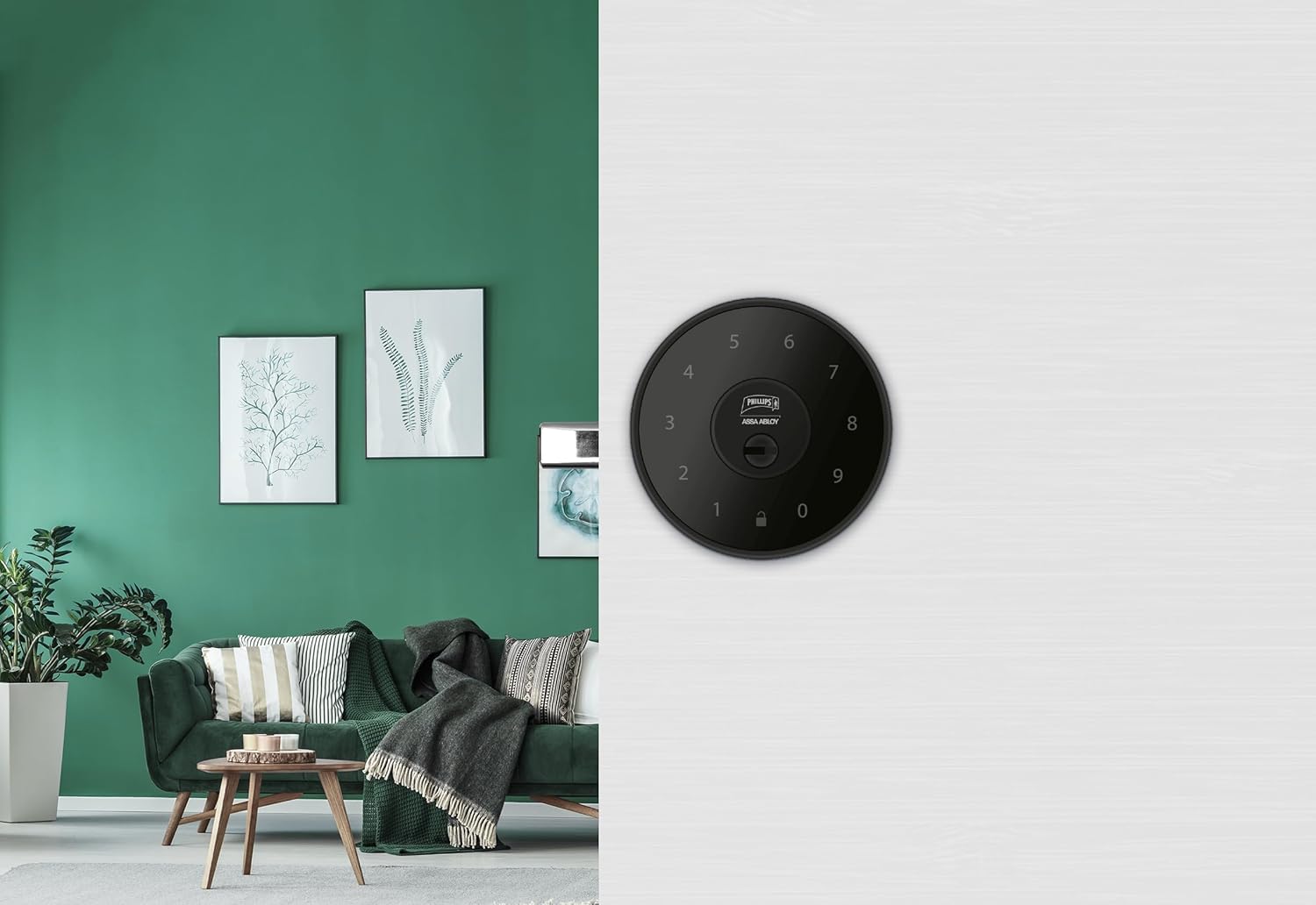
Obraz 6.1: An installed Phillips MX7053 Digital Deadbolt, showcasing its exterior keypad on a door.

Obraz 6.2: Zbliżenie z przodu view of the exterior keypad, highlighting the numeric interface and keyhole.
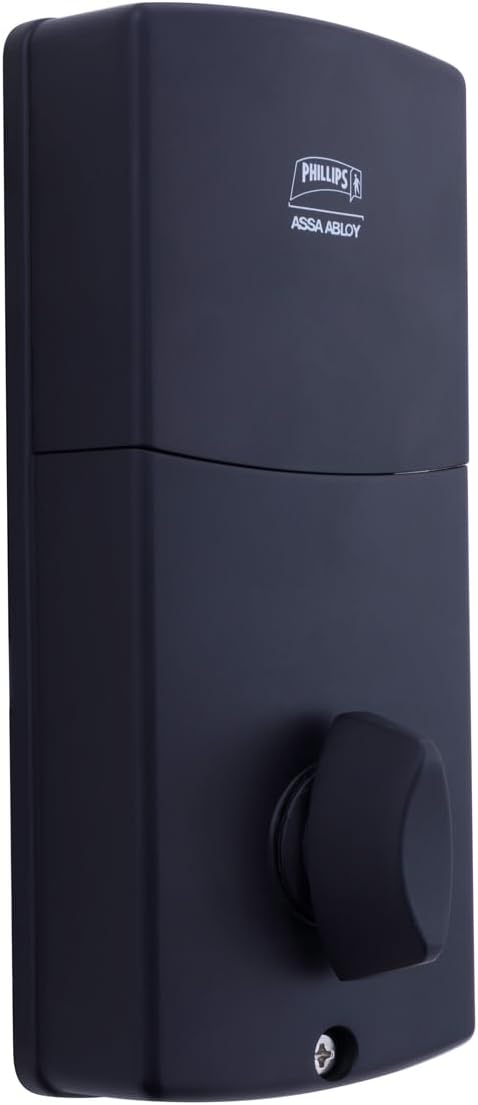
Obraz 6.3: Tył view of the interior unit, which houses the battery compartment and the thumb turn for manual locking/unlocking.
7. Instalacja i wymiana baterii
The Phillips MX7053 Digital Deadbolt requires 4 AA alkaline batteries for operation. Batteries are not included.
- Dostęp do komory baterii: Locate the battery cover on the interior thumb turn unit. Slide or unclip the cover to open the compartment.
- Włóż baterie: Włóż 4 nowe baterie alkaliczne AA, zwracając uwagę na prawidłową biegunowość (+/-), zgodnie ze wskazaniami wewnątrz komory.
- Zamknij przedział: Załóż pokrywę baterii i upewnij się, że jest szczelnie zamknięta.
- Test: After installing batteries, the lock should emit a beep and the keypad lights may illuminate briefly, indicating power.
Notatka: Replace all four batteries simultaneously. Do not mix old and new batteries or different battery types. Low battery indication will typically be a series of beeps or a specific light pattern when operating the lock.
8. Działanie
8.1 Odblokowanie drzwi
- Korzystanie z kodu: Enter your 4 to 10-digit user code on the exterior keypad. The light indicator will confirm successful entry, and the deadbolt will retract.
- Korzystanie z klucza: Insert the high-security key into the keyhole on the exterior keypad and turn it to unlock the deadbolt.
- Ze środka: Turn the thumb turn on the interior unit to retract the deadbolt.
8.2 Zamykanie drzwi
- Z zewnątrz: Press any key on the keypad or simply wait for the auto-lock feature (if enabled) to engage the deadbolt.
- Korzystanie z klucza: Insert the high-security key into the keyhole on the exterior keypad and turn it to extend the deadbolt.
- Ze środka: Turn the thumb turn on the interior unit to extend the deadbolt.
9. Programming User Codes
The lock supports up to 50 unique user codes, each 4 to 10 digits long. Refer to the specific programming instructions included with your lock for detailed steps on adding, deleting, or modifying user codes. Generally, this involves entering a master code followed by a sequence of commands and the desired user code.
Ważny: Keep your master code confidential and do not share it. It is essential for managing all other user codes.
10. Konserwacja
- Czyszczenie: Przetrzyj powierzchnię zamka miękką szmatką.amp płótno. Nie używaj ostrych środków chemicznych ani ściernych środków czyszczących.
- Sprawdzenie baterii: Wymień baterie niezwłocznie, gdy pojawi się wskaźnik niskiego poziomu naładowania baterii.
- Kontrola mechaniczna: Periodically check that all screws are tight and the lock operates smoothly. Lubricate the deadbolt mechanism with a silicone-based lubricant if necessary.
11. Rozwiązywanie Problemów
- Zamek nie odpowiada: Check battery installation and replace batteries if necessary. Ensure the keypad is clean and free of debris.
- Zasuwa nie wysuwa się/nie chowa: Verify that the door frame strike plate is properly aligned with the deadbolt. Check for any obstructions in the door jamb.
- Nieprawidłowy kod: If the light indicator flashes or beeps after entering a code, re-enter the code carefully. Ensure you are using a valid, programmed user code.
- Klawiatura nie świeci: This may indicate very low batteries or a power issue. Replace batteries.
12. Gwarancja i wsparcie
The Phillips MX7053 Digital Deadbolt PCD-360 comes with a 1-letnia gwarancja Gwarancja obowiązuje od daty zakupu i obejmuje wady produkcyjne. Prosimy zachować dowód zakupu na wypadek roszczeń gwarancyjnych.
For technical assistance, troubleshooting beyond this manual, or warranty inquiries, please contact Phillips customer support. Refer to the contact information provided on the product packaging or Phillips' official webstrona.
Additional protection plans may be available from third-party providers for extended coverage.


