Wstęp
The SCSETC S-8X Motorcycle Bluetooth Intercom is designed to enhance your riding experience by providing seamless communication, entertainment, and navigation capabilities. This device allows for long-distance communication with other riders, hands-free calls, stereo music streaming, and FM radio access, all while ensuring clear audio quality even at high speeds. Its robust, waterproof design makes it suitable for various outdoor activities.
Cechy produktu
- Komunikacja na duże odległości: Supports communication with 2-6 riders up to 1000 meters, ideal for group rides.
- Połączenie bezprzewodowe: Features Bluetooth 5.1 technology for stable connections, hands-free calls, and music streaming.
- Krystalicznie czysty dźwięk: Utilizes high-quality sound membrane technology and CSR's CVC technology for ambient noise suppression, echo minimization, and background noise reduction.
- Dłuższa żywotność baterii: Equipped with a 650mAh battery, offering up to 10 hours of talk time and music streaming, or approximately 200 songs on a single charge. Supports on-the-go charging via power bank.
- Noise Reduction & Weather-Proof: Built-in CSR chip reduces wind and engine noise. IP67 water-resistant and dustproof rating ensures durability in harsh weather.
- Zintegrowane radio FM: Enjoy your favorite FM channels directly through the intercom.
- Uniwersalna kompatybilność: Designed to be compatible with more than 99% of helmets, including full face, half, flip-up, off-road, and vintagkaski elektroniczne.

Figure 1: Illustrates the 1000m intercom range for two riders.

Figure 2: Depicts the triple intelligent noise reduction technology (CVC+DSP+Microphone) for clear audio.
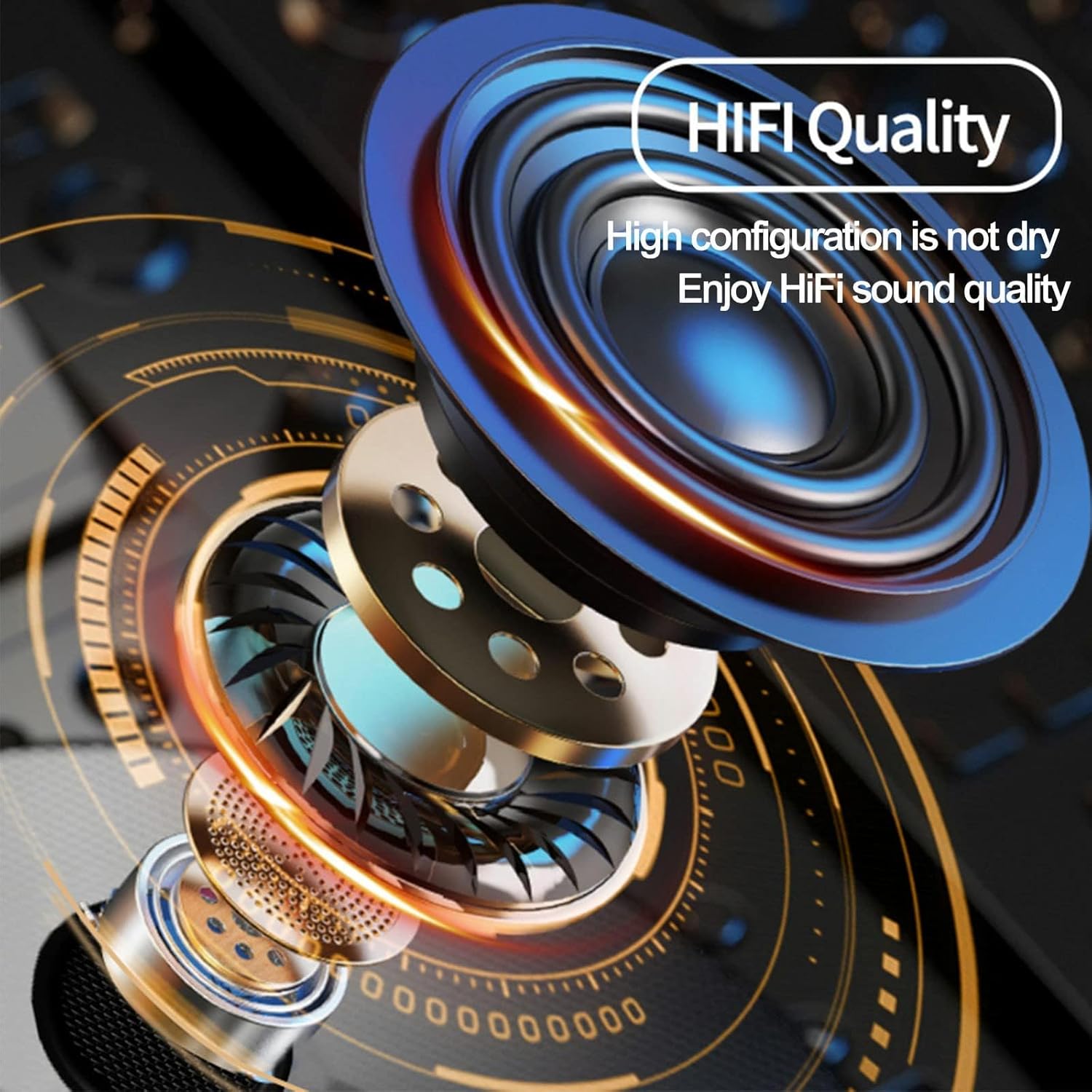
Figure 3: Highlights the HiFi sound quality of the speakers.
Zawartość opakowania
Your SCSETC S-8X package includes the following items:
- S-8X Bluetooth Intercom Unit
- Nauszniki (głośniki)
- Microphone (Soft and Hard options)
- Mounting Brackets (Clip and Adhesive)
- Kabel ładujący USB
- Instrukcja obsługi

Figure 4: All components included in the SCSETC S-8X package.
Konfiguracja i instalacja
Proper installation ensures optimal performance and comfort. The S-8X is designed for easy integration with most helmet types.
1. Wybór mikrofonu
- Miękki mikrofon: Recommended for full-face helmets, as it can be tucked inside the helmet padding.
- Twardy mikrofon: Ideal for open-face or modular helmets, as it extends on a boom arm.
2. Montaż jednostki interkomowej
You have two options for mounting the main unit to your helmet:
- Mocowanie klipsowe: Slide the clip between the helmet shell and the inner padding. Secure the intercom unit to the clip.
- Mocowanie samoprzylepne: Clean the desired surface on your helmet. Peel off the protective film from the adhesive mount and firmly press it onto the helmet. Attach the intercom unit to the adhesive base.
3. Instalacja głośników
Place the speakers inside the helmet's ear pockets. Ensure they are positioned directly over your ears for the best audio experience. Use the provided Velcro pads if needed to secure them.
4. Podłączanie mikrofonu i głośników
Connect the microphone and speaker wires to the corresponding ports on the main intercom unit. Route the cables neatly within the helmet padding to avoid discomfort or interference.

Figure 5: The S-8X intercom is compatible with a wide range of helmet types.
Instrukcja obsługi
Familiarize yourself with the controls for seamless operation during your rides.

Figure 6: Main control unit of the S-8X intercom.
Włączanie/wyłączanie zasilania
- Włączanie: Naciśnij i przytrzymaj Przycisk zasilania (large circular button) for approximately 3 seconds until you hear a voice prompt.
- Wyłączone: Naciśnij i przytrzymaj Przycisk zasilania for approximately 3 seconds until you hear a voice prompt.
Bluetooth Pairing (for Phone/GPS)
- Ensure the S-8X is powered off.
- Naciśnij i przytrzymaj Przycisk zasilania for about 5-7 seconds until the LED indicator flashes red and blue alternately, indicating pairing mode.
- On your phone or GPS device, enable Bluetooth and search for "S-8X".
- Select "S-8X" to connect. Once paired, the LED will flash blue slowly.
Parowanie interkomu (kierowca-kierowca)
- Ensure both S-8X units are powered on.
- On one unit, press and hold the Przycisk M (smaller circular button) for 5 seconds until the LED flashes red and blue alternately.
- On the second unit, press and hold the Przycisk M przez 5 sekund, aż dioda LED zacznie migać naprzemiennie na czerwono i niebiesko.
- The units will automatically search and pair. Once connected, the LED on both units will flash blue slowly.
- To initiate intercom communication, briefly press the Przycisk M na którejkolwiek jednostce.
Odtwarzanie muzyki
- Odtwórz/Pauza: Naciśnij krótko Przycisk zasilania.
- Następny utwór: Obróć pokrętło zgodnie z ruchem wskazówek zegara.
- Poprzedni utwór: Obróć pokrętło w kierunku przeciwnym do ruchu wskazówek zegara.
Zarządzanie połączeniami
- Odbierz połączenie: Naciśnij krótko Przycisk zasilania.
- Zakończ połączenie: Naciśnij krótko Przycisk zasilania.
- Odrzuć połączenie: Naciśnij i przytrzymaj Przycisk zasilania na 2 sekundy.
- Ponowne wybieranie ostatniego numeru: Naciśnij dwukrotnie Przycisk zasilania.
Radio FM
- Włączanie/wyłączanie FM: Naciśnij dwukrotnie Przycisk M.
- Skanuj kanały: Naciśnij krótko Przycisk zasilania while FM is active.
- Dostosuj głośność: Use the volume +/- buttons.
Kontrola głośności
- Zwiększ głośność: Naciśnij Przycisk +.
- Zmniejsz głośność: Naciśnij - Przycisk.
Official Product Video: Motorcycle Bluetooth Intercom
Wideo 1: Overview of the SCSETC S-8X Motorcycle Bluetooth Intercom's features and use cases, including its design, Bluetooth 5.0, 800M range, 800mAh battery, and built-in FM radio. Shows riders using the intercom in various outdoor settings.
Konserwacja
To ensure the longevity and optimal performance of your S-8X intercom, follow these maintenance guidelines:
- Czyszczenie: Przetrzyj urządzenie miękką, damp płótno. Nie używaj ostrych środków chemicznych ani ściernych środków czyszczących.
- Ładowanie: Charge the unit fully before first use and after each long ride. Use the provided USB cable. Avoid overcharging.
- Składowanie: Store the intercom in a cool, dry place when not in use. If storing for extended periods, charge the battery every 3-6 months to prevent deep discharge.
- Wodoodporność: While rated IP67 water-resistant, avoid submerging the unit in water for prolonged periods. Ensure all ports are securely closed before exposure to water.
Rozwiązywanie problemów
If you encounter issues with your S-8X intercom, try the following solutions:
Brak zasilania / Urządzenie nie włącza się
- Ensure the battery is fully charged. Connect to a power source and check the charging indicator.
- Try resetting the unit by holding the Power button for a longer duration (e.g., 10 seconds) or by disconnecting and reconnecting the battery (if accessible and safe).
Cannot Pair with Phone/Intercom
- Ensure the S-8X is in pairing mode (LED flashing red and blue).
- Make sure Bluetooth is enabled on your phone/device and it's discoverable.
- Clear previous Bluetooth connections on both the S-8X and your device, then try pairing again.
- Ensure both intercom units are within range and in pairing mode for rider-to-rider connection.
Poor Audio Quality / Wind Noise
- Check microphone placement. Ensure it's close to your mouth and not obstructed.
- Verify speaker placement. They should be directly over your ears.
- Ensure your helmet's wind-noise reduction features are effective.
- The S-8X has built-in noise reduction; however, extreme wind conditions can still affect clarity.
Połączenie przerywane
- Ensure there are no major obstructions between intercom units (for rider-to-rider).
- Sprawdź, czy inne urządzenia nie powodują silnych zakłóceń elektromagnetycznych.
- Ensure the battery level is sufficient. Low battery can affect connection stability.
Specyfikacje
| Funkcja | Specyfikacja |
|---|---|
| Nazwa modelu | S-8X |
| Technologia łączności | Bezprzewodowy (Bluetooth) |
| Technologia komunikacji bezprzewodowej | Bluetooth 5.1 |
| Zasięg Bluetooth | Do 100 metrów (328 stóp) |
| Zasięg domofonu | Do 1000 metrów (3280 stóp) |
| Pojemność baterii | Polimer litowy 650 mAh |
| Czas pracy baterii (rozmowy/muzyka) | Do 10 godzin |
| Kontrola hałasu | Sound Isolation (CVC Technology) |
| Poziom wodoodporności | IP67 (Wodoodporność) |
| Typ sterowania | Gałka, dotyk |
| Zakres częstotliwości | 2.402 GHz do 2.480 GHz |
| Waga przedmiotu | 0.33 kilograma (11.7 uncji) |
| Tworzywo | Żel krzemionkowy |
| Producent | SCSETC |
Gwarancja i wsparcie
For warranty information and technical support, please refer to the warranty card included in your product packaging or visit the official SCSETC webZachowaj paragon jako dowód zakupu na wypadek ewentualnych roszczeń gwarancyjnych.
For further assistance, you may contact SCSETC customer service through the contact information provided on their official webna stronie internetowej lub za pośrednictwem sprzedawcy, u którego zakupiłeś produkt.


