1. Wprowadzenie
This manual provides instructions for the MARKLIFE P50 Compatible Thermal Label Paper. These self-adhesive thermal labels are designed for use with the MARKLIFE P50 Thermal Label Printer, offering a convenient solution for various labeling needs in home, office, and small business environments. The labels are designed for clear black text printing without the need for ink or toner.
2. Koniec produktuview
The MARKLIFE P50 Compatible Thermal Label Paper package includes three rolls of self-adhesive thermal labels:
- Two (2) Rolls of White Circular Labels: Each label measures 50x50mm (2"x2").
- One (1) Roll of White Rectangular Labels: Each label measures 40x60mm (1.57"x2.36").
These labels feature direct thermal print technology, producing clear black text. They are designed to be durable, long-lasting, and resistant to water, oil, and abrasion. The strong adhesive ensures reliable application to various surfaces without leaving residue upon removal.

Image 2.1: A roll of 2"x2" (50x50mm) circular thermal labels, illustrating the dimensions.

Image 2.2: A roll of 2.36"x1.57" (60x40mm) rectangular thermal labels, illustrating the dimensions.
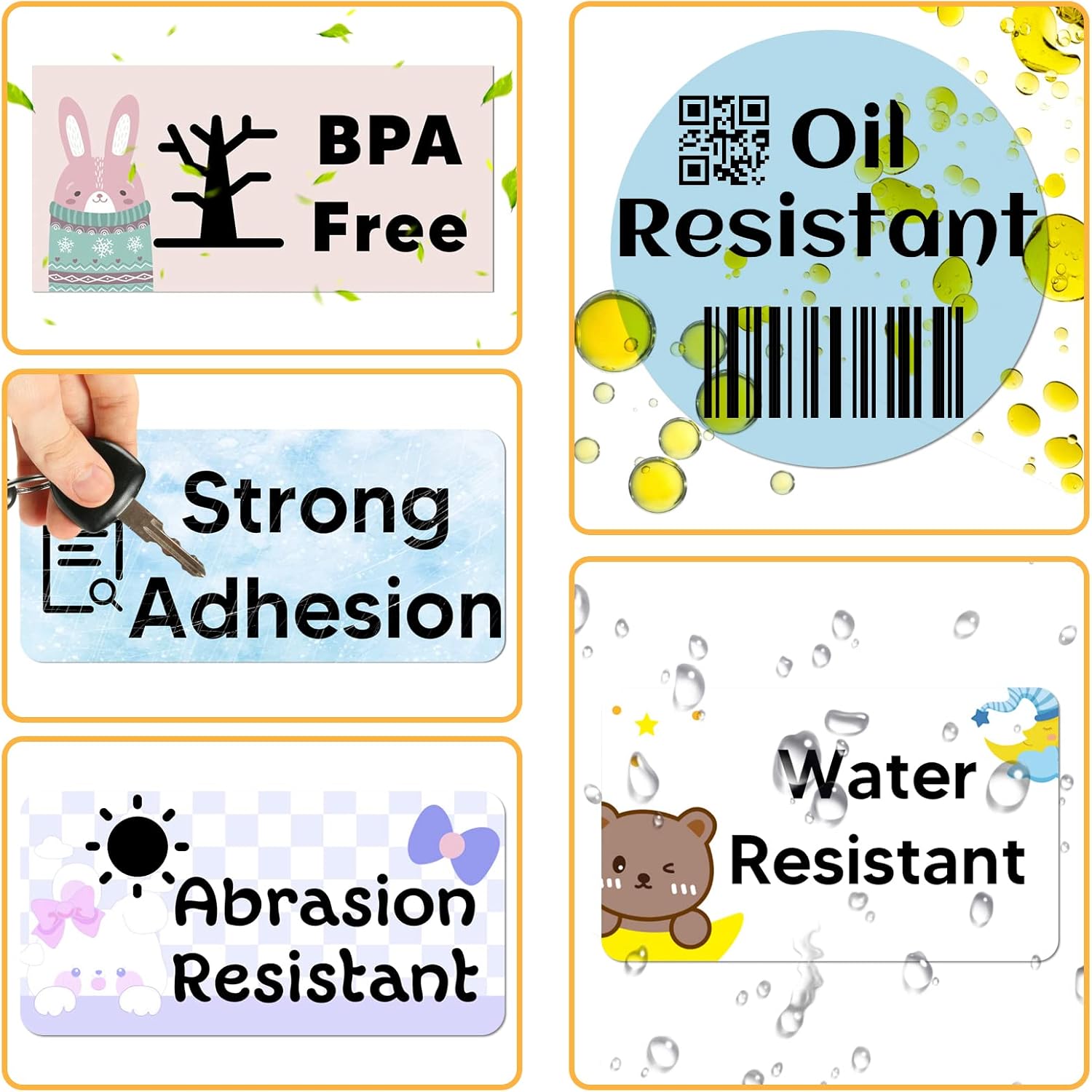
Image 2.3: Key features of the thermal labels, including resistance to water, oil, and abrasion, strong adhesion, and BPA-free composition.
3. Konfiguracja
To use the MARKLIFE P50 Compatible Thermal Label Paper, follow these steps for loading the roll into your MARKLIFE P50 Thermal Label Printer:
- Otwórz pokrywę drukarki: Gently open the cover of your MARKLIFE P50 label printer according to its specific instructions.
- Włóż rolkę etykiet: Place the label roll into the designated compartment, ensuring the printing side of the labels faces the print head. The roll should fit snugly but allow for smooth feeding.
- Etykiety paszowe: Pull a small section of the label paper out past the printer's exit slot.
- Zamknij pokrywę drukarki: Zamknij szczelnie pokrywę drukarki. Drukarka powinna automatycznie wykryć rodzaj i rozmiar etykiety.
- App Integration (Optional but Recommended): For quick template access, open the MARKLIFE app on your smartphone or tablet. Use the scan function (usually located in the upper right corner of the app) to scan the QR code found on the label paper box. This will quickly load corresponding templates for your label type.

Image 3.1: Marklife P50 label printers with label rolls correctly loaded, demonstrating compatibility.
4. Instrukcja obsługi
Once the label paper is loaded, you can begin printing using your MARKLIFE P50 printer and its associated smart app:
- Zaprojektuj swoją etykietę: Open the MARKLIFE smart app on your device. Utilize the variety of fonts, filter effects, and themes available to design your desired label content.
- Przedview i Drukuj: Po zaprojektowaniu, wstępnieview your label to ensure accuracy. Initiate printing with the one-click printing function within the app. The direct thermal technology will print your label quickly and clearly.
- Odklej i nałóż: Once printed, carefully peel the self-adhesive label from its backing. Apply it to a clean, dry, and smooth surface. The strong adhesive ensures it stays in place.
These labels are suitable for a wide range of applications, including:
- Organizing containers, baskets, and bins.
- Labeling folders, drawers, boxes, and shelves.
- Creating product tags, barcode labels, and thank you stickers for small businesses.
- Marking effective dates, prices, or personal items.

Obraz 4.1: Examples of label applications on household items and products.

Rysunek 4.2: Dalsze wyjaśnieniaamples demonstrating the versatility of the labels for organization and identification.
5. Konserwacja
Proper storage of your MARKLIFE P50 Compatible Thermal Label Paper ensures its longevity and print quality:
- Środowisko przechowywania: Store label rolls in a cool, dry place, away from direct sunlight and excessive heat or humidity. Extreme temperatures can affect the thermal coating and adhesive.
- Ochrona: Keep the label rolls in their original packaging or a sealed container to protect them from dust, dirt, and physical damage.
- Unikaj substancji chemicznych: Do not expose labels to harsh chemicals or solvents, as this can degrade the thermal material and adhesive.
6. Rozwiązywanie Problemów
If you encounter issues while using your MARKLIFE P50 Compatible Thermal Label Paper, consider the following:
- Słaba jakość druku (tekst niewyraźny lub brakujący):
- Ensure the label roll is inserted correctly with the thermal printing surface facing the print head.
- Check your printer's settings within the app to ensure optimal print density.
- Verify that the label roll is not old or damaged, as thermal paper can degrade over time or with improper storage.
- Etykiety nie przyklejają się prawidłowo:
- Ensure the surface you are applying the label to is clean, dry, and free of dust, grease, or moisture.
- Apply firm, even pressure across the entire label when adhering it.
- Avoid applying labels to heavily textured or extremely curved surfaces, which may reduce adhesion.
- Label Jams in Printer:
- Confirm that the label roll is correctly seated in the printer compartment and not skewed.
- Ensure no foreign objects are obstructing the label path.
- Refer to your MARKLIFE P50 printer's specific manual for detailed instructions on clearing jams.
For printer-specific issues not related to the label paper itself, please consult your MARKLIFE P50 Thermal Label Printer's user manual or contact MARKLIFE customer support.
7. Specyfikacje
| Funkcja | Szczegół |
|---|---|
| Nazwa produktu | MARKLIFE P50 Compatible Thermal Label Paper |
| Numer modelu | P50 Label Maker Tape |
| Typ etykiety | Self-Adhesive Thermal Labels |
| Label Sizes Included | 2 rolls of 50x50mm (2"x2") circular labels, 1 roll of 40x60mm (1.57"x2.36") rectangular labels |
| Drukuj Kolor | Black text on white labels |
| Cechy materiału | Water-resistant, Oil-resistant, Abrasion-resistant, Strong adhesion, BPA-free |
| Zgodność | MARKLIFE P50 Thermal Label Printer |
| Wymiary opakowania | 6.5 x 2.4 x 2.24 cala |
| Waga przedmiotu | 7.4 uncji |
8. Gwarancja i wsparcie
For specific warranty information regarding the MARKLIFE P50 Compatible Thermal Label Paper, please refer to the retailer's return policy or the manufacturer's general product quality guarantee. As consumable items, label paper typically falls under a limited warranty covering manufacturing defects.
For further assistance, support, or to explore other MARKLIFE products, please visit the official MARKLIFE store:


