Wstęp
The JOYROOM S-H142 is a versatile 4-in-1 device designed for iOS devices, combining a charger adapter and a multi-format card reader. This manual provides detailed instructions for its proper use and maintenance, ensuring optimal performance and longevity of your device.
Produkt ponadview
The JOYROOM S-H142 is a compact and efficient accessory for your iOS devices. It features a USB interface for connectivity and supports MicroSD media types. A key feature is its ability to charge your device while simultaneously reading data from a memory card.
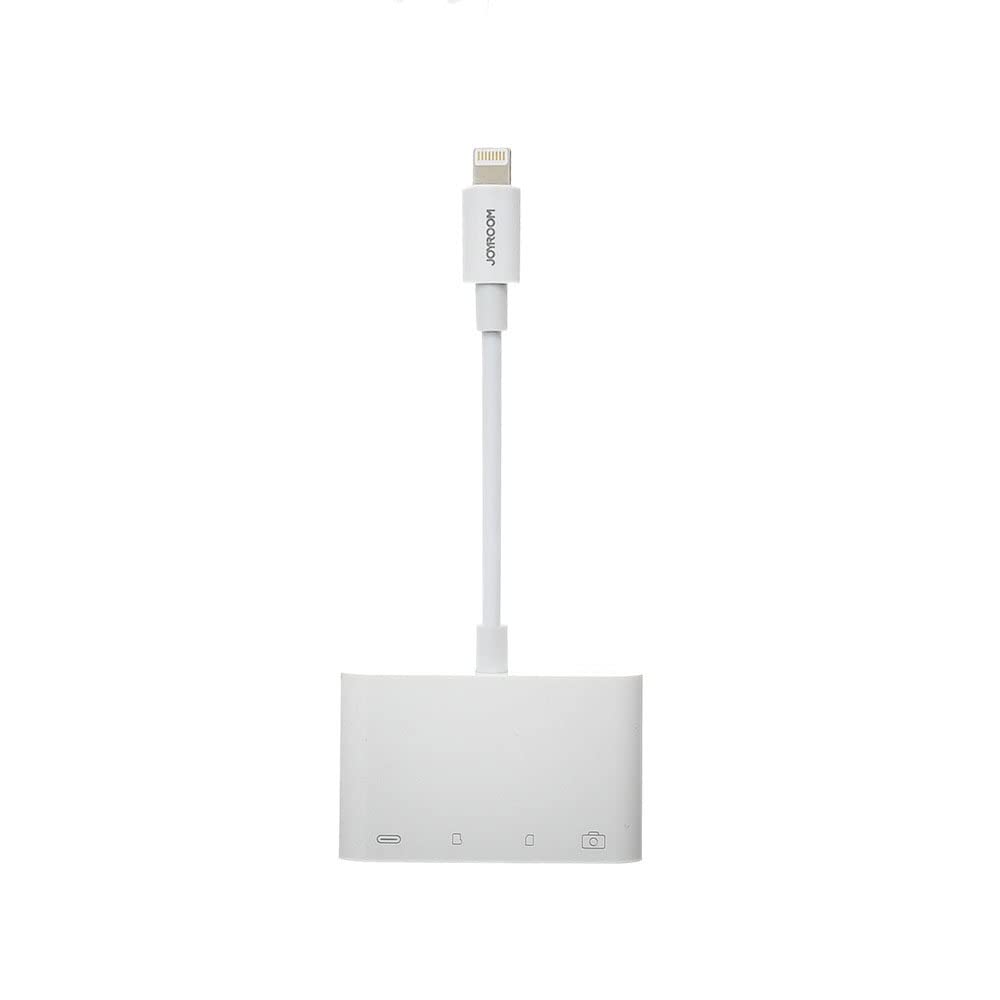
Obraz 1: Przód view of the JOYROOM S-H142 4-in-1 Charger Adapter and Card Reader, showing the Lightning cable, USB port, and card slots.

Obraz 2: Zbliżenie view of the JOYROOM S-H142, highlighting the USB port and MicroSD card slots.

Rysunek 3: Szczegółowy view of the Lightning connector of the JOYROOM S-H142, which connects to iOS devices.
Organizować coś
- Połącz się z urządzeniem iOS: Connect the Lightning connector of the S-H142 to your iOS device (iPhone/iPad). Ensure it is securely plugged in.
- Włóż kartę pamięci: Insert your MicroSD card into the designated slot on the S-H142. Push gently until it clicks into place.
- Podłącz kabel ładujący (opcjonalnie): If you wish to charge your iOS device while using the card reader, connect a standard charging cable to the S-H142's charging input port.
Instrukcja obsługi
- Dostęp Files: Once connected, your iOS device should recognize the S-H142. You can access files on the inserted MicroSD card through the Files app on your iOS device. Navigate to 'Browse' and look for the external storage device.
- Funkcja ładowania: To charge your device while using the card reader, ensure a power source is connected to the S-H142's charging input. The device supports simultaneous data transfer and charging.
- Transfer danych: You can transfer photos, videos, and other documents between your iOS device and the MicroSD card using the Files aplikacji.
Konserwacja
- Czyszczenie: Utrzymuj urządzenie w czystości i bez kurzu. Do czyszczenia używaj miękkiej, suchej ściereczki. Nie używaj płynnych środków czyszczących ani materiałów ściernych.
- Składowanie: Avoid exposing the device to extreme temperatures, direct sunlight, or moisture. Store in a cool, dry place when not in use.
- Obsługiwanie: Obchodź się z urządzeniem ostrożnie. Unikaj upuszczania go i narażania na silne uderzenia.
Rozwiązywanie problemów
- Urządzenie nierozpoznane:
- Ensure the Lightning connector is securely plugged into your iOS device. Try disconnecting and reconnecting. Ensure your iOS device is running a compatible operating system version. Restart your iOS device if necessary.
- Karta nie jest odczytywana:
- Ensure the MicroSD card is inserted correctly and fully into its slot. Check if the card is damaged or corrupted. Try another MicroSD card to isolate the issue. Ensure the card format is compatible with iOS (e.g., FAT32, exFAT).
- Brak ładowania:
- Verify that the charging cable and power source are functional. Ensure the charging cable is properly connected to the S-H142's charging input port. Try a different charging cable or power adapter.
Specyfikacje
| Producent | POKÓJ RADOŚCI |
| Model | S-H142 |
| Technologia łączności | USB |
| Interfejs sprzętowy | USB |
| Kompatybilne urządzenia | Mobile Phones (iOS) |
| Typ nośnika | MicroSD |
| Cechy specjalne | Charging while reading |
| Kolor | Biały |
| Tworzywo | Plastikowy |
| Wymiary opakowania | Wymiary 12 x 11 x 1 cm |
| Waga | 55 gramów |
Gwarancja i wsparcie
Aby uzyskać informacje dotyczące gwarancji i pomocy technicznej, zapoznaj się z oficjalną instrukcją producenta website or contact your retailer. It is recommended to keep your purchase receipt for any warranty claims or support inquiries.


