Wstęp
Thank you for choosing the Green Lion Magic Keyboard. This user manual provides detailed instructions on how to set up, operate, maintain, and troubleshoot your new keyboard. Designed for seamless integration with your iPad 10.9/10th Gen. 2022, this keyboard features a high-sensitivity touchpad, adjustable backlight, and dual-language support (Arabic/English) for enhanced productivity and convenience.

Image: The Green Lion Magic Keyboard connected to an iPad, demonstrating the integrated touchpad functionality.
Organizować coś
- Początkowe ładowanie: Before first use, fully charge the keyboard using the provided USB-C cable. Connect the cable to the Type-C charging port on the keyboard and a compatible power source. The charging port is located on the side of the keyboard.

Obraz: Zbliżenie view of the Green Lion Magic Keyboard highlighting the Type-C charging port.
- Podłączanie iPada: Open the keyboard case. The iPad attaches magnetically to the designated area on the case. Ensure proper alignment for a secure connection. The strong magnetic hold keeps your iPad firmly in place.
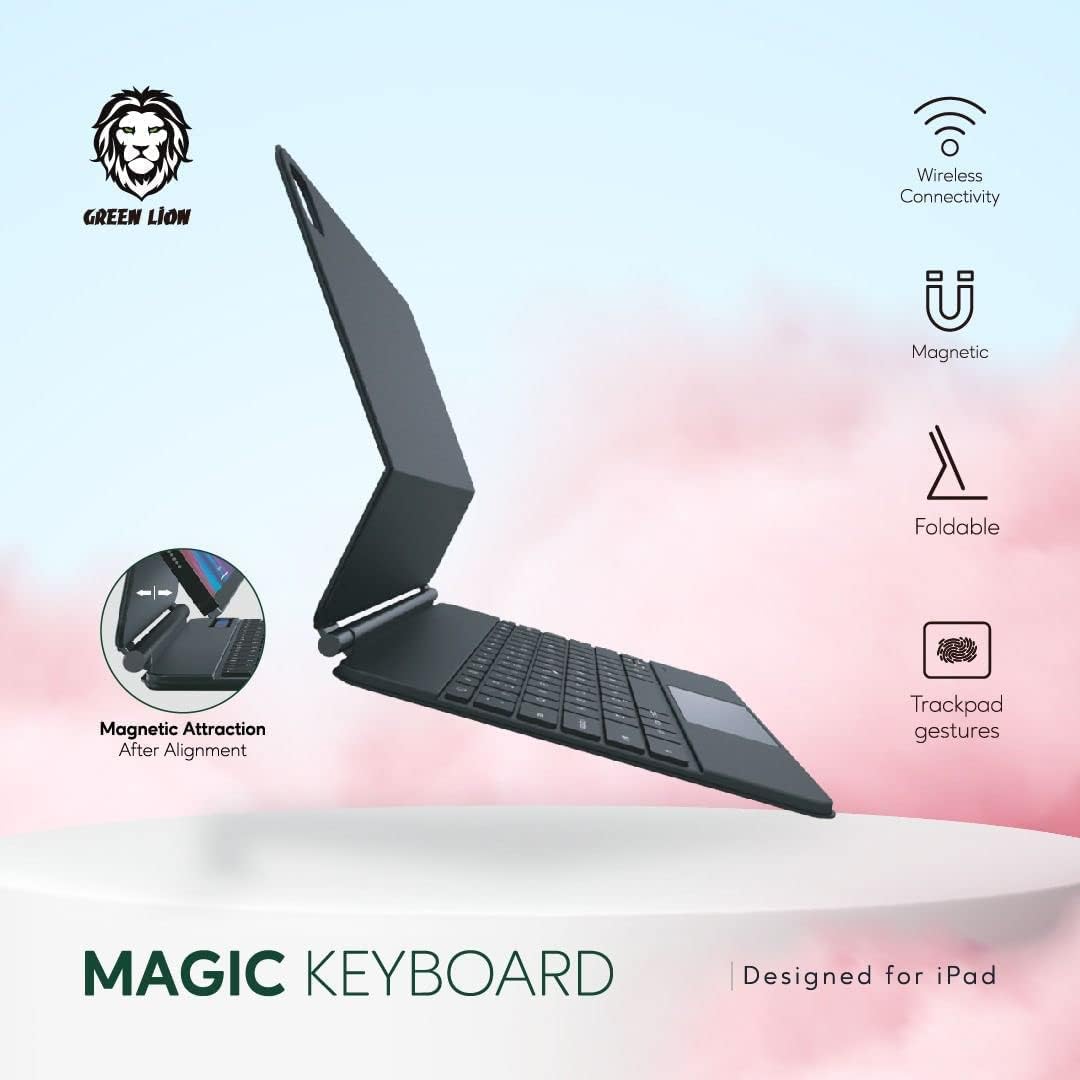
Image: Diagram illustrating the magnetic attraction mechanism for attaching the iPad to the keyboard case.
- Parowanie Bluetooth:
- Włącz klawiaturę, naciskając przycisk zasilania.
- Na iPadzie przejdź do Ustawienia > Bluetooth.
- Upewnij się, że Bluetooth jest włączony.
- The keyboard will appear as "Green Lion Keyboard" or similar in the "Other Devices" list. Tap on it to pair.
- Once paired, the keyboard's indicator light will confirm the connection.
Instrukcja obsługi
Funkcje klawiatury
- Pisanie na maszynie: Use the full QWERTY layout for comfortable and efficient typing.
- Klucze specjalne: The top row includes function keys for quick access to iPad features such as volume control, media playback, and screen brightness.
- Przełączanie języka: To switch between Arabic and English input, use the dedicated language key or the standard iPad language switching shortcut (e.g., Globe icon or Ctrl+Space).
Gesty na panelu dotykowym
The integrated high-sensitivity touchpad allows for precise navigation and multitasking. Common gestures include:
- Stuknięcie jednym palcem: Lewy przycisk myszy.
- Stuknięcie dwoma palcami: Kliknij prawym przyciskiem myszy (menu kontekstowe).
- Przewijanie dwoma palcami: Przewiń w górę/w dół lub w lewo/w prawo.
- Uszczypnij, aby powiększyć: Powiększ/pomniejsz zawartość.
- Refer to your iPad's settings for additional touchpad gesture customization.
Regulowane podświetlenie
The keyboard features an adjustable backlight for comfortable use in various lighting conditions. Use the dedicated backlight key (often an icon resembling a light bulb) to cycle through brightness levels or turn the backlight on/off.

Image: Visual representation of the keyboard's features, including the backlight function icon.
Viewing Angles and Portability
The keyboard case allows for multiple viewing angles, including a 360-degree rotation feature, enabling you to work from any visual angle. Its foldable and portable design makes it ideal for travel and on-the-go use.

Image: The Green Lion Magic Keyboard showcasing its 360-degree rotation capability for flexible viewkąty.

Obraz: Profesjonalista z bokufile of the Green Lion Magic Keyboard with an iPad, illustrating its stable upright viewpozycja.
Konserwacja
- Czyszczenie: Use a soft, lint-free cloth to wipe the keyboard and touchpad. For stubborn marks, slightly dampPrzetrzyj szmatkę wodą lub delikatnym, nieściernym środkiem czyszczącym. Unikaj nadmiernej wilgoci.
- Pielęgnacja baterii: To prolong battery life, avoid fully discharging the battery frequently. Charge the keyboard regularly, especially if it will be stored for an extended period.
- Składowanie: When not in use, keep the keyboard in a cool, dry place, away from direct sunlight and extreme temperatures.
Rozwiązywanie problemów
| Problem | Rozwiązanie |
|---|---|
| Klawiatura nie łączy się przez Bluetooth. |
|
| Backlight is not working or adjustable. |
|
| Touchpad nie reaguje lub działa nieregularnie. |
|
| Backspace key functions as delete (deletes from right). |
|
| iPad does not hold securely to the keyboard (weak magnet). |
|
Specyfikacje
- Numer modelu: GNMGKEY10GBK
- Marka: Zielony Lew
- Zgodność: Compatible with iPad 10.9/10th Gen. 2022
- Łączność: Bluetooth
- Pojemność baterii: 500mAh litowo-jonowy (ładowalny)
- Port ładowania: Typ C
- Wymiary produktu: Wymiary 28 x 15 x 3 cm
- Waga przedmiotu: 500 gramów
- Cechy: Dual-language (Arabic/English) keyboard, High-sensitivity touchpad, Adjustable backlight, Foldable & Portable design, Strong magnetic hold, Pencil holder.
Gwarancja i wsparcie
Your Green Lion Magic Keyboard comes with a 12+12 months warranty, ensuring peace of mind. For any product inquiries, technical support, or warranty claims, please contact Green Lion customer support through their official channels or the retailer where you purchased the product.
Odwiedź Green Lion Store on Amazon aby uzyskać więcej informacji i zasobów wsparcia.


