1. Wprowadzenie
Higrometr cyfrowy Testo 625 to kompaktowe urządzenie przeznaczone do precyzyjnego pomiaru temperatury i wilgotności względnej powietrza. Oblicza również punkt rosy i temperaturę termometru mokrego, dostarczając kompleksowych danych do oceny jakości powietrza w różnych pomieszczeniach, takich jak magazyny czy biura. Solidna konstrukcja i długi czas pracy na baterii sprawiają, że urządzenie nadaje się zarówno do szybkich kontroli, jak i długoterminowego gromadzenia danych.
2. Zawartość opakowania
Sprawdź, czy po rozpakowaniu znajdują się wszystkie elementy:
- Urządzenie Testo 625
- Etui transportowe
- Protokół kalibracji
- 3 baterie AA
3. Koniec produktuview
Testo 625 charakteryzuje się czytelnym wyświetlaczem i intuicyjną obsługą, co ułatwia obsługę. Zintegrowana sonda mierzy bezpośrednio wilgotność i temperaturę.

Rysunek 1: Przód view Higrometru cyfrowego Testo 625, przedstawiający wyświetlacz i przyciski sterujące.

Rysunek 2: Wymiary higrometru cyfrowego Testo 625: około 8.19 cala wysokości i 2.36 cala szerokości.
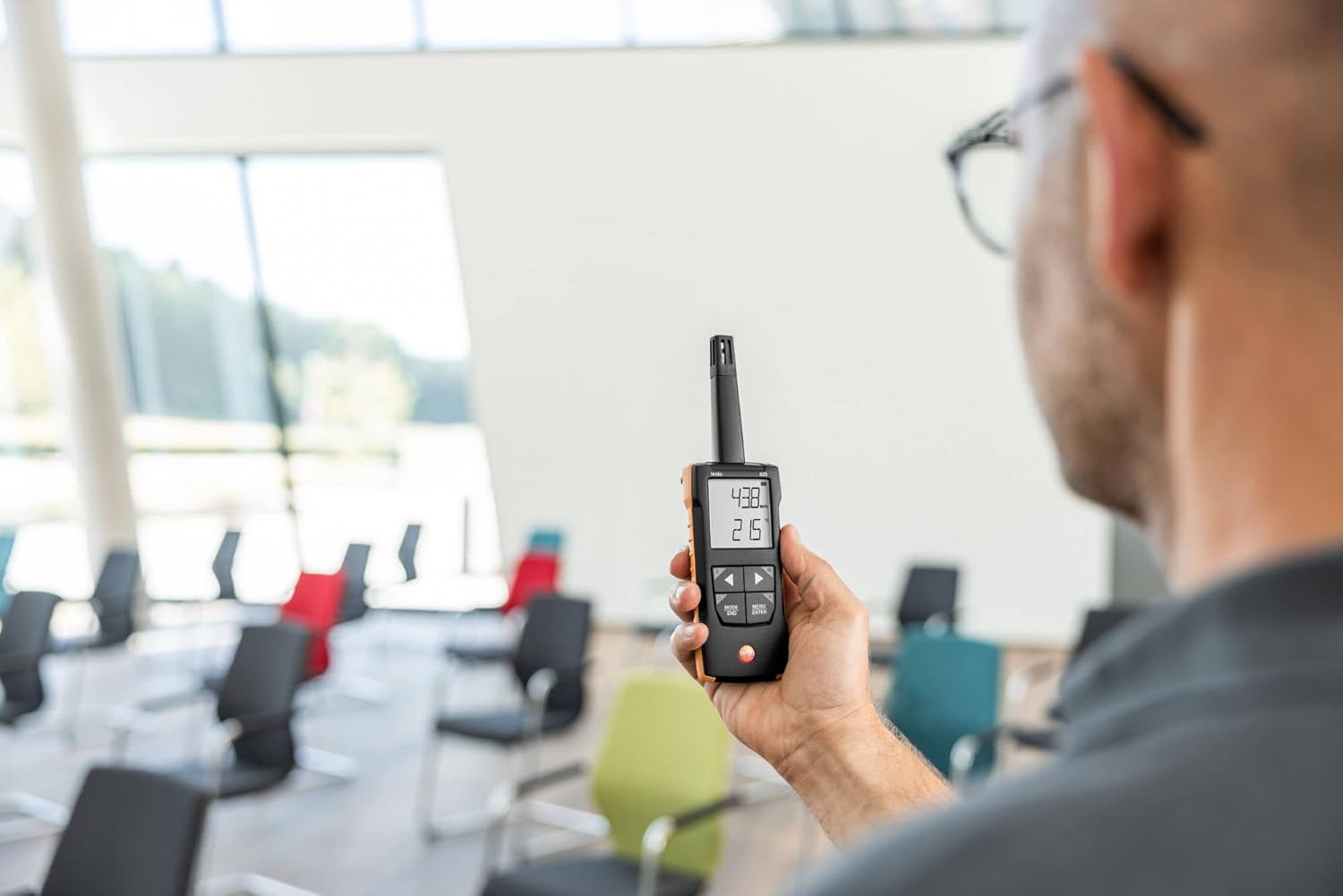
Rysunek 3: Higrometr cyfrowy Testo 625 w użyciu przez osobę w pomieszczeniu, co dowodzi jego mobilności.
4. Konfiguracja
4.1 Instalacja baterii
- Znajdź komorę baterii z tyłu urządzenia.
- Otwórz pokrywę komory.
- Włóż trzy baterie AA, zwracając uwagę na prawidłową biegunowość.
- Dokładnie zamknij pokrywę komory baterii.
4.2 Włączanie/wyłączanie
Naciśnij Moc przycisk (zazwyczaj oznaczony kółkiem i pionową linią) służący do włączania i wyłączania urządzenia.
5. Instrukcja obsługi
5.1 Pomiar podstawowy
Po włączeniu Testo 625 natychmiast rozpocznie pomiar temperatury i wilgotności względnej powietrza. Wartości te zostaną wyświetlone na ekranie.
5.2 Wyświetlanie temperatury punktu rosy i temperatury mokrego termometru
Urządzenie automatycznie oblicza punkt rosy i temperaturę termometru mokrego. Szczegółowe informacje na temat naciśnięć poszczególnych przycisków znajdują się w interfejsie użytkownika (np. TRYB/KONIEC or MENU/WPROWADŹ) aby przełączać się między trybami wyświetlania i view te obliczone wartości.
5.3 funkcja alarmu;
Testo 625 posiada alarm dźwiękowy, który sygnalizuje przekroczenie zdefiniowanych przez użytkownika wartości granicznych wilgotności lub temperatury. Zapoznaj się z opcjami menu urządzenia, aby ustawić lub dostosować te wartości graniczne.
6. Łączność aplikacji
Urządzenie Testo 625 jest kompatybilne z aplikacją Testo Smart, która rozszerza jego funkcjonalność. Aplikacja umożliwia:
- View i dokumentować wyniki pomiarów.
- Skonfiguruj ustawienia instrumentu.
- Przechowuj zmierzone wartości.
- Używaj smartfona jako drugiego wyświetlacza do odczytów w czasie rzeczywistym.
Pobierz aplikację Testo Smart ze sklepu z aplikacjami na swoim urządzeniu i postępuj zgodnie z instrukcjami w aplikacji, aby sparować ją z urządzeniem Testo 625.
7. Specyfikacje
| Parametr | Wartość |
|---|---|
| Zakres pomiaru temperatury | -20 do +140 °F / -20 do +60 °C |
| Dokładność temperatury | ±0.9 °F / ±0.5 °C |
| Rozdzielczość temperatury | 0.1 °F / 0.1 °C |
| Zakres pomiaru wilgotności | 0 do 100% wilgotności względnej |
| Dokładność wilgotności | ±2.5% wilgotności względnej (5 do 95% wilgotności względnej) |
| Rozdzielczość wilgotności | 0.1% wilgotności względnej |
| Waga | 7 uncji / 199 g |
| Wymiary (instrument) | 8.19 x 2.36 x 1.10 cala / 208 x 60 x 28 mm |
| Temperatura robocza (przyrząd) | -4 do +122 °F / -20 do +50 °C |
| Temperatura robocza (sonda) | -4 do +158 °F / -20 do +70 °C |
| Materiał obudowy | ABS + PC / TPE |
| Klasa ochrony | IP40, IP20 |
| Typ baterii | 3x AA (alkaliczne) |
| Żywotność baterii | 100 godziny |
| Temperatura przechowywania | -4 do +122 °F / -20 do +50 °C |
8. Konserwacja
8.1 Czyszczenie
Wyczyść obudowę urządzenia za pomocąamp Ściereczką. Nie używaj środków czyszczących o działaniu ściernym ani rozpuszczalników. Upewnij się, że wilgoć nie dostanie się do obszaru czujnika.
8.2 Wymiana baterii
Gdy na wyświetlaczu pojawi się wskaźnik poziomu baterii, należy wymienić baterie zgodnie z opisem w rozdziale 4.1. Należy używać wyłącznie baterii alkalicznych typu AA.
8.3 Kalibracja
Urządzenie Testo 625 jest wyposażone w protokół kalibracji. Regularna kalibracja jest zalecana w celu zapewnienia stałej dokładności. Zapoznaj się z oficjalnymi wytycznymi Testo lub skontaktuj się z działem serwisowym, aby uzyskać informacje o procedurach kalibracji.
9. Rozwiązywanie Problemów
9.1 Urządzenie się nie włącza
- Sprawdź, czy baterie są włożone prawidłowo, zachowując właściwą polaryzację.
- Upewnij się, że baterie nie są rozładowane. W razie potrzeby wymień je.
9.2 Niedokładne odczyty
- Pozostawić przyrząd na kilka minut, aby ustabilizował się w środowisku pomiarowym.
- Upewnij się, że czujnik jest czysty i nie ma w nim żadnych przeszkód.
- Zastanów się, czy kalibracja jest konieczna.
9.3 Problemy z połączeniem aplikacji
- Upewnij się, że w smartfonie/tablecie włączony jest Bluetooth.
- Upewnij się, że Testo 625 znajduje się w zasięgu Twojego urządzenia.
- Uruchom ponownie urządzenie i aplikację Testo Smart.
10. Gwarancja i wsparcie
Aby uzyskać szczegółowe informacje dotyczące gwarancji, zapoznaj się z dokumentacją dołączoną do produktu lub odwiedź oficjalną stronę internetową Testo webW celu uzyskania wsparcia technicznego, serwisu lub części zamiennych prosimy o bezpośredni kontakt z działem obsługi klienta Testo. Dane kontaktowe można zazwyczaj znaleźć na stronie internetowej Testo. webmiejscu lub w opakowaniu produktu.


