1. Wprowadzenie
The MOCREO ST5 Wireless Thermometer Freezer Alarm is designed to provide real-time temperature monitoring for various environments, including refrigerators, freezers, hot tubs, and more. This device offers email alerts, app notifications, and data logging capabilities without subscription fees, ensuring the safety and optimal conditions of your monitored items. It requires a MOCREO Hub (not included) for operation.

MOCREO ST5 Wireless Thermometer Freezer Alarm with probe.
2. Co znajduje się w pudełku
- ST5 Wireless Thermometer Sensor
- Temperature Probe (4.9 ft, 1.3 mm thick)
- Kabel zasilający
- Spoiwo
- Przypinacz
- Instrukcja obsługi (ten dokument)
3. Przewodnik konfiguracji
To set up your MOCREO ST5 Wireless Thermometer, follow these steps:
- Ensure Hub Setup: Make sure your MOCREO Hub (sold separately) has been successfully added to your MOCREO Sensor App and is connected to your Wi-Fi network (does not support 5GHz Wi-Fi).
- Przygotuj czujnik:

The ST5 sensor unit has a 3.5mm port for the temperature probe, a charging port (5V 1A), and a setup button (pin hole). The probe cable is 4.9 ft long and 1.3 mm thick, designed to allow freezer doors to seal properly over it.
- Pair the Sensor with the Hub via App:
- Launch the MOCREO Sensor App on your mobile device.
- Tap the "+" icon on the upper right corner of the homepage.
- Select the Temperature Sensor (with the corresponding image) and follow the on-screen instructions to pair it with your Hub. This process is straightforward and does not involve advanced procedures.
This video demonstrates the unboxing and setup process for the MOCREO ST5 sensor, including how to pair it with the MOCREO Hub using the mobile application. It also shows the physical features of the sensor and probe.
- Name Your Sensor: After pairing, name each sensor in the app (e.g., "Freezer," "Basement," "Greenhouse") to easily distinguish multiple sensors. It is recommended to also mark the physical sensor unit with its assigned name.
- Umieszczenie: Place the sensor unit outside the monitored area and run the thin probe cable into the refrigerator, freezer, or other environment. The 1.3mm thick cable ensures a tight seal on doors.

The ST5 sensor allows you to set MAX/MIN temperature thresholds for remote instant alerts. The probe is designed to be placed inside the monitored environment, such as a freezer, while the main unit remains outside.
4. Instrukcja obsługi
The MOCREO ST5 provides comprehensive temperature monitoring and alerting features:
- Monitorowanie w czasie rzeczywistym: The system offers 24/7 real-time monitoring of temperatures. You can view current readings on the MOCREO Hub's display or through the MOCREO Sensor App.
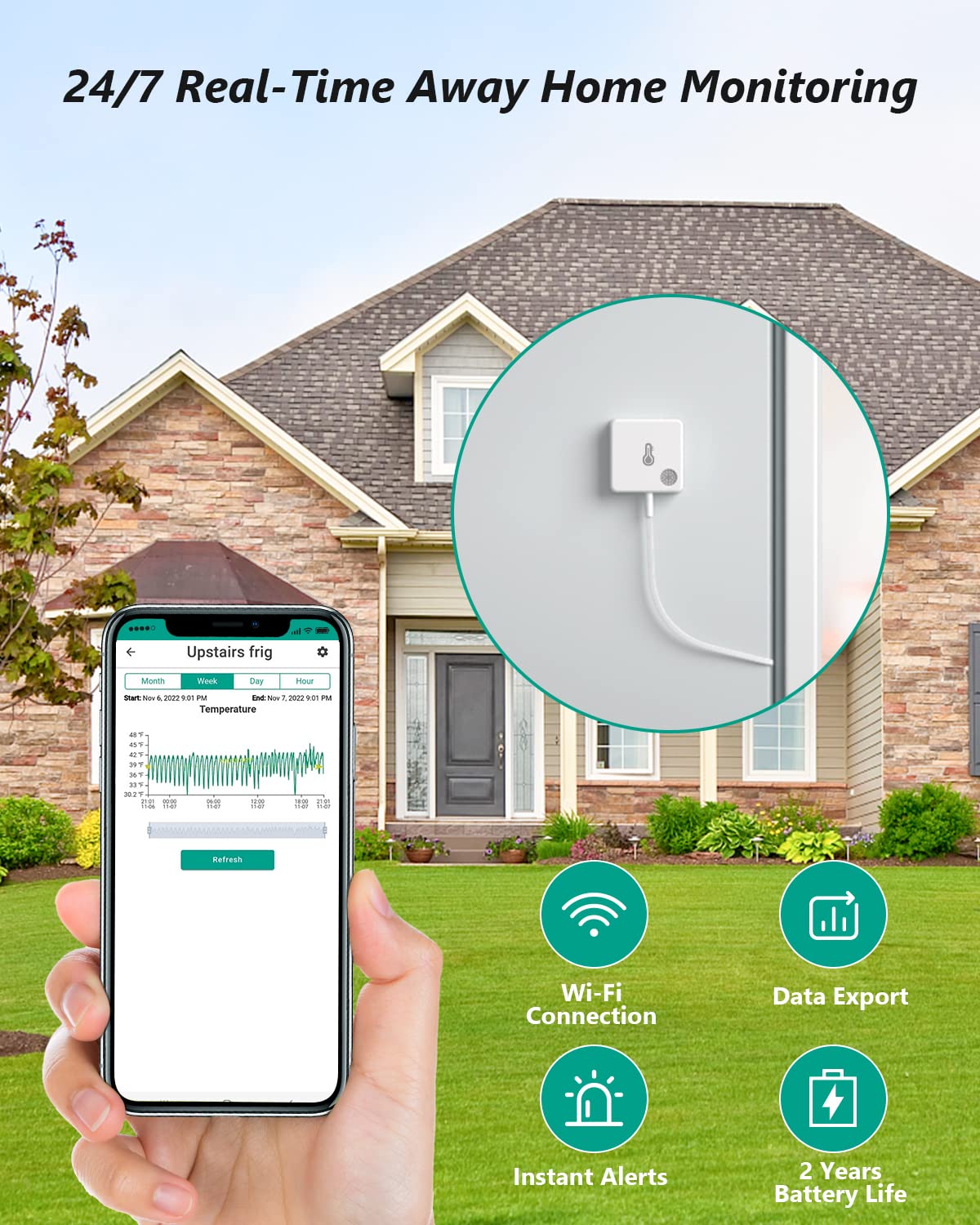
Monitor temperatures remotely via the MOCREO Sensor App, which connects through Wi-Fi. The app provides real-time data, allows data export, sends instant alerts, and highlights the sensor's 2-year battery life.
- Alerty i powiadomienia: The ST5 offers three types of instant alerts with no subscription fees:
- Hub Audible Alarm: The Hub will sound a loud audible alarm when the temperature exceeds your set thresholds.
- Powiadomienia email: Receive email notifications when temperature deviations occur.
- Powiadomienia push aplikacji: Get instant push notifications on your mobile device via the MOCREO Sensor App.

To configure alerts, click the corresponding sensor card in the MOCREO App, turn on "Temp Alerting," and set MAX/MIN thresholds. Enable "Beeping on the Hub" and enter your email address for push notifications and email alerts.
This video highlights the MOCREO ST5 WiFi Thermometer's ability to monitor temperatures in various environments like refrigerators, fish tanks, and hot tubs, and demonstrates the instant alert feature via app notifications and hub beeping when temperatures exceed set limits.
- Data Logging and Export: Aplikacja pozwala view historical temperature data in graph format (day, month, year). You can export up to two years' worth of data for analysis.

The MOCREO app provides online data graphs, allowing users to visualize temperature trends over time. This feature is particularly useful for monitoring sensitive environments like medicine freezers, with a temperature range of -40°F to 257°F.
- Whole House System: Up to 30 ST5 sensors can be added to a single MOCREO Hub, with a transmission distance of up to 131 ft (unobstructed), creating a comprehensive monitoring system for your entire home or facility.

The MOCREO system supports up to 30 sensors per hub, enabling a whole-house monitoring solution. Sensors can be placed up to 131 feet (40 meters) from the hub in unobstructed environments, with readings accessible via the MOCREO Sensor app.
5. Konserwacja
- Czas pracy baterii: The ST5 sensor features a built-in 1800mAh rechargeable lithium battery, offering a sustainable use of up to 2 years on a single full charge due to low-power consumption connection technology. The app will indicate battery level.

The ST5 sensor is equipped with an 1800mAh large capacity lithium battery, providing up to 2 years of operation on a single charge, minimizing the need for frequent recharging.
- Pielęgnacja produktu: Do not soak the device. Clean with a damp szmatkę w razie potrzeby.
6. Rozwiązywanie Problemów
While specific troubleshooting steps are not detailed in the provided information, common issues and general advice include:
- Problemy z łącznością: Ensure your MOCREO Hub is powered on and connected to a 2.4GHz Wi-Fi network. Check the distance between the sensor and the hub; reduce obstacles if possible.
- Sensor Not Reporting: Verify the sensor's battery level in the app. If low, recharge the sensor. Ensure the probe is securely plugged into the sensor unit.
- Fałszywe alarmy: Adjust the delay before alert setting in the app to prevent notifications from temporary temperature fluctuations (e.g., opening a freezer door briefly).
- Problemy z aplikacją: Ensure your MOCREO Sensor App is updated to the latest version. Restart the app or your mobile device if issues persist.
7. Specyfikacje
| Funkcja | Szczegół |
|---|---|
| Numer modelu | ST5 |
| Zakres temperatur | -40°F do 257°F (-40°C do 125°C) |
| Dokładność temperatury | ± 0.9 ° F (± 0.5 ° C) |
| Długość kabla sondy | 4.9 ft (1.5 metry) |
| Probe Cable Thickness | 1.3 mm |
| Typ baterii | 1800mAh litowo-polimerowy (ładowalny) |
| Żywotność baterii | Up to 2 years on a single charge |
| Łączność | Bluetooth (for pairing), Wi-Fi (via Hub) |
| Maksymalna liczba czujników na piastę | Do 30 |
| Odległość transmisji | Up to 131 ft (40m) unobstructed |
| Certyfikaty | FCC |

The ST5 freezer alarm incorporates an industrial-grade, USA-made DS18B20 chip, ensuring high accuracy of ±0.9°F. It is designed for a wide temperature range from -40°F to 257°F, suitable for various applications.
8. Gwarancja i wsparcie
- Gwarancja: MOCREO offers a 1-Year Warranty on this product.
- Gwarancja satysfakcji: Enjoy a 90-Day 100% Satisfaction Guarantee with money back and free return options.
- Obsługa klienta: MOCREO provides 24/7 Online Support (1-on-1). For assistance, please refer to the contact information provided in your product packaging or visit the official MOCREO webstrona.
- Instrukcja obsługi (PDF): Wersję instrukcji obsługi w formacie PDF można pobrać Tutaj.


