1. Wprowadzenie
Dziękujemy za zakupasing the Sharp CP-SS30(BK) Active Bookshelf Speakers. These speakers are designed to provide superior sound reproduction with versatile connectivity options. Please read this manual carefully before using the product to ensure proper operation and to maximize your listening experience.
The CP-SS30(BK) features a robust plywood cabinet, 60W RMS (2 x 30W) two-way active sound, and multiple input options including Bluetooth v5.0, USB, Optical, Auxiliary, and RCA. It also includes an equalizer with preset and custom bass/treble adjustments, and a full-function remote control for convenience.
2. Informacje dotyczące bezpieczeństwa
Please observe the following safety precautions to prevent damage to the product and to ensure your safety:
- Nie wystawiaj głośników na działanie deszczu lub wilgoci.
- Nie blokuj żadnych otworów wentylacyjnych.
- Nie należy instalować w pobliżu źródeł ciepła, takich jak grzejniki, kratki wentylacyjne, piece lub inne urządzenia (w tym amp(lifiers) wytwarzające ciepło.
- Chroń przewód zasilający przed deptaniem i przytrzaśnięciem, zwłaszcza przy wtyczkach, gniazdkach i miejscach, w których wychodzi z urządzenia.
- Stosować wyłącznie dodatki/akcesoria wskazane przez producenta.
- Odłączaj urządzenie od zasilania podczas burzy z piorunami lub jeśli nie używasz go przez dłuższy czas.
- Wszelkie prace serwisowe należy zlecać wykwalifikowanemu personelowi serwisowemu. Serwisowanie jest wymagane, gdy urządzenie zostało w jakikolwiek sposób uszkodzone, np. przewód zasilający lub wtyczka są uszkodzone, płyn został wylany lub przedmioty wpadły do urządzenia, urządzenie zostało wystawione na działanie deszczu lub wilgoci, nie działa normalnie lub zostało upuszczone.
3. Zawartość opakowania
Sprawdź, czy wszystkie przedmioty są obecne i w dobrym stanie:
- 2 x Sharp CP-SS30(BK) Bookshelf Speakers
- 1 x Pilot zdalnego sterowania (baterie w zestawie)
- 1 x RCA Audio Cable (3 meters)
- 1 x AUX Audio Cable (1.2 meters)
- 1 x kabel zasilający (1.2 metra)
- 1 x Speaker Connection Cable
- Dokumentacja użytkownika

Image: All components included in the Sharp CP-SS30(BK) package, including two speakers, remote control, and various cables.
4. Funkcje produktu
The Sharp CP-SS30(BK) speakers offer a range of features for an enhanced audio experience:
- Mocne wyjście audio: 60W RMS (2 x 30W) two-way active speakers for clear and dynamic sound.
- Konstrukcja Premium: Plywood cabinet design ensures superior sound reproduction and durability.
- Połączenie bezprzewodowe: Seamless audio streaming with Bluetooth v5.0.
- Wiele wejść: Connect various devices via Bluetooth, USB, Optical, Auxiliary (AUX), and RCA inputs.
- Konfigurowalny dźwięk: Built-in equalizer with five preset settings and independent bass and treble adjustment.
- Nowoczesny design: Removable speaker grilles allow for a contemporary aesthetic.
- Wygodna kontrola: Full-function remote control for easy operation from a distance.

Obraz: Przód view of the Sharp CP-SS30(BK) speakers with the remote control, showcasing their design and compact size.

Obraz: Zbliżenie view of the front panel of one Sharp CP-SS30(BK) speaker with the grille removed, highlighting the tweeter, woofer, indicator light, and volume/input knob.
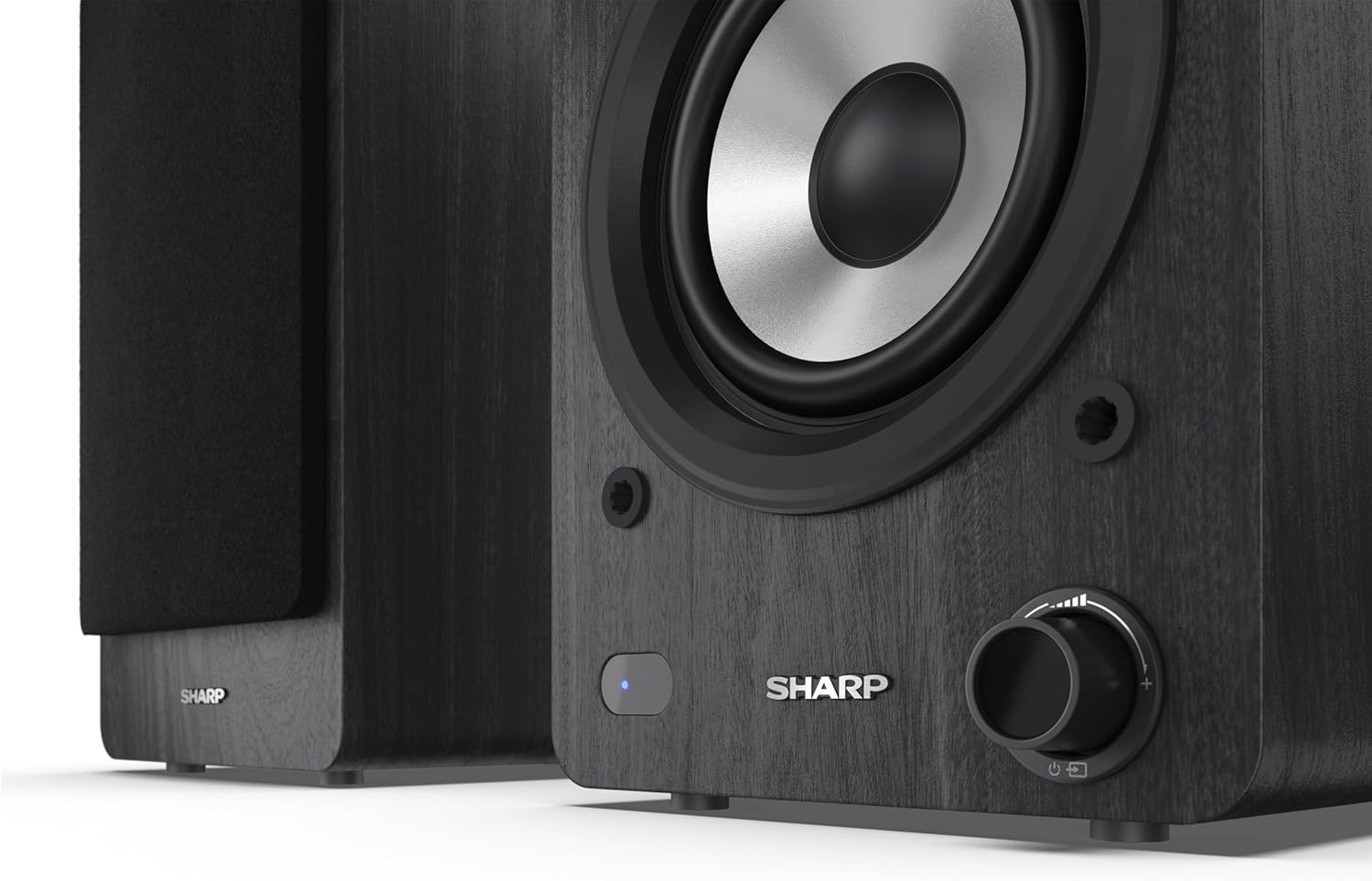
Image: A detailed shot of the control knob and the blue indicator light on the Sharp CP-SS30(BK) speaker, showing the subtle branding.
5. Konfiguracja
5.1 Rozmieszczenie głośników
For optimal sound quality, place the speakers on a stable, flat surface. Position them at an equal distance from your listening position, forming an equilateral triangle for the best stereo imaging. Ensure there is adequate space behind the speakers for ventilation and cable connections.
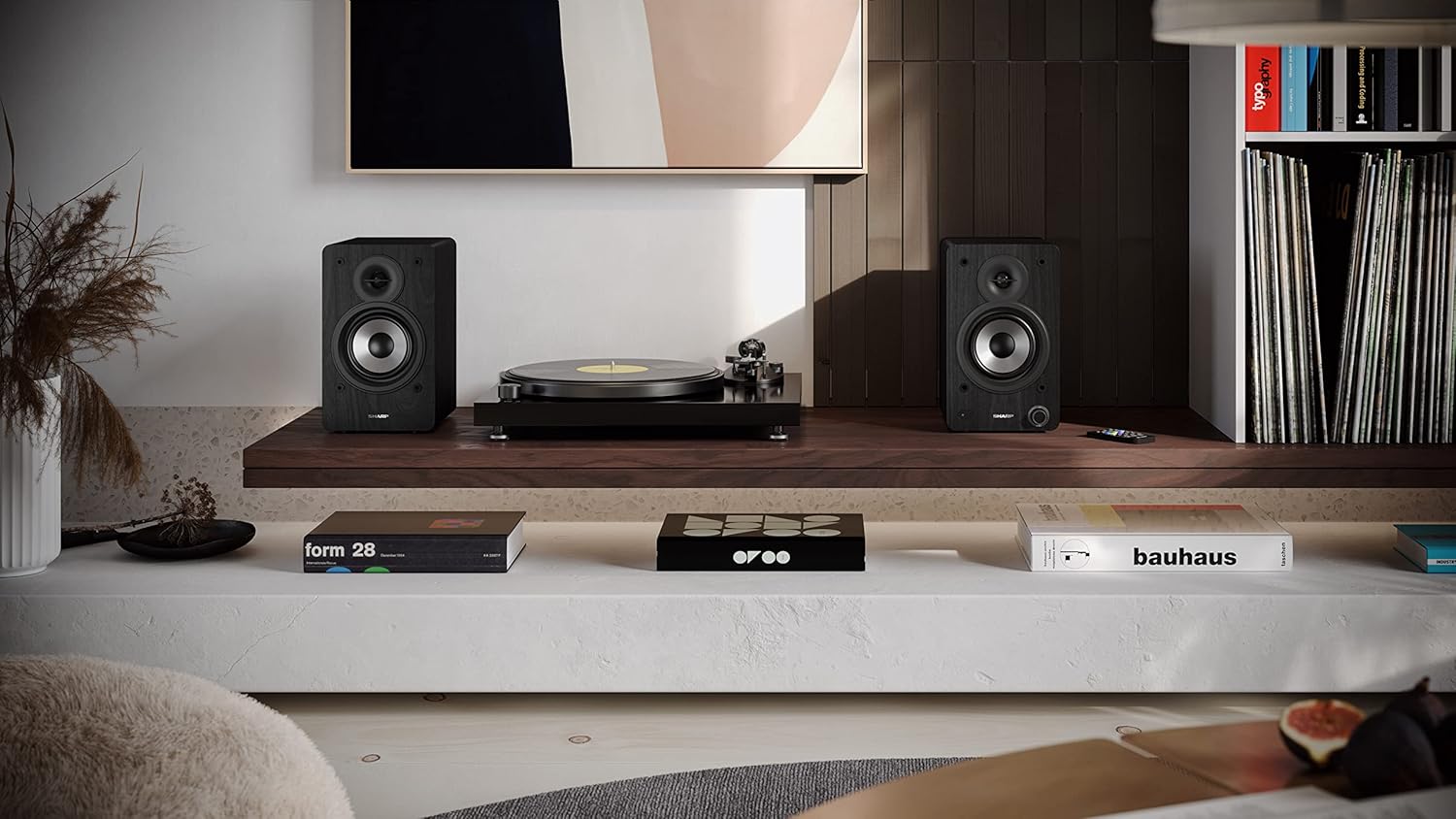
Image: The Sharp CP-SS30(BK) speakers positioned on a shelf in a living room setting, demonstrating a typical setup with a turntable.
5.2 Podłączanie głośników
The CP-SS30(BK) consists of one active (main) speaker and one passive (secondary) speaker. Connect them using the provided speaker connection cable.
- Identify the active speaker (with controls and input ports) and the passive speaker.
- Connect one end of the speaker connection cable to the speaker terminals on the active speaker, ensuring correct polarity (+ to + and - to -).
- Connect the other end of the speaker connection cable to the speaker terminals on the passive speaker, maintaining correct polarity.

Image: The rear panel of the Sharp CP-SS30(BK) speakers, illustrating the various input ports (USB, Optical, RCA, AUX) and the speaker connection terminals.
5.3 Połączenie zasilania
- Ensure the power switch on the active speaker is in the OFF position.
- Connect the provided power cable to the AC input on the active speaker.
- Podłącz drugi koniec kabla zasilającego do odpowiedniego gniazdka ściennego.
6. Instrukcja obsługi
6.1 Włączanie/wyłączanie
To power on the speakers, flip the power switch on the active speaker to the ON position. The indicator light on the front will illuminate. To power off, flip the switch back to OFF.
6.2 Wybór wejścia
You can select the input source using the remote control or the knob on the front of the active speaker. Available inputs include Bluetooth, USB, Optical, Auxiliary (AUX), and RCA.
- Bluetooth: Select Bluetooth input. The indicator light will flash, indicating pairing mode. Szukaj "SHARP CP-SS30(BK)" on your device and connect. The light will become solid once paired.
- USB: Włóż dysk USB z dźwiękiem filedo portu USB w głośniku aktywnym.
- Optyczny: Connect an optical cable from your audio source (e.g., TV, game console) to the Optical input.
- AUX: Connect an AUX cable from your audio source (e.g., smartphone, tablet) to the AUX input.
- RCA: Connect RCA cables from your audio source (e.g., turntable, CD player) to the RCA inputs.
6.3 Regulacja głośności
Adjust the volume using the remote control's volume buttons or by rotating the knob on the front of the active speaker.
6.4 Ustawienia korektora
The speakers feature an equalizer to tailor the sound to your preference. Use the remote control to:
- Select from five preset equalizer modes (e.g., Flat, Rock, Pop, Classical, Jazz).
- Adjust bass and treble levels independently for a customized sound profile.
7. Konserwacja
To ensure the longevity and optimal performance of your Sharp CP-SS30(BK) speakers, follow these maintenance guidelines:
- Czyszczenie: Use a soft, dry cloth to clean the speaker cabinets. Do not use liquid cleaners or aerosol sprays, as they may damage the finish or internal components.
- Kratki: The speaker grilles are removable for cleaning. Gently pull them off to clean any dust accumulation on the drivers. Reattach them carefully.
- Wentylacja: Ensure that the ventilation openings on the back of the active speaker are not obstructed to prevent overheating.
- Składowanie: Jeśli głośniki będą przechowywane przez dłuższy czas, odłącz je od zasilania i przechowuj w chłodnym, suchym miejscu, z dala od bezpośredniego światła słonecznego i ekstremalnych temperatur.
8. Rozwiązywanie Problemów
If you encounter any issues with your speakers, please refer to the following common problems and solutions:
| Problem | Możliwa przyczyna | Rozwiązanie |
|---|---|---|
| Brak zasilania | Power cable not connected; Power outlet not active; Power switch off. | Ensure power cable is securely connected. Check power outlet with another device. Flip power switch to ON. |
| Brak dźwięku | Incorrect input selected; Volume too low; Cables not connected properly; Source device issue. | Select the correct input source. Increase volume. Check all audio cables (RCA, AUX, Optical, USB) and speaker connection cable for secure fit and correct polarity. Test with a different audio source. |
| Parowanie Bluetooth nie powiodło się | Głośniki nie są w trybie parowania; Urządzenie jest za daleko; Zakłócenia. | Ensure Bluetooth input is selected and indicator light is flashing. Move device closer to speakers. Avoid strong electromagnetic interference. Try unpairing and re-pairing. |
| Zniekształcony dźwięk | Volume too high; Source audio quality is poor; Speaker placement. | Reduce volume. Check the audio source quality. Adjust speaker placement to avoid reflections or resonance. |
| Pilot nie działa | Batteries depleted; Obstruction between remote and speaker; Remote not pointed correctly. | Replace remote control batteries. Remove any obstructions. Point the remote directly at the active speaker's sensor. |
9. Specyfikacje
| Funkcja | Szczegół |
|---|---|
| Numer modelu | CP-SS30(BK) |
| Moc wyjściowa | 60 Watts RMS (2 x 30W) |
| Typ głośnika | Active Bookshelf, 2-Way |
| Materiał szafki | Wood (Plywood) |
| Technologia łączności | Bluetooth v5.0, USB, Optical, Auxiliary (AUX), RCA |
| Wersja Bluetooth | wersja 5.0 |
| Tryb wyjścia audio | Stereo (2.0-kanałowy) |
| Odpowiedź częstotliwościowa | 60 Hz |
| Typ kontrolera | Przycisk, pilot zdalnego sterowania |
| Wymiary produktu (każdy głośnik) | 19 gł. x 15.8 szer. x 24.8 wys. cm (7.5 gł. x 6.2 szer. x 9.8 wys. cali) |
| Waga przedmiotu | 4.3 kilogramów (9.5 funty) |
| Kolor | Czarny |
| Zalecane zastosowania | Gaming console, Music player, Smartphone/Tablet, Ambient sound system, Television |
| Kompatybilne urządzenia | Laptop, smartfon, tablet |

Image: Diagram showing the dimensions of one Sharp CP-SS30(BK) speaker (Height: 248mm, Width: 158mm, Depth: 190mm).
10. Gwarancja i wsparcie
Gwarancja: This product comes with a 1-year warranty for spare parts availability from the date of purchase. Please retain your proof of purchase for warranty claims.
For technical support, troubleshooting assistance beyond this manual, or warranty inquiries, please contact Sharp customer service. Refer to the contact information provided in the user documentation included in your package or visit the official Sharp webstrona.
Note: Software updates guaranteed until information is not available.


