1. Wprowadzenie
This manual provides detailed instructions for the setup, operation, and maintenance of your Logitech MK670 Comfort Wave Wireless Keyboard and Mouse Combo, along with the included Mini Bluetooth Speaker, Gel Wrist Pad, and Gel Mouse Pad. Please read this manual thoroughly before using the products to ensure optimal performance and longevity.

Image 1.1: Complete bundle including the Logitech MK670 keyboard, mouse, mini Bluetooth speaker, and gel pads.
2. Składniki produktu
Twoja paczka powinna zawierać następujące elementy:
- Logitech MK670 Comfort Wave Wireless Keyboard
- Mysz bezprzewodowa Logitech
- Logitech Unifying USB Receiver
- Mini przenośny bezprzewodowy głośnik Bluetooth
- Gel Wrist Pad
- Gel Mouse Pad
- Micro USB Charging Cable (for speaker)
- Dokumentacja użytkownika (niniejszy podręcznik)
3. Instrukcje konfiguracji
3.1. Logitech Keyboard and Mouse Setup
- Rozpakować: Ostrożnie wyjmij klawiaturę i mysz z opakowania.
- Włóż baterie: The keyboard and mouse typically come with pre-installed batteries or require standard AA/AAA batteries. Open the battery compartments (usually on the underside of each device) and ensure batteries are correctly inserted.
- Locate Unifying Receiver: The small USB Unifying receiver is often stored inside the mouse's battery compartment for safekeeping. Remove it.
- Podłącz odbiornik: Plug the Logitech Unifying USB receiver into an available USB port on your computer.
- Włączanie: Turn on the keyboard and mouse using their respective power switches (usually located on the underside or side). The devices should automatically connect to your computer.

Image 3.1: The Logitech MK670 wireless keyboard and mouse, ready for connection via the Unifying receiver.
3.2. Mini Bluetooth Speaker Setup
- Głośnik ładujący: Before first use, fully charge the mini Bluetooth speaker using the provided Micro USB charging cable. Connect the Micro USB end to the speaker and the USB-A end to a power source (e.g., computer USB port, USB wall adapter). The charging indicator light will typically turn off or change color when fully charged.
- Włączanie: Press and hold the power button on the speaker until you hear an audible prompt or see an indicator light flash, indicating it is in pairing mode.
- Sparuj przez Bluetooth:
- Na swoim urządzeniu (smartfonie, tablecie, laptopie) przejdź do ustawień Bluetooth.
- Upewnij się, że Bluetooth jest włączony.
- Szukaj available devices. The speaker will typically appear as a name like "Mini Speaker" or similar.
- Wybierz głośnik, który chcesz sparować. Po sparowaniu usłyszysz dźwięk potwierdzający.
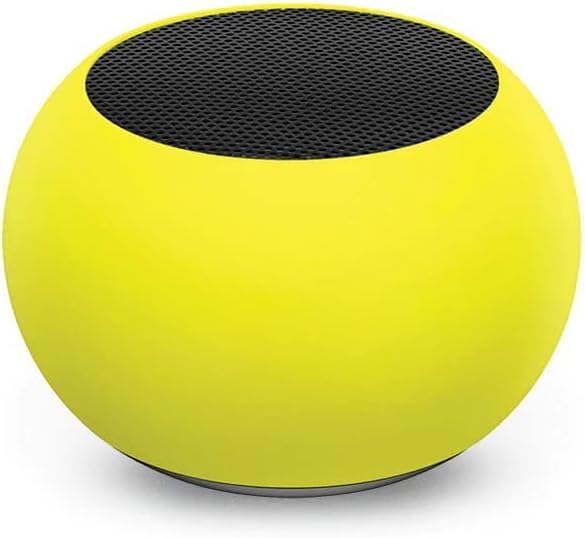
Obraz 3.2: Zbliżenie view of the compact mini Bluetooth speaker, highlighting its design.
3.3. Gel Pads Placement
- Keyboard Wrist Rest: Place the longer gel wrist pad directly in front of your Logitech MK670 keyboard, aligning it to support your wrists while typing.
- Mouse Pad with Wrist Rest: Position the gel mouse pad on your desk where you typically use your mouse. Ensure the integrated wrist rest provides comfortable support for your mousing hand.

Image 3.3: The ergonomic gel wrist pad and gel mouse pad, designed for comfort and support.
4. Instrukcja obsługi
4.1. Korzystanie z klawiatury
- Pisanie na maszynie: The Comfort Wave design provides an ergonomic layout for natural hand and wrist positioning.
- Klawiatura numeryczna: Utilize the full-size numeric keypad for efficient data entry.
- Klawisze skrótu: Access common functions quickly using the dedicated shortcut keys (e.g., media controls, volume, application launch). Refer to the key legends for specific functions.
- Regulowane nóżki z możliwością pochylenia: Flip out the tilt legs on the underside of the keyboard to adjust the typing angle for personalized comfort.

Obraz 4.1: Bok view of the Logitech MK670 keyboard, illustrating the adjustable tilt legs for ergonomic customization.
4.2. Korzystanie z myszy
- Pointing and Clicking: Use the mouse for precise cursor control, left-clicks, and right-clicks.
- Przewijanie: Kółko przewijania umożliwia płynne poruszanie się po dokumentach i web stron.
- Oburęczna konstrukcja: Mysz została zaprojektowana tak, aby wygodnie korzystać z niej mogli zarówno użytkownicy prawo-, jak i leworęczni.
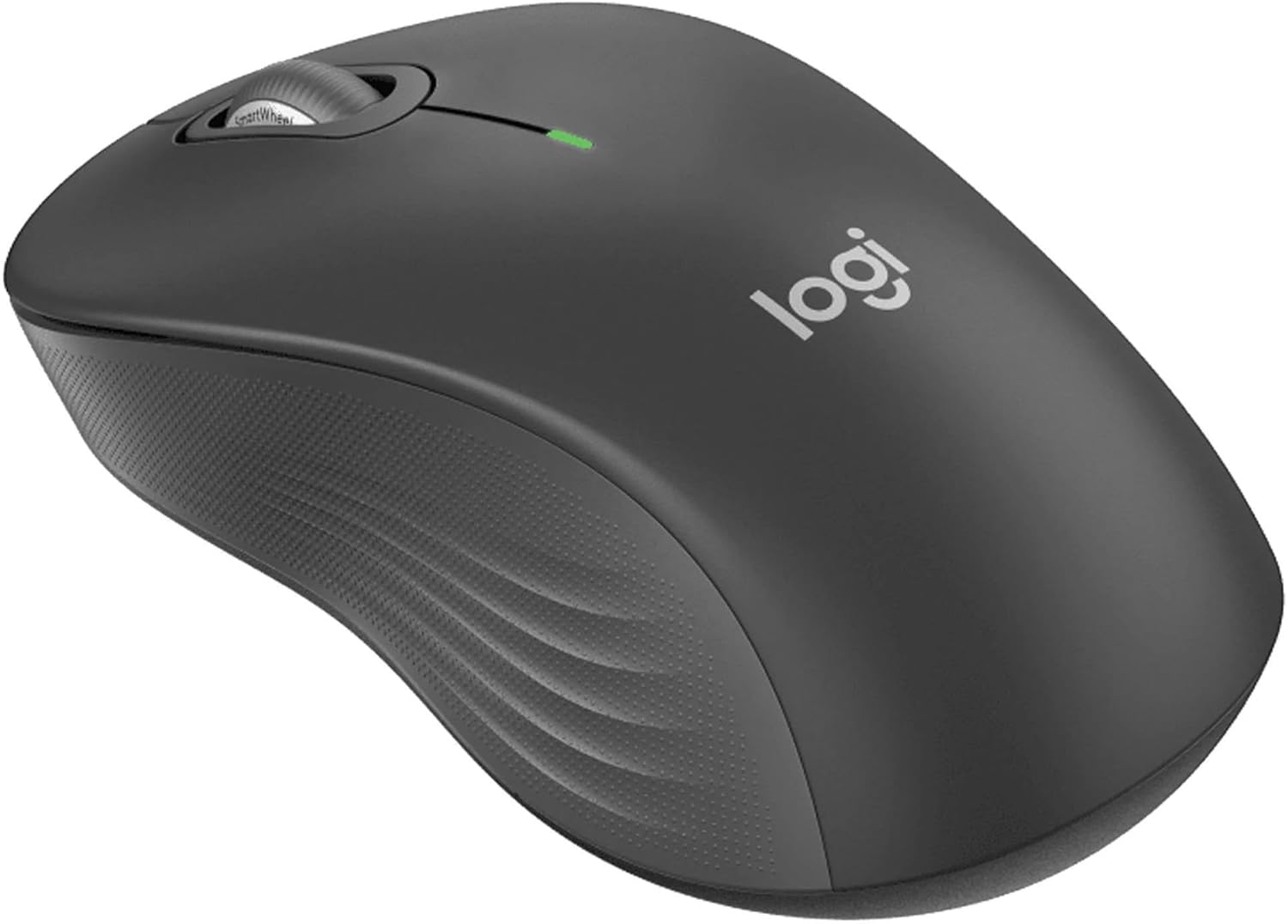
Rysunek 4.2: Szczegółowy view of the Logitech wireless mouse, showcasing its ergonomic shape.
4.3. Mini Bluetooth Speaker Usage
- Włączanie/wyłączanie: Naciśnij i przytrzymaj przycisk zasilania, aby włączyć lub wyłączyć głośnik.
- Parowanie Bluetooth: Once powered on, the speaker will automatically attempt to connect to the last paired device. If not, it will enter pairing mode for new connections (refer to Section 3.2).
- Regulacja głośności: Volume is typically controlled via the connected device. Some speakers may have integrated volume buttons.
- Pilot do selfie: The speaker may feature a remote selfie button. Consult the speaker's specific instructions for activation and use with your device's camera.
- Rozmowy bez użycia rąk: With its built-in microphone, the speaker can be used for hands-free calls when connected to a smartphone.
5. Konserwacja
5.1. Czyszczenie
- Klawiatura i mysz: Użyj miękkiej, niestrzępiącej się ściereczki, lekko wyczyśćampCzyścić wodą lub łagodnym środkiem czyszczącym. Unikać agresywnych środków chemicznych i materiałów ściernych. Do usuwania kurzu między klawiszami używać sprężonego powietrza.
- Mini Bluetooth Speaker: Wipe the exterior with a soft, dry cloth. Do not immerse in water.
- Podkładki żelowe: Wyczyść z reklamąamp cloth and mild soap if necessary. Allow to air dry completely before reuse.
5.2. Battery Replacement (Keyboard and Mouse)
When the battery indicator light on your keyboard or mouse signals low power, replace the batteries with new ones of the same type (e.g., AA or AAA). Ensure correct polarity when inserting new batteries.
6. Rozwiązywanie Problemów
6.1. Klawiatura/mysz nie reaguje
- Sprawdź baterie: Upewnij się, że baterie są prawidłowo włożone i wystarczająco naładowane. W razie potrzeby wymień je.
- Przełączniki zasilania: Verify that both the keyboard and mouse power switches are in the 'ON' position.
- Odbiornik USB: Ensure the Logitech Unifying USB receiver is securely plugged into a working USB port on your computer. Try a different USB port.
- Bliskość: Ensure the keyboard and mouse are within the operational range (up to 33 feet) of the USB receiver.
- Naprawa: If issues persist, you may need to re-pair the devices using Logitech's Unifying software (downloadable from the Logitech support webStrona).
6.2. Mini Bluetooth Speaker Connection Issues
- Moc głośnika: Sprawdź, czy głośnik jest naładowany i włączony.
- Bluetooth włączony: Verify Bluetooth is enabled on your source device.
- Zapomnij urządzenie: On your source device, 'forget' or 'unpair' the speaker from your Bluetooth device list, then attempt to pair again.
- Bliskość: Keep the speaker and source device within close range (typically 10 meters or 33 feet) for stable connection.
- Ingerencja: Odsuń się od innych urządzeń bezprzewodowych, które mogą powodować zakłócenia.
6.3. No Sound from Speaker
- Poziomy głośności: Check the volume on both the speaker and the connected device.
- Wyjście urządzenia źródłowego: Ensure your device's audio output is set to the Bluetooth speaker.
- Odtwarzanie multimediów: Verify that media is playing on your source device.
7. Specyfikacje
| Funkcja | Szczegół |
|---|---|
| Marka | Logitech |
| Model | MK670 (Keyboard & Mouse Combo) |
| Technologia łączności | 2.4GHz Wireless (Keyboard & Mouse), Bluetooth 5.0 (Speaker) |
| Zasięg bezprzewodowej | Do 33 stóp (10 metrów) |
| Funkcje klawiatury | Ergonomic Comfort Wave design, Full-size with numeric keypad, Shortcut keys, Cushioned palm rest, Adjustable tilt legs |
| Funkcje myszy | Ambidextrous design, Precise tracking |
| Wymiary głośnika | 45.45 mm x 33 mm (1.75” x 1.3”) |
| Waga głośnika | 2.46 uncji |
| Pojemność baterii głośnika | 400mAh |
| Speaker Playback Time | Do 4 godzin |
| Speaker Special Features | Magnetic base, Built-in mic, Remote selfie button, Glow in the Dark (Yellow variant) |
| Kompatybilne urządzenia | Laptops, Gaming Consoles (for keyboard/mouse functionality), Bluetooth-enabled devices (for speaker) |
| Waga przedmiotu (pakiet) | 4 funta |
| Wymiary opakowania | 23 x 10 x 10 cala |
8. Informacje o gwarancji
Logitech products are typically covered by a limited hardware warranty. For specific warranty terms and conditions, including duration and coverage details, please refer to the warranty card included with your product or visit the official Logitech webZachowaj dowód zakupu na wypadek roszczeń gwarancyjnych.
9. Wsparcie
For further assistance, technical support, or to download the latest drivers and software for your Logitech products, please visit the official Logitech support webwitrynę. Znajdziesz tam również odpowiedzi na często zadawane pytania i fora społeczności.
Pomoc techniczna firmy Logitech Webstrona: https://support.logi.com/


