Wstęp
The j5create USB4 8K Multi-Function Hub (JCD403) is designed to expand the connectivity of your USB4, Thunderbolt 4, or Thunderbolt 3 host device. It provides multiple ports including HDMI for high-resolution video output, 2.5 Gigabit Ethernet for fast network access, USB-A and USB-C ports for data transfer, and Power Delivery for charging your host device. This manual provides instructions for setup, operation, and troubleshooting to ensure optimal performance.

Obraz: Ponadview of the j5create USB4 8K Multi-Function Hub (JCD403) highlighting its various ports and compact design.
Cechy produktu
- USB4 Technology: Provides up to 40Gbps data transfer rates and upgraded bandwidth for video and data. Backward compatible with Thunderbolt 4, Thunderbolt 3, and other USB-C host devices.
- 8K60 / 4K144 HDMI Output: Supports ultra-high-resolution video output up to 8K at 60Hz or 4K at 144Hz for a high-quality visual experience in both mirror and extended display modes.
- Port Ethernet 2.5G: Offers a wired network connection with speeds up to 2500Mbps (2.5Gbps) for faster file transfers and stable streaming.
- Ładowanie Power Delivery (PD): Features a USB-C PD port with up to 100W power delivery to charge your host laptop. The hub consumes approximately 5W for normal operation.
- Porty danych USB o dużej prędkości: Includes two USB-A data ports and one USB-C data port, all supporting up to 10Gbps transfer speeds for connecting various peripherals.

Image: Diagram illustrating the internal components and high-speed capabilities of the USB4 technology within the hub.
Zawartość opakowania
- j5create USB4 8K Multi-Function Hub (JCD403)
- Instrukcja obsługi
Instrukcje konfiguracji
- Połącz z urządzeniem hosta: Plug the integrated USB-C cable of the JCD403 hub into an available USB4, Thunderbolt 4, or Thunderbolt 3 port on your laptop or compatible device.
- Podłącz zasilacz (opcjonalny, ale zalecany): For optimal performance and to charge your host device, connect your laptop's USB-C power adapter (up to 100W) to the USB-C PD input port on the JCD403 hub.
- Podłącz wyświetlacz HDMI: Connect an HDMI cable from your monitor to the HDMI port on the JCD403. Ensure your monitor and HDMI cable support the desired resolution (e.g., 8K60Hz or 4K144Hz).
- Podłącz kabel Ethernet: For a wired network connection, plug an Ethernet cable into the 2.5G Ethernet port on the hub.
- Podłącz urządzenia peryferyjne USB: Connect your USB-A and USB-C devices (e.g., keyboard, mouse, external drives) to the corresponding data ports on the JCD403.

Image: The j5create JCD403 hub connected to a laptop, illustrating the various ports in use, including USB-C PD, USB-C data, USB-A data, RJ45 Ethernet, and HDMI.
Instrukcja obsługi
- Automatyczne wykrywanie: The hub is designed for plug-and-play operation. Your operating system should automatically detect the connected devices and external display.
- Konfiguracja wyświetlacza: Access your computer's display settings to configure mirror or extended display modes, adjust resolution, and refresh rates for the connected HDMI monitor.
- Dostawa energii: When a compatible USB-C power adapter is connected to the hub's PD port, it will pass power through to charge your host laptop while the hub is in use.
- Transfer danych: Use the USB-A and USB-C data ports to connect and transfer data with your external storage devices, keyboards, mice, and other USB peripherals.
- Dostęp sieciowy: The 2.5G Ethernet port provides a stable and high-speed wired internet connection. Ensure your network infrastructure supports 2.5G speeds for optimal performance.
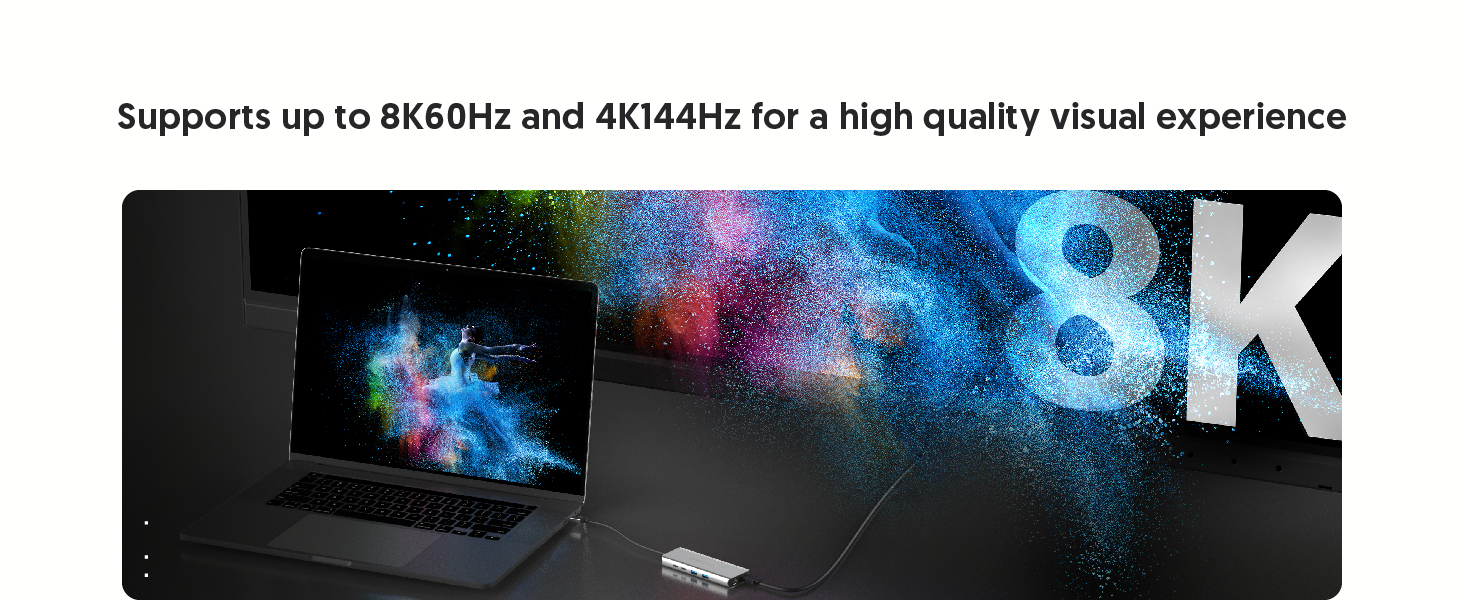
Image: A laptop connected to an external monitor via the hub, displaying an 8K resolution image, demonstrating the high-resolution HDMI output capability.
Konserwacja
- Czyszczenie: Do czyszczenia zewnętrznej powierzchni piasty należy używać miękkiej, suchej ściereczki. Unikać płynnych środków czyszczących i rozpuszczalników.
- Składowanie: Przechowuj piastę w chłodnym, suchym miejscu, z dala od bezpośredniego światła słonecznego i ekstremalnych temperatur, gdy nie jest używana.
- Rozpraszanie ciepła: The aluminum housing and vent design assist in heat dissipation. Ensure the hub is placed in a well-ventilated area to prevent overheating during prolonged use.

Image: Illustration showing the aluminum housing and vent design of the JCD403 hub, indicating its effective heat dissipation capabilities.
Rozwiązywanie problemów
- No Display Output or Incorrect Resolution:
- Sprawdź, czy kabel HDMI jest prawidłowo podłączony zarówno do koncentratora, jak i do monitora.
- Verify that your host device, HDMI cable, and monitor all support the desired resolution and refresh rate.
- Check your computer's display settings to ensure the external monitor is detected and configured correctly (e.g., extended or mirrored).
- For macOS, note that HDR support with certain HDMI adapters may require specific monitor settings or EDID profile adjustments. macOS typically supports up to 4K60Hz with HDMI output.
- Slow Ethernet Speed:
- Confirm your Ethernet cable and network infrastructure (router/switch) support 2.5G speeds.
- Ensure your host device's drivers for the Ethernet adapter are up to date.
- Test with a different Ethernet cable or port if possible.
- Urządzenia USB nie są rozpoznawane lub przesyłanie danych jest powolne:
- Ensure USB devices are properly connected to the hub's ports.
- Some high-power USB devices may require external power or a powered hub.
- Verify that your host device's USB drivers are current.
- Problemy z dostarczaniem energii:
- Ensure your USB-C power adapter is connected to the hub's PD input port and is capable of providing sufficient wattage (do 100 W).
- The hub itself consumes approximately 5W; ensure your power adapter provides enough wattage for both the hub and your laptop.
- Intermittent Connectivity or Device Instability:
- Disconnect and reconnect the hub from your host device.
- Sprawdź, czy wszystkie połączenia są bezpieczne.
- If experiencing system crashes on macOS, ensure your operating system is updated and try connecting the hub and peripherals in a specific sequence (e.g., hub first, then power, then display, then USB devices).
Specyfikacje
| Model | JCD403 |
| Wymiary produktu | 7.87 x 2.01 x 5.31 cala |
| Waga przedmiotu | 6 uncji |
| Interfejs sprzętowy | Ethernet, HDMI, Thunderbolt, USB, USB 3.0, USB Type C |
| Funkcja specjalna | Fast Charging (Power Delivery up to 100W) |
| Kolor | Kosmiczna Szarość |
Zgodność
The j5create USB4 8K Multi-Function Hub (JCD403) is compatible with a wide range of devices supporting Type-C, Thunderbolt 3, Thunderbolt 4, or USB4 interfaces. This includes:
- 2022 MacBook Pro/Air M2
- 2021 MacBook Pro 14-inch, 16-inch (M1 Pro)
- 2020 MacBook Pro/Air M1
- 2019/2018/2017/2016 MacBook Pro
- MacBook Air 2018
- 2021 iMac M1, 2019/2017 iMac, iMac Pro
- Mac Mini M1
- 2022 iPad Air M1, 2021 iPad Pro M1, 2020/2018 iPad Pro, 2020 iPad Air
- Other laptops and devices supporting Type-C, Thunderbolt 3, Thunderbolt 4, or USB4 interfaces.

Image: Two laptops, one Windows and one macOS, connected to the JCD403 hub, illustrating its broad compatibility with Thunderbolt and USB4 devices.
Gwarancja i wsparcie
Aby uzyskać informacje dotyczące gwarancji i pomocy technicznej, zapoznaj się z oficjalną stroną j5create webOdwiedź stronę internetową lub skontaktuj się bezpośrednio z działem obsługi klienta. Zachowaj paragon zakupu na wypadek reklamacji.


