Wstęp
This manual provides detailed instructions for the Strex Bluetooth 2-in-1 Transmitter and Receiver, Model SP173. This versatile device allows you to wirelessly transmit or receive audio signals, enhancing your audio experience with various devices.
The Strex Bluetooth adapter supports both Nadajnik (TX) I Odbiornik (RX) modes, utilizing Bluetooth 5.0 technology for stable, high-quality audio transmission.
Zawartość opakowania
- Strex Bluetooth 2-in-1 Audio Transmitter/Receiver
- Kabel zasilający Micro USB
- Kabel audio AUX 3.5 mm
- Kabel 3.5 mm do RCA
- Instrukcja obsługi (ten dokument)

Urządzenie ponadview
Familiarize yourself with the various components and ports of your Strex Bluetooth adapter.

- Przełącznik włączania/wyłączania: Włącza lub wyłącza urządzenie.
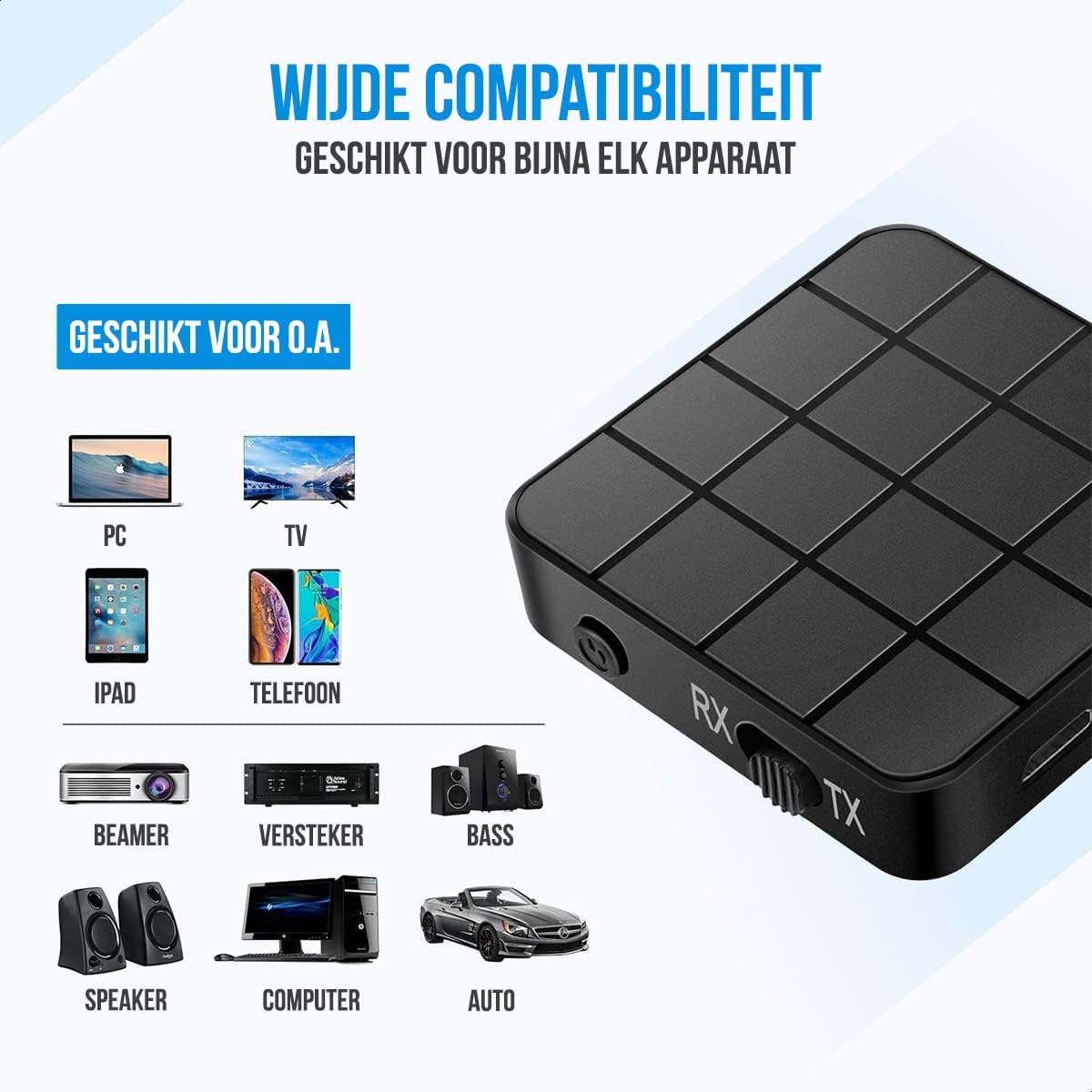
- Mode Switch (RX/TX): Selects between Receiver (RX) and Transmitter (TX) modes.
- Dioda LED stanu: Indicates power, pairing, and connection status.
- Port ładowania micro USB: Do ładowania wewnętrznego akumulatora.
- 3.5mm Audio Input/Output: Connects to audio sources or output devices using the provided cables.
Konfiguracja i obsługa
Ładowanie urządzenia
Before first use, ensure the device is fully charged. Connect the Micro USB power cable to the charging port on the adapter and the other end to a USB power source (e.g., computer USB port, USB wall adapter).
- Pełne naładowanie trwa około 90 minut.
- The device provides up to 6-8 godzin of continuous playtime on a single charge.

Tryb odbiornika (RX)
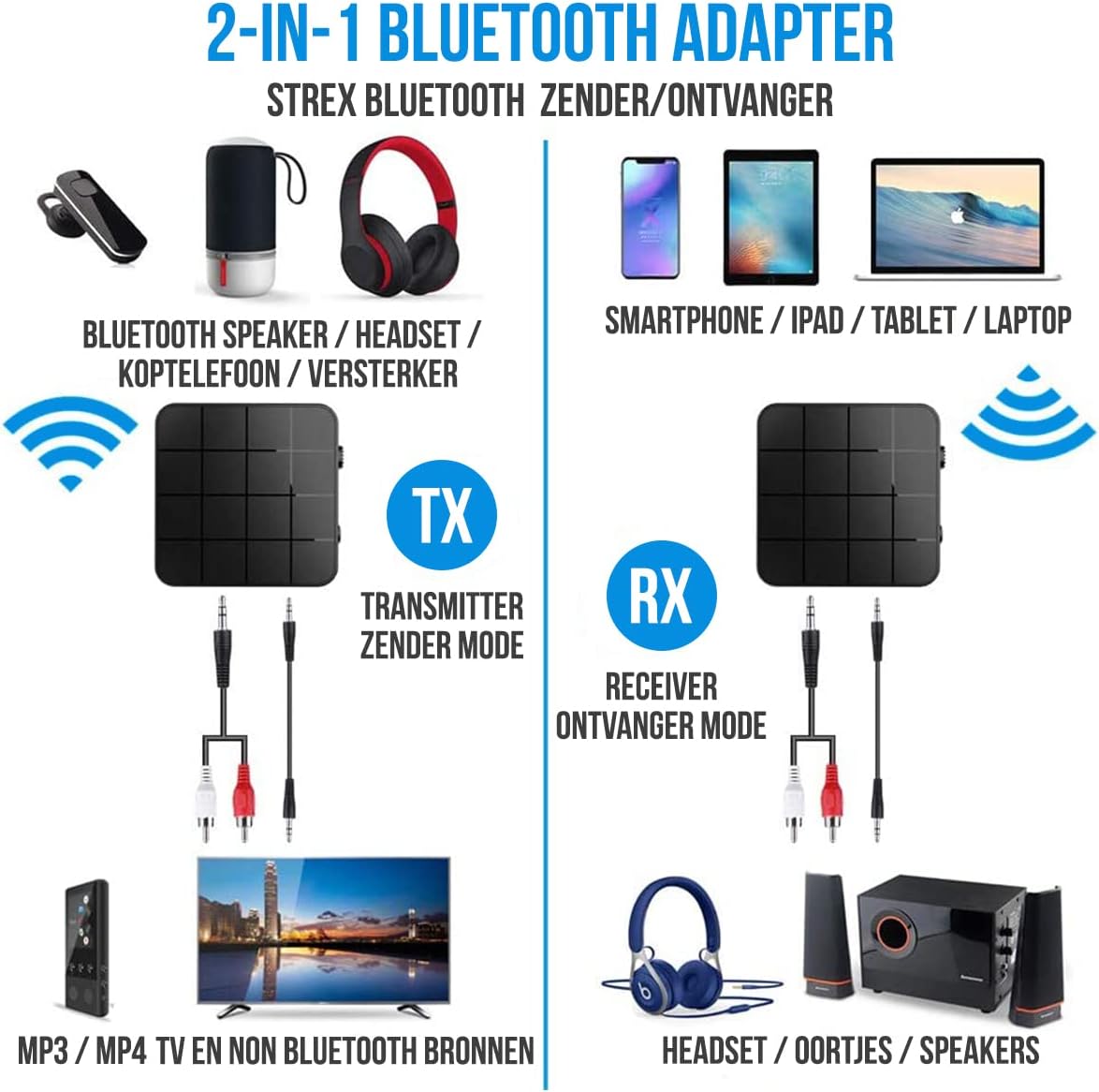
In RX mode, the Strex adapter receives audio wirelessly from a Bluetooth-enabled device (e.g., smartphone, tablet) and outputs it to a non-Bluetooth audio system (e.g., wired speakers, car stereo).
- Przełącz urządzenie na Tryb RX using the mode selector switch.
- Connect the Strex adapter to your non-Bluetooth audio system using either the Kabel AUX 3.5 mm lub Kabel 3.5 mm do RCA.
- Power on the Strex adapter. The Status LED will indicate pairing mode (typically blinking blue).
- On your Bluetooth-enabled device (e.g., smartphone), go to Bluetooth settings and search for available devices. Select "Strex" (or similar name) to pair.
- Once paired, the Status LED will show a solid blue light. You can now stream audio from your device to your audio system.

Tryb Nadajnika (TX)
In TX mode, the Strex adapter transmits audio wirelessly from a non-Bluetooth audio source (e.g., TV, PC, old stereo system) to a Bluetooth-enabled receiving device (e.g., Bluetooth headphones, Bluetooth speakers).
- Przełącz urządzenie na Tryb transmisji using the mode selector switch.
- Connect the Strex adapter to your non-Bluetooth audio source (e.g., TV's audio output) using either the Kabel AUX 3.5 mm lub Kabel 3.5 mm do RCA.
- Power on the Strex adapter. The Status LED will indicate pairing mode.
- Przełącz słuchawki lub głośniki Bluetooth w tryb parowania.
- The Strex adapter will automatically search for and connect to nearby Bluetooth receiving devices. Once connected, the Status LED will show a solid light.
- Ensure your Bluetooth headphones/speakers are unpaired from any other devices (e.g., smartphone) before attempting to pair with the Strex adapter in TX mode.

Important Notes on Operation:
- The adapter cannot simultaneously send and receive audio. It must be set to either TX or RX mode.
- For optimal performance, ensure the adapter is within 10 meters (33 feet) of the connected Bluetooth device.
- Bluetooth 5.0 provides HD Audio with minimal latency, but some older Bluetooth devices may experience slight synchronization differences.
Konserwacja
- Czyszczenie: Do czyszczenia urządzenia należy używać miękkiej, suchej ściereczki. Nie należy używać płynów czyszczących ani aerozoli.
- Składowanie: Przechowywać urządzenie w chłodnym i suchym miejscu, z dala od bezpośredniego światła słonecznego i ekstremalnych temperatur.
- Pielęgnacja baterii: Aby przedłużyć żywotność baterii, unikaj częstego całkowitego rozładowywania baterii. Regularnie ładuj urządzenie, nawet jeśli nie jest używane przez dłuższy czas.
Rozwiązywanie problemów
- Brak zasilania:
Ensure the device is charged. Connect it to a power source using the Micro USB cable and allow it to charge for at least 15 minutes before attempting to power on.
- Cannot Pair in RX Mode:
Make sure the adapter is in RX mode. Ensure your smartphone/tablet's Bluetooth is enabled and it is searching for new devices. If previously paired, try unpairing and re-pairing. Keep the devices within 10 meters.
- Cannot Pair in TX Mode:
Verify the adapter is in TX mode. Ensure your Bluetooth headphones/speakers are in pairing mode and are not connected to any other device. Some devices may require you to manually initiate pairing on the adapter (refer to Status LED indications).
- Brak wyjścia/wejścia audio:
Check all cable connections (3.5mm AUX or RCA) are secure. Ensure the volume on both the adapter and the connected audio device is turned up. Confirm the correct input/output source is selected on your audio system/TV.
- Audio Lag/Poor Quality:
Ensure devices are within range and there are no significant obstructions. Reduce interference from other wireless devices. While Bluetooth 5.0 minimizes lag, some older audio sources or receiving devices might introduce slight delays.
Specyfikacje
| Numer modelu | SP173 |
| Wersja Bluetooth | Bluetooth 5.0 (A2DP, AVRCP in Receiver mode) |
| Tryby pracy | Nadajnik (TX) i odbiornik (RX) |
| Łączność | 3.5mm AUX, RCA (via 3.5mm to RCA cable) |
| Zasięg bezprzewodowej | Do 10 metrów (33 stóp) |
| Typ baterii | Litowo-polimerowy |
| Pojemność baterii | 200 mAh |
| Pauza w szkole | Około 6-8 godzin |
| Czas ładowania | Około 90 minut |
| Wymiary (dł. x szer. x wys.) | 4.4 x 4.4 x 1.2 cm (1.73 x 1.73 x 0.47 cala) |
| Waga | 18 gramów (0.63 uncji) |
| Tworzywo | Plastikowy |
| Kompatybilne urządzenia | Smartphones, Tablets, PCs, TVs, Audio Systems, Headphones, Speakers |

Informacje dotyczące bezpieczeństwa
- Do not dispose of batteries in fire. Batteries may explode.
- Trzymaj urządzenie z dala od wody i nadmiernej wilgoci.
- Nie ładuj urządzenia w pobliżu materiałów łatwopalnych.
- The device has an operating range of 10 meters and may interfere with other wireless devices within this range.
- Always adhere to local regulations for the disposal of electronic waste.
Gwarancja i wsparcie
Specific warranty details are not provided in this manual. For warranty information or technical support, please refer to the product packaging or contact Strex customer service through their official webwitrynę lub sprzedawcę, u którego zakupiono produkt.


