1. Wprowadzenie
Thank you for choosing the Karcher DAB Go Portable Bluetooth Speaker and Digital Radio. This device is designed to provide versatile audio entertainment with its compact form factor, integrated rechargeable battery, and practical carrying strap. It supports DAB+ and FM radio reception, Bluetooth 5.1 for wireless streaming, and an AUX-In port for wired connections. Additionally, it features a 2.4-inch color display and a dual alarm clock function.
Please read this manual carefully to ensure proper use, optimal performance, and longevity of your device. Keep this manual for future reference.
2. Informacje dotyczące bezpieczeństwa
- Nie wystawiaj urządzenia na działanie deszczu, wilgoci ani ekstremalnych temperatur.
- Unikaj umieszczania urządzenia w pobliżu źródeł ciepła lub w miejscu bezpośrednio nasłonecznionym.
- Używaj tylko określonej pojemności ładowaniatage (5-7.5W) and a compatible USB-C cable.
- Nie rozmontowuj ani nie próbuj samodzielnie naprawiać urządzenia. Wszelkie prace serwisowe zleć wykwalifikowanemu personelowi.
- Trzymaj urządzenie z dala od silnych pól magnetycznych.
- Czyść urządzenie miękką, suchą ściereczką. Nie używaj płynnych środków czyszczących ani aerozoli.
3. Koniec produktuview
3.1 Komponenty urządzenia
The Karcher DAB Go features a compact design with intuitive controls and essential ports.

Obraz 3.1.1: Przód view of the Karcher DAB Go, showcasing the speaker grille and central display.

Obraz 3.1.2: Szczyt view of the Karcher DAB Go, illustrating the control buttons and extendable antenna.

Obraz 3.1.3: Strona view of the Karcher DAB Go, highlighting the AUX-In and USB-C charging ports.
3.2 Główne cechy
- Digital Radio: DAB+ and FM tuner with 30 preset stations for each mode.
- Bluetooth 5.1: Seamless wireless audio streaming from smartphones, tablets, and other compatible devices.
- Hormon: 3.5mm jack for connecting external audio sources like MP3 players.
- Dźwięk stereo: 2 x 2.5W RMS output (total 5W) with passive membranes for enhanced bass.
- Wyświetlacz kolorowy: 2.4-inch dimmable color display with slideshow support for station information.
- Budzik: Dual alarm function for setting two independent wake-up times.
- Ruchliwość: Compact design with an integrated rechargeable Lithium-ion battery providing up to 8 hours of playback.
- Ładowanie przez USB-C: Nowoczesny i wygodny interfejs ładowania.

Obraz 3.2.1: Funkcja ponadview of the Karcher DAB Go, detailing its passive membrane for sound, practical carrying strap, 2.4-inch color display, and integrated battery for up to 8 hours of music playback.
4. Konfiguracja
4.1 Ładowanie urządzenia
- Znajdź port ładowania USB-C z boku urządzenia.
- Connect the provided USB-C to USB-A charging cable to the device.
- Connect the USB-A end of the cable to a compatible USB power adapter (not included) with an output of 5-7.5W.
- The charging indicator on the display will show the charging status. A full charge takes approximately 3 hours.

Obraz 4.1.1: Illustration of the recommended power adapter specifications (5-7.5W) for charging the Karcher DAB Go.
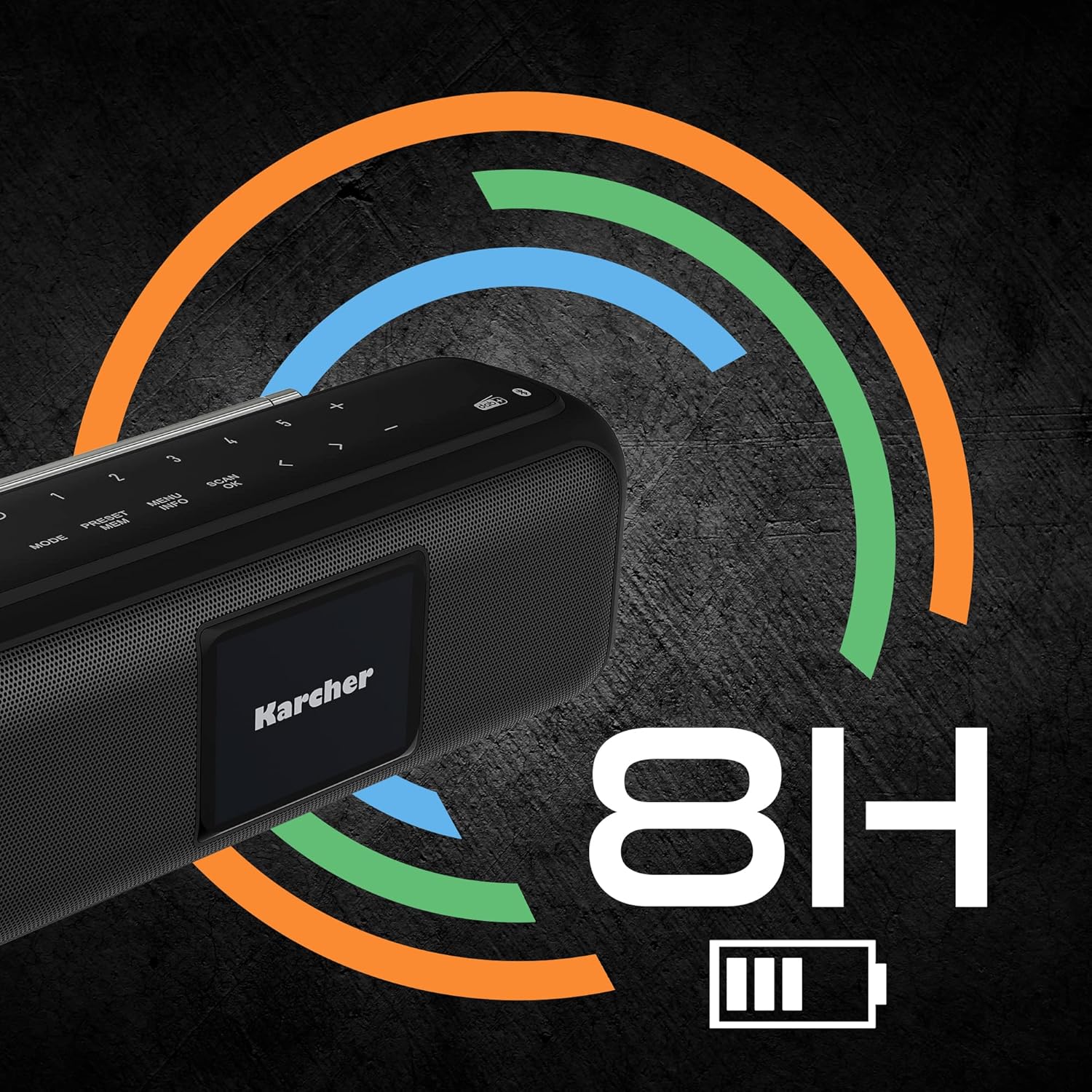
Obraz 4.1.2: Visual representation of the Karcher DAB Go's battery life, indicating up to 8 hours of operation on a full charge.
4.2 Initial Power-On and Antenna Adjustment
- Naciśnij i przytrzymaj przycisk zasilania (U) on the top panel to turn on the device.
- Extend the telescopic antenna fully for optimal radio reception. Adjust its position for the best signal.
5. Instrukcja obsługi
5.1 Włączanie/wyłączanie zasilania
- Aby włączyć: Naciśnij i przytrzymaj przycisk zasilania (U).
- Aby wyłączyć: Naciśnij i przytrzymaj przycisk zasilania (U) Ponownie.
5.2 Wybieranie trybów
Naciśnij TRYB button repeatedly to cycle through available modes: DAB+, FM, Bluetooth, and AUX-In.

Obraz 5.2.1: The Karcher logo displayed on the device's 2.4-inch color screen.
5.3 DAB+ / FM Radio Operation
- Select DAB+ or FM mode using the TRYB przycisk.
- Skanowanie stacji: In DAB+ mode, the device will automatically scan for available stations upon first use. In FM mode, press the SKANDOWAĆ button to auto-scan.
- Wybór stacji: Użyj < I > przyciski umożliwiające nawigację po dostępnych stacjach.
- Zapisywanie ustawień wstępnych: Aby zapisać stację, naciśnij i przytrzymaj USTAWIENIE WSTĘPNE button, select a preset number (1-30) using < I >, następnie naciśnij OK aby potwierdzić.
- Przywoływanie ustawień wstępnych: Naciśnij krótko USTAWIENIE WSTĘPNE przycisk, a następnie użyj < I > aby wybrać żądane ustawienie wstępne.
5.4 Obsługa Bluetooth
- Wybierz tryb Bluetooth za pomocą TRYB button. The display will show "Pairing" or a similar message.
- Włącz Bluetooth na swoim smartfonie lub innym urządzeniu Bluetooth i wyszukaj dostępne urządzenia.
- Select "Karcher DAB Go" from the list of devices.
- Once paired, the device will confirm the connection, and you can begin streaming audio.

Obraz 5.4.1: Illustration of the Karcher DAB Go's Bluetooth connectivity, allowing wireless audio streaming from various devices.
5.5 AUX-In Operation
- Select AUX-In mode using the TRYB przycisk.
- Connect your external audio device (e.g., MP3 player) to the AUX-In port on the side of the Karcher DAB Go using a 3.5mm audio cable (not included).
- Steruj odtwarzaniem i głośnością z urządzenia zewnętrznego.
5.6 Funkcja budzika
The Karcher DAB Go features a dual alarm clock. Refer to the on-screen menu for setting alarm times, alarm sources (buzzer, radio), and recurrence.
5.7 Regulacja dźwięku
- Regulacja głośności: Użyj + I - buttons on the top panel to adjust the volume.
- Korektor: The device may offer adjustable bass and treble settings or predefined equalizer modes. Access these through the MENU button and navigate the display options.

Obraz 5.7.1: Detail of the passive membrane, which contributes to the powerful sound output of the Karcher DAB Go.
6. Konserwacja
6.1 Czyszczenie
Wipe the exterior of the device with a soft, dry, lint-free cloth. Do not use abrasive cleaners, waxes, or solvents as they may damage the finish.
6.2 Pielęgnacja baterii
- Aby przedłużyć żywotność baterii, należy unikać częstego całkowitego rozładowywania baterii.
- Jeżeli urządzenie nie będzie używane przez dłuższy czas, przed schowaniem należy je naładować do poziomu około 50%.
- Przechowywać urządzenie w chłodnym i suchym miejscu.
7. Rozwiązywanie Problemów
- Brak zasilania: Upewnij się, że urządzenie jest naładowane. Podłącz je do źródła zasilania za pomocą kabla USB-C.
- Brak dźwięku: Check the volume level on the device and the connected source (if using Bluetooth or AUX-In). Ensure the correct mode is selected.
- Słaby odbiór radia: Fully extend and adjust the telescopic antenna. Try moving the device to a different location. Perform a new station scan.
- Problemy z parowaniem Bluetooth: Ensure the device is in Bluetooth pairing mode. Turn off and on Bluetooth on your source device. Make sure the Karcher DAB Go is not already connected to another device.
- Wyświetlacz nie działa: Ensure the device is powered on. If the issue persists, try resetting the device (if a reset option is available in the menu or by holding the power button for an extended period).
8. Specyfikacje
| Marka | Karcher |
| Numer modelu | DAB Idź |
| Kolor | Czarny |
| Technologia łączności | Bluetooth 5.1, AUX-In, USB-C (charging) |
| Technologia tunera | DAB+, FM |
| Moc wyjściowa | 2 x 2.5W RMS (5W total) |
| Wyświetlacz | 2.4-calowy kolorowy wyświetlacz |
| Typ baterii | Litowo-jonowy |
| Żywotność baterii | Do 8 godzin |
| Czas ładowania | Około 3 godzin |
| Wymiary (dł. x szer. x wys.) | Wymiary: 19.1 cm x 7 cm x 7.2 cm |
| Waga | Informacje niedostępne |

Obraz 8.1.1: Dimensions of the Karcher DAB Go portable speaker.
9. Gwarancja i wsparcie
Karcher products are designed and manufactured to the highest quality standards. For information regarding warranty coverage, terms, and conditions, please refer to the warranty card included with your product or visit the official Karcher webstrona.
For technical support, troubleshooting assistance, or spare parts inquiries, please contact Karcher customer service through their official channels. Contact details can typically be found on the Karcher webmiejscu lub w opakowaniu produktu.


