Wstęp
The ETA Aron is an advanced 2-in-1 robot vacuum cleaner and mop designed to provide efficient and convenient floor cleaning. Equipped with a powerful digital motor and triple filtration, including a HEPA filter, it effectively captures dust and dirt. Its slim profile allows it to clean under furniture, while the integrated electronic pump ensures precise water control for mopping. The robot features smart app control, multiple cleaning modes, and automatically returns to its charging station when cleaning is complete or the battery is low.

Obraz: Góra view of the ETA Aron Robot Vacuum Cleaner, showcasindzięki eleganckiemu wyglądowi i panelowi sterowania.
Zawartość opakowania
Przed przystąpieniem do konfiguracji należy sprawdzić, czy w opakowaniu znajdują się wszystkie elementy:
- ETA Aron Robot Vacuum Cleaner
- Stacja ładowania
- Zasilacz
- Szczotki boczne (2 pary)
- Główna szczotka
- Pojemnik na śmieci
- Zbiornik na wodę z nakładką do mopa
- HEPA Filter and Foam Filter
- Narzędzie do czyszczenia
- Instrukcja obsługi

Image: Components of the triple filtration system, including the HEPA filter and foam filter.
Organizować coś
1. Umiejscowienie stacji ładowania
Place the charging station against a wall in an open, uncluttered area. Ensure there is at least 1 meter (3 feet) of clear space on both sides and 2 meters (6 feet) in front of the station for the robot to easily dock.

Image: The charging station for the ETA Aron robot vacuum, where it automatically returns to recharge.
2. Ładowanie początkowe
Connect the power adapter to the charging station and plug it into a wall outlet. Place the robot onto the charging station, ensuring the charging contacts align. The indicator light on the robot will show charging status. Allow the robot to fully charge before its first use (approximately 6 hours).
3. Montaż szczotek bocznych
Turn the robot over. Align the side brushes with the corresponding posts (L and R) on the bottom of the robot and press them down until they click into place.

Image: Underside of the robot vacuum, showing the main brush and two side brushes installed, ready for operation.
4. Przygotowanie do mycia podłóg (opcjonalnie)
If you intend to use the mopping function, fill the water tank with clean water. Attach the mop pad securely to the water tank. Slide the filled water tank into the designated slot at the back of the robot until it clicks into place.
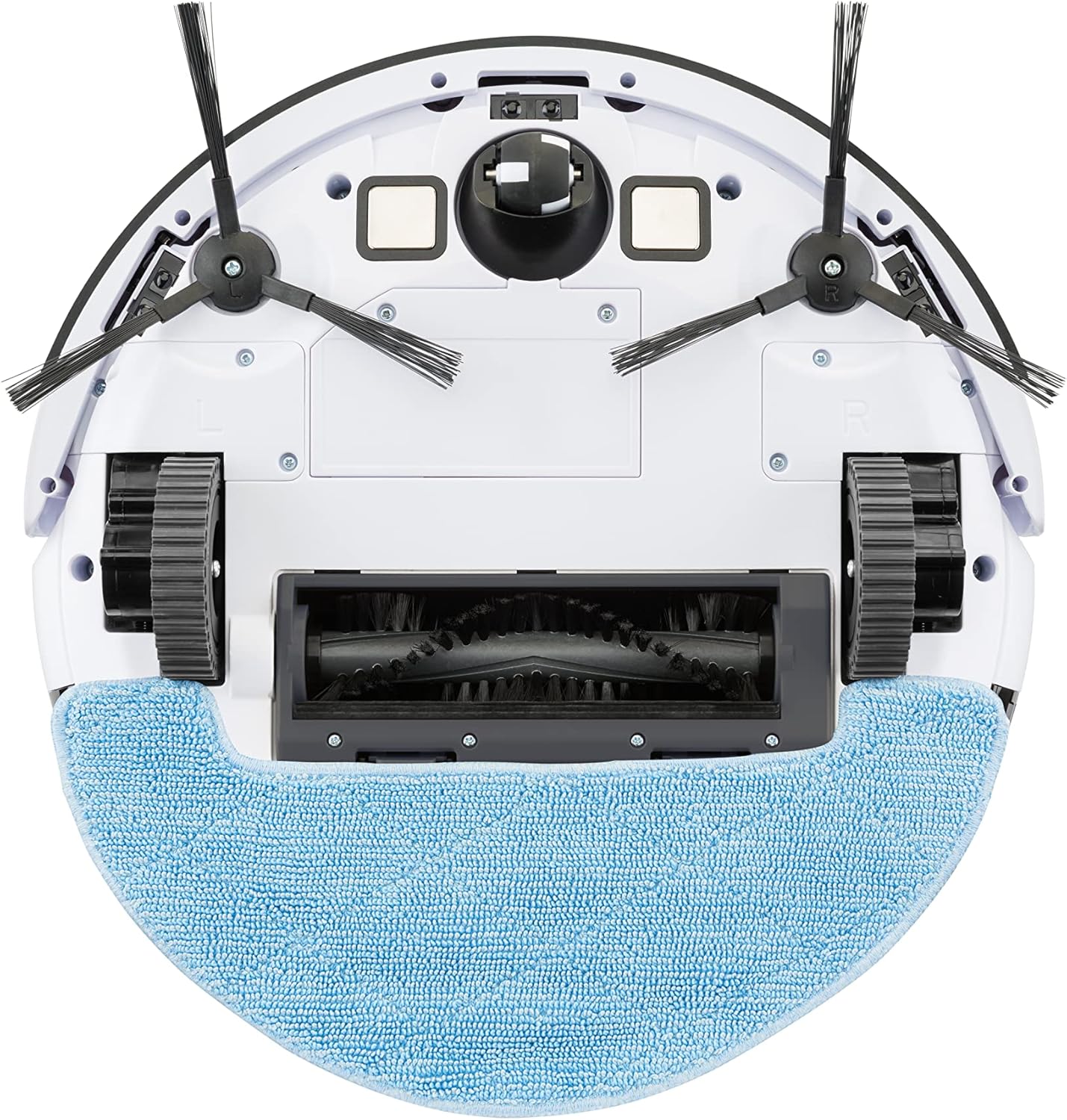
Image: The transparent water tank with the blue mop pad attached, ready to be inserted into the robot for mopping.
5. ETA Smart App Connection
For full control and advanced features, download the "ETA Smart" app from your smartphone's app store (compatible with Android 6.0+ and iOS 9.0+). Follow the in-app instructions to connect your robot to your home Wi-Fi network (2.4GHz only).

Image: Screenshot showing the ETA Smart App interface and its key features, including remote control, cleaning records, monitoring, cleaning modes, scheduling, and suction/mopping intensity control.
Instrukcja obsługi
Włączanie/wyłączanie
- Włączanie: Press and hold the power button on the robot or use the app.
- Aby wyłączyć: Press and hold the power button on the robot until it shuts down, or use the app.
Tryby czyszczenia
The ETA Aron offers various cleaning modes to suit different needs, accessible via the ETA Smart App:
- Automatyczne czyszczenie: Robot inteligentnie nawiguje i sprząta cały obszar.
- Rutynowe czyszczenie: Standard cleaning pattern for general maintenance.
- Czyszczenie krawędzi: Robot czyści wzdłuż ścian i krawędzi mebli.
- Czyszczenie punktowe: Skoncentrowane czyszczenie konkretnego, zabrudzonego obszaru.
- Regulacja siły ssania: Adjust the vacuum's suction strength for different floor types and dirt levels.
- Mopping Intensity Control: Adjust the water flow for mopping via the electronic pump.

Image: Visual representation of the four main cleaning modes: Automatic, Routine, Edge, and Spot cleaning, along with suction power adjustment and return to charging station.
Planowanie sprzątania
Use the ETA Smart App to set up daily or weekly cleaning schedules. This allows the robot to clean automatically at your preferred times.
Automatic Docking
When cleaning is complete or the battery is low, the robot will automatically return to its charging station to recharge.
Konserwacja
Regular maintenance ensures optimal performance and extends the lifespan of your ETA Aron robot vacuum.
1. Opróżnianie pojemnika na śmieci
Press the "PUSH" button on the dustbin to remove it from the robot. Open the dustbin lid and empty its contents into a trash can. It is recommended to empty the dustbin after each cleaning cycle.
2. Czyszczenie filtrów
Remove the HEPA filter and foam filter from the dustbin. Tap them gently to remove loose debris. Do not wash the HEPA filter with water; it can be brushed clean. The foam filter can be rinsed with water and air-dried completely before reinstallation.
Image: The multi-layer filter system, including the HEPA filter, which captures fine dust particles.
3. Czyszczenie szczotki głównej
Remove the main brush cover and lift out the main brush. Use the provided cleaning tool or scissors to cut and remove any hair or debris tangled around the brush. Reinstall the main brush and cover.
4. Czyszczenie szczotek bocznych
Gently pull the side brushes off their posts. Remove any tangled hair or debris. If the brushes are deformed, you can soak them in warm water for a few minutes to reshape them. Ensure they are dry before reattaching.
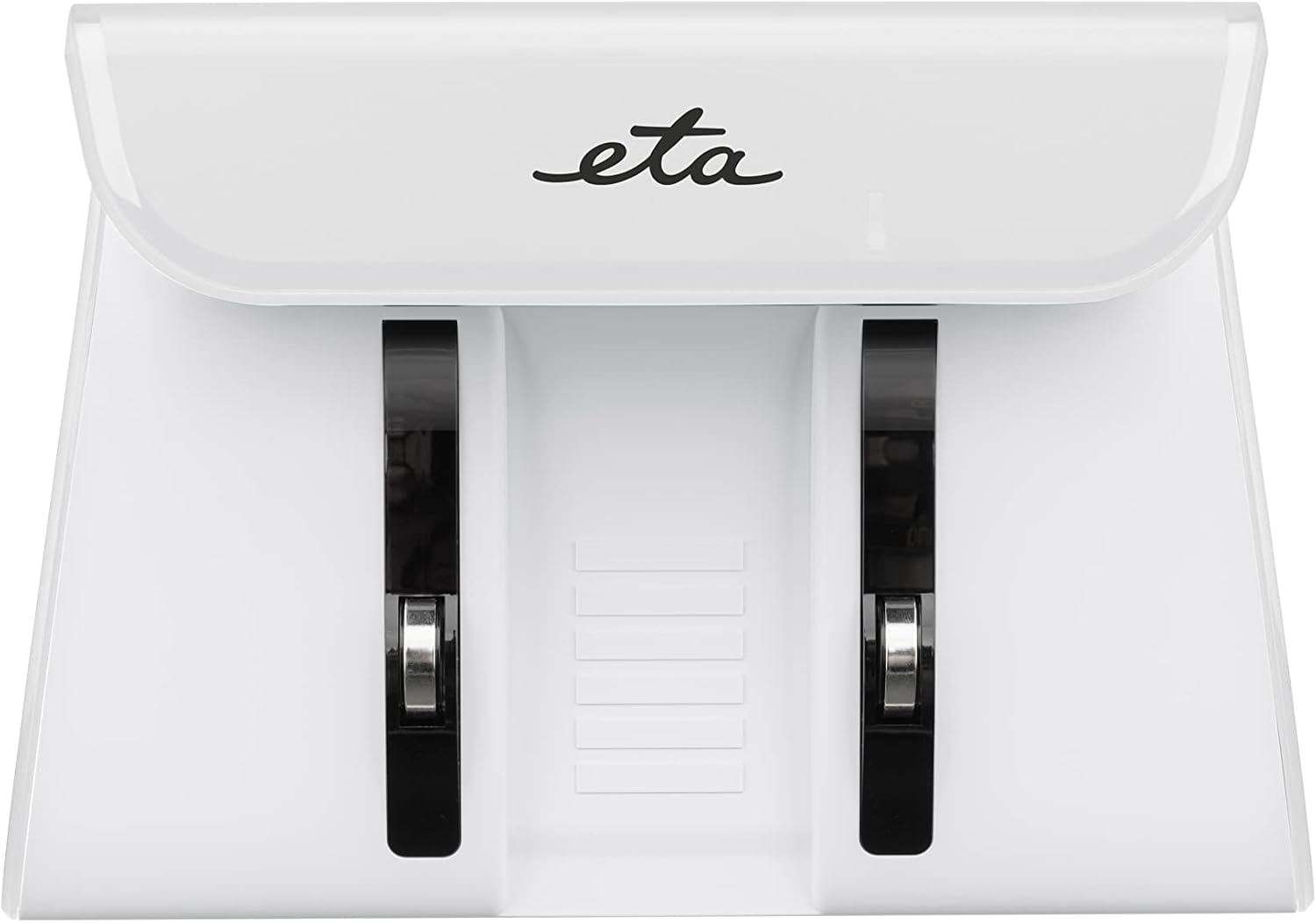
Image: A pair of new side brushes, which are crucial for sweeping debris from edges and corners into the robot's path.
5. Czyszczenie zbiornika na wodę i nakładki mopa
After mopping, remove the water tank and empty any remaining water. Rinse the tank thoroughly. Detach the mop pad and wash it by hand or machine. Allow both the tank and mop pad to air-dry completely before storing or reattaching.

Image: The blue microfiber mop pad, designed for effective wet cleaning and easy attachment to the water tank.
6. Czyszczenie czujników i styków ładowania
Wipe the anti-drop sensors, anti-collision sensors, and charging contacts on both the robot and the charging station with a clean, dry cloth. This prevents dust buildup from affecting performance.

Image: Diagram highlighting the location of 12 movement sensors, side brushes, and the mop attachment on the ETA Aron robot vacuum.
Rozwiązywanie problemów
If you encounter issues with your ETA Aron robot vacuum, refer to the following common problems and solutions:
| Problem | Możliwa przyczyna | Rozwiązanie |
|---|---|---|
| Robot się nie włącza. | Niski poziom naładowania baterii; przycisk zasilania nie był naciskany wystarczająco długo. | Place robot on charging station for at least 6 hours. Press and hold power button for 3-5 seconds. |
| Robot nie ładuje się. | Styki ładowania są brudne; zasilacz nie jest podłączony. | Wyczyść styki ładowania zarówno w robocie, jak i w stacji. Upewnij się, że zasilacz jest prawidłowo podłączony. |
| Słaba skuteczność czyszczenia. | Pełny kosz na śmieci; zapchane filtry; splątane szczotki. | Empty dustbin. Clean or replace filters. Clean main brush and side brushes. |
| Robot często się zacina. | Obstacles in cleaning path; sensors dirty. | Clear cables, rugs, and small objects. Clean anti-collision and anti-drop sensors. |
| Problemy z połączeniem aplikacji. | Nieprawidłowe hasło Wi-Fi; sieć Wi-Fi 5 GHz; robot znajduje się zbyt daleko od routera. | Ensure correct 2.4GHz Wi-Fi network. Move robot closer to router. Restart router and robot. |
If the problem persists, please contact ETA customer support.
Specyfikacje
| Funkcja | Szczegół |
|---|---|
| Marka | Szacowany czas przybycia |
| Nazwa modelu | Aron |
| Numer modelu | ETA351290000 |
| Wymiary (dł. x szer. x wys.) | Wymiary 30 x 30 x 7.2 cm |
| Waga | 5.76 kilogramów |
| Typ baterii | Li-ion 14.4 V. |
| Czas wykonania | Do 120 minut |
| Czas ładowania | Około 6 godzin |
| Pojemność zbiornika na wodę | 300 ml |
| Typ filtra | Filtr HEPA |
| Typ sterowania | App Control (Smartphones) |
| Cechy specjalne | Anti-fall, Anti-collision, Wet/Dry, 360-degree swivel, Pet hair pickup |
Gwarancja i wsparcie
For warranty information, please refer to the warranty card included with your product or visit the official ETA website. If you require technical assistance, spare parts, or have any questions not covered in this manual, please contact ETA customer support:
- Webstrona: www.eta.cz/en/ (General ETA website, as no specific support link is provided)
- Obsługa klienta: Refer to your product packaging or the ETA webstrona zawierająca dane kontaktowe dotyczące regionu.
Please have your model number (ETA351290000) and purchase details ready when contacting support.


