1. Wprowadzenie
Thank you for choosing the Ctronics Outdoor Wi-Fi Security Camera. This manual provides detailed instructions for setting up, operating, and maintaining your camera to ensure optimal performance and security. This advanced surveillance camera features 5MP Ultra HD resolution, dual-band 2.4GHz/5GHz Wi-Fi connectivity, intelligent human detection with auto-tracking, color night vision, two-way audio, and robust IP66 waterproof construction.

Figure 1: Ctronics Outdoor Wi-Fi Security Camera Overview
2. Główne cechy
- Dual-Band Wi-Fi & Enhanced Antenna: Supports both 2.4GHz and the latest 5GHz Wi-Fi for more stable, faster, and smoother data transmission with less interference. Equipped with a reinforced 5DBi antenna for improved signal stability, especially in outdoor environments.

Figure 2: Dual-band Wi-Fi and 5DBi antenna for stable connection.
- Rozdzielczość Ultra HD 5MP: Captures crystal-clear 5-megapixel video, allowing for precise identification of details like facial expressions, clothing, and accessories, crucial for evidence collection. Supports 4x digital zoom.

Figure 3: High-definition 5MP video capture.
- Advanced Night Vision & Two-Way Audio: Offers full-color night vision for clear identification of subjects even in low light. Features a high-quality built-in microphone and speaker for clear two-way communication without noise.

Figure 4: Color and Infrared night vision modes.
- 360° Pan-Tilt & Smart Detection: Provides a 360° surveillance range with Pan 350° and Tilt 90° capabilities. Equipped with intelligent human detection to minimize false alarms (over 95% accuracy) and an auto-tracking function that follows detected subjects and returns to the preset position after they leave the frame.

Figure 5: Pan-Tilt functionality for comprehensive coverage.

Figure 6: Human detection and auto-tracking in action.
- Durable Construction & Multiple Recording Options: Features a metal front cover for superior heat dissipation, fire resistance, and extended lifespan compared to plastic alternatives. IP66 waterproof and dustproof rating ensures reliable outdoor performance. Supports 24-hour continuous recording, motion-triggered recording, human detection recording, and schedule recording. Compatible with up to 128GB SD cards, ONVIF, NVR, and FTP.

Figure 7: Durable metal construction for longevity.

Figure 8: Multiple recording modes and storage options.
3. Przewodnik konfiguracji
3.1 Zawartość opakowania
Przed rozpoczęciem upewnij się, że w przesyłce znajdują się wszystkie elementy:
- Ctronics Outdoor Wi-Fi Security Camera
- Zasilacz
- Śruby montażowe i kotwy
- Kabel LAN
- Naklejka ostrzegawcza
- Instrukcja obsługi (ten dokument)
3.2 Konfiguracja początkowa
- Podłączenie zasilania: Podłącz kamerę do źródła zasilania za pomocą dostarczonego zasilacza.
- Pobieranie aplikacji: Download the "Ctronics" app from the App Store (iOS) or Google Play Store (Android).
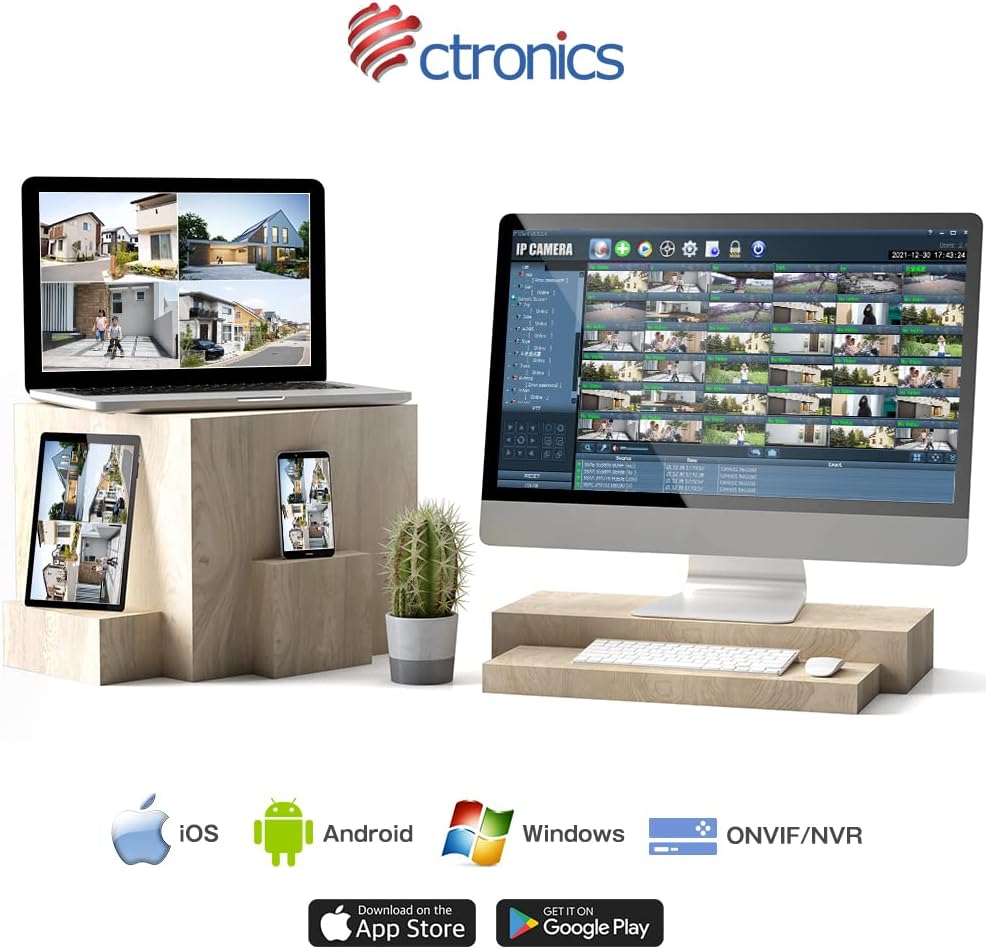
Figure 9: Ctronics App for mobile devices.
- Rejestracja konta: Otwórz aplikację i zarejestruj nowe konto lub zaloguj się, jeśli już je posiadasz.
- Dodaj urządzenie: Postępuj zgodnie z instrukcjami w aplikacji, aby dodać kamerę. Zazwyczaj polega to na zeskanowaniu kodu QR na kamerze lub ręcznym wpisaniu jej identyfikatora.
- Konfiguracja sieci: Select your preferred Wi-Fi network (2.4GHz or 5GHz) and enter the password. Ensure your camera is within range of your Wi-Fi router. For initial setup, it is recommended to place the camera close to the router.
- Montowanie: Once configured, choose a suitable outdoor location for mounting. Use the provided screws and anchors to securely attach the camera. Ensure the camera has a clear view obszaru, który chcesz monitorować.
4. Instrukcja obsługi
4.1 Na żywo View
Open the Ctronics app and select your camera from the device list to access the live video feed. You can view foo w czasie rzeczywistymtage z dowolnego miejsca z dostępem do Internetu.
4.2 Sterowanie obrotem i pochyleniem
Na żywo view screen, use the directional controls to remotely adjust the camera's pan (horizontal) and tilt (vertical) angles. The camera supports 350° pan and 90° tilt.
4.3 Tryby nagrywania
The camera offers several recording options:
- 24-godzinne ciągłe nagrywanie: Records continuously to the inserted SD card or connected NVR/FTP server.
- Nagrywanie ruchu: Nagrywa tylko po wykryciu ruchu.
- Human Detection Recording: Records specifically when a human figure is detected, reducing false alarms.
- Zaplanuj nagrywanie: Set specific times or days for recording.
Recordings can be stored on a microSD card (up to 128GB, not included), or via ONVIF/NVR/FTP for external storage solutions.
4.4 Dźwięk dwukierunkowy
Tap the microphone icon in the app to speak through the camera's speaker. Tap the speaker icon to listen to audio from the camera's microphone.
4.5 Alarmy i powiadomienia
When motion or human detection is triggered, the camera can:
- Wysyłaj powiadomienia push na swoje urządzenie mobilne.
- Activate a sensor light to deter intruders.
- Trigger a customizable alarm sound.

Figure 10: Alarm and push notification system.
5. Konserwacja
- Czyszczenie: Regularnie czyść obiektyw i obudowę aparatu miękką, miękką szmatką.amp Aby zapewnić wysoką jakość obrazu, należy przetrzeć ściereczką. Nie należy używać silnych środków chemicznych ani materiałów ściernych.
- Aktualizacje oprogramowania układowego: Check the Ctronics app periodically for firmware updates. Keeping your camera's firmware up-to-date ensures optimal performance, security, and access to new features.
- Zasilanie: Ensure the power adapter and cable are not damaged and are securely connected.
- Warunki środowiskowe: While the camera is IP66 waterproof, avoid direct exposure to extreme weather conditions if possible, such as prolonged heavy rain or direct sunlight in very hot climates, to maximize its lifespan.

Figure 11: IP66 waterproof and wide operating temperature range.
6. Rozwiązywanie Problemów
| Problem | Możliwa przyczyna | Rozwiązanie |
|---|---|---|
| Kamera jest offline/Nie można połączyć się z siecią Wi-Fi | Słaby sygnał Wi-Fi; Nieprawidłowe hasło Wi-Fi; Problemy z routerem; Kamera znajduje się zbyt daleko od routera. | Ensure camera is within Wi-Fi range. Check Wi-Fi password. Restart router and camera. Try connecting to 2.4GHz if 5GHz is unstable, or vice versa. |
| Niska jakość obrazu | Dirty lens; Insufficient light; Network bandwidth issues. | Clean the lens. Ensure adequate lighting or enable night vision. Check network speed. |
| False alarms/Too many notifications | Motion detection sensitivity too high; Non-human objects triggering detection. | Adjust motion detection sensitivity in the app. Enable human detection only. Adjust detection zones. |
| Karta SD nie nagrywa | SD card full or corrupted; Incorrect recording settings. | Format the SD card in the app. Check recording schedule and mode settings. Ensure SD card is inserted correctly. |
7. Specyfikacje
| Funkcja | Szczegół |
|---|---|
| Marka | Elektronika |
| Numer modelu | CTIPC-380C-5MP-BW |
| Technologia łączności | Bezprzewodowa (Wi-Fi 2.4 GHz i 5 GHz) |
| Rozdzielczość przechwytywania wideo | 5 megapikseli (2560x1920) |
| Zakres obrotu/pochylenia | Pan 350 °, pochylenie 90 ° |
| Cechy specjalne | Human Detection, Auto Tracking, Color Night Vision, Two-Way Audio, Alarm Notification, IP66 Waterproof |
| Tworzywo | Metal (front cover) |
| Źródło zasilania | Elektryczny przewodowy |
| Cotage | 5 W |
| Źródło światła | Infrared, White Light |
| Wsparcie magazynowania | MicroSD card (up to 128GB), ONVIF/NVR/FTP |
| Zgodność z systemem operacyjnym | iOS, Android, Windows, MAC |
| Waga przedmiotu | 800 gramów |
| Wymiary opakowania | Wymiary 21.1 x 20.3 x 13.7 cm |
8. Gwarancja i wsparcie
Ctronics provides a dwuletnia gwarancja jakości dla tego produktu.
If you encounter any malfunctions or issues with your security camera during the warranty period, you are eligible for a new product replacement, return, or refund.
For any inquiries or support, please feel free to contact our customer service team at: support.jp@ctronics.com


