1. Introduction to the FOKOOS Odin Smart 3D Printer
The FOKOOS Odin Smart 3D Printer is designed for ease of use and high performance, featuring a 99% pre-assembled structure for quick setup. It incorporates a direct drive extruder, enabling compatibility with various filaments like TPU, PLA+, and PETG. Advanced features include remote control via the FOKOOS APP and the ability to create time-lapse videos of your prints.
This manual provides detailed instructions for setting up, operating, maintaining, and troubleshooting your FOKOOS Odin Smart 3D Printer to ensure optimal performance and longevity.

Figure 1.1: The FOKOOS Odin Smart 3D Printer, showcasing its compact design and direct drive system.
2. Setup and Initial Installation
The FOKOOS Odin Smart 3D Printer arrives 99% pre-assembled, significantly reducing setup time. The complete installation process can be finished in approximately 2 minutes.
2.1 Rozpakowywanie i umieszczanie
Carefully remove the printer from its packaging. Place the printer on a stable, level surface in a well-ventilated area, away from direct sunlight and heat sources.
2.2 Etapy montażu
- Step 1: Lift and Secure the Gantry. Lift the gantry (the vertical frame with the print head) to a 90-degree upright position. Secure it using the 4 screws provided.
- Step 2: Remove Extruder Transport Screws. Locate and remove the 2 screws that secure the extruder for transport. These screws prevent movement during shipping and must be removed before operation.

Figure 2.1: Visual guide for the quick 2-minute assembly process.
2.3 Połączenie zasilania
Connect the power cable to the printer and then to a suitable power outlet. Ensure the power switch is in the OFF position before connecting.
3. Operating the FOKOOS Odin Smart 3D Printer
3.1 Direct Drive Extruder
The integrated direct drive extruder provides precise filament control and is compatible with a wide range of filaments, including flexible materials like TPU, as well as PLA+ and PETG. The 60W heating rod ensures rapid heating of the hot end, supporting high printing speeds.
3.2 FOKOOS APP Remote Control
Monitor and control your 3D printer remotely using the FOKOOS APP. Combined with the built-in 1080p Full HD camera, you can keep track of your printing progress from any location at any time.

Figure 3.1: Remote monitoring and control via the FOKOOS App.
Download the FOKOOS APP from the Sklep z aplikacjami (dla urządzeń iOS) lub Sklep Google Play (dla urządzeń z Androidem).
3.3 Time-Lapse Video Creation
The printer allows you to record the entire printing process by capturing layer-by-layer images. These images can then be compiled into a time-lapse video, perfect for sharing your 3D printing journey with friends and on social media.

Figure 3.2: Sharing time-lapse videos of your 3D prints.
3.4 Funkcja autotestu
The FOKOOS Odin Smart 3D Printer includes a self-test function to quickly identify potential issues and guide you towards solutions. This feature is particularly useful for beginners to diagnose common problems.
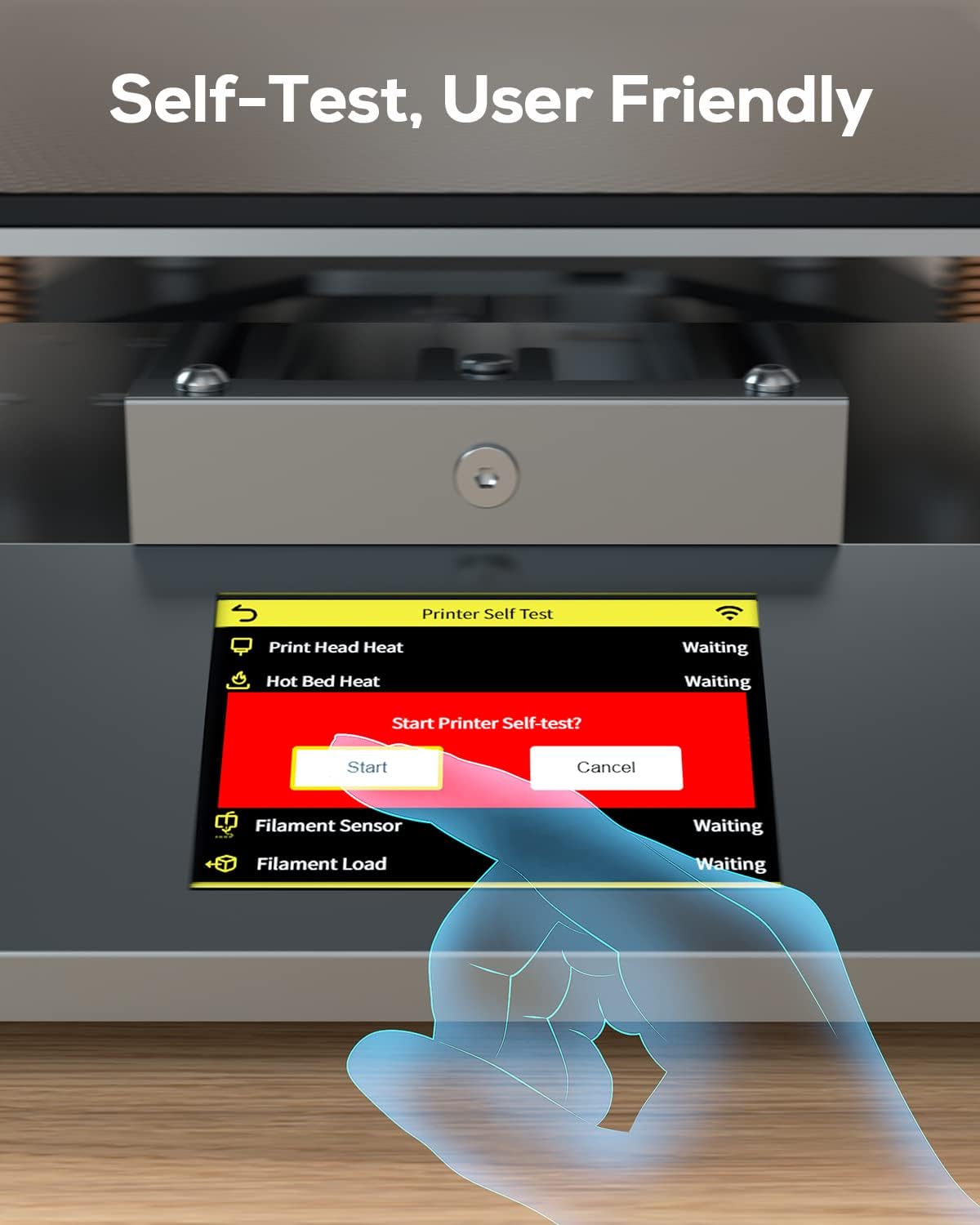
Figure 3.3: Initiating the printer's self-test function.
3.5 Prędkość drukowania
The FOKOOS Odin Smart 3D Printer is capable of significantly faster printing speeds compared to conventional models, allowing for quicker completion of your projects.

Figure 3.4: Speed comparison demonstrating faster printing capabilities.
4. Konserwacja
Regular maintenance ensures the longevity and optimal performance of your 3D printer. Always power off and unplug the printer before performing any maintenance.
4.1 Cleaning the Print Bed
After each print, allow the print bed to cool down. Gently remove any residual filament or debris using a scraper. For stubborn residue, use isopropyl alcohol and a clean cloth.
4.2 Czyszczenie dyszy
Periodically check the nozzle for clogs or buildup. You can use a thin needle or a brass brush to clean the nozzle while it is heated (refer to safety guidelines in the full user manual).
4.3 Smarowanie
Apply a small amount of lithium grease or similar lubricant to the smooth rods and lead screws every few months to ensure smooth movement of the print head and build plate.
4.4 aktualizacji oprogramowania sprzętowego
Check the official FoKoos website periodically for firmware updates. Keeping your printer's firmware up-to-date can improve performance and add new features.
5. Rozwiązywanie typowych problemów
This section addresses common issues you might encounter with your FOKOOS Odin Smart 3D Printer. For more detailed troubleshooting, refer to the comprehensive user manual or utilize the printer's built-in self-test function.
5.1 Print Not Sticking to Bed
- Rozwiązanie: Ensure the print bed is clean and level. Adjust the Z-offset to ensure the nozzle is at the correct height from the bed. Increase bed temperature if necessary.
5.2 Filament nie wytłacza się
- Rozwiązanie: Check for a clogged nozzle. Ensure the filament is loaded correctly and not tangled. Verify the extruder motor is functioning.
5.3 Poor Print Quality (Layer Shifting, Stringing)
- Rozwiązanie: Check belt tension and ensure all mechanical components are secure. Adjust retraction settings in your slicing software to reduce stringing. Ensure proper cooling.
5.4 Printer Not Connecting to APP
- Rozwiązanie: Ensure the printer is powered on and connected to a stable Wi-Fi network. Verify your smartphone's network connection. Restart both the printer and the app.
5.5 Utilizing the Self-Test Function
As mentioned in Section 3.4, the printer's self-test function can diagnose issues related to the print head, hot bed, filament sensor, and filament loading. Access this feature via the printer's touchscreen interface.
6. Specyfikacje techniczne
Below are the key technical specifications for the FOKOOS Odin Smart 3D Printer (Model: FO1Samrt).

Figure 6.1: Product dimensions of the FOKOOS Odin Smart 3D Printer.
| Funkcja | Szczegół |
|---|---|
| Numer modelu | FO1Samrt |
| Marka | FoKoos |
| Wymiary produktu | 9.25 x 9.25 x 9.84 cala (23.5 x 23.5 x 25 cm) |
| Waga przedmiotu | 16.28 funta (7.4 kilograma) |
| Tworzywo | Pla (compatible with PLA+, PETG, TPU) |
| Kolor | Czarny |
| Producent | FOKOOS TECH |
| Pobór mocy w trybie włączenia | 60.0 watów |
| Pierwsza dostępna data | 3 listopada 2022 r. |
7. Informacje o gwarancji
Specific warranty terms and conditions for the FOKOOS Odin Smart 3D Printer are subject to the policies of FoKoos TECH. Please refer to the warranty card included with your product packaging or visit the official FoKoos webstrona zawierająca najnowsze informacje dotyczące gwarancji i szczegółów rejestracji.
8. Obsługa klienta
For further assistance, technical support, or inquiries regarding your FOKOOS Odin Smart 3D Printer, please utilize the following resources:
- Oficjalna instrukcja obsługi (PDF): A comprehensive user guide is available for download. You can access it directly via this link: FOKOOS Odin Smart 3D Printer User Manual (PDF).
- FoKoos Official Store: Visit the official FoKoos store on Amazon for product information, FAQs, and additional support resources: FoKoos Store.
- Manufacturer FAQs: The manufacturer provides answers to frequently asked questions. For general inquiries about FOKOOS and their products, refer to their brand story FAQs.
If you require direct technical assistance, please contact FoKoos customer service through their official website or the contact information provided in the full user manual.


