1. Wprowadzenie
Thank you for choosing the Xtreme Wireless Super Slim Keyboard. This manual provides essential information for setting up, operating, maintaining, and troubleshooting your new keyboard. Designed for universal use with Windows and Mac desktop computers, this keyboard offers a reliable wireless connection up to 33 feet away using its included USB Nano Receiver.
Zawartość pudełka:
- Xtreme Wireless Super Slim Keyboard
- Odbiornik USB Nano
Note: 2 AAA batteries are required and not included with this unit.
2. Konfiguracja
2.1 Instalacja baterii
The keyboard requires two (2) AAA batteries (not included) for operation.
- Znajdź pokrywę komory baterii na spodzie klawiatury.
- Otwórz pokrywę.
- Włóż dwie baterie AAA, upewniając się, że bieguny dodatni (+) i ujemny (-) są prawidłowo ustawione względem wskaźników wewnątrz komory.
- Dokładnie zamknij pokrywę komory baterii.
2.2 Podłączanie odbiornika nano USB
The Xtreme Wireless Super Slim Keyboard uses a plug-and-play USB Nano Receiver for wireless connectivity.
- Locate an available USB port on your desktop computer (Windows or Mac).
- Insert the USB Nano Receiver firmly into the USB port.
- Twój komputer powinien automatycznie wykryć i zainstalować niezbędne sterowniki. Ten proces może potrwać chwilę.
- Po zainstalowaniu sterowników klawiatura będzie gotowa do użycia.
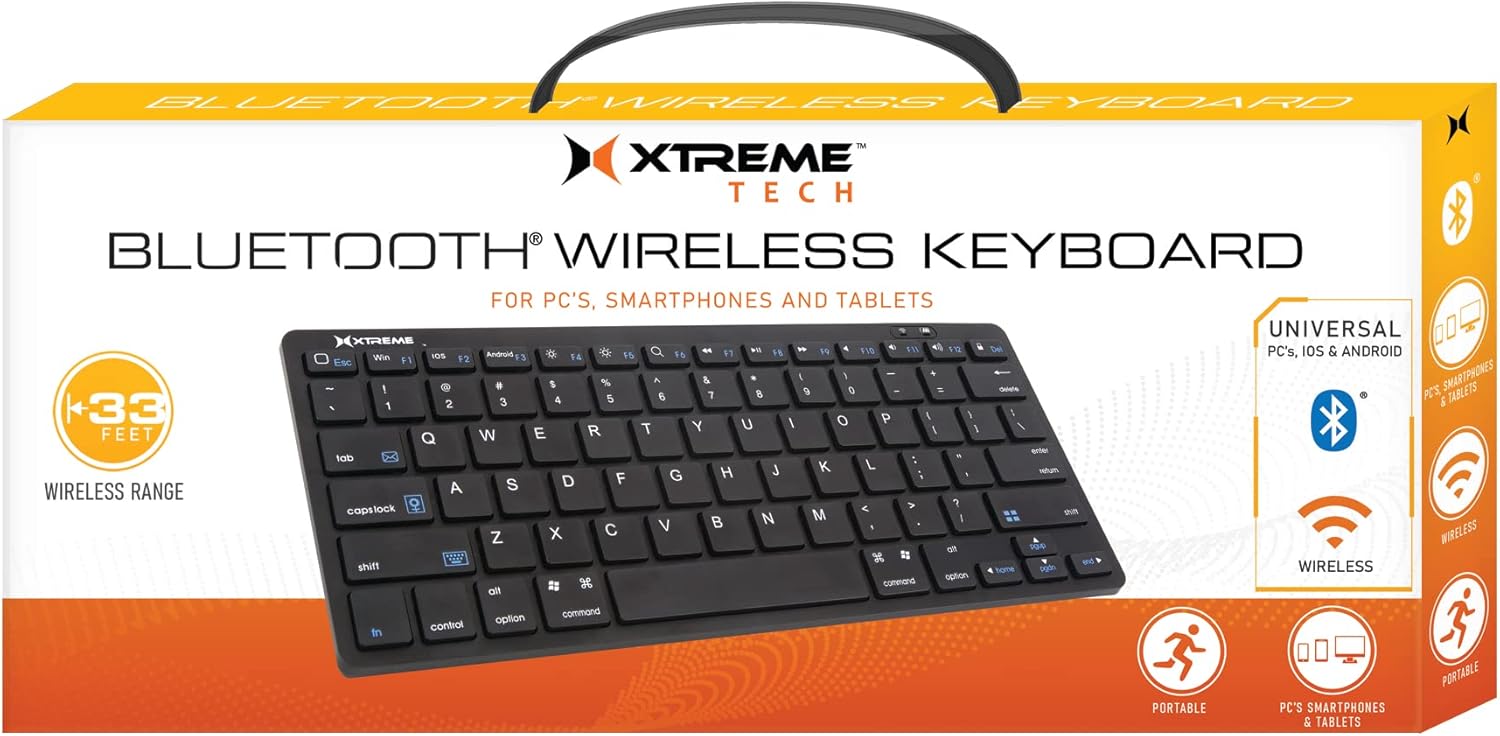
Image: The Xtreme Wireless Super Slim Keyboard shown with its compact design and the small USB Nano Receiver, ready for connection to a computer.
3. Obsługa klawiatury
3.1 Podstawowa obsługa
Once connected, the keyboard functions like a standard computer keyboard. Simply begin typing. The wireless connection allows you to operate the keyboard from a distance of up to 33 feet (approximately 10 meters) from your computer, providing flexibility in your workspace.
3.2 Zgodność
This keyboard is universally compatible with both Windows and Mac operating systems. No special software or complex setup is required beyond inserting the USB Nano Receiver.
4. Konserwacja
4.1 Czyszczenie
Aby zachować wygląd i funkcjonalność klawiatury:
- Use a soft, dry, lint-free cloth to wipe the surface of the keyboard.
- W przypadku uporczywych zabrudzeń, delikatnieampPrzetrzyj ściereczkę wodą lub delikatnym, nieściernym środkiem czyszczącym. Unikaj nadmiernej wilgoci.
- Do not spray cleaners directly onto the keyboard.
- Za pomocą sprężonego powietrza usuń kurz i zanieczyszczenia spomiędzy klawiszy.
4.2 Wymiana baterii
When the keyboard's performance degrades or it stops responding, it may be time to replace the batteries. Follow the battery installation steps in Section 2.1.
4.3 Przechowywanie
When not in use for extended periods, it is recommended to remove the batteries to prevent leakage and damage to the keyboard. Store the keyboard in a cool, dry place.
5. Rozwiązywanie Problemów
5.1 Klawiatura nie odpowiada
- Sprawdź baterie: Sprawdź, czy nowe baterie AAA są prawidłowo zainstalowane.
- Sprawdź połączenie odbiornika: Upewnij się, że odbiornik USB Nano jest prawidłowo podłączony do działającego portu USB w komputerze. Spróbuj użyć innego portu USB.
- Zakres: Ensure the keyboard is within the 33-foot operating range of the receiver.
- Ingerencja: Move the keyboard and receiver away from other wireless devices or large metal objects that might cause interference.
- Restart komputera: Czasami proste ponowne uruchomienie komputera może rozwiązać problemy z łącznością.
5.2 Klawisze nie działają prawidłowo
- Czyste klucze: Check for any debris or obstructions under the keys. Refer to Section 4.1 for cleaning instructions.
- Poziom naładowania baterii: Low battery power can sometimes cause erratic key behavior. Replace batteries if necessary.
6. Specyfikacje
| Funkcja | Szczegół |
|---|---|
| Nazwa modelu | XCA2-1004-BLK |
| Marka | AKCESORIA DO STYLU ŻYCIA EKSTREMALNEGO CYFROWEGO |
| Technologia łączności | USB Wireless (via Nano Receiver) |
| Zasięg bezprzewodowej | Do 33 stóp (10 metrów) |
| Kompatybilne urządzenia | PC (Windows), Mac |
| Źródło zasilania | Baterie 2 x AAA (brak w zestawie) |
| Kolor | Czarny |
| Zawarte komponenty | Odbiornik nano |
| Producent | Akcesoria Jem |
7. Gwarancja i wsparcie
For information regarding warranty coverage and technical support for your Xtreme Wireless Super Slim Keyboard, please refer to the documentation included with your product packaging or visit the official XTREME DIGITAL LIFESTYLE ACCESSORIES website. You may also contact the seller, AllTech 365, for purchase-specific support.
Zasoby internetowe:


