Wstęp
This manual provides essential information for setting up, operating, and maintaining your Apple iPad (10th Generation). The iPad features an all-screen design, a 10.9-inch Liquid Retina display, the powerful A14 Bionic chip, Wi-Fi 6 connectivity, and advanced cameras. It is designed for everyday tasks, creativity, and staying connected.
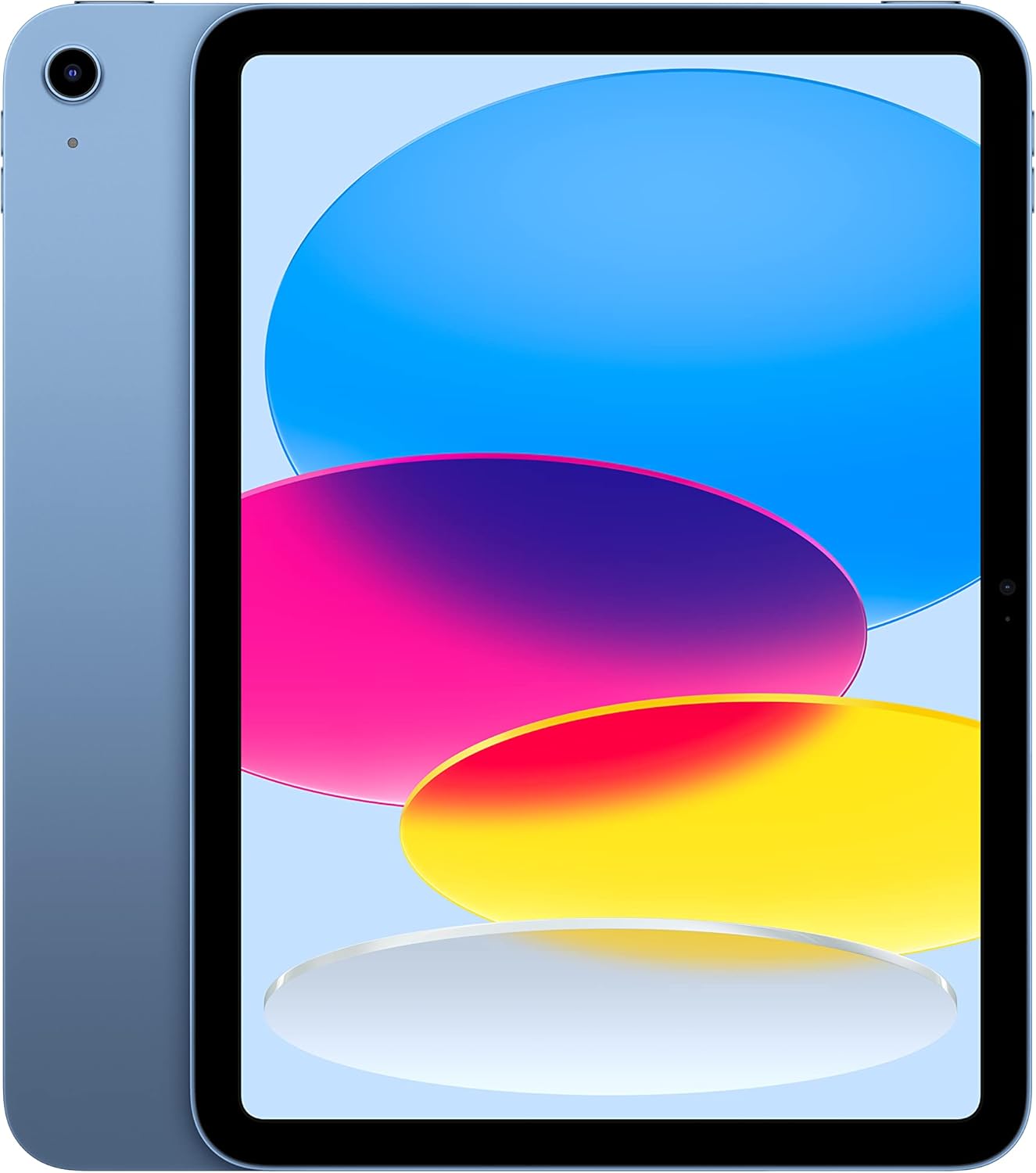
Image: The Apple iPad (10th Generation) in blue, showcasing its full-screen display and sleek design.
Co jest w pudełku
Verify that all items are present in your iPad packaging:
- iPad (10. generacja)
- USB-C Charge Cable (1 meter)
- Zasilacz 20W USB-C

Image: A visual representation of the items included in the iPad packaging: the iPad device, a USB-C charging cable, and a 20W USB-C power adapter.
Organizować coś
- Włączanie: Naciśnij i przytrzymaj górny przycisk, aż pojawi się logo Apple.
- Konfiguracja wstępna: Postępuj zgodnie z instrukcjami wyświetlanymi na ekranie, aby wybrać język i region, a następnie nawiązać połączenie z siecią Wi-Fi.
- Przesyłanie danych (opcjonalnie): If you have a previous iPad or iPhone, you can transfer your data during setup.
- Identyfikator Apple: Zaloguj się za pomocą swojego Apple ID lub utwórz nowe. Jest to niezbędne do pobierania aplikacji, korzystania z iCloud i innych usług Apple.
- Touch ID Setup: Configure Touch ID for secure unlocking and purchases.
- Ładowanie: Connect the USB-C Charge Cable to the iPad's USB-C port and the 20W USB-C Power Adapter, then plug it into a power outlet.
Operating Your iPad
Wyświetlacz
The iPad features a 10.9-inch Liquid Retina display with True Tone technology. True Tone automatically adjusts the display's color and intensity to match the ambient light, providing a more natural viewzdobywania doświadczenia.

Image: An illustration of the iPad's key features, including the 10.9-inch Liquid Retina display, Landscape Ultra Wide front camera, and the A14 Bionic chip.
Dotyk ID
Touch ID is integrated into the top button of your iPad. It allows you to securely unlock your device, sign in to apps, and authorize purchases with Apple Pay using your fingerprint.
- Odblokować: Place your registered finger on the top button.
- Płatność Apple Pay: Double-press the top button and then place your finger on it to authenticate a payment.
Kamery
The iPad is equipped with advanced cameras:
- Przednia kamera: Landscape 12MP Ultra Wide camera with Center Stage and Smart HDR 3. Center Stage automatically keeps you in the frame during video calls.
- Tylna kamera: 12MP Wide camera with Smart HDR 3, capable of recording 4K video at 24, 25, 30, or 60 frames per second.
Łączność
The iPad supports Wi-Fi 6, providing fast and reliable wireless internet access for streaming, downloading, and browsing.
Wydajność i przechowywanie
Powered by the A14 Bionic chip with a 6-core CPU, 4-core graphics, and a 16-core Neural Engine, the iPad delivers robust performance for various applications, from immersive games to photo and video editing. It is available with 64GB or 256GB storage options.
Żywotność baterii
The iPad offers up to 10 hours of web surfing on Wi-Fi or video playback. When using cellular data (on Wi-Fi + Cellular models), battery life is up to 9 hours.
Akcesoria
Enhance your iPad experience with compatible accessories (sold separately):
- Apple Pencil (1. generacja): Transforms your iPad into a digital canvas and note-taking device. Requires a USB-C to Apple Pencil Adapter.
- Magic Keyboard Folio: Features a two-piece design with a detachable keyboard and protective back panel that attach magnetically.

Image: The Apple iPad (10th Generation) shown with the Magic Keyboard Folio and Apple Pencil, demonstrating its versatility for productivity and creativity.
Konserwacja
To ensure the longevity and optimal performance of your iPad, follow these maintenance guidelines:
- Czyszczenie: Do czyszczenia ekranu i obudowy używaj miękkiej, niepozostawiającej włókien ściereczki. Unikaj materiałów ściernych i silnych środków chemicznych.
- Temperatura: Operate and store your iPad within recommended temperature ranges (0° to 35° C / 32° to 95° F). Avoid extreme heat or cold.
- Aktualizacje oprogramowania: Regularly update iPadOS to the latest version to benefit from new features, security enhancements, and bug fixes. Go to Settings > General > Software Update.
- Zarządzanie pamięcią masową: Okresowo ponownieview and manage your storage to free up space. Go to Settings > General > iPad Storage.
Rozwiązywanie problemów
Jeśli masz problemy z iPadem, skorzystaj z poniższych typowych metod rozwiązywania problemów:
- Urządzenie nie odpowiada: If your iPad is unresponsive, force restart it. Press and quickly release the volume up button, press and quickly release the volume down button, then press and hold the top button until the Apple logo appears.
- Problemy z połączeniem Wi-Fi:
- Sprawdź, czy w Ustawieniach opcja Wi-Fi jest włączona.
- Uruchom ponownie router Wi-Fi.
- Zapomnij o sieci i połącz się ponownie.
- Spust baterii: Check battery usage in Settings > Battery to identify apps consuming significant power. Adjust settings or background app refresh as needed.
- Problemy z aplikacją: If an app is not working correctly, try closing and reopening it. If the problem persists, delete and reinstall the app.
For more detailed troubleshooting or persistent issues, visit the official Apple Support webodwiedź witrynę lub skontaktuj się z obsługą klienta Apple.
Specyfikacje
| Funkcja | Szczegół |
|---|---|
| Nazwa modelu | iPad (10. generacja) |
| Numer modelu przedmiotu | MPQ93LL/A |
| Wyświetlacz | 10.9-calowy wyświetlacz Liquid Retina z technologią True Tone |
| Rozdzielczość wyświetlacza | 2360 x 1640 pikseli |
| Żeton | A14 Bionic chip (6-core CPU, 4-core graphics, 16-core Neural Engine) |
| Pojemność pamięci masowej | 256 GB (also available in 64GB) |
| Kamera tylna | 12MP Wide camera with Smart HDR 3, 4K video recording |
| Przednia kamera | Landscape 12MP Ultra Wide with Center Stage and Smart HDR 3 |
| Żywotność baterii | Up to 10 hours (Wi-Fi), Up to 9 hours (Cellular) |
| Złącze | USB-C |
| Wymiary (wys. x szer. x gł.) | 9.79 x 7.07 x 0.28 cala (248.6 x 179.5 x 7 mm) |
| Waga | Model Wi-Fi o wadze 1.05 funta (477 grama). |
| Compatible Apple Pencil | Apple Pencil (1st generation) - requires USB-C to Apple Pencil Adapter |
| Producent | Jabłko |
| Data pierwszej dostępności | 18 października 2022 r. |
Gwarancja i wsparcie
Your Apple iPad (10th Generation) is covered by Apple's standard limited warranty. For detailed information regarding warranty terms, coverage, and service options, please refer to the warranty documentation included with your product or visit the official Apple Support webstrona.
For technical assistance, troubleshooting guides, and additional resources, please visit the Wsparcie Apple webstrona na iPada.
Ważne uwagi
This manual provides general instructions. For the most up-to-date information and advanced features, always refer to the official Apple iPad User Guide available digitally on your device or Apple's webstrona.


